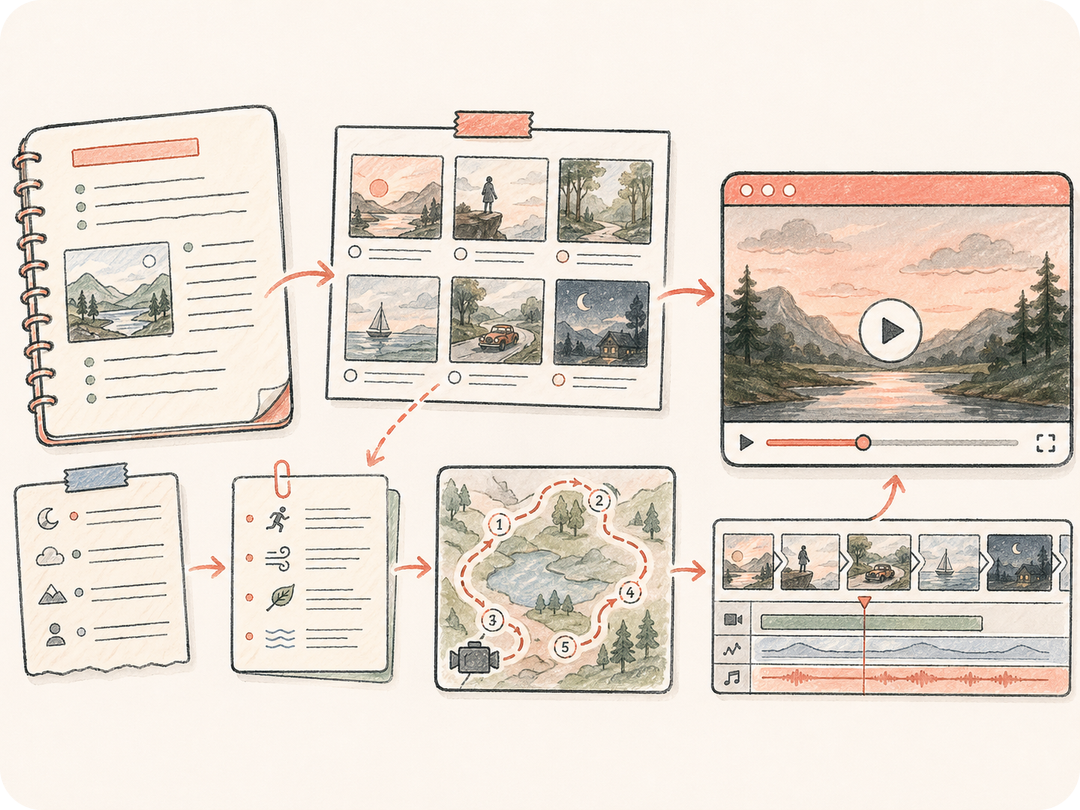
Prepare el contenido de origen antes de la generación
Utilice texto simple como punto de partida y conviértalo en una instrucción concreta de texto a video en lugar de una solicitud imprecisa.
Convierta un prompt, guion, nota de guion gráfico o idea de producto en una tarea breve de video con IA. Kollab reúne el texto de origen, la elección del modelo, el resultado guardado y la revisión de equipo.
Pase del prompt de texto al clip generado sin perder el guion original, las notas de escena, la dirección de movimiento, los requisitos de salida ni el contexto de revisión.
Utilice texto simple como punto de partida y conviértalo en una instrucción concreta de texto a video en lugar de una solicitud imprecisa.
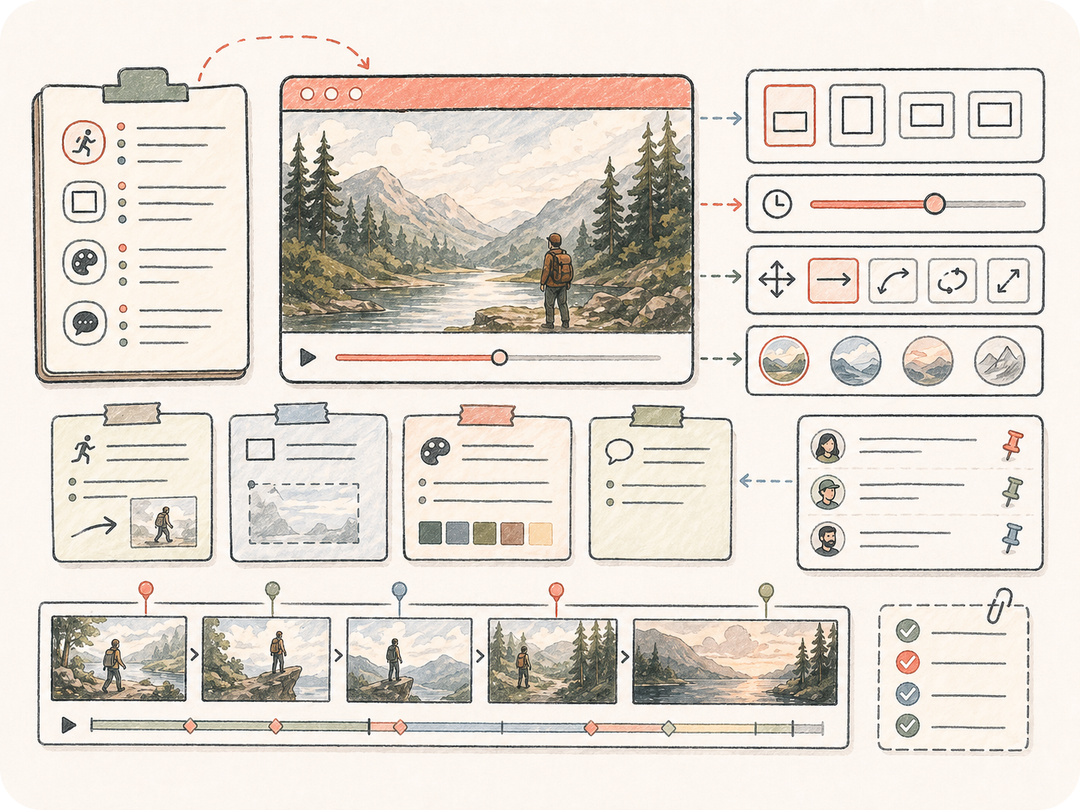
Incorpore notas de movimiento, formato, estilo y necesidades de revisión para que las iteraciones partan del mismo texto de origen.
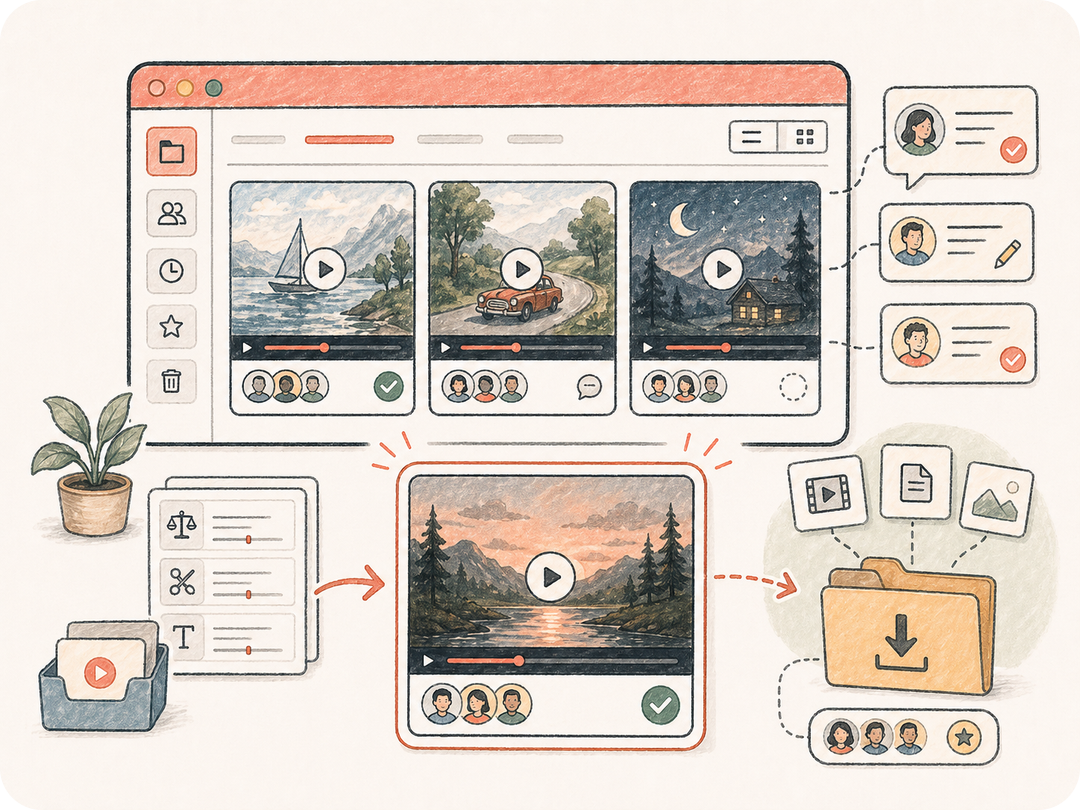
Conserve los clips generados en el espacio de trabajo de la tarea para que el equipo pueda comparar, revisar, descargar y reutilizar los resultados aprobados.
Kollab organiza el prompt, la dirección de movimiento, la solicitud de enrutamiento del modelo y la revisión de artefactos en una sola tarea preparada.
Comience con un prompt, guion, nota de guion gráfico o idea de campaña.
Defina el movimiento, la relación de aspecto, la duración y el estilo visual.
El editor de tareas recibe una instrucción preparada de generación de video lista para utilizar el modelo adecuado disponible.
Cree el video, revíselo y solicite versiones de seguimiento dentro del mismo hilo.
Utilice la IA de texto a video para lanzamientos de productos, clips para redes sociales, storyboards y experimentos de campaña sin dispersar archivos ni comentarios.
Utilice texto simple como punto de partida y conviértalo en una instrucción concreta de texto a video en lugar de una solicitud imprecisa.
Incorpore notas de movimiento, formato, estilo y necesidades de revisión para que las iteraciones partan del mismo texto de origen.
Conserve los clips generados en el espacio de trabajo de la tarea para que el equipo pueda comparar, revisar, descargar y reutilizar los resultados aprobados.
Convierte texto simple en una tarea preparada de texto a video en Kollab, reuniendo el contexto de origen, los requisitos de salida y la revisión de artefactos en un solo espacio de trabajo.
Puede comenzar desde esta página y abrir una tarea preparada en Kollab de forma gratuita. Los límites de generación, el uso de modelos o las funciones de pago dependen del plan activo y la configuración del proveedor.
Utilice la página con el campo de origen visible, las subidas compatibles cuando se muestren y detalles como formato, estilo, idioma o reglas de conservación. Los archivos privados se cargan dentro de Kollab.
La tarea produce clips generados o instrucciones estructuradas guardadas en Kollab. Los resultados se mantienen vinculados al texto original para descargarlos e iterar.
Esta página está optimizada para la creación de texto a video. Las herramientas relacionadas parten de un origen o destino diferente, como imagen a prompt, texto a imagen, imagen a video u OCR.
Sí. El hilo conserva el texto de origen, los requisitos, los artefactos generados y las instrucciones de seguimiento juntos para que el equipo pueda revisar versiones sin perder contexto.
Sea específico sobre el tema, las restricciones, el formato de destino, el nivel de calidad y lo que debe conservarse o evitarse. Un material de origen claro mejora notablemente los resultados.
Sí, los equipos pueden utilizarlo para campañas y trabajo de producto, pero deben revisar derechos, normas de marca, detalles generados y requisitos de cumplimiento antes de publicar.
Convierta su prompt, guion, nota de guion gráfico (storyboard) o idea de producto en una tarea de video con IA lista para revisión en Kollab.