01
Convierta su objetivo en un borrador de correo completo
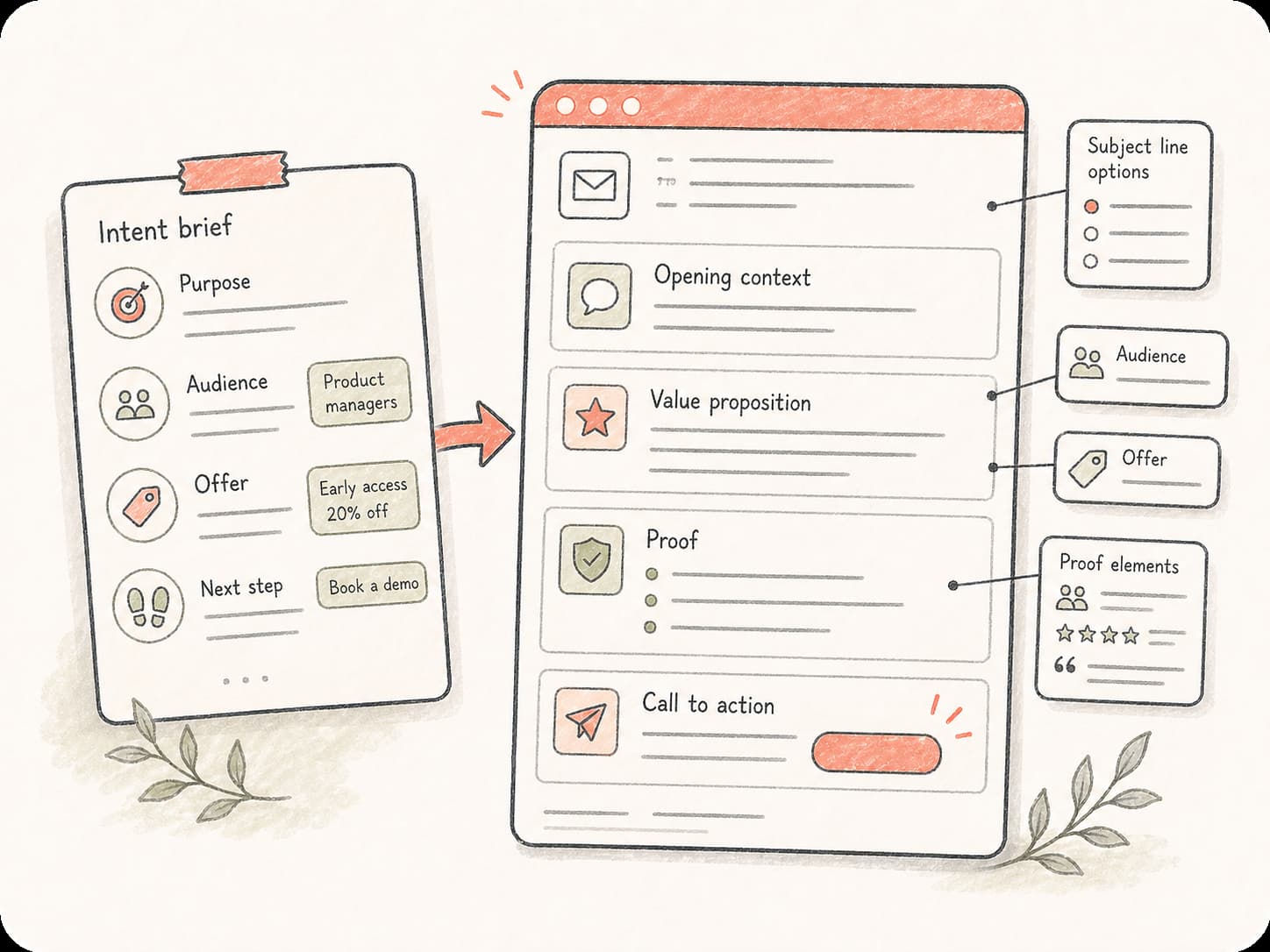
Start from a goal, meeting note, product point, or customer question. Kollab turns it into a structured email with a subject, opening, body, proof, and next step.
Turn a goal, recipient, product point, or rough note into a clear email draft. Kollab helps with subject lines, personalization, tone, proof points, and team feedback in one workspace.
Su solicitud se abre como una tarea de Kollab.
Turn a goal, recipient, product point, or rough note into a clear email draft. Kollab helps with subject lines, personalization, tone, proof points, and team feedback in one workspace.
Turn a goal, recipient, product point, or rough note into a clear email draft. Kollab helps with subject lines, personalization, tone, proof points, and team feedback in one workspace.
Kollab reúne el propósito, el destinatario, las pruebas y las notas de revisión en un solo lugar, permitiendo perfeccionar el correo sin perder el contexto del negocio.
Start from a goal, meeting note, product point, or customer question. Kollab turns it into a structured email with a subject, opening, body, proof, and next step.
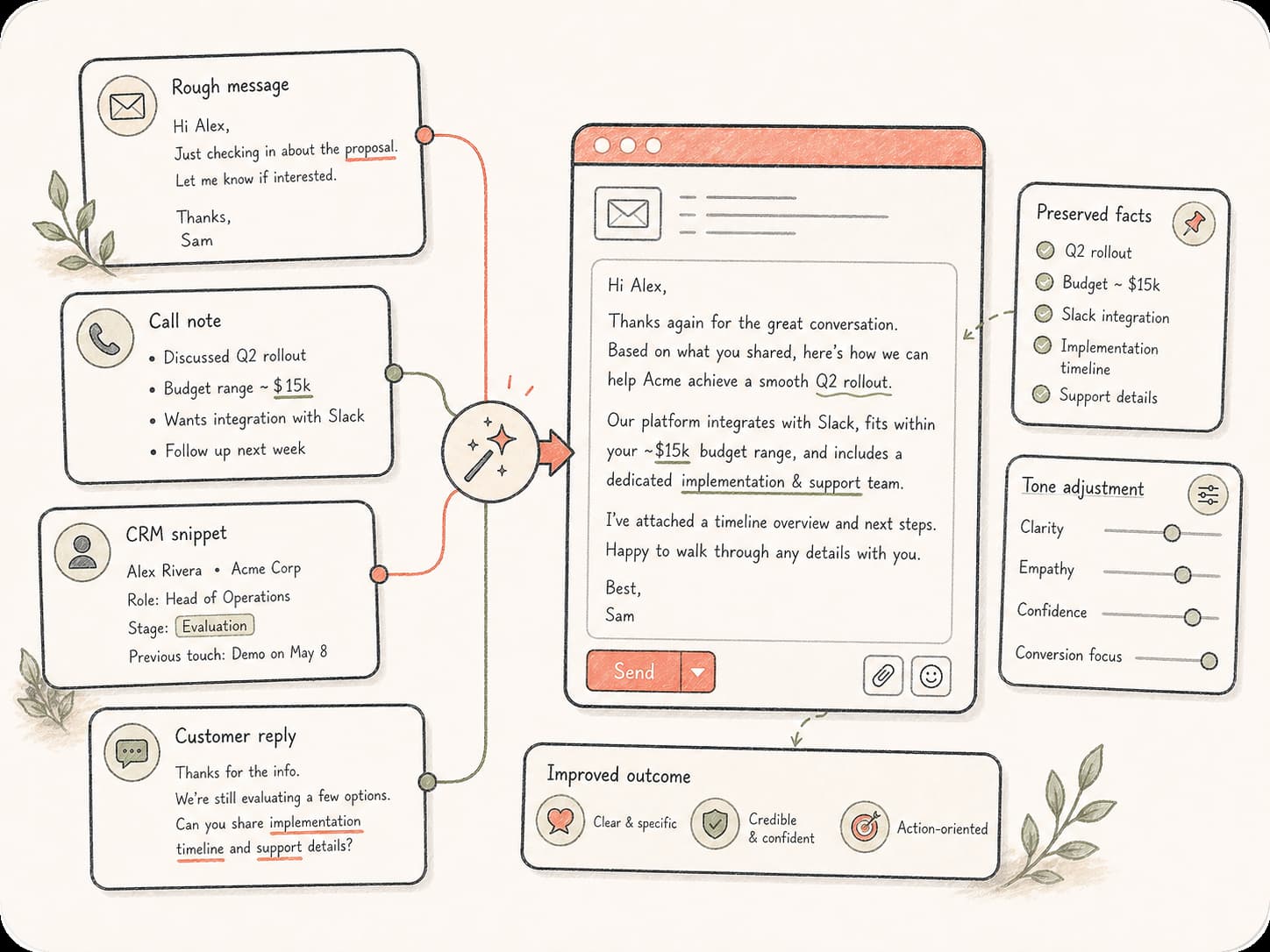
Pida una versión más concisa, un tono más cercano, un llamado a la acción más contundente o mejores datos de respaldo sin perder la referencia inicial.

Conserve borradores, comentarios, variantes y versiones finales en una sola tarea de Kollab para que ventas, soporte, marketing y fundadores colaboren en la revisión.
Escriba su propósito una sola vez y continúe afinando el correo en la misma tarea con contexto, alternativas y notas de revisión.
Añada destinatario, situación, objetivo, tono y los datos de prueba que el correo deba incluir.
Kollab crea un borrador completo y puede sugerir opciones de asunto o versiones sintetizadas.
Solicite ajustes de tono, una estructura más sólida o la revisión de su equipo antes del envío definitivo.
Ideal cuando el mensaje requiere contexto y criterio comercial, no una simple plantilla genérica.
Redacte correos de prospección, seguimientos cercanos y resúmenes de demostración enfocados en el problema del cliente y el paso siguiente.
Convierta notas de soporte complejas en respuestas tranquilizadoras y precisas que expliquen con claridad la situación y la acción a seguir.
Estructure actualizaciones de producto, anuncios de lanzamiento y boletines en textos de correo atractivos y claros.
Resuma acuerdos, bloqueos, prioridades y solicitudes en mensajes prácticos sobre los que el equipo pueda actuar de inmediato.
Redacte comunicaciones para inversores, notas para socios y respuestas sensibles con un tono riguroso y cuidado.
Redacte propuestas de contacto, coordinación de reuniones, declinaciones formales y seguimientos con redacción coherente.
Yes. You can start from this free tool page and send the draft into Kollab. Usage limits and team features depend on your plan.
Sí. Incorpore el rol del destinatario, el problema del cliente, el valor del producto, datos de prueba, el tono y el siguiente paso. Kollab redactará un correo de prospección concreto y natural, lejos de plantillas genéricas.
Sí. Pegue el borrador y describa los cambios deseados: más breve, más cercano, más directo, con tono ejecutivo o más fácil de responder.
Sí. Añada el contexto de la reunión, las dudas del comprador, el material acordado y el siguiente paso sugerido. Kollab lo estructurará en un correo de seguimiento impecable.
Sí. El borrador permanece dentro de una tarea de Kollab junto con comentarios, versiones y archivos adjuntos para que su equipo lo revise antes del envío.
Sí. Solicite alternativas para el asunto, texto de vista previa o diferentes enfoques para el mismo mensaje.
Incluya destinatario, relación, objetivo, contexto, tono, el dato de prueba necesario y la acción concreta que espera del lector.
Comience con un objetivo general y conserve el borrador del correo, el contexto y las notas de revisión juntos en Kollab.