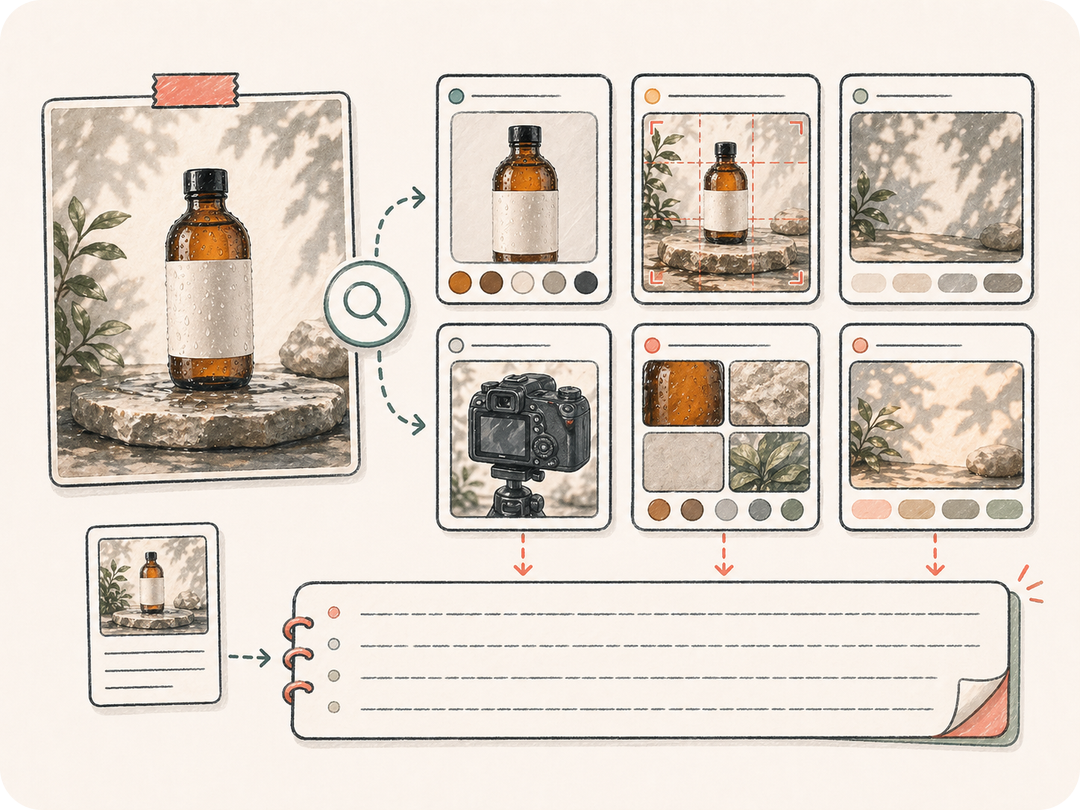
Analice la estructura visual
Extraiga el sujeto, composición, ángulo, iluminación, paleta, materiales, estilo y atmósfera para que el prompt capture mucho más que los elementos evidentes.
Cargue o describa una imagen de referencia. Kollab traduce los elementos visuales en un prompt de imagen reutilizable con sujeto, composición, iluminación, materiales, estilo y restricciones que su equipo puede perfeccionar en conjunto.
Convierta una imagen de referencia en un prompt descriptivo reutilizable sin perder los detalles visuales que hacen destacar la imagen.
Extraiga el sujeto, composición, ángulo, iluminación, paleta, materiales, estilo y atmósfera para que el prompt capture mucho más que los elementos evidentes.
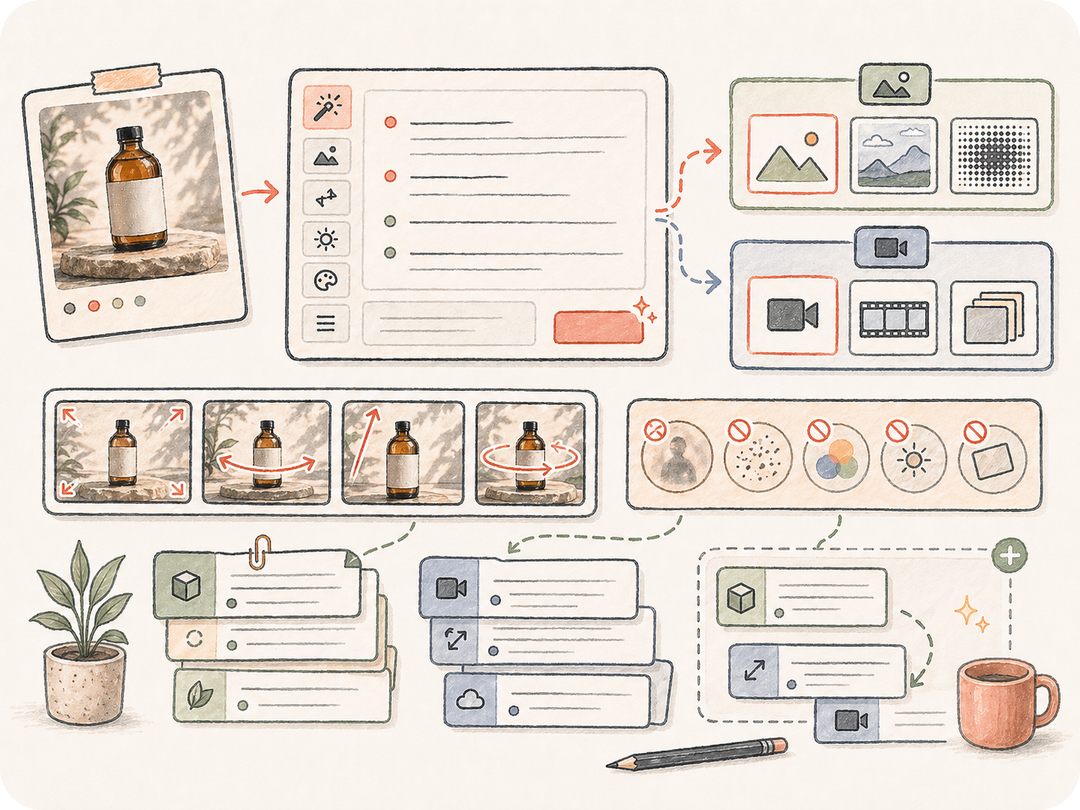
Elimine referencias puntuales a archivos y redacte un prompt capaz de generar nuevas imágenes, variantes o recursos con estilo uniforme.
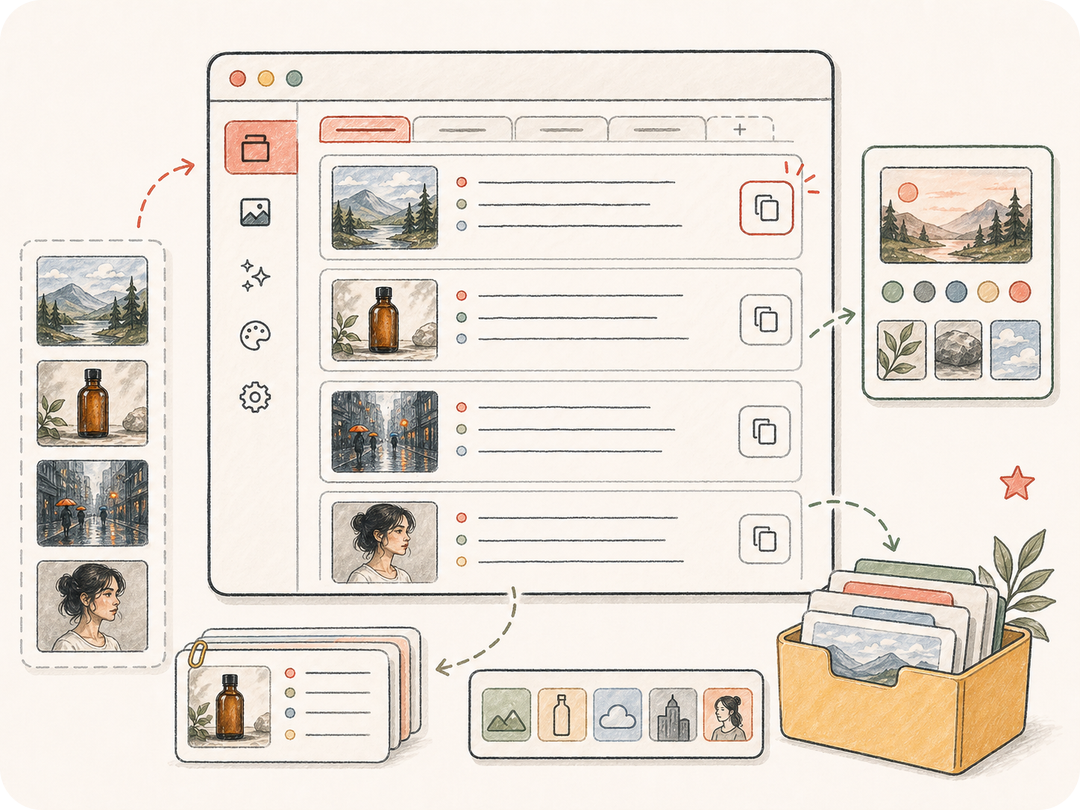
Guarde el prompt, las notas de estilo y los ajustes posteriores en Kollab para que el equipo pueda comparar, perfeccionar y reutilizar direcciones aprobadas.
Kollab reúne el análisis visual, el objetivo del prompt, las notas de estilo y la revisión en una tarea de imagen a prompt lista para usar.
Pegue la URL de una imagen de referencia o cárguela dentro de Kollab.
Elija si necesita un prompt de imagen directo, una guía de estilo o una dirección visual reutilizable.
Kollab se abre con una solicitud estructurada de análisis visual.
Copie el prompt, solicite variantes o guarde la dirección aprobada para su próximo diseño.
Use imagen a prompt cuando necesite recrear un estilo, dar un brief a un diseñador, generar elementos visuales complementarios o documentar por qué funciona una imagen de referencia.
Transforme una referencia destacada en un prompt de imagen detallado para generar recursos visuales relacionados.
Capture paleta, iluminación, composición, texturas y reglas de exclusión en una nota de estilo reutilizable.
Conserve juntos la referencia, el prompt extraído, los comentarios y la redacción aprobada para futuros proyectos.
Transforma una imagen de referencia en una tarea de imagen a prompt preparada en Kollab, con análisis visual, requisitos de salida y revisión en un solo espacio de trabajo.
Puede comenzar desde esta página y abrir una tarea preparada en Kollab gratis. Los límites de generación, el uso de modelos y las funciones de pago dependen del plan activo y la configuración del proveedor.
Las imágenes con sujeto, estilo, composición, iluminación o tratamiento de materiales claros ofrecen los mejores resultados. Fotos de productos, imágenes de campaña, capturas de UI, pósteres y arte conceptual son excelentes referencias.
La tarea genera prompts de imagen reutilizables, notas de estilo, restricciones negativas o análisis visuales estructurados guardados en Kollab.
Texto a imagen crea una composición visual a partir de palabras. Imagen a prompt funciona en la dirección opuesta: analiza una imagen existente y la traduce a un lenguaje descriptivo reutilizable.
Sí. El hilo mantiene juntos la imagen de referencia, el prompt generado, los comentarios y las ediciones posteriores para que el equipo pueda aprobar la redacción antes de reutilizarla.
Indique si necesita un prompt breve, uno detallado, una guía de estilo o una redacción segura para su marca. Especifique qué detalles deben destacarse u omitirse.
Sí, asegurándose de revisar los derechos de la imagen de referencia y evitando reproducir elementos protegidos de marcas, personajes o artistas específicos sin autorización.
Convierta una imagen de referencia en un prompt de imagen reutilizable y listo para revisión en Kollab.