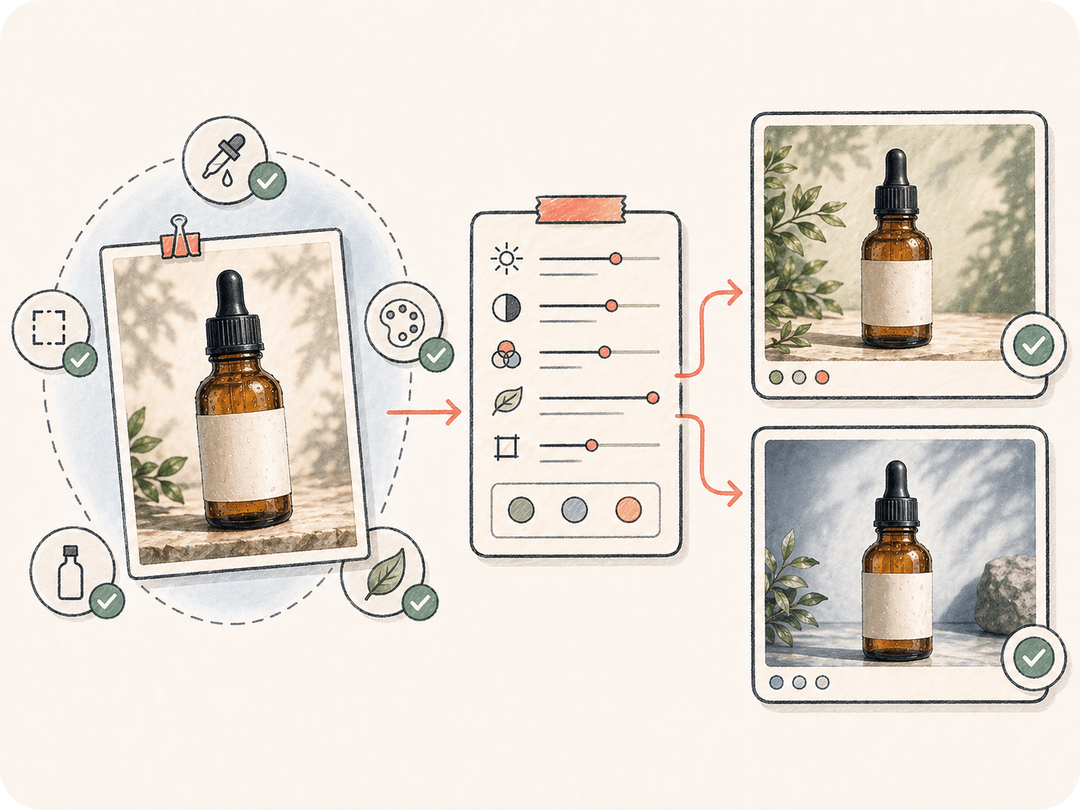
Comience desde una referencia real
Use la imagen como fuente principal para el sujeto, la composición, las proporciones y la identidad visual en lugar de reescribirlo todo de memoria.
Comience desde una imagen de referencia, describa qué conservar y qué cambiar, y abra una tarea de imagen a imagen lista para revisión que reúne la fuente, el resultado y el contexto del equipo.
Transforme una imagen de referencia en ediciones y variantes controladas, manteniendo la imagen original, las restricciones, los resultados generados y la revisión del equipo en un solo lugar.
Use la imagen como fuente principal para el sujeto, la composición, las proporciones y la identidad visual en lugar de reescribirlo todo de memoria.
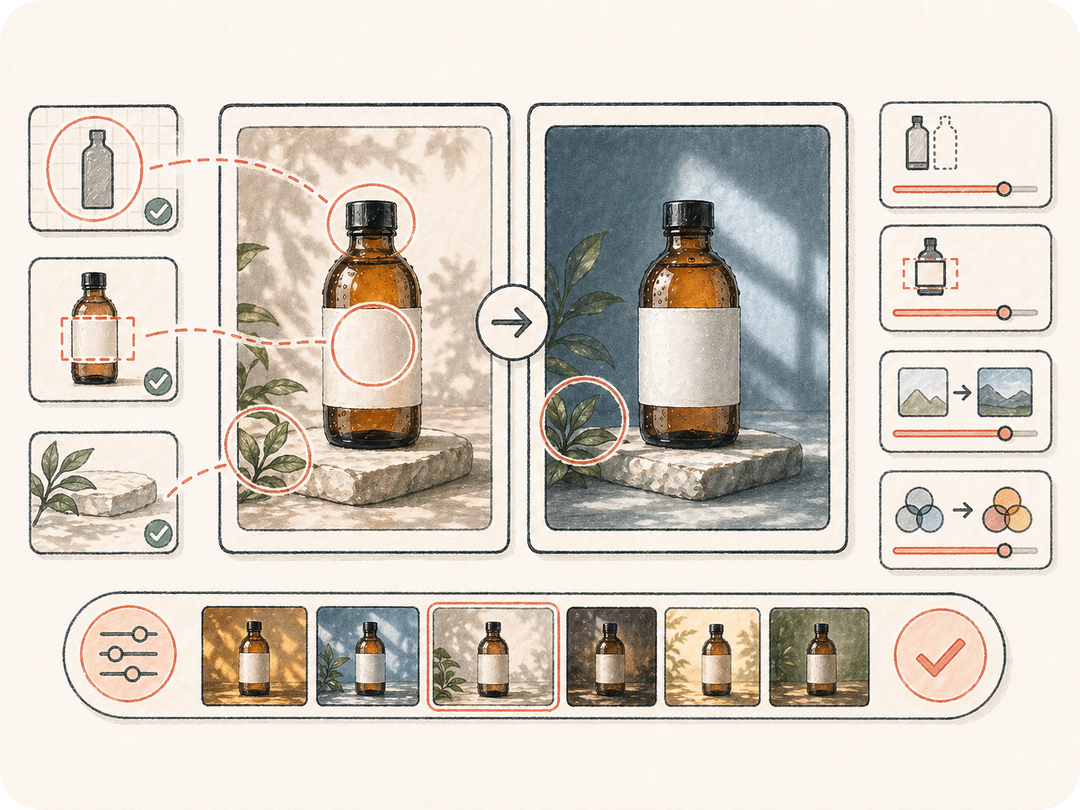
Indique con precisión qué debe cambiar y qué debe mantenerse intacto, como rostros, forma del producto, colores de marca, ubicación de etiquetas o composición.
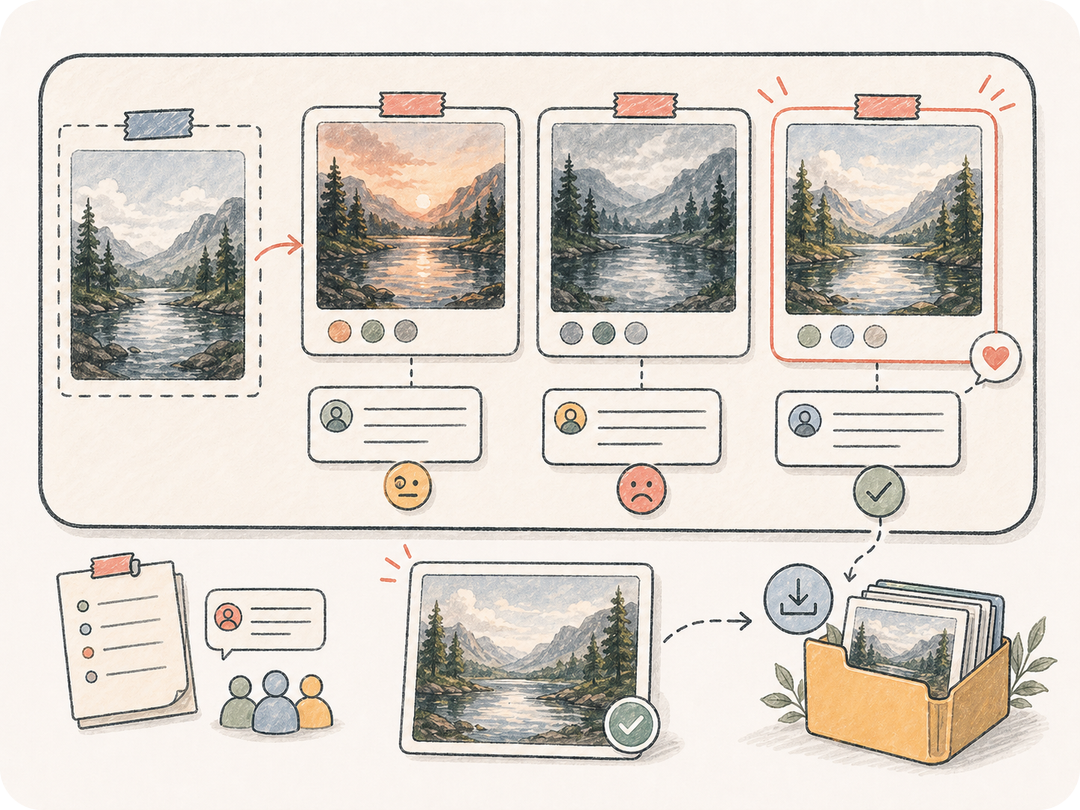
Guarde las variantes editadas en el espacio de trabajo de la tarea para que el equipo pueda comparar versiones, solicitar ajustes, descargar resultados y reutilizar entregables aprobados.
Kollab reúne la imagen de referencia, las reglas de preservación, la dirección de edición y las necesidades de revisión en una tarea de imagen a imagen lista para ejecutar.
Pegue una URL de imagen o cargue su referencia privada dentro de Kollab.
Defina los cambios deseados, las reglas de preservación, el estilo, el formato y el objetivo de calidad.
Kollab se abre con una instrucción de edición de imagen preparada.
Compare las versiones generadas y continúe afinando detalles desde el mismo contexto.
Use IA de imagen a imagen para actualizar productos, cambiar fondos, crear variantes visuales y hacer revisiones basadas en referencias sin perder la imagen original.
Mejore una foto de producto conservando la forma, la ubicación de las etiquetas, el detalle de los materiales y los colores de marca.
Cambie el entorno, la iluminación o el estilo visual sin perder el sujeto ni la composición principal.
Cree direcciones visuales alternativas a partir de la misma referencia aprobada para mantener la revisión enfocada.
Transforma una imagen de referencia en una tarea de imagen a imagen preparada en Kollab, con el contexto original, los requisitos de edición, los resultados generados y la revisión en un solo espacio de trabajo.
Puede comenzar desde esta página y abrir una tarea preparada en Kollab gratis. Los límites de generación, el uso de modelos y las funciones de pago dependen del plan activo y la configuración del proveedor.
Las fotos nítidas de productos, retratos, capturas de interfaz, imágenes de campaña y arte conceptual ofrecen los mejores resultados. Agregue reglas de preservación si rostros, logotipos, la forma del producto o los colores de marca deben mantenerse intactos.
La tarea produce variantes de imágenes editadas o instrucciones estructuradas de edición guardadas en Kollab. Los resultados se mantienen vinculados a la referencia original para descargarlos y seguir iterando.
Texto a imagen parte de palabras escritas. Imagen a imagen parte de una referencia real, por lo que es ideal cuando el sujeto, la composición, el personaje, el producto o la identidad visual ya existen.
Sí. El hilo mantiene juntos la referencia, los requisitos, los artefactos generados y las instrucciones de seguimiento para que el equipo pueda revisar versiones sin perder el contexto.
Especifique con claridad qué debe cambiar, qué debe mantenerse intacto, el formato deseado, el estilo y el nivel de calidad. Las reglas de preservación claras suelen mejorar notablemente los resultados editados.
Sí, los equipos pueden usarlo para campañas y trabajo de producto, asegurándose de revisar derechos, pautas de marca, detalles generados y normas de cumplimiento antes de publicar.
Transforme una imagen de referencia en una tarea de imagen a imagen controlada y lista para revisión en Kollab.