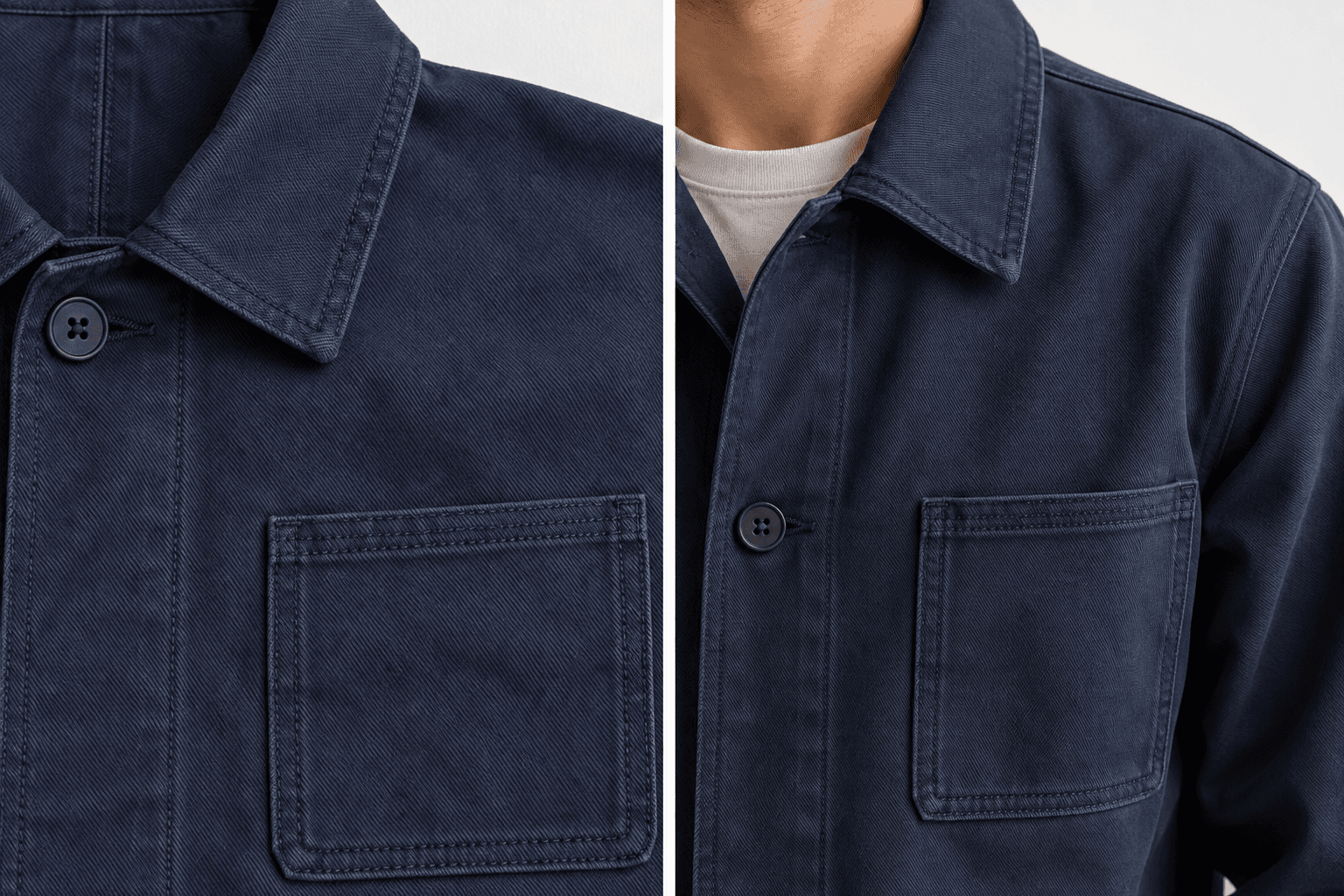
Your garment's cut, fabric and stitching as the reference
Use the uploaded collar, sleeve length, waistline, pockets and print as the starting point for a quick on-model preview.
Upload a photo and a garment to see how the outfit looks on you.
Add both photos to continue.
Your try-on images will appear here
Skip the studio booking. Add two images on the left and review the result on the right, ready for a conversation with your customer.
Help buyers review fit, color and details. Use generated images as a visual reference and check them against the actual garment before publishing.
Use the uploaded collar, sleeve length, waistline, pockets and print as the starting point for a quick on-model preview.
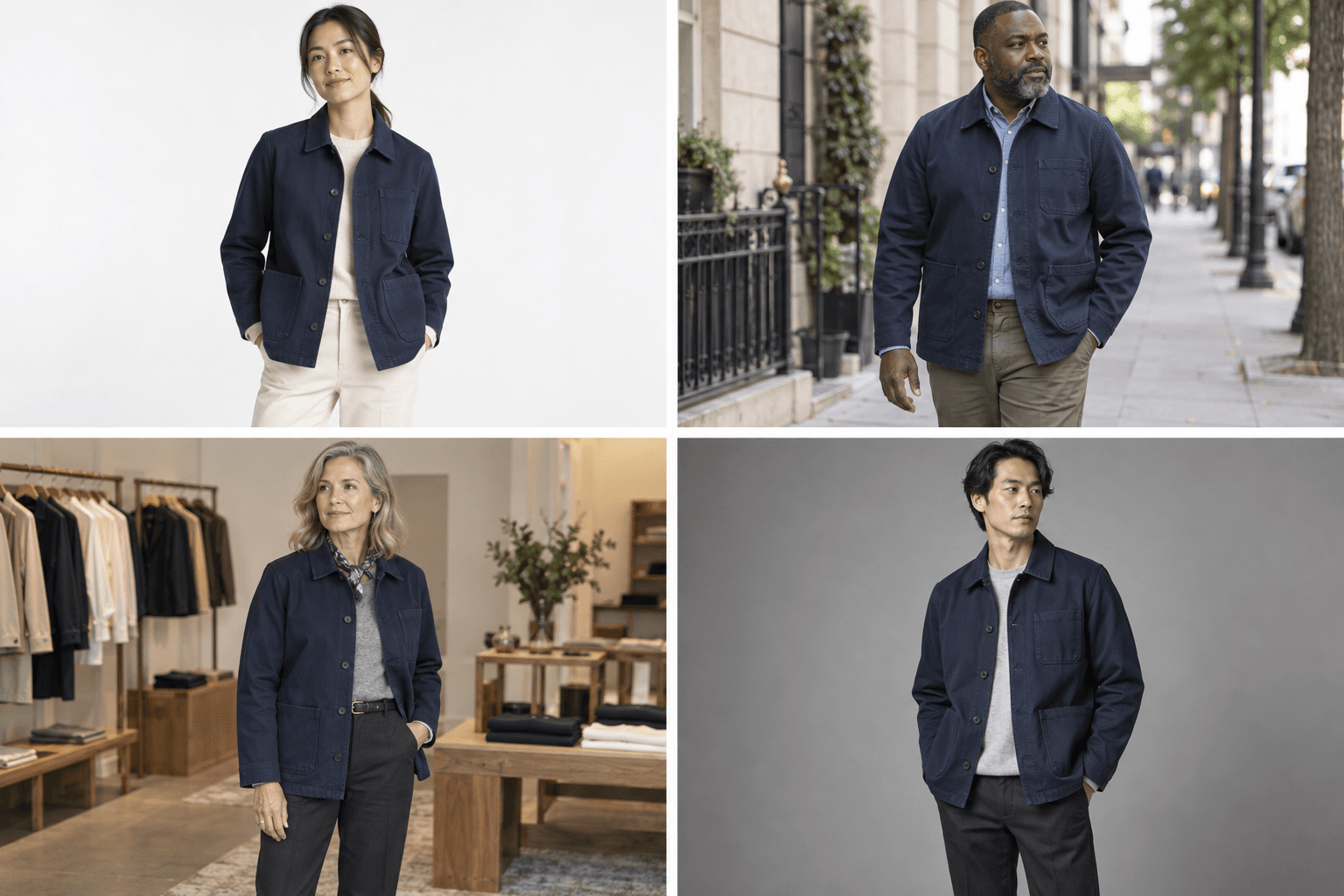
Use a white background for a product listing or a street scene for social media. Change the model photo and instructions to explore another presentation.
One model photo and one garment photo. Phone photos work too: show the full garment in even light.
Choose a preset or describe the scene, light, pose and size. Additional instructions are optional.
Download the result or save it to a project. Try another garment and compare it with earlier runs.
Estimated images at the standard quality setting. Free credits refresh every 3 days, do not roll over, and are capped at 2,000 per month. Actual usage varies. Start free. Upgrade when you need more capacity.
Estimate the credits for a batch of product images using real generation samples.
The same model photo, garment photo and prompt, with 1024 × 1536 output. Each row records one actual generation.
Observed examples, not fixed prices or guaranteed minimums.
Costs can vary with image content, input dimensions, reference count and output. For example, two-reference 1024 × 1024 samples used 20 credits at low quality and 24 at standard quality. You can add more references; the table and calculator examples use only the model and garment images.
Uses the portrait samples shown here, assuming the same cost each time and no other credit spending. This calculator does not generate images or change your workspace settings.
At least 400 available credits are required before each generation starts. This is a starting balance requirement, not the charge per image. Actual charges are settled per generation; image counts are not guaranteed.
Starter
Get started with basic AI features at no cost.
Estimate from your available free credits
The free plan has no monthly subscription credits. Refreshed credits expire and have a monthly cap. Enter your current available balance in the calculator.
Calculate my image budgetGet started freePro
Advanced AI for individuals and small teams.
About 374 images at the low-quality sample rate
Estimated from 6,000 monthly subscription credits, two reference images, 1024×1536 output and the observed 18-credit rate, including the 400-credit starting threshold. Excludes bonus credits; actual output varies with costs and other usage.
Calculate my image budgetUpgrade to ProMax
Full power for large teams and enterprises.
About 5,307 images at the low-quality sample rate
Estimated from 80,000 monthly subscription credits, two reference images, 1024×1536 output and the observed 18-credit rate, including the 400-credit starting threshold. Excludes bonus credits; actual output varies with costs and other usage.
Calculate my image budgetUpgrade to MaxCredit card plans renew automatically on the selected billing cycle. You can manage or cancel renewal in the billing portal.
Create sample previews for buyers and discuss fit and presentation before scheduling a shoot.
Prepare product and lifestyle previews and compare how different garments look on a model.
When a buyer asks how it looks on, upload your photos and show the result at your booth.
Timing depends on the images, instructions and current queue. The page shows the generation status and actual elapsed time. Test your booth connection before the event.
Your garment photo guides the result, but details may vary. Use a clear photo of one item and check the color, print and fit before commercial use.
JPG, PNG and WEBP images up to 20 MB each. Use a front-facing full-body model photo and an evenly lit flat-lay or hanger photo.
Make sure you have permission to use both source images, including any required model release. Review the result against the garment, brand guidelines and platform rules before publishing.
Start with two photos and preview your first outfit.