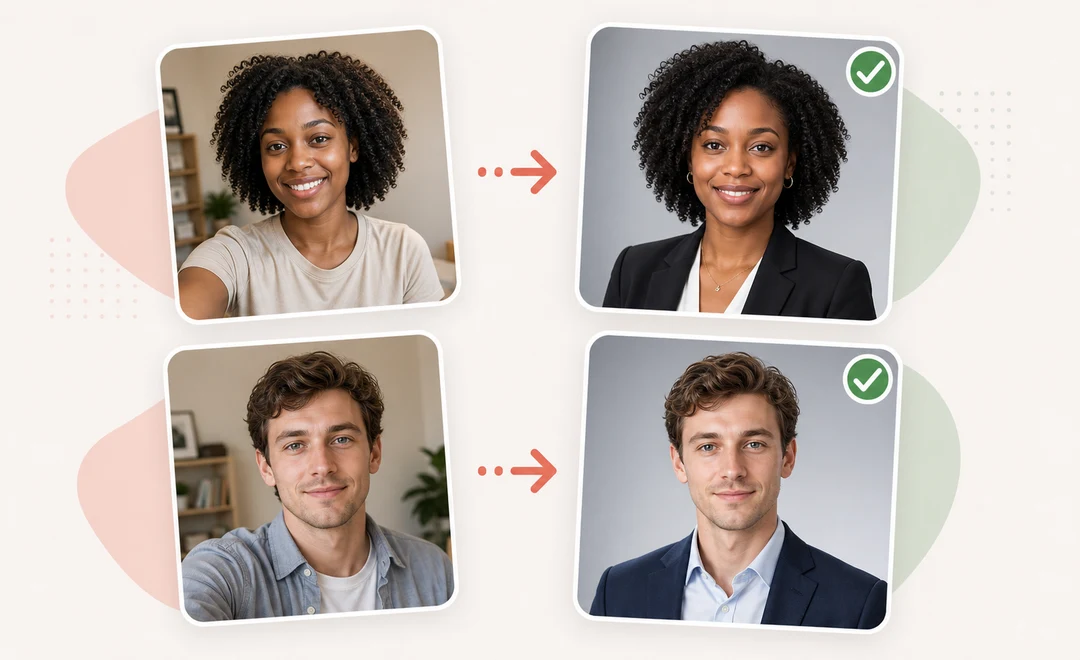
Start from one real selfie
Use an uploaded portrait as the identity reference, then ask for a cleaner background, better lighting, LinkedIn-ready square crop, and professional styling.
Start free from one clear selfie or portrait. Choose the professional context you need: business, technology, academic, resume, or company bio. Kollab prepares a LinkedIn photo task with style direction, identity-preservation rules, square profile-picture crop notes, generated headshots, and refinement context in one place.
Turn an everyday portrait into a LinkedIn-ready business, tech, academic, resume, or company-bio headshot while keeping the original person, professional tone, and refinement context connected.
Use an uploaded portrait as the identity reference, then ask for a cleaner background, better lighting, LinkedIn-ready square crop, and professional styling.
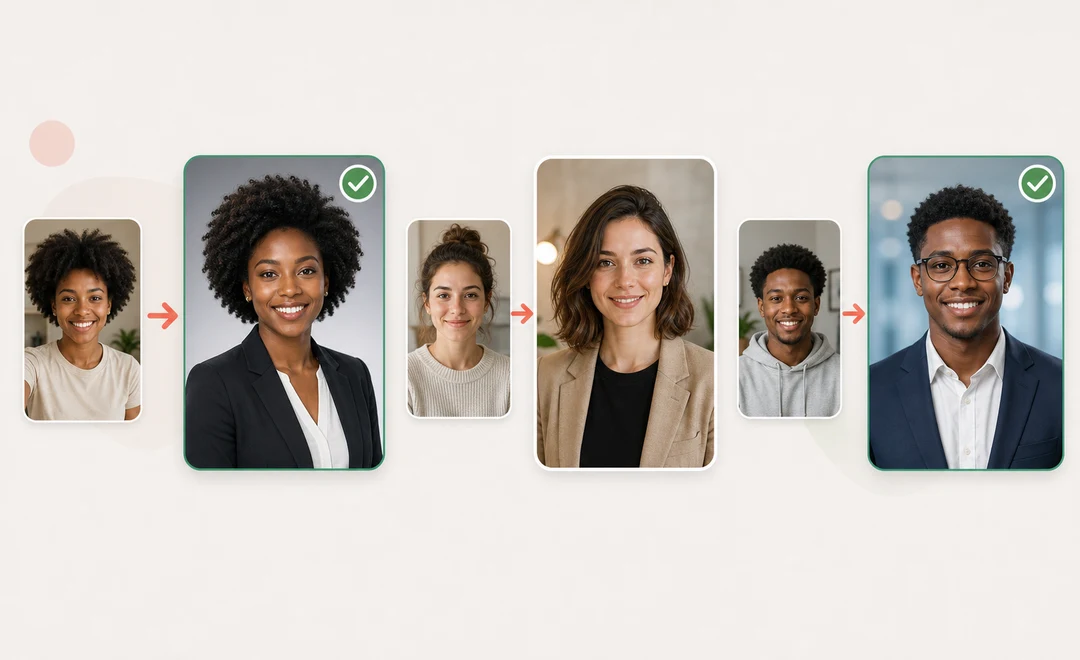
Guide the image toward business, tech, or academic headshot conventions without making the result feel fake, over-smoothed, or generic.
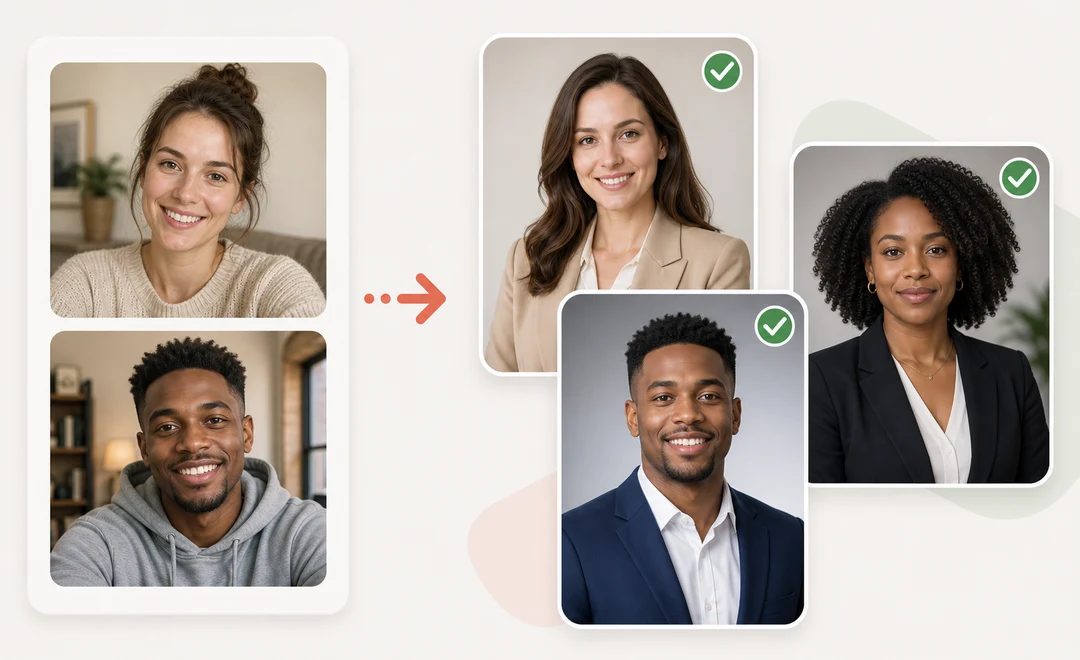
Keep generated options, prompts, and follow-up notes in one Kollab task so you can compare versions, request a more credible crop, and save the headshot that fits the profile goal.
Kollab packages the source portrait, professional direction, identity-preservation rules, and refinement needs into a prepared image task.
Choose a clear photo where the face is visible and the identity should be preserved.
Describe the target role, industry, background, outfit, expression, LinkedIn profile photo crop, and realism level.
Kollab opens with a prepared LinkedIn headshot prompt and the uploaded image attached.
Compare generated variants, ask for refinements, and save the profile photos that fit your goal.
Turn one real portrait into a profile-ready headshot for LinkedIn, resumes, company bios, academic pages, studio portfolios, and client-facing roles.
Create a trustworthy LinkedIn photo for sales, consulting, management, finance, operations, and founder profiles where polish and approachability both matter.
Generate a modern headshot for engineers, designers, PMs, data scientists, and startup operators without drifting into stiff corporate styling.
Prepare a composed profile photo for university pages, conference bios, lab profiles, grant pages, and researcher LinkedIn profiles.
Turn a clear selfie into a studio-quality LinkedIn profile picture when you need a quick refresh but do not want to book a photographer.
Create a consistent headshot for LinkedIn, resumes, CVs, portfolio pages, and job applications so recruiters see the same professional identity.
Use a clean business profile photo for real estate agents, lawyers, consultants, healthcare professionals, coaches, and independent studio owners.
It turns a selfie or portrait into a LinkedIn-ready profile photo. You can start from business, tech, or academic prompts, then add your industry, background, outfit, and crop requirements.
For LinkedIn, the best output is recognizable, natural, cleanly lit, and matched to your professional context. Kollab keeps those requirements in the prompt and task context so you can refine the result instead of accepting an over-stylized headshot.
Yes. You can start from this tool page, upload a photo, and choose a prompt. Generation, download, and follow-up editing continue in Kollab’s image task flow.
Use a clear front-facing portrait with even light and no heavy filters. Avoid group photos, low-resolution screenshots, sunglasses, hats covering the face, or images where the face is too small.
LinkedIn Help says profile photos must be at least 400 x 400 pixels and can go up to 7680 x 4320 pixels. A square or near-square crop works best because LinkedIn displays the photo in a circular frame.
Ask for natural skin texture, realistic lighting, recognizable facial structure, and subtle retouching. Avoid prompts that demand extreme smoothing, a plastic background, or a dramatic outfit change.
The three quick prompts cover business, tech, and academic profiles. You can also adapt them for studio portraits, resume photos, consulting, finance, real estate, legal, healthcare, research, and speaker bios.
The prompts ask the model to preserve facial structure, hair, skin tone, and key features. A sharper source photo gives the model a better chance of creating a headshot that still looks like you.
A professional AI-assisted photo is safest when it is based on your real face and does not misrepresent your identity, age, credentials, or role. Keep the result recognizable and use AI mainly to improve lighting, background, outfit, and crop.
Yes. The same headshot can work for resumes, CVs, hiring platforms, company bio pages, conference speaker pages, and portfolio sites, but each channel may need a different crop and level of formality.
Yes. Academic profiles usually work better with restrained clothing, soft light, and a library, lab, campus office, or neutral background instead of a strongly commercial look.
Turn a casual photo into LinkedIn-ready headshot options and keep the edit context in Kollab.