01
Read the call evidence
Kollab starts with customer recordings, Transcripts, account context, and any existing feedback records.

Turn sales calls, user interviews, and support recordings into Customer Evidence, Product Themes, and review-ready Feedback Records.
Kollab turns customer calls into Product Evidence with Transcripts, Customer Quotes, Pain Points, Feature Requests, Objections, and Priority.
Use it when customer voice needs to feed product review, not another meeting summary.
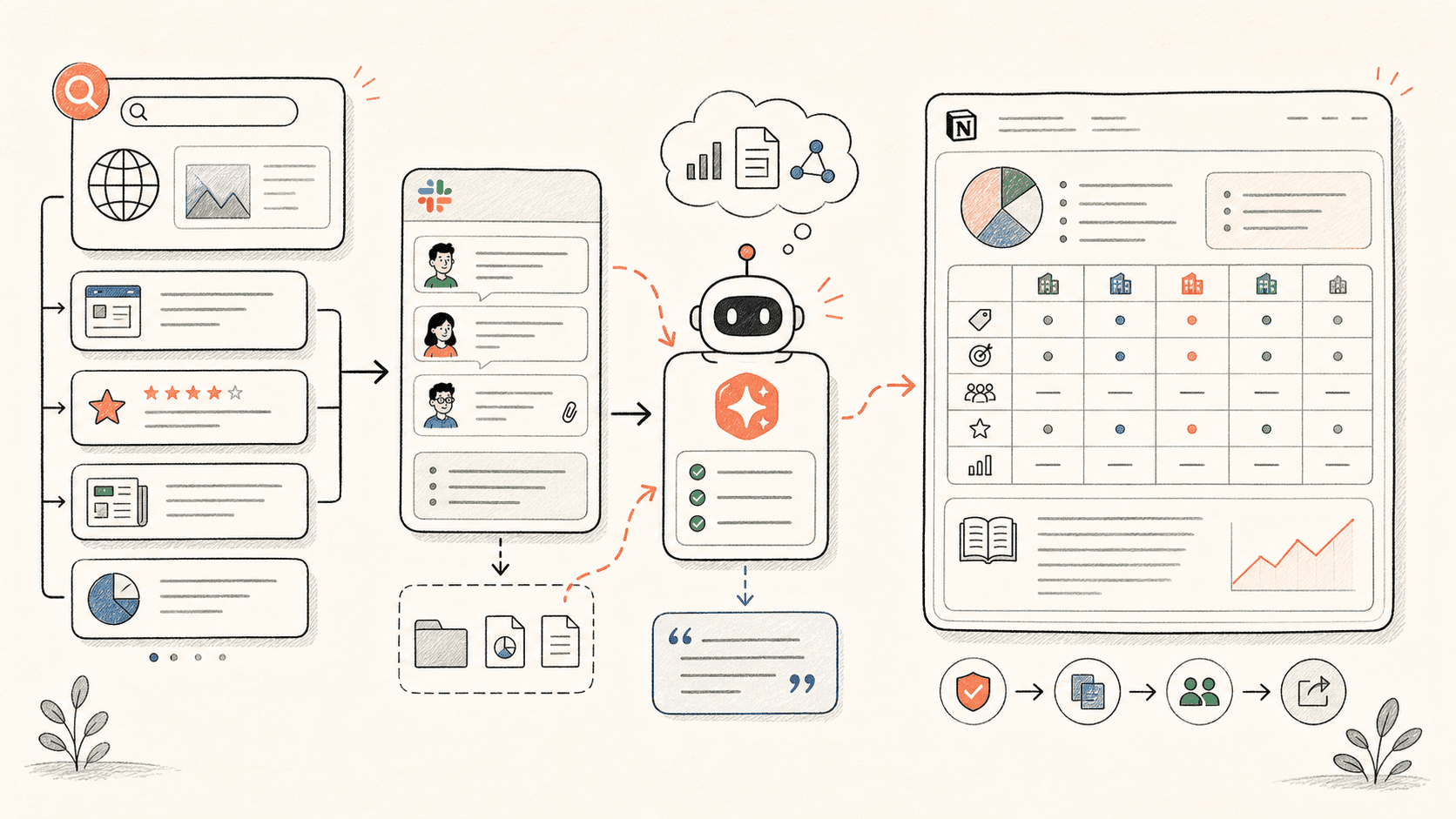
Revisa el flujo de trabajo una vez y luego añade tus propios roles, fuentes y entregables.
Kollab starts with customer recordings, Transcripts, account context, and any existing feedback records.
The agent pulls Pain Points, Feature Requests, Objections, Urgency, and Source Quotes instead of writing a vague call summary.
Similar feedback is merged with existing themes so product managers see patterns, not duplicate fragments.
Each insight gets Priority, Linked Roadmap Item, PM Decision Status, and Follow-Up Owner for human judgment.
Kollab keeps the voice of the customer attached to the decision record.
| Manual feedback review | With Kollab | |
|---|---|---|
| Evidence | Call notes summarize the customer and lose exact wording. | Each insight keeps the Source Quote, Transcript, and Audio Link. |
| Deduping | Repeated Requests appear as separate notes in different places. | Similar calls are clustered into one theme with supporting accounts. |
| Prioritization | PMs rely on memory or whoever spoke loudest. | Records include segment, urgency, frequency, and linked roadmap context. |
| Review | It is unclear which feedback needs a decision. | Every record has PM Decision State and Follow-Up Owner. |
| Total time | A pile of notes | Evidence-backed product insight records |
The output should help product teams decide, not just remember the call.
Evidence
Themes
Decision
Explore las páginas de funciones relacionadas para ver qué capas del producto y herramientas hacen que este caso de uso sea repetible para un equipo.
Turn sales calls, user interviews, and support recordings into Customer Evidence, Product Themes, and review-ready Feedback Records.
Copia el prompt de configuración en Kollab, sustituye los marcadores por el contexto de tu equipo y ejecútalo como una tarea revisable en tu espacio de trabajo.
A feedback database with Customer Quotes, Pain Point Clusters, Priority, Linked Roadmap Items, PM Decision State, and Follow-Up Owners.
No. El flujo de trabajo está diseñado para generar primero borradores, briefs, artefactos o actualizaciones de bases de datos revisables, de modo que tu equipo pueda aprobar el resultado antes de publicar o modificar nada.
Keep Transcripts, quotes, themes, and roadmap Decisions connected.
Run