The Best AI Image Generators of 2026: Which One Is Right for You?
The 10 best AI image generators of 2026 — Midjourney, Kollab, Ideogram & Runway compared by quality, workflow fit, and pricing.
Back in 2024, the barrier to entry for AI image generation was still pretty steep: you had to know which model excelled at what, how to write prompts, whether you needed ControlNet, and where to refine your results afterward. By 2026, that barrier has dropped significantly — most tools can now deliver a decent image from a single sentence.
But that's created a new problem: there are too many tools, the differences between them have become less obvious, and what actually trips people up is no longer "can it generate an image" — it's "what do I do after I've generated one?" You've created an image — where does it live? How do you refine it? How do you get it into your slide deck, social post, or product page? And the next time you need a stylistically consistent follow-up, will you even remember which parameters you used?
That's why the benchmarks for evaluating AI image tools have shifted in 2026. Raw image quality alone is no longer the primary criterion — the gap between top-tier models is narrowing. What truly separates the winners is: how deeply a tool can embed itself into your actual workflow.
We've reviewed the 10 most widely used and actively developed AI image generation tools in the international market. Whether you're a content creator, brand designer, game developer, or independent creator, the breakdown below will help you find the right fit for your specific situation.
1. Kollab
Kollab is an AI collaboration workspace that brings writing, research, and image generation together in a single environment. There's no need to switch to a separate tool just to add a visual and then copy the result back — everything stays in the same project context, and nothing gets lost in the cracks between apps.
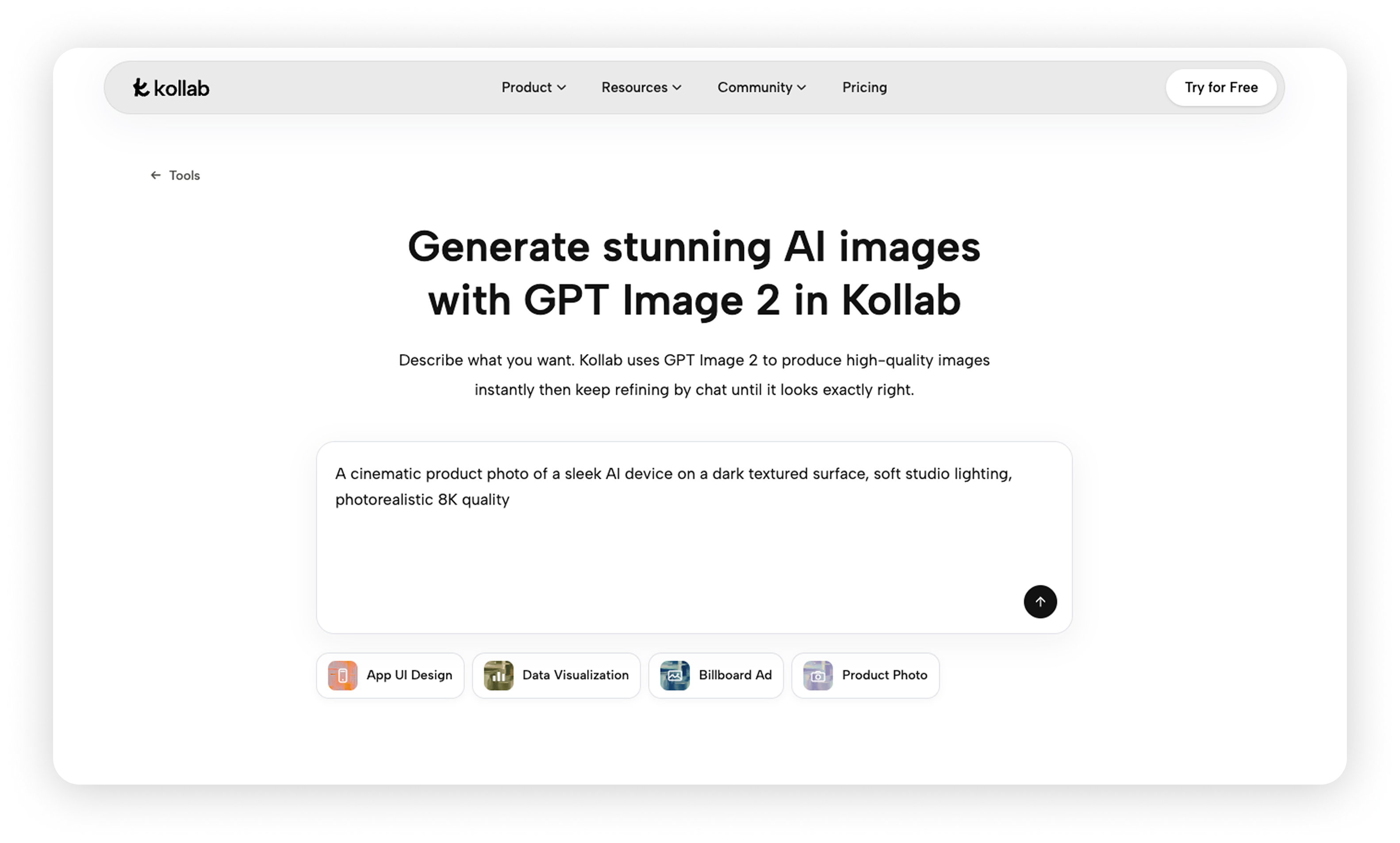
For image generation, Kollab integrates GPT-Image-2 directly into the workspace. You can generate images, make multi-turn conversational edits, do inpainting, or upload a reference image for blending — all without leaving your current project space.
For prompt writing, Kollab offers /kollab-imagine, a dedicated tool you invoke on demand. When your creative brief is vague, it helps you sharpen it into a more precise generation prompt and recommends a target model. It's not a background process — it's a tool you reach for as part of your workflow.
Key Features:
- GPT-Image-2 integration lets you generate images directly inside the workspace; results stay within the current project space.
/kollab-imaginetransforms vague creative briefs into precise generation prompts and recommends suitable models.
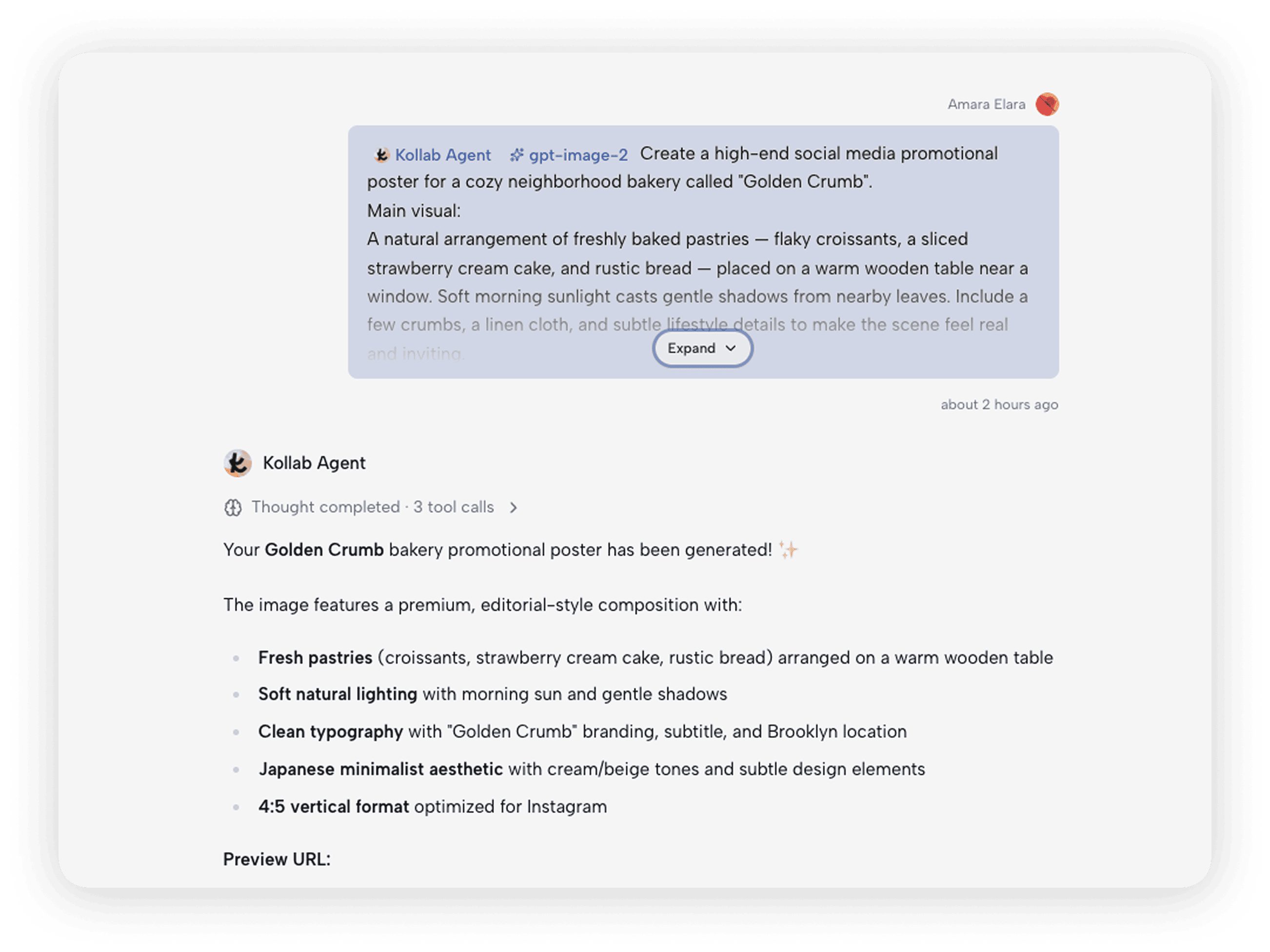
- Image generation runs alongside writing, research, and planning in the same project space — no context switching required.
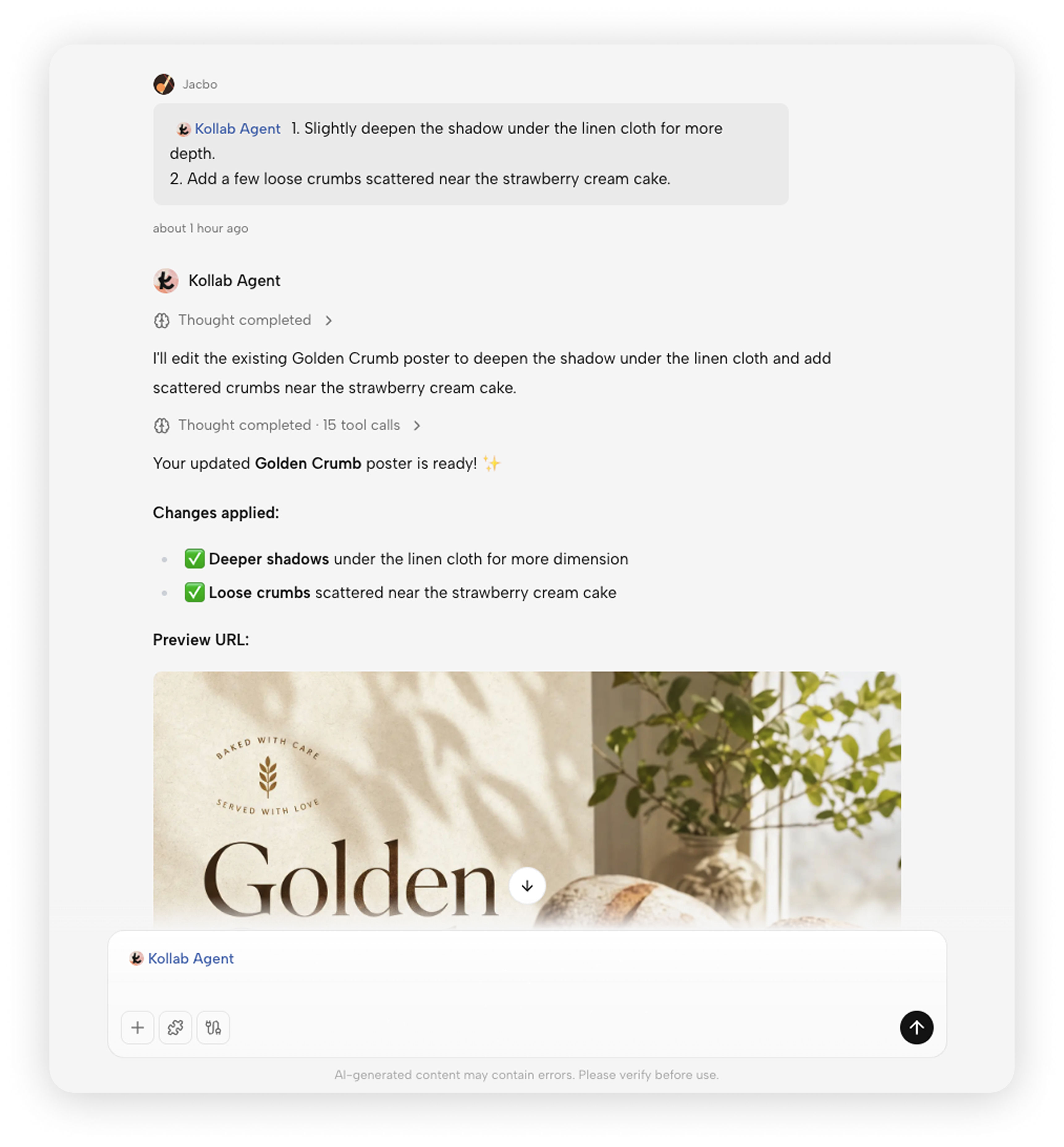
- Generated images are saved in the project space and accessible to all team members without exporting or sharing separately.
Pricing: Free plan available; Pro $20/month; Max $200/month
2. Recraft
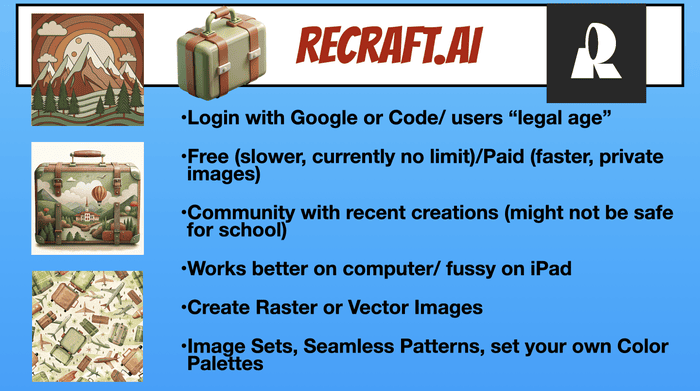
Recraft is one of the rare AI tools that can generate both raster images and SVG vector graphics — a capability that sets it apart in a crowded field. For designers who need logo variants, icons, or brand illustrations, getting an editable vector file directly eliminates the tedious step of re-tracing assets in post-production.
Recraft V3 topped several AI image quality benchmarks in late 2024, particularly in brand style consistency. You can upload brand reference assets and the system learns your visual language, ensuring color palettes and line styles stay consistent across different generation batches.
Key Features:
Supports both raster and SVG vector output; vector files can be edited directly in design software without retracing.
Uploading brand reference assets trains the system to maintain color and style consistency across subsequent batches.
Batch export across multiple size formats in a single pass, ready for different platform specifications.
Pricing: Free plan available; Basic $12/month; Pro from $20/month
3. Ideogram
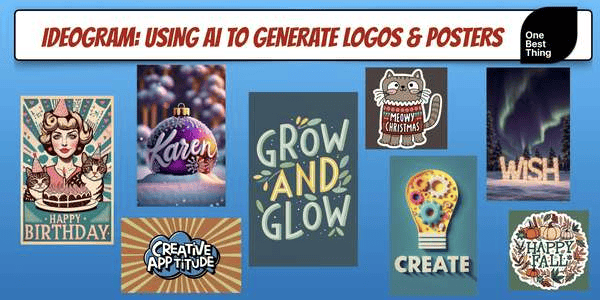
Text rendering has been a persistent pain point in AI image generation. Most models produce garbled letters, misspellings, and distorted characters. Ideogram was built from the ground up with accurate text rendering as a core capability.
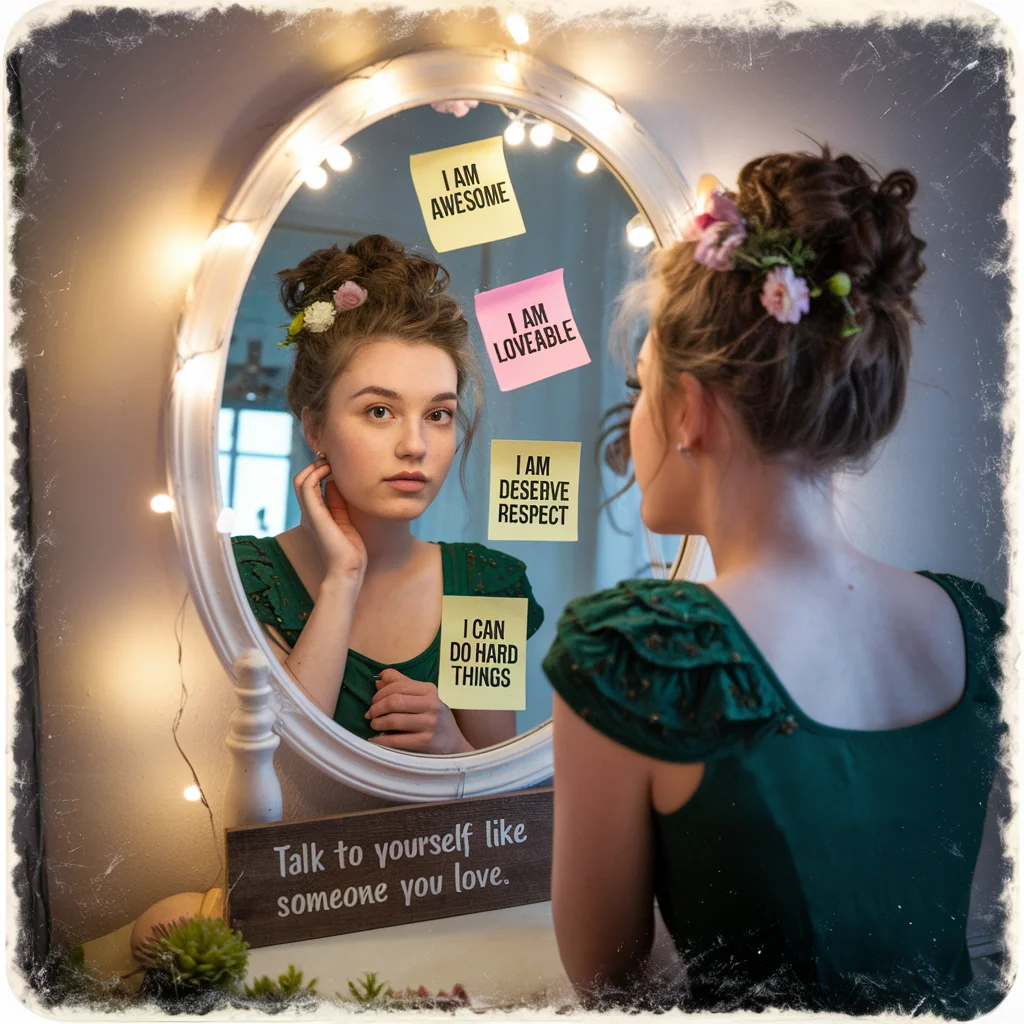
Ideogram 3.0 can now reliably render specified copy inside images — brand slogans, event titles, dates. For social media managers, event posters, and ad creatives, this is a big deal: you get an image where the text is correct right out of the box, without having to manually fix it in Photoshop afterward.
Key Features:
Text rendering accuracy leads the field; brand slogans, headings, and dates can be rendered directly into images with near-zero errors.
Built-in poster, cover, and ad templates that can be applied immediately after generation.
Supports photorealistic, illustration, and 3D render styles to fit different content contexts.
Offers API access for automated, high-volume image production workflows.
Pricing: Free plan available; Plus $20/month (approx. $15/month billed annually); Pro $60/month
4. Runway
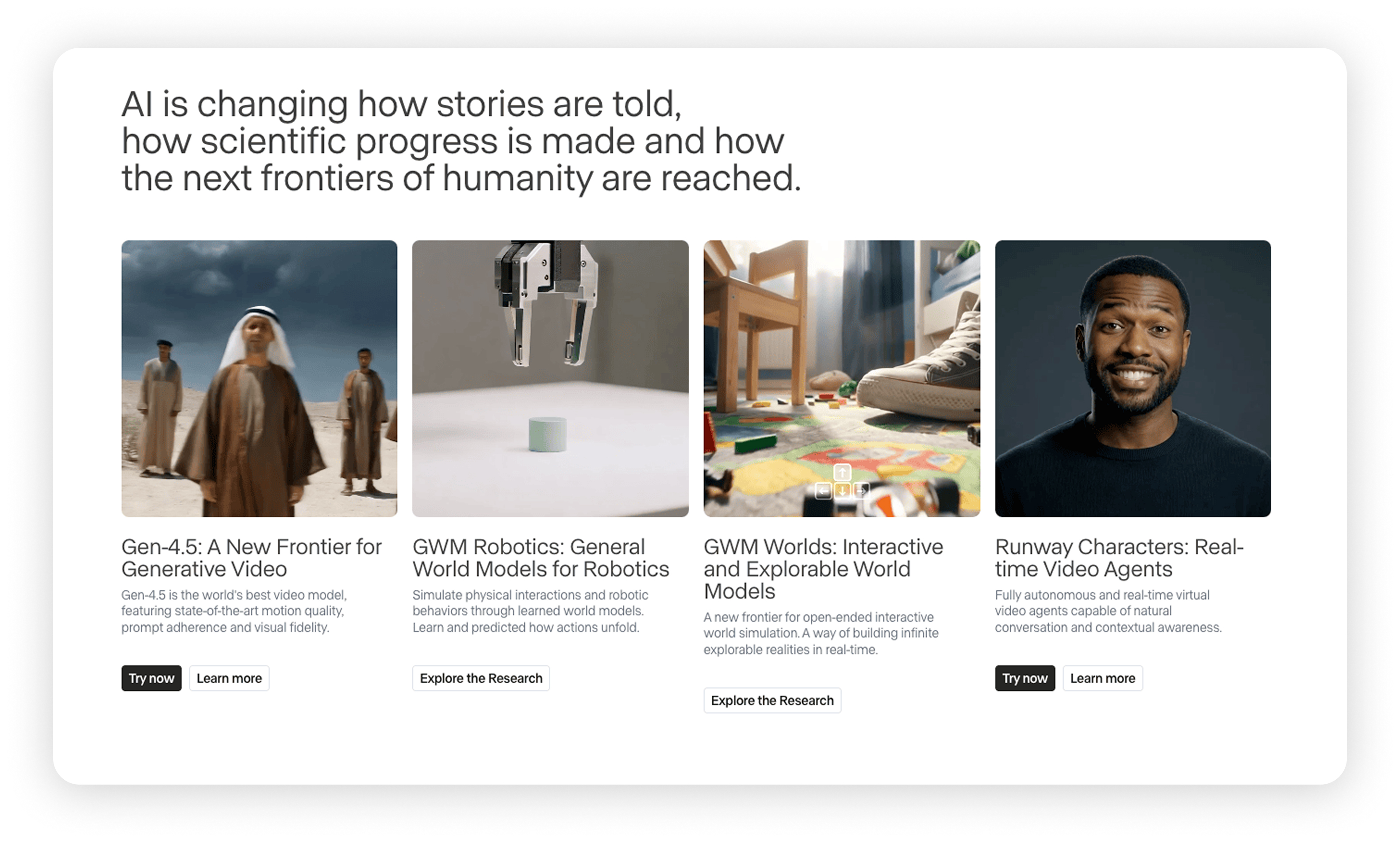
Runway's core identity is video generation, but its workflow starts with images — you generate or upload a still, then bring it to life. This image-to-video pipeline is enormously valuable for teams that need to produce both static and motion content.
The Gen-4 model has reached commercial-grade video quality: smooth camera movement, strong subject consistency, and results well-suited for brand films, short social videos, and product showcase animations. If your content team produces both visuals and video, Runway consolidates both into a single tool.
Key Features:
Gen-4 model converts static images into video with smooth camera motion and strong subject consistency.
Supports direct text-to-video generation without requiring an initial image.
Offers camera controls and angle settings for precise pan, tilt, zoom, and dolly movements.
Supports inpainting and repair for specific regions within video frames.
Pricing: Free plan available (125 initial credits, exports watermarked); Standard $15/month; Pro $35/month
5. Leonardo.ai
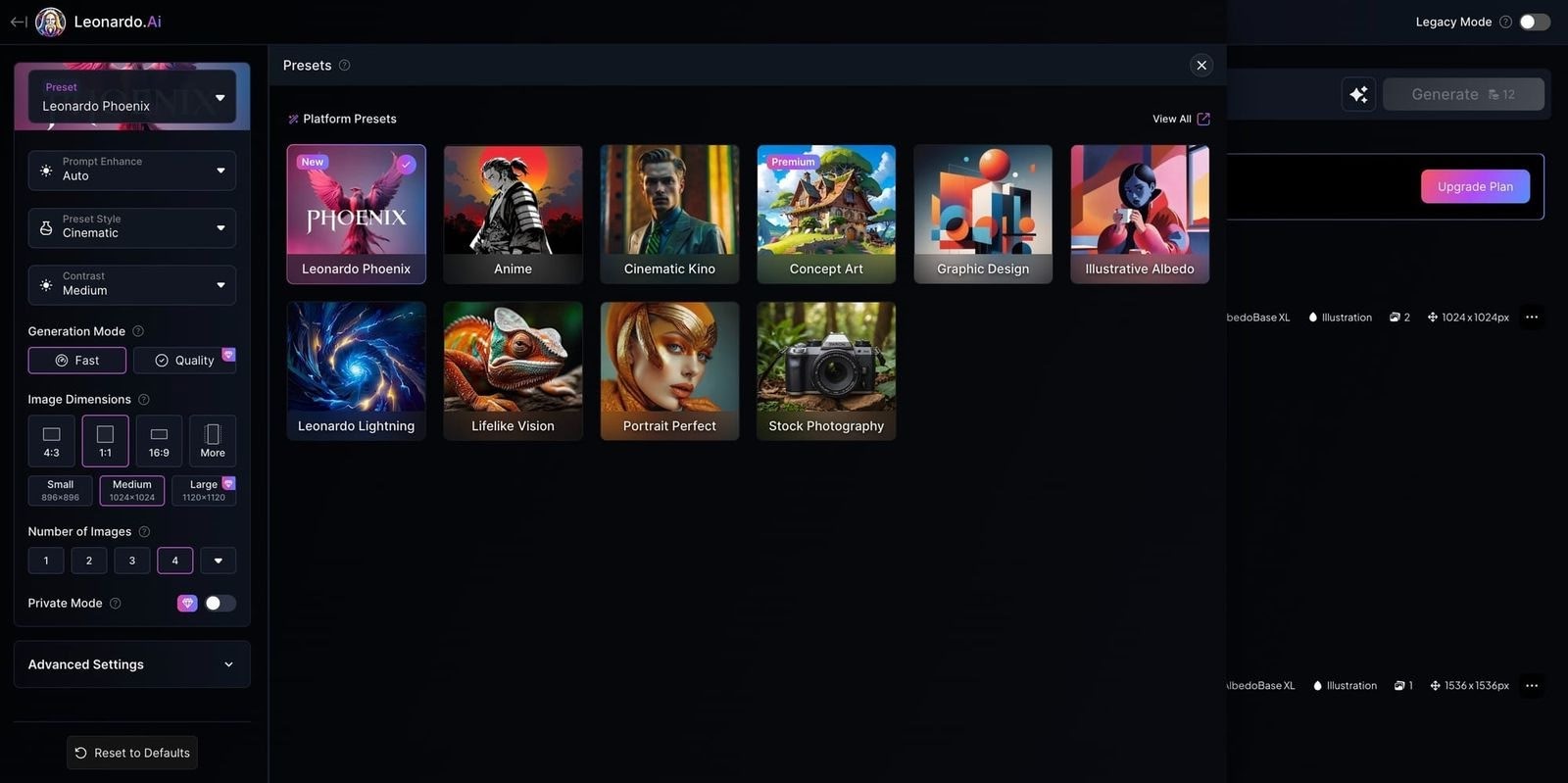
Generating a single great image is straightforward. The harder challenge is producing a batch of images featuring the same character — the same face, the same outfit, consistent across different scenes. That's where most AI tools fall short, and where Leonardo.ai excels.
Leonardo's Phoenix model is purpose-built for character consistency, making it well-suited for game concept art, character design, IP merchandise, and brand mascots. It also offers fine-grained style training, letting you fine-tune the model with your own assets so outputs align more closely with your specific visual system.
Key Features:
Phoenix model is purpose-optimized for character consistency, preserving facial features and costume style across different scenes and compositions.
Supports LoRA training with your own assets to align outputs with a specific style system.
Supports inpainting for targeted regions of generated images without affecting the rest of the composition.
Pricing: Free plan available (150 daily tokens); Essential $12/month; Premium $30/month
6. Adobe Firefly
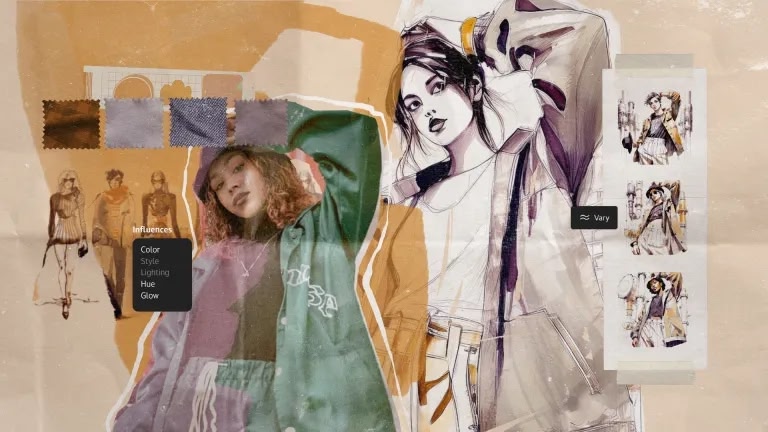
Firefly is currently the most IP-safe AI image generation tool on the market. Adobe has publicly committed to training Firefly exclusively on Adobe Stock licensed content, openly licensed material, and public domain assets. Generated images are cleared for commercial use, and Adobe provides intellectual property indemnification. For advertising agencies, brand owners, and publishers with hard compliance requirements, Firefly is essentially the only option that carries zero legal risk.
For users already working in Photoshop, Illustrator, or Premiere, Firefly's value compounds through deep integration — Generative Fill in Photoshop and text-to-vector in Illustrator are both Firefly-powered. You generate and use within the same tool, no cross-platform handling required.
Key Features:
Adobe guarantees training only on licensed data; generated images are cleared for commercial use with full IP indemnification.
Deep Photoshop integration with Generative Fill and content-aware expansion; results are immediately available inside the design file.
Supports text-to-vector generation in Illustrator with directly editable output.
Style reference upload available to steer the overall visual direction of generation.
Pricing: Free plan available; Standard $9.99/month (includes 2,000 credits); Pro $19.99/month (includes 4,000 credits)
7. Stable Diffusion
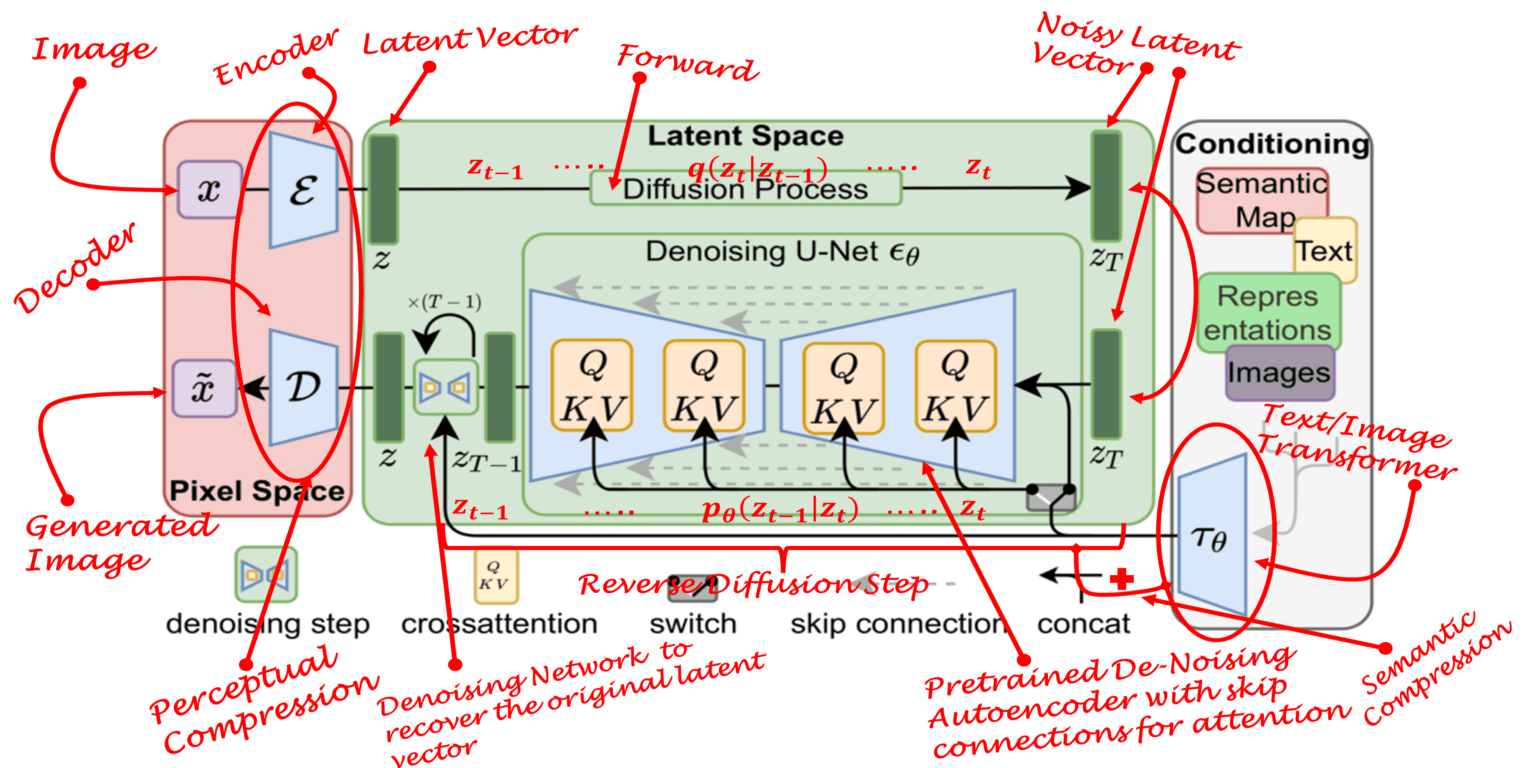
Stable Diffusion isn't a product — it's an open-source model ecosystem. If you're willing to self-host (via AUTOMATIC1111, ComfyUI, or similar interfaces), it offers something no other tool can match: complete control. No content filters, no API call costs, your data never leaves your own servers, and you can train bespoke models on proprietary data.
The latest SD 3.5 is highly competitive on image quality, and the massive community model library on platforms like Civitai — tens of thousands of LoRAs and Checkpoint models — gives it a style range that far exceeds any commercial tool. The trade-off is technical overhead: you'll need someone who can set up and maintain the infrastructure.
Key Features:
Fully open source; supports local and private deployment with no data uploaded to any third-party server.
Supports LoRA fine-tuning and ControlNet pose control for deep generation customization.
Civitai and similar community platforms host tens of thousands of model resources covering a wider style range than any commercial tool.
No content filtering restrictions and no per-generation fees.
Pricing: Open source and free (requires your own compute); official hosted service DreamStudio is usage-based ($10 per 1,000 credits, approximately 250–330 images)
8. Canva AI
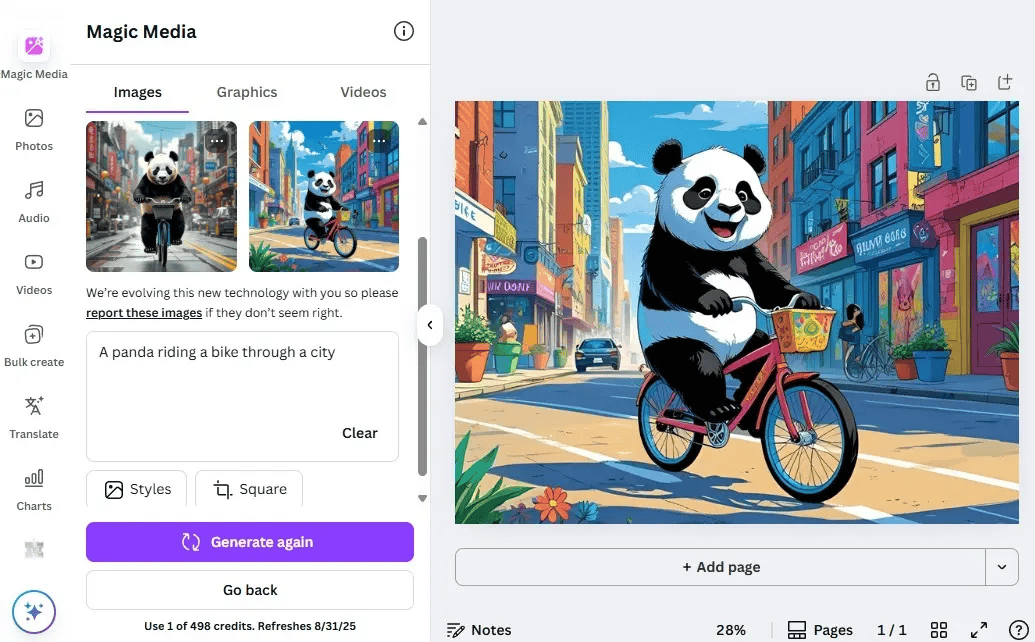
Canva doesn't just solve image generation — it solves the "what do you do with the image after you've made it" problem. With most AI tools, generating an image is only half the job; you still need to drop it into a slide deck, social media template, or poster. Canva collapses those two steps. You generate inside Canva, and the image lands directly on the design canvas — ready to drop into a template, add text to, or resize instantly.
For marketing teams, solo founders, and content creators who need to push out large volumes of social content quickly, Canva's value isn't in peak image quality — it's in how fast you can get from idea to published post compared to any other tool in the stack.
Key Features:
AI-generated images land directly on the design canvas without export/import friction; ready for layout the moment they're created.
Magic Design generates complete, fully laid-out designs from a written description in one click.
Built-in background removal, Magic Eraser, and image expansion tools.
One-click resizing to adapt any design to the required dimensions for different platforms.
Pricing: Free plan available; Pro $18/month (billed annually: $12/month)
9. ChatGPT (Image 2)
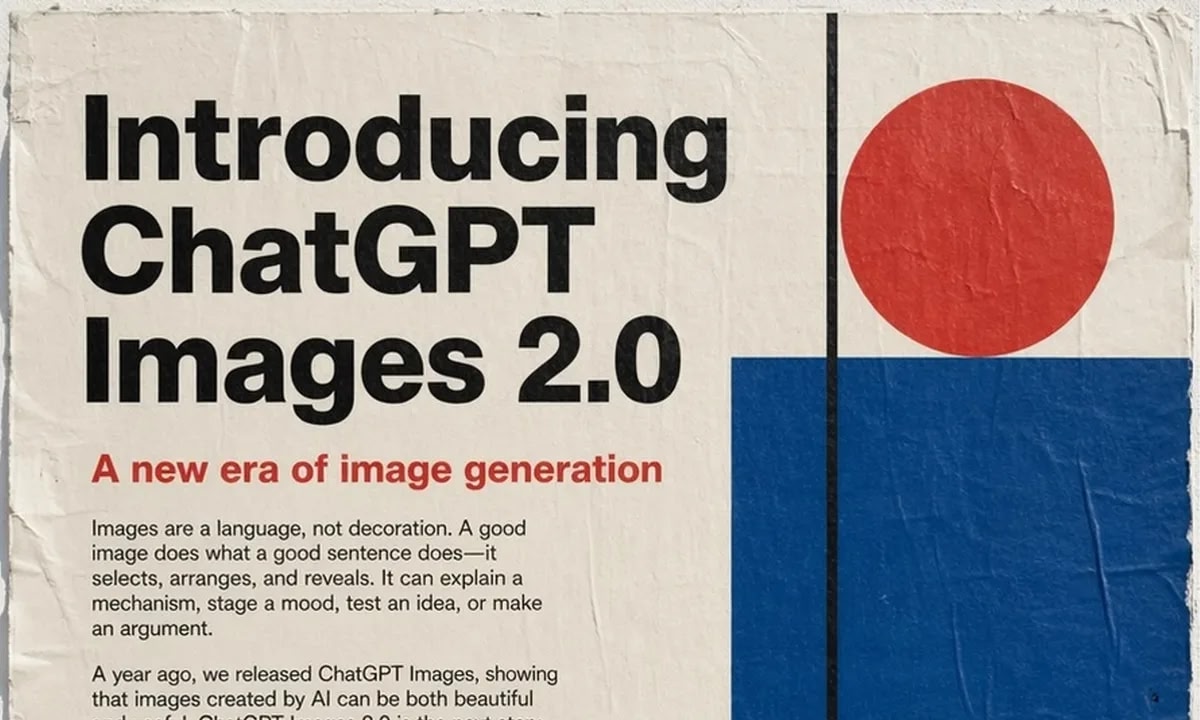
OpenAI launched GPT-Image-2 in April 2026, replacing the DALL·E line and integrating it directly into the ChatGPT conversation interface. GPT-Image-2's core strength isn't just image quality — though it is substantially improved — it's the conversational editing experience. You can tell it in plain language to "swap the background for a city at dusk," "make the expression look more natural," or "warm up the overall color tone," and it understands the context and modifies the existing image rather than generating something entirely new.
For users already relying on ChatGPT for content creation or writing assistance, image generation now happens in the same conversation window — no new tool to learn, no context switching. The switching cost is essentially zero.
Key Features:
Multi-turn conversational editing lets you refine in natural language; each adjustment builds on the previous version without regenerating from scratch.
Shares a single conversation window with ChatGPT's writing, coding, and analysis capabilities — no tool switching required.
Understands conversational context to execute precise localized edits like "replace the background" or "adjust the expression".
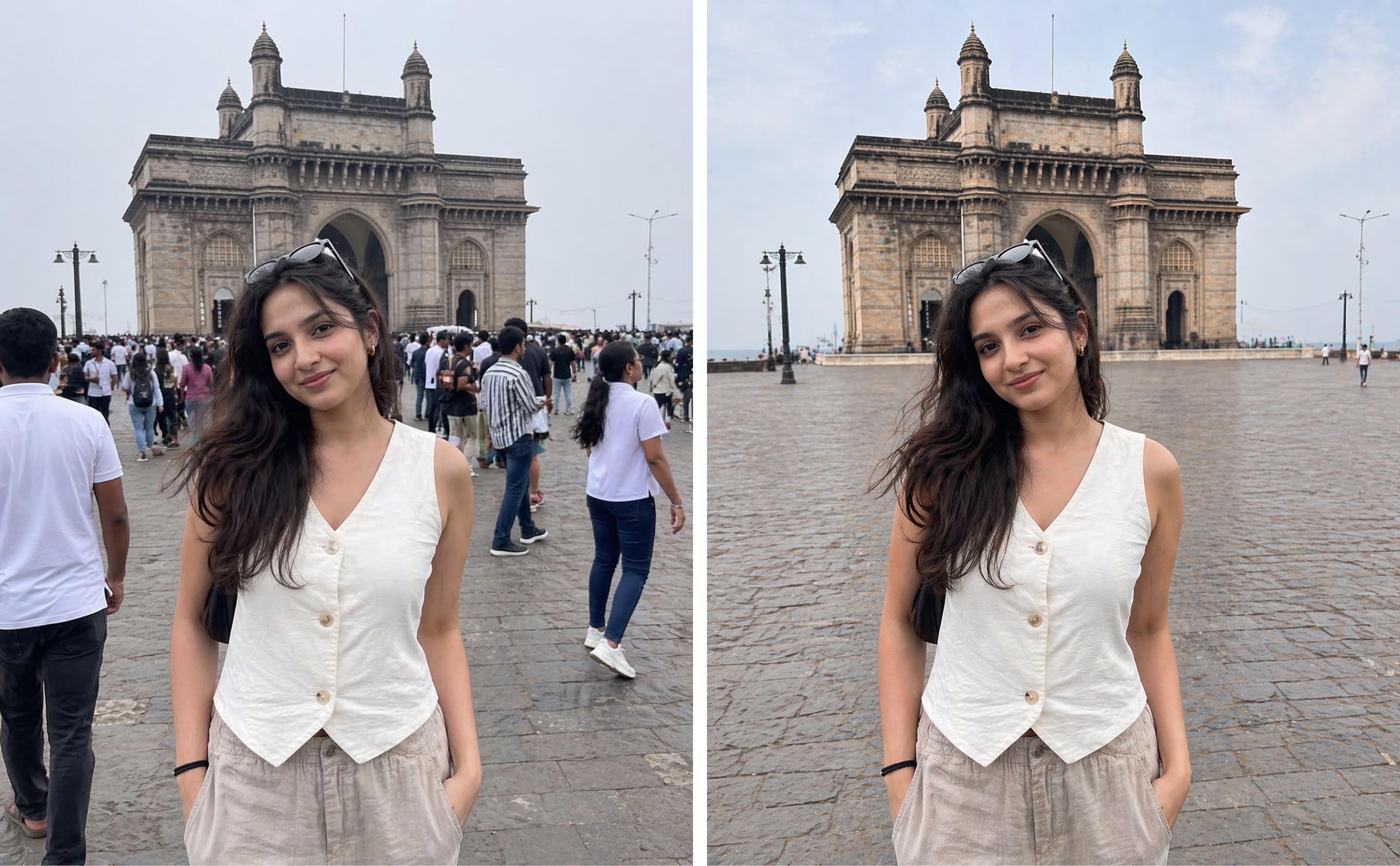
- Supports reference image uploads for direct editing or blending with a text description.
Pricing: Free plan available (daily image generation limit applies); ChatGPT Plus $20/month (includes GPT-Image-2); API billed separately by usage
10. Midjourney
If your core need is simply "generate the most beautiful image possible," Midjourney is still the ceiling. Its handling of light and shadow, color composition, and overall image texture is virtually unmatched. For brand imagery, artistic concept work, and magazine-cover-level visuals, Midjourney is the creative industry's go-to.
Version 7 brings significant improvements to photorealistic portrait detail, and the tool is accessible via both Discord and the official web interface. Its main limitations are the lack of an official API (third-party integrations required) and high prompt sensitivity — craft your prompt well and the results are stunning; leave it imprecise and you'll drift off-target.
Key Features:
The V7 model leads the industry in lighting, color composition, and image texture — ideal for visually demanding creative work.
Rich parameter controls allow precise style and composition adjustments through flags like
-style,-ar, and-chaos.Vary Region lets you inpaint specific areas of an image without affecting the rest of the composition.
Multi-image blending lets you merge reference images while preserving stylistic elements from each.
Pricing: Basic $10/month; Standard $30/month; Pro $60/month; Mega $120/month
At-a-Glance Comparison
| Tool | Best For | Key Strengths | Pricing |
|---|---|---|---|
| Kollab | Content creation + image generation in one workspace | GPT-Image-2 integration; prompt optimization; workflow collaboration | Free; Pro $20/mo; Max $200/mo |
| Recraft | Brand designers, vector output | SVG vector generation; brand style consistency | Free; Basic $12/mo; Pro from $20/mo |
| Ideogram | Text-in-image, posters, covers | Best-in-class text rendering; layout templates | Free; Plus $20/mo; Pro $60/mo |
| Runway | Image + video teams | Image-to-video; text-to-video; camera control | Free; Standard $15/mo; Pro $35/mo |
| Leonardo.ai | Game art, characters, IP design | Character consistency; LoRA fine-tuning | Free; Essential $12/mo; Premium $30/mo |
| Adobe Firefly | Enterprise IP compliance | Licensed-data training; CC integration; IP indemnification | Free; Standard $9.99/mo; Pro $19.99/mo |
| Stable Diffusion | Technical teams, private deployment | Open-source local deployment; ControlNet | Open source free; DreamStudio usage-based |
| Canva AI | Non-designers, rapid content production | Generate-to-template; Magic Design | Free; Pro $18/mo (annual: $12/mo) |
| ChatGPT Image 2 | ChatGPT users, conversational editing | Multi-turn editing; zero new tool to learn | Free (daily limit); Plus $20/mo |
| Midjourney | High-aesthetic, creative visuals | Best-in-class image quality; rich parameters | Basic $10/mo; Standard $30/mo; Pro $60/mo |
How to Choose the Right Tool
If you need image generation, writing, and research all in one workspace → Start with Kollab. GPT-Image-2 is built right into the workspace, and everything you create lives in the same project context — no juggling multiple tools.
If you're a designer who needs brand consistency or vector output → Both Recraft and Firefly are worth trying. Recraft is more flexible; Firefly has stronger IP protection.
If you create social content and speed is the priority → Canva AI is the fastest path from idea to published post.
If you need text inside your images (posters, covers, ads) → Ideogram, no contest.
If you produce both visual content and short videos → Runway's image-to-video workflow cuts out half the tool switching.
If you're a game developer or IP creator → Leonardo.ai's character consistency is a hard requirement.
If you're already using ChatGPT and just occasionally need an image → Use ChatGPT Image 2 directly. No new tool to learn.
If your aesthetic standards are uncompromising and you're willing to invest in crafting prompts → Midjourney is the ultimate choice.
If you have a technical team and need private deployment or deep customization → Stable Diffusion is the only answer.
Conclusion
In 2026, the dividing line for AI image generation tools is no longer about whether a tool can generate an image — they all can. What separates the ones worth using is how well the tool integrates into your actual workflow.
There's no single "best" tool — only the one that's the best fit for your current situation. The simplest way to decide: work backwards from the task you do most often. Whichever tool eliminates the most intermediate steps for that task is where you start.
Most of these tools offer free plans. Pick your most common use case, run it through two or three of the relevant options, and spend 30 minutes actually using them. That hands-on experience will tell you more than any number of review articles ever could.