01
Start with the outline
Kollab first builds a slide plan so you can confirm the story before anything is designed.
Turn a topic, audience, and style into an AI presentation workflow with outline, visuals, speaker notes, team review, and exportable HTML / PDF decks.
Kollab starts with a slide-by-slide outline, generates visuals for key moments, adds review-ready speaker notes, then assembles the copy, images, and layout into a deck your team can keep revising.
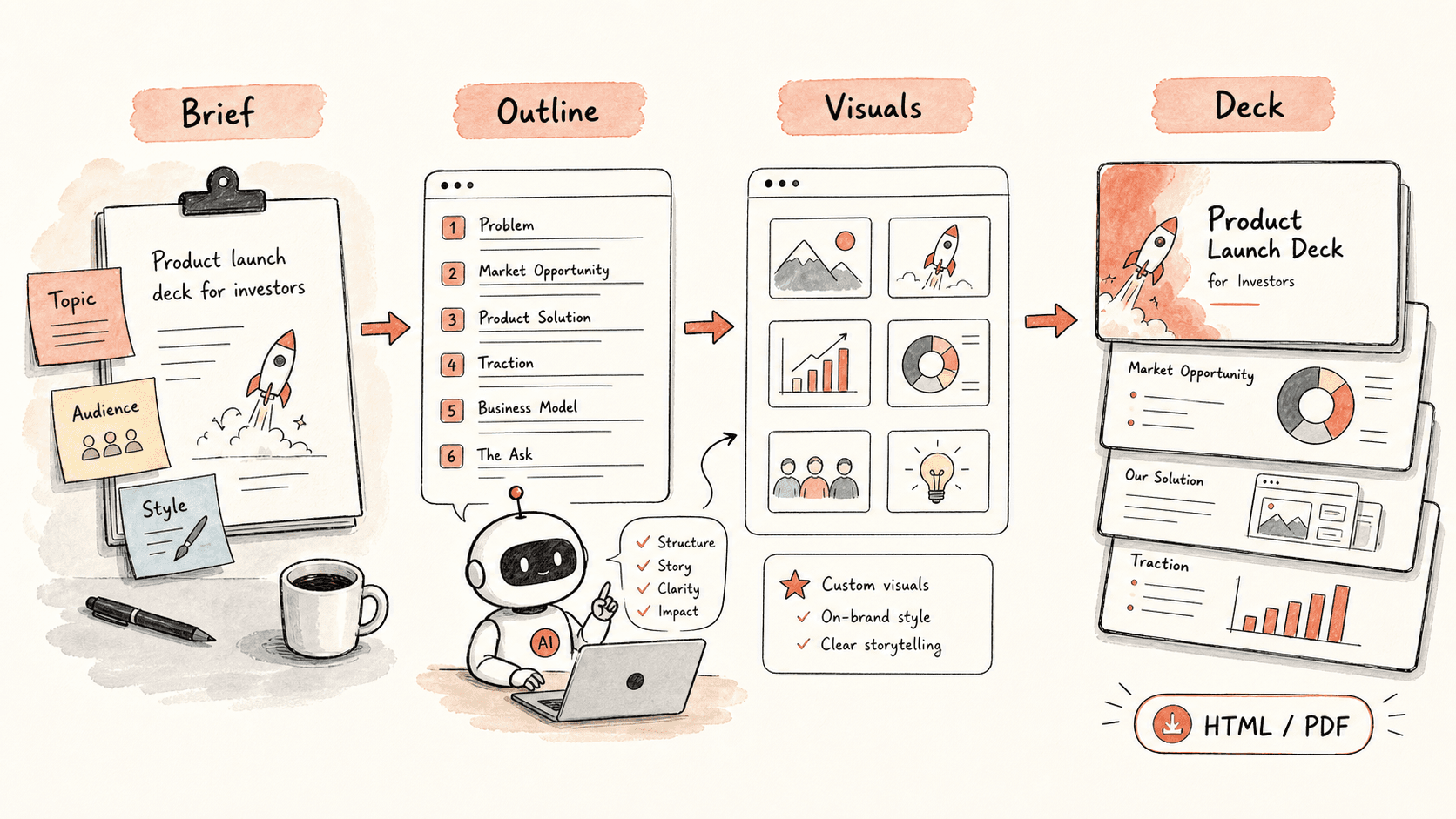
Read through the workflow once, then swap in your own roles, sources, and outputs.
Kollab first builds a slide plan so you can confirm the story before anything is designed.
For the key slides, Kollab creates images that match the message of the deck.
Copy and visuals are assembled into a clean HTML deck that can also be exported as a PDF.
If you want to change a slide, just describe the change in plain language and Kollab updates it.
Follow the related capability pages to see which product layers and tools make this use case repeatable for a team.
Turn a topic, audience, and style into an AI presentation workflow with outline, visuals, speaker notes, team review, and exportable HTML / PDF decks.
Copy the setup prompt into Kollab, replace the placeholders with your team context, then run it as a reviewable task in your workspace.
A deck you can keep editing, starting from the outline and ending with a complete HTML or PDF presentation.
No. The workflow is designed to produce reviewable drafts, briefs, artifacts, or database updates first, so your team can approve the result before anything is published or changed.
