01
Collect meeting sources
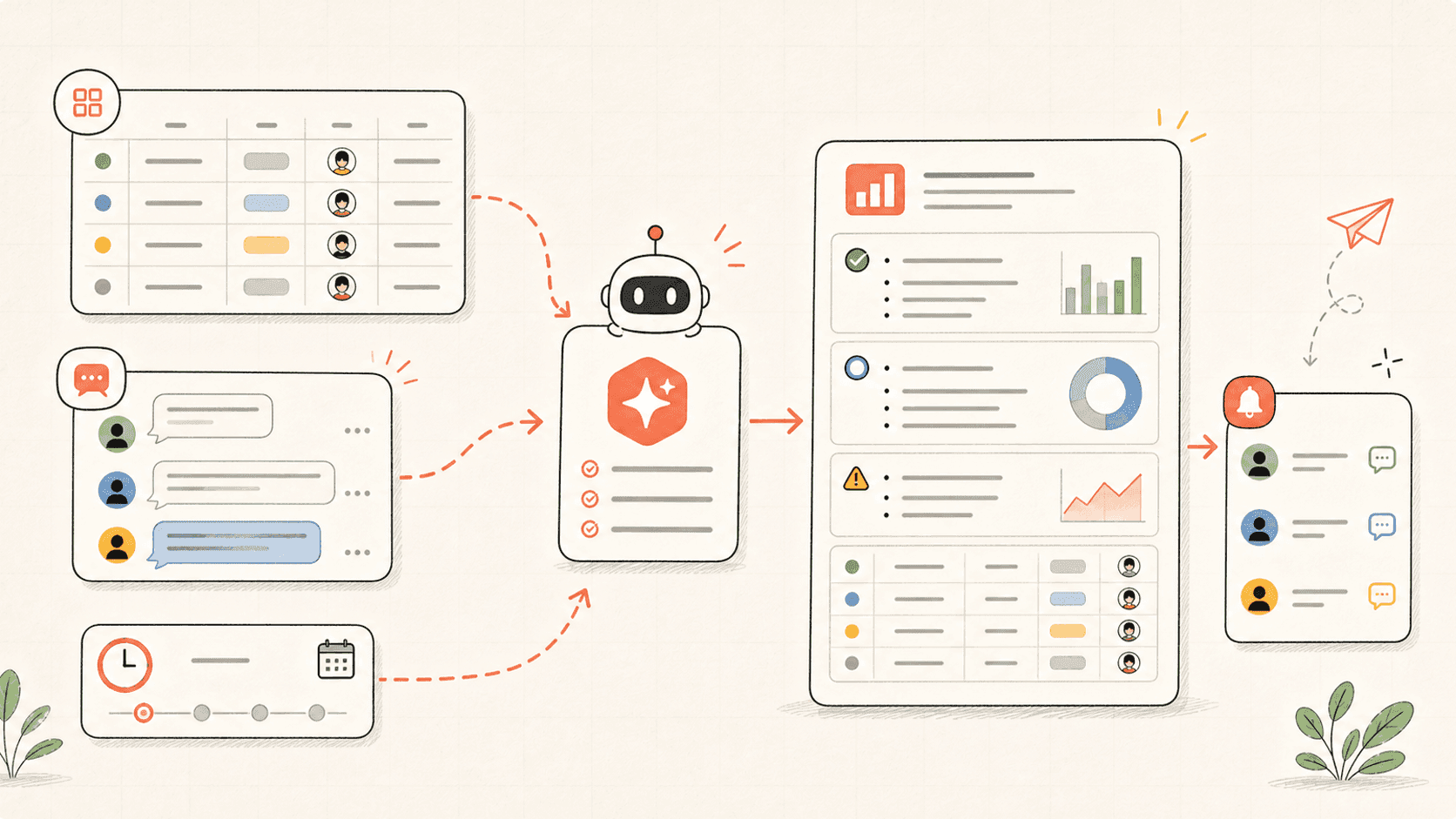
Kollab reads recordings, Transcripts, and related database records for the chosen project, account, or week.

Create a reviewed written brief first, then generate a short listenable audio briefing from meeting recordings, Decisions, Open Questions, and Database Updates.
Kollab first creates a reviewable written brief with Decisions, Risks, Open Questions, and Source Evidence, then turns the approved Script into a short Audio File.
Use it when people need to catch up by listening, with evidence and review still attached.
Revisa el flujo de trabajo una vez y luego añade tus propios roles, fuentes y entregables.
Kollab reads recordings, Transcripts, and related database records for the chosen project, account, or week.
The agent creates the reviewable Script source first, with Decisions, changes, Risks, Open Questions, and Source Evidence.
Only the approved written brief becomes a listenable update, with audience-specific emphasis and a Script saved beside the Audio File.
The database stores Audio File, Script, Source Links, Reviewer, and Approval Status before the briefing is shared.
The audio brief gives absent teammates the point of the meeting without losing Source Evidence.
| Manual async update | With Kollab | |
|---|---|---|
| Source review | Someone reads long Transcripts and decides what matters. | Kollab scans Transcripts and database updates for Decisions, changes, Blockers, and Questions. |
| Audio quality | A rushed voice memo misses structure or context. | The audio is generated from a written brief with Source Evidence and audience intent. |
| Traceability | Listeners cannot easily verify where a claim came from. | The Script keeps Source Links, Timestamps, and Review Status beside the Audio File. |
| Distribution | The update lives in chat and disappears. | The briefing record stays in the team database for later meetings and follow-up. |
| Total time | Voice notes without a system | Audio updates backed by source records |
The audio is only one artifact. The database keeps the Script and evidence useful.
Brief
Audio
Evidence
Explore las páginas de funciones relacionadas para ver qué capas del producto y herramientas hacen que este caso de uso sea repetible para un equipo.
Create a reviewed written brief first, then generate a short listenable audio briefing from meeting recordings, Decisions, Open Questions, and Database Updates.
Copia el prompt de configuración en Kollab, sustituye los marcadores por el contexto de tu equipo y ejecútalo como una tarea revisable en tu espacio de trabajo.
A 3-5 minute Audio Briefing plus its Script, Source Quotes, meeting links, Open Questions, and Approval Status stored in the team database.
No. El flujo de trabajo está diseñado para generar primero borradores, briefs, artefactos o actualizaciones de bases de datos revisables, de modo que tu equipo pueda aprobar el resultado antes de publicar o modificar nada.
Create audio briefings that still keep evidence, review, and follow-up in the database.
Run