01
Start with the outline
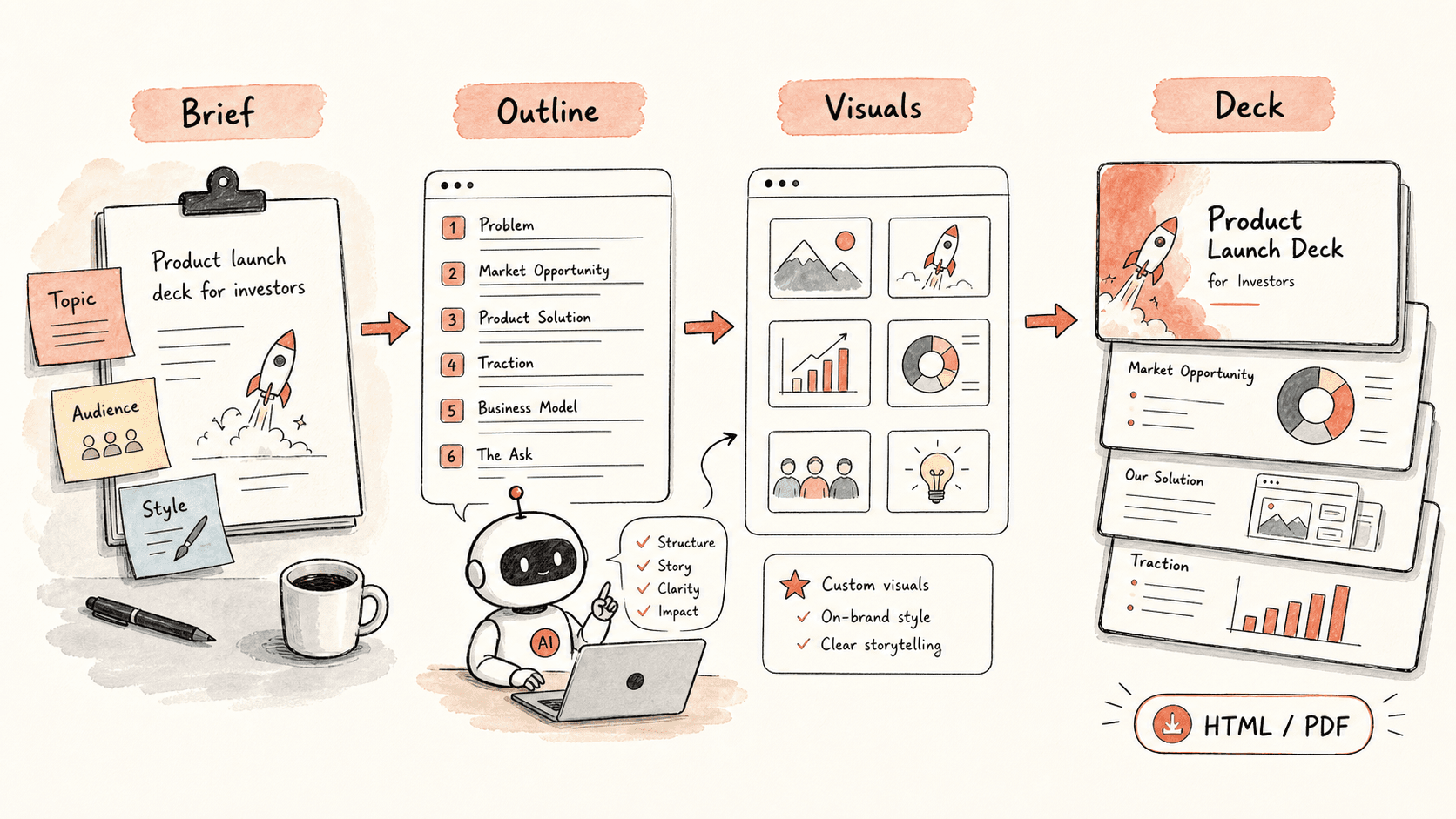
Kollab first builds a slide plan so you can confirm the story before anything is designed.

Turn a topic, audience, and style into an AI presentation workflow with outline, visuals, speaker notes, team review, and exportable HTML / PDF decks.
Kollab starts with a slide-by-slide outline, generates visuals for key moments, adds review-ready speaker notes, then assembles the copy, images, and layout into a deck your team can keep revising.
Revisa el flujo de trabajo una vez y luego añade tus propios roles, fuentes y entregables.
Kollab first builds a slide plan so you can confirm the story before anything is designed.
For the key slides, Kollab creates images that match the message of the deck.
Copy and visuals are assembled into a clean HTML deck that can also be exported as a PDF.
If you want to change a slide, just describe the change in plain language and Kollab updates it.
Explore las páginas de funciones relacionadas para ver qué capas del producto y herramientas hacen que este caso de uso sea repetible para un equipo.
Turn a topic, audience, and style into an AI presentation workflow with outline, visuals, speaker notes, team review, and exportable HTML / PDF decks.
Copia el prompt de configuración en Kollab, sustituye los marcadores por el contexto de tu equipo y ejecútalo como una tarea revisable en tu espacio de trabajo.
A deck you can keep editing, starting from the outline and ending with a complete HTML or PDF presentation.
No. El flujo de trabajo está diseñado para generar primero borradores, briefs, artefactos o actualizaciones de bases de datos revisables, de modo que tu equipo pueda aprobar el resultado antes de publicar o modificar nada.
