Record
Meeting source package
- Source Audio and Transcript
- Speaker labels and key quotes
- Linked project or account

Turn meeting recordings into AI meeting notes with Transcript, Decisions, Action Items, Owners, Due Dates, Blockers, and review-ready records.
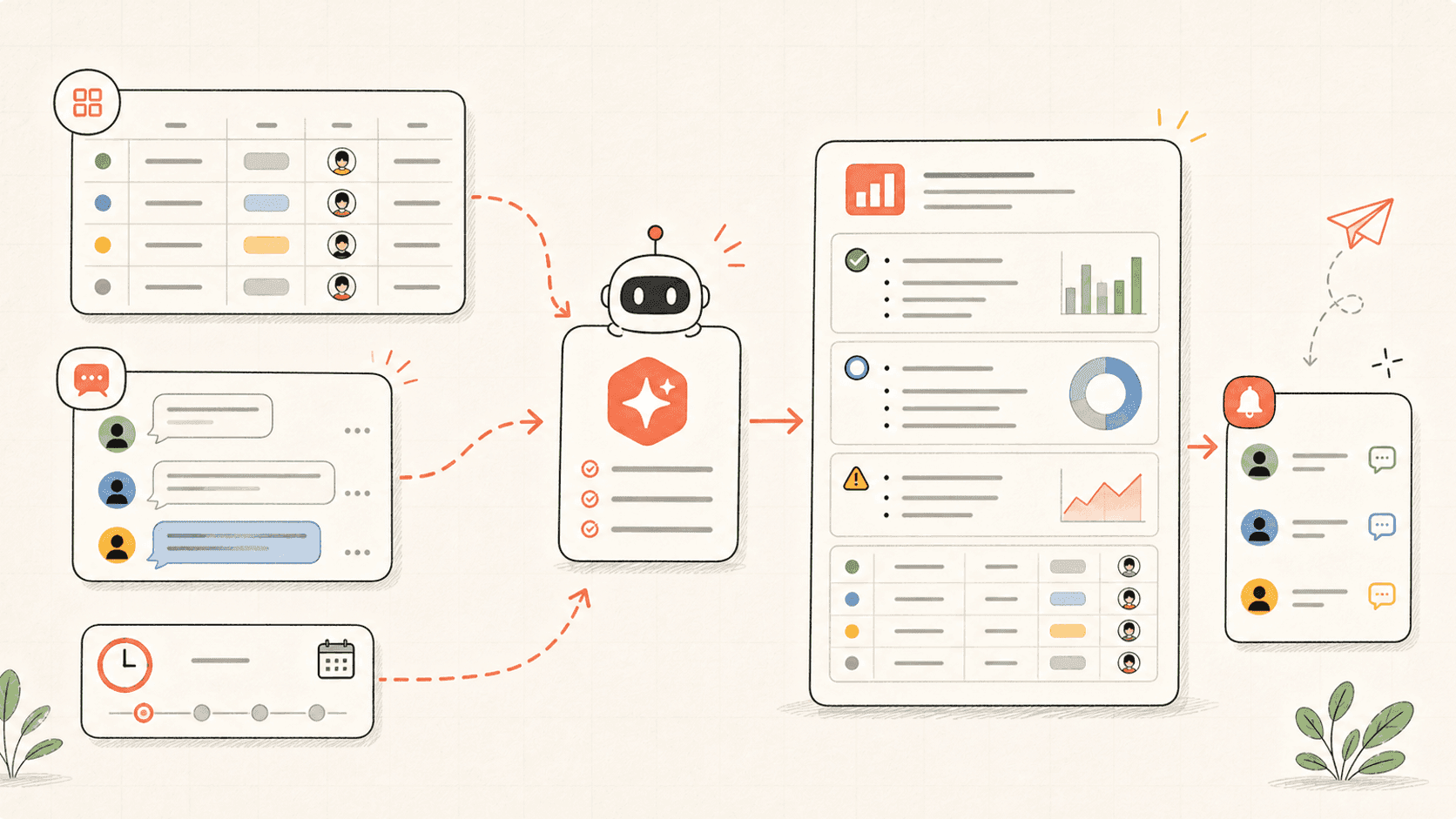
Kollab turns meeting recordings into execution records with Transcript, Decisions, Action Items, Owners, Due Dates, and Needs Review flags.
Use it when one meeting needs to become a concrete plan, not just another summary.
Read through the workflow once, then swap in your own roles, sources, and outputs.
Kollab starts from the uploaded recording or meeting link and keeps the Source Audio attached to the work record.
The agent creates a clean Transcript, separates Decisions from discussion, and turns commitments into structured Action Items.
Each task gets Owner, Due Date, Risk, Source Quote, and Review Status so the database becomes the post-meeting truth.
Unclear Ownership or deadlines are flagged instead of guessed, giving the team a short review queue after the meeting.
Turn this meeting recording into an action plan.

Input:
- Meeting audio: [upload or paste recording link]
- Meeting type: [product review / weekly sync / customer call / leadership review]
- Project or account: [name]
- Participants: [names or roles]
- Team database: [workspace database link]

Database fields to use or create:
- Meeting Date
- Meeting Type
- Participants
- Source Audio
- Transcript
- Decisions
- Action Item
- Owner
- Due Date
- Risk / Blocker
- Open Question
- Follow-Up Status
- Needs Review

Please:
1. Generate a clean Transcript with speaker labels when possible.
2. Separate Decisions, Action Items, Blockers, Open Questions, and important context.
3. Create one database record for each Action Item with Owner, Due Date, Linked Decision, Source Quote, and Follow-Up Status.
4. Mark any item as Needs Review when the Owner, Due Date, or Decision wording is unclear.
5. Create a meeting summary page for people who missed the meeting.
6. Do not invent commitments. If the recording is ambiguous, quote the source line and ask for confirmation.
The recording becomes a reusable database entry instead of a document someone has to reinterpret later.
| Manual meeting follow-up | With Kollab | |
|---|---|---|
| Transcript | Someone uploads audio, waits for a Transcript, and still has to reread it. | Audio, Transcript, and Source Quotes stay linked to the meeting record. |
| Action items | Tasks are copied into a doc or chat with missing Owners and Due Dates. | Action Items are structured with Owner, Due Date, Status, Risk, and Source Evidence. |
| Ambiguity | Unclear commitments become silent assumptions. | Ambiguous items are marked Needs Review and routed back to the team. |
| Follow-Up | Next week starts by asking what happened last week. | Timers can check open items and prepare the next follow-up from database state. |
| Total time | A summary that still needs managing | A structured plan the team can execute |
A useful meeting run should create records people can act on immediately.
Record
Plan
Review
Follow the related capability pages to see which product layers and tools make this use case repeatable for a team.
Turn meeting recordings into AI meeting notes with Transcript, Decisions, Action Items, Owners, Due Dates, Blockers, and review-ready records.
Copy the setup prompt into Kollab, replace the placeholders with your team context, then run it as a reviewable task in your workspace.
A meeting record with Source Audio, Transcript, Decisions, Owner-assigned Action Items, Blockers, Open Questions, and a review queue for unclear commitments.
No. The workflow is designed to produce reviewable drafts, briefs, artifacts, or database updates first, so your team can approve the result before anything is published or changed.
Turn recordings into structured work records your team can execute and review.
Run →