Meeting audio briefing

Create a reviewed written brief first, then generate a short listenable audio briefing from meeting recordings, Decisions, Open Questions, and Database Updates.

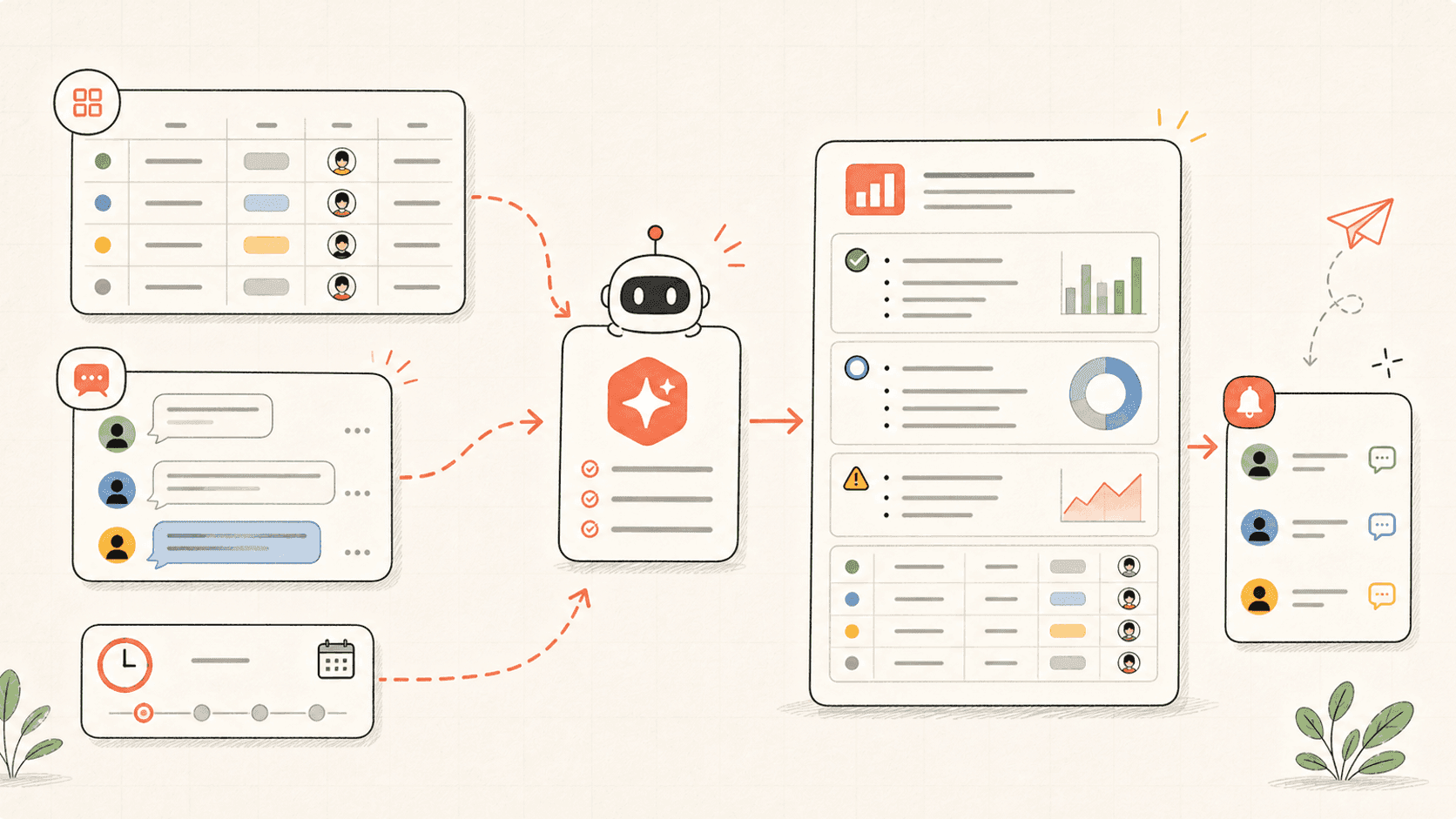
Kollab first creates a reviewable written brief with Decisions, Risks, Open Questions, and Source Evidence, then turns the approved Script into a short Audio File.

Use it when people need to catch up by listening, with evidence and review still attached.

Meeting audio briefing workflow visual
Create an async audio briefing from these meetings. Inputs: - Meeting recordings or Transcripts: [links or uploads] - Date range: [this week / project phase / customer account] - Audience: [executives / product team / sales team / people who missed the meeting] - Team database: [workspace database link] - Target length: [3 minutes / 5 minutes] Please: 1. Read the meeting Transcripts and database records for the selected date range. 2. Identify what changed, what was decided, what is blocked, and what still needs a person to decide. 3. Create a written briefing page with sections: Executive Summary, Decisions, Action Items, Risks, Open Questions, Next Meeting Prep. 4. Add Source Quotes or Timestamps for important claims. 5. Generate a natural audio briefing that explains the update in plain language for the target audience. 6. Write the Audio File, Script, Source Links, and Review Status back to the database. 7. Do not include sensitive or speculative content in the audio unless it is clearly confirmed in the source material.

How the workflow runs

Read through the workflow once, then swap in your own roles, sources, and outputs.

01

Collect meeting sources

Kollab reads recordings, Transcripts, and related database records for the chosen project, account, or week.

02

Build the written brief

The agent creates the reviewable Script source first, with Decisions, changes, Risks, Open Questions, and Source Evidence.

03

Generate the audio

Only the approved written brief becomes a listenable update, with audience-specific emphasis and a Script saved beside the Audio File.

04

Keep review state

The database stores Audio File, Script, Source Links, Reviewer, and Approval Status before the briefing is shared.

From unread Transcripts to async alignment

The audio brief gives absent teammates the point of the meeting without losing Source Evidence.

Manual async updateWith Kollab
Source reviewSomeone reads long Transcripts and decides what matters.Kollab scans Transcripts and database updates for Decisions, changes, Blockers, and Questions.
Audio qualityA rushed voice memo misses structure or context.The audio is generated from a written brief with Source Evidence and audience intent.
TraceabilityListeners cannot easily verify where a claim came from.The Script keeps Source Links, Timestamps, and Review Status beside the Audio File.
DistributionThe update lives in chat and disappears.The briefing record stays in the team database for later meetings and follow-up.
Total timeVoice notes without a systemAudio updates backed by source records

What the briefing run creates

The audio is only one artifact. The database keeps the Script and evidence useful.

Brief

Written briefing page

  • Executive Summary
  • Decisions and Risks
  • Open Questions

Audio

Listen-ready update

  • 3-5 minute Audio File
  • Audience-specific Script
  • Plain-language narration

Evidence

Source trail

  • Meeting links and Timestamps
  • Important Quotes
  • Reviewer and Status

Explore more related links

Follow the related capability pages to see which product layers and tools make this use case repeatable for a team.

Let people catch up by listening

Create audio briefings that still keep evidence, review, and follow-up in the database.

Run