Targets
KOL candidate board
- 30 prioritized creators
- Audience-fit rationale
- Outreach status and risk notes

Creator outreach、brief、scripts、visual assets、review、launch tracking を 1 つの campaign workspace で進めます。
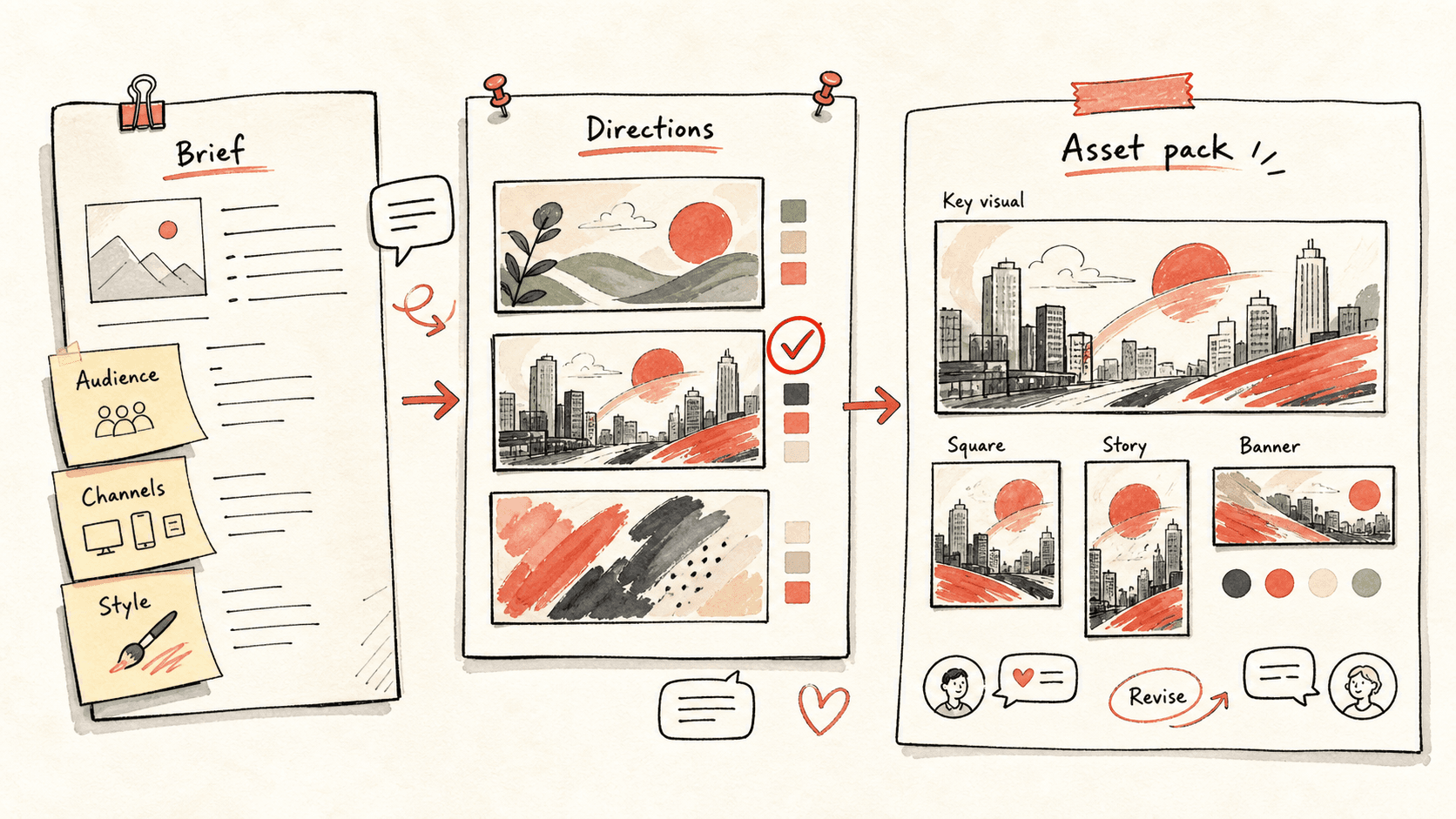
KOL campaign が崩れる理由は、creator list、outreach notes、product claims、content brief、drafts、visual assets、publish status が spreadsheet、DM、別々の chat に分散することです。
Kollab は campaign を 1 つの workspace にします。適切な creators を調査し、outreach draft を作り、platform-native content pack を生成し、human review を通して performance notes を同じ database に戻します。
まずこのワークフローの流れを確認してから、役割・入力元・出力先を自分の運用に置き換えてください。
Kollab が KOL、platform fit、audience overlap、contact path、status、risk notes を 1 つの database に整理します。
Campaign promise、proof points、claim guardrails、CTA、disclosure notes が全 creator / asset の shared context になります。
Short-video scripts、YouTube outline、X thread、LinkedIn post、Xiaohongshu note、visual prompts を review できる record として作ります。
Outreach と publishing は人が承認し、Kollab が status、reviewer、live links、blockers、performance notes をつなげます。
Kollab で full KOL content campaign workflow を作りたいです。

Campaign:
- Product or offer: [promoted offer]
- Launch window: [date range]
- Target audience: [who should care]
- Primary platforms: YouTube, TikTok, Instagram Reels, X, LinkedIn, Xiaohongshu
- Brand voice: [clear, practical, premium, playful, founder-led, etc.]
- Accurate claims: [pricing, supported models, integrations, limits]
- Competitors or references: [links or names]

Workflow:
1. Campaign database fields を設計してください: creator name, platform, audience fit, contact channel, outreach status, brief status, asset status, reviewer, publish date, live URL, performance notes。
2. この audience に合う KOL / creator accounts を 30 件調査し、platform、audience overlap、fit reason、content angle、contact approach、risk notes を付けてください。
3. Outreach messages を 3 種類作ってください: warm intro, cold DM, follow-up。自動送信はしないでください。
4. Product story brief を作ってください: audience pain, core promise, proof points, accurate claims, do-not-say list, CTA, disclosure notes。
5. Brief から launch content pack を作ってください: 10 short-video hooks, 3 short-video scripts, 1 YouTube outline, 1 X thread, 1 LinkedIn post, 1 Xiaohongshu note, 6 image or video prompts。
6. Accuracy, brand voice, compliance, creator fit, standalone quality の review checklist を付けてください。
7. すべてを campaign database に review-ready records として戻し、priorities, blockers, next 7 days actions を含む launch summary を残してください。
Kollab は people、story、assets、approvals、learning loop を 1 つに保ちます。
| Manual campaign | With Kollab | |
|---|---|---|
| Creator list | 候補 creator、DM、fit 判断が sheets と inbox に分散します。 | Campaign database が audience fit、contact path、status、angle、risk notes をまとめます。 |
| Story control | Creator や writer ごとに product story と claims が少しずつ変わります。 | Approved story brief が promise、proof、do-not-say list、CTA、disclosure notes を供給します。 |
| Asset creation | Scripts、captions、thumbnails、visual prompts を platform ごとに作り直します。 | Platform-native drafts が同じ campaign brief から作られ、reviewable records として残ります。 |
| Launch tracking | Approval、live links、performance は後から集まり、次回に残りにくいです。 | Reviewer、publish date、live URL、blockers、performance notes が creator / asset に紐づきます。 |
| 合計所要時間 | Disconnected people and drafts | One reviewable creator campaign pipeline |
A campaign run should create reusable infrastructure, not just social posts.
Targets
Brief
Assets
Ops
関連する機能ページを見ると、このユースケースをチームで繰り返し使うための製品レイヤーとツールが分かります。
Creator outreach、brief、scripts、visual assets、review、launch tracking を 1 つの campaign workspace で進めます。
設定プロンプトを Kollab にコピーし、プレースホルダーをチームの文脈に置き換えて、ワークスペース内のレビュー可能なタスクとして実行します。
30 KOL candidates、outreach drafts、product story brief、short-video scripts、social posts、visual prompts、review checklists、publish dates、live URLs、performance notes を持つ campaign database。
いいえ。まずレビュー可能な下書き、brief、Artifact、またはデータベース更新を作成し、チームが確認してから公開や外部システムへの反映を判断できる設計です。
KOL research、content briefs、assets、approvals、campaign learning を 1 つの workspace に保ちます。
実行 →