ChatGPT Image 2 + Seedance: A Simple Workflow for Turning Images into Short Videos
From text to video in minutes — GPT Image 2 and Seedance 2 form a two-step AI pipeline. Real-world examples and copy-ready prompts included.
For a long time, turning images into video was a gamble. Whether it worked was mostly up to chance — face drift, distorted objects, and style collapse were all par for the course. Things are different now. GPT Image 2 can generate static images with deliberate compositional intent — illustrations, posters, scene stills — while Seedance 2 can bring them to life in physically plausible ways, using cinematic camera language. Together, they form a pipeline that takes you from a text description to a short video in just a few minutes — no camera, no crew, no editing software required.
This article introduces both models, walks through two real-world examples with copy-ready prompts, and shows how Kollab pulls everything together inside a single chat window.
The Two Core Models
ChatGPT Image 2
GPT Image 2 understands the scene, relationships, and intent behind a prompt before rendering the image accordingly. Describe "a woman reading in a sunny café, linen tablecloth, slight motion blur on passersby," and you get that specific editorial moment — not a generic café stock photo, not a safe, unremarkable portrait, but the particular frame you described.
Its accuracy when rendering text inside an image — an area where earlier models completely fell apart — makes it genuinely usable for poster design, social media graphics, and brand assets. It handles multi-subject scenes, consistent lighting, and style references within a single prompt. Most importantly for video workflows: it produces compositionally stable keyframes — clean horizons, grounded subjects, intentional negative space — exactly what animation models need as input.
Seedance 2
Compared to earlier video models, Seedance 2 is noticeably more stable in temporal consistency — faces drift less, colors hold better, and object motion follows physical logic more convincingly. When you give it a keyframe image — say, a static shot of a bakery counter — it does a better job preserving object relationships and making environmental motion feel natural: pastries stay on their plates, steam behaves believably, hand movements carry real physical weight.
The model is especially strong at ambiance and lifestyle motion — the core of social media content. Subtle lens push-ins, handheld texture, steam rising, petals falling, light flickering, liquid pouring, a hand setting something down on a table. These micro-motion details can transform a carefully generated still into something that feels like it was actually shot. For brand content and social short-form video, that distinction matters enormously.
Output length is 5–10 seconds — exactly the right duration for looping platform videos, Reel openers, ad creatives, and autoplay covers. Long enough to land a moment, short enough to loop without fatigue.
Two Real-World Examples
Both examples below include copy-ready prompts, optimized for first-generation use.
Example 01 — A Quiet Reading Moment: Casual Snapshot → Cinematic Feel
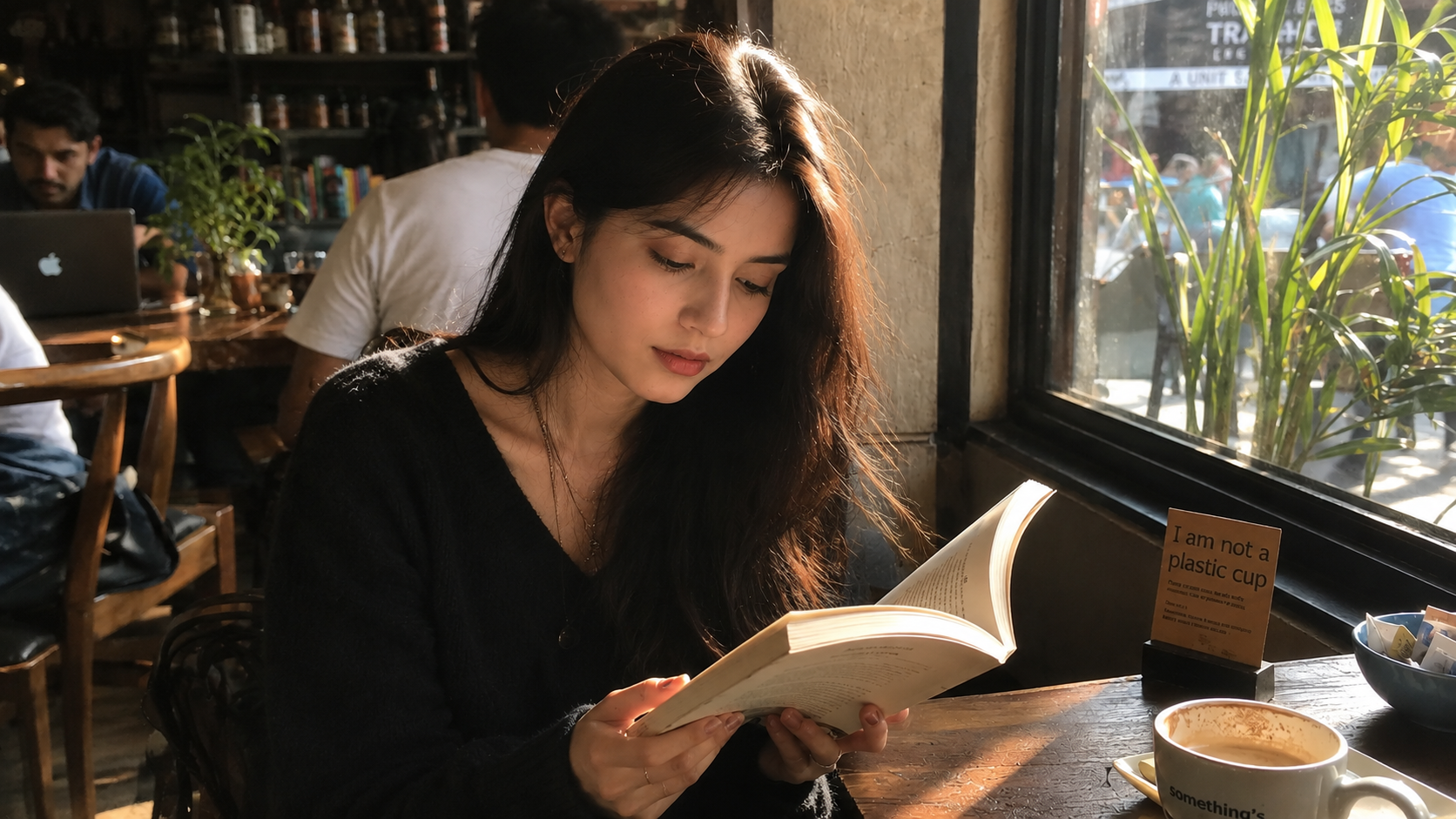
A phone camera records a moment, not a frame. The light is flat, the composition is off, the background is cluttered. But the feeling of the scene — a girl absorbed in her book, afternoon light filtering through the glass, the world paused — is worth preserving properly. That's where GPT Image 2 comes in: describe the emotional beat, get back a photograph with intention. Then Seedance turns that still into a living memory: a page slowly turns, dust motes drift through a column of light, a slow, breathing quality makes the moment feel real rather than staged.
Step 1 — ChatGPT Image 2
Sample prompt: Natural candid photo of a young woman with long dark hair reading quietly at a small café table beside a large window. Shot like an unposed iPhone/handheld moment, realistic and documentary-style. Warm afternoon sunlight through the window with slightly uneven lighting, natural shadows, subtle dust in light. Relaxed posture, casual clothing, slightly messy hair, cozy café atmosphere with blurred background people and objects. Soft depth of field, gentle film grain, muted warm tones, realistic skin texture, imperfect framing. 16:9.
Step 2 — Seedance 2
Sample prompt: Using the provided image as the visual and scene reference, create an 8-second cinematic café vlog with natural realistic motion. Handheld iPhone-style camera movement, warm afternoon sunlight, cozy authentic café atmosphere. The young woman quietly reads, slowly turns a page, slightly adjusts her posture, and gently moves her hand on the table. Subtle hair movement, floating dust in the sunlight, and soft blurred background activity. Realistic candid feeling, documentary-style, shallow depth of field, soft film grain, muted warm tones, smooth natural motion, no dramatic camera movement or commercial style.
Example 02 — Bakery Brand Content: Poster → Product Reel
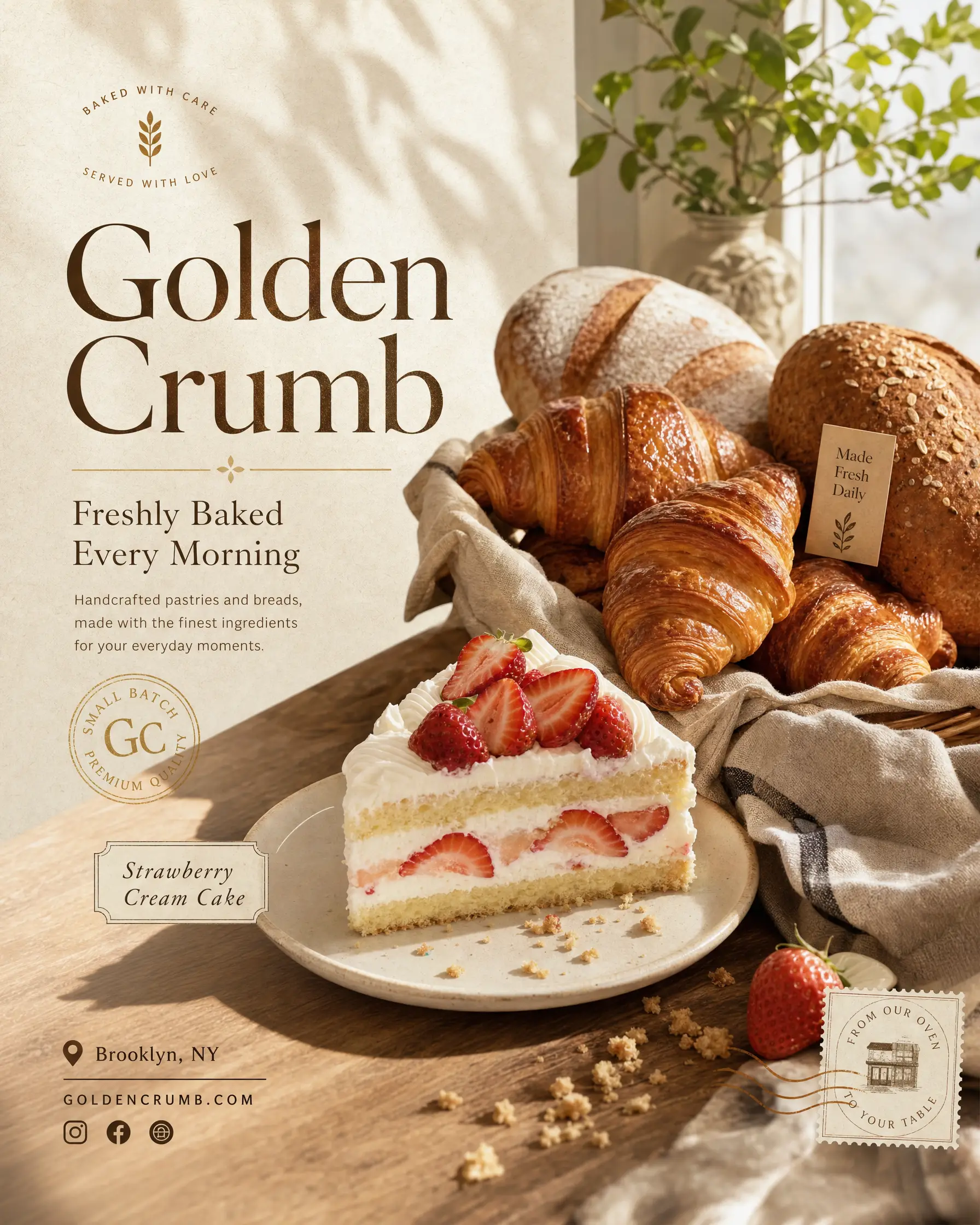
Small food and beverage brands don't need a photographer, food stylist, and production crew to compete on social media. What they need is content that makes people want to walk through the door — warm light, appealing textures, and the kind of ambient motion that makes a croissant look like it just came out of the oven. GPT Image 2 handles the poster: high-end food photography composition, the right material textures, brand copy rendered directly into the image. Seedance handles the life: steam rising from the pastries, a hand setting a coffee cup on the table, the particular quality of early-morning light before the shop opens.
This combination — a designed static poster paired with a motion reel — is the content format that drives engagement for food brands. Two assets, two prompts, zero production budget. Post the poster for feed images or Stories; use the video for Reels or ad creatives. Run both and see which format your audience responds to.
Step 1 — ChatGPT Image 2
Sample prompt: Create a premium social media poster for a cozy bakery called “Golden Crumb.” Show croissants, strawberry cream cake, and rustic bread on a wooden table by a window with soft morning sunlight. Japanese minimalism meets modern lifestyle branding, warm cream and beige tones, clean editorial layout. Include text: “Golden Crumb” and “Freshly Baked Every Morning.” High-end food photography style, subtle paper grain, 4:5.
Step 2 — Seedance 2
Sample prompt: 10-second cozy bakery morning vlog, handheld iPhone style with warm natural sunlight and soft beige tones. Fresh croissants coming out of the oven, a finished strawberry shortcake on a ceramic plate, and a latte art cappuccino placed on the table by a slender female hand. Clean Japanese-style bakery atmosphere, realistic food textures, shallow depth of field, smooth natural transitions, calm and cozy social media reel aesthetic.
Where Kollab Fits In
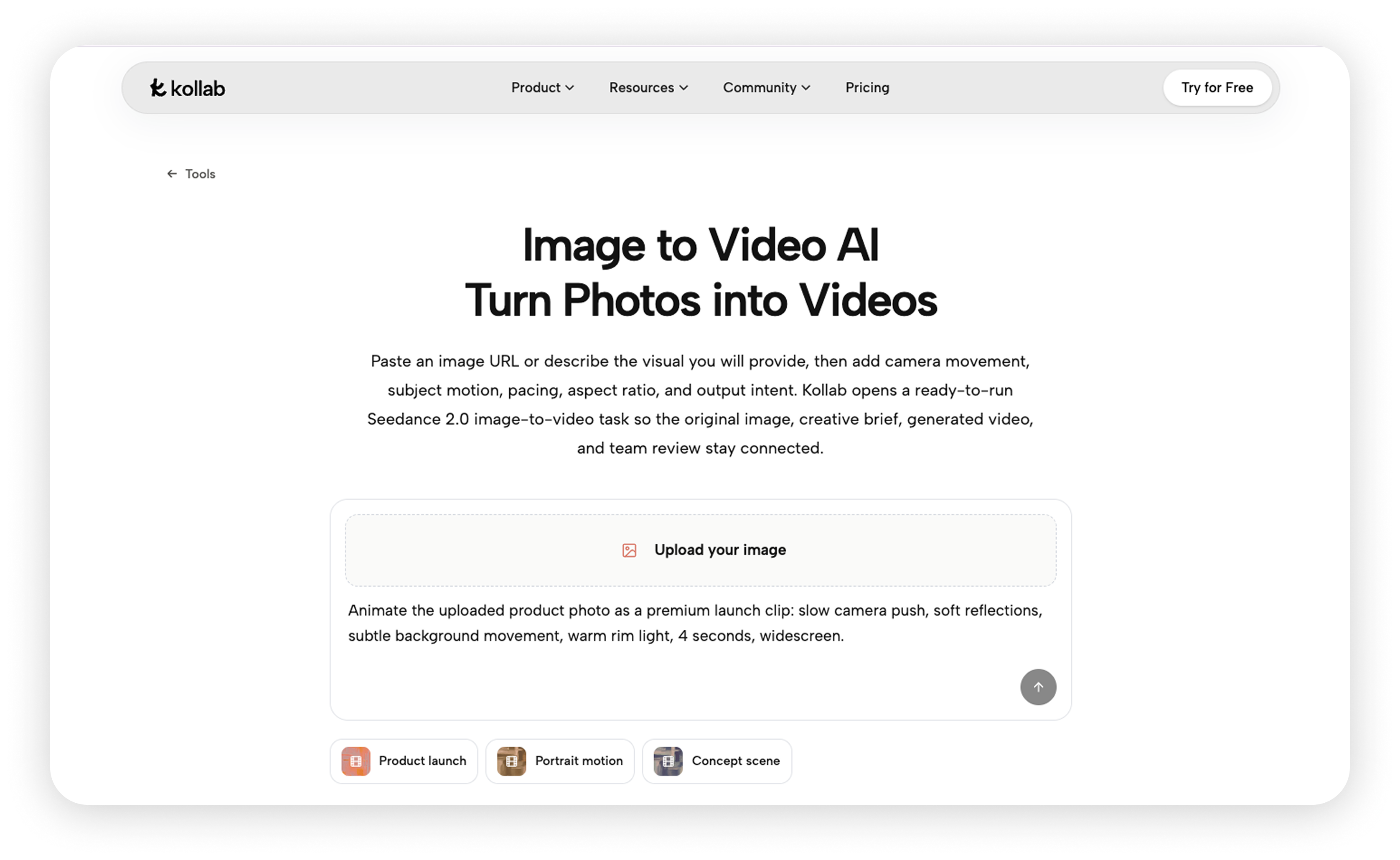
This entire pipeline can be run inside a single Kollab chat window. No API keys, no tool-switching, no manual file transfers. Kollab is an AI workbench that connects multiple frontier models — GPT Image 2, Seedance 2, web search, code execution, document generation — in one place. You send the image generation prompt first, then follow up with the video prompt once the image is ready, telling Kollab which image to use and how (as a first frame, or as a style reference). Both steps are driven by you; Kollab handles the model calls and manages all outputs in a unified task panel.
Live Demo: Cartoon Character → Animated Intro
Say you're building a brand mascot for a tech startup — a cartoon fox. You describe the character to ChatGPT Image 2 directly in Kollab: the hoodie, the glowing laptop, the flat illustration style, the Morandi palette with a single neon blue accent. The image comes back in seconds.
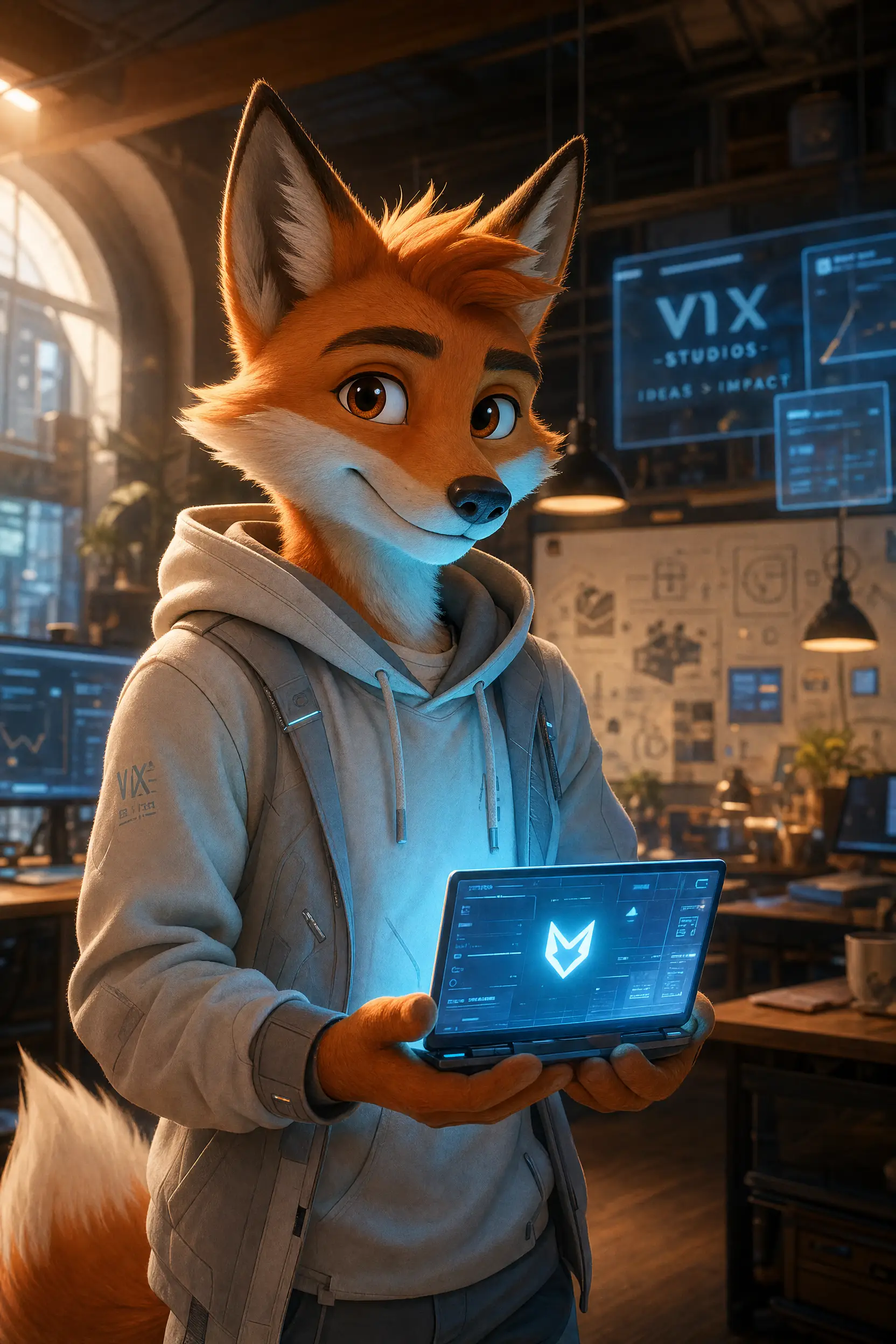
Once you have the keyframe, you follow up with a second prompt — this time directing Seedance. You describe the motion: ears that twitch, a laptop screen that pulses, drawstrings that sway. Six seconds later, the still image has a heartbeat.
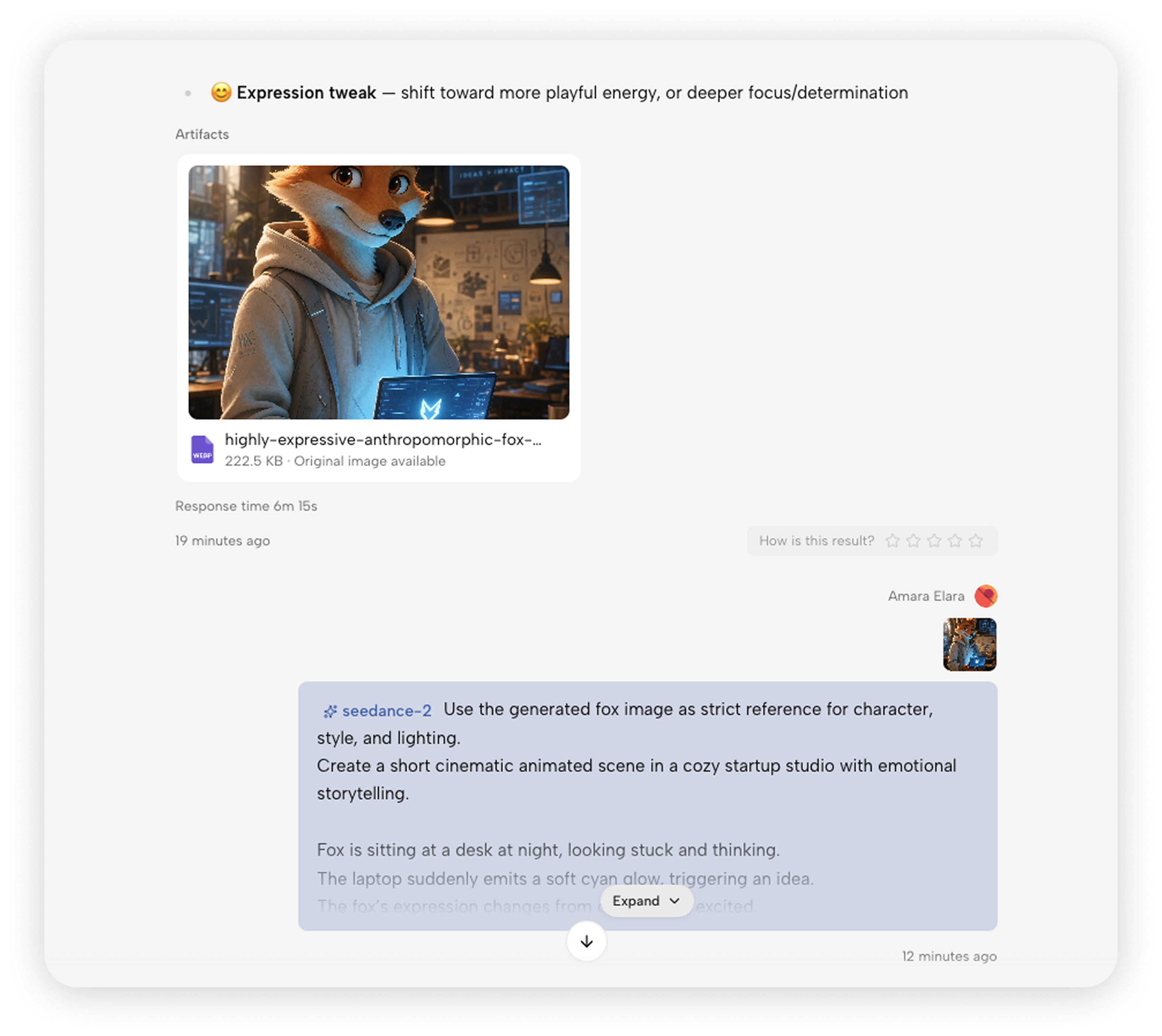
Two prompts. Same window. The fox went from a text description to a looping animation without leaving the chat.
Start Your First Video
Both models are available directly in Kollab right now. Open a conversation, describe the image you have in mind, then follow it with a motion description. The full pipeline takes about two minutes of typing.
→ Go to kollab to start creating