ChatGPT Image 2 Guide: From AI Images to Automated Content Workflows
See how teams use ChatGPT Image 2 in Kollab for AI-generated visuals, scheduled content workflows, brand assets, and collaborative creation.
An Image Is Just the Beginning
When most people first try AI image generation, their reaction is almost always the same — "that's better than expected." But after that initial hit, the images tend to just sit there: filed away, occasionally revisited, then forgotten.
ChatGPT Image 2 makes it possible to take this much further. A single image doesn't have to be the end of the road — it can become a brand asset, a batch-produced ad creative, or a high-quality visual anchor for content creation.
This article walks through the complete path to generating professional-grade visual content with ChatGPT Image 2.
What Is ChatGPT Image 2
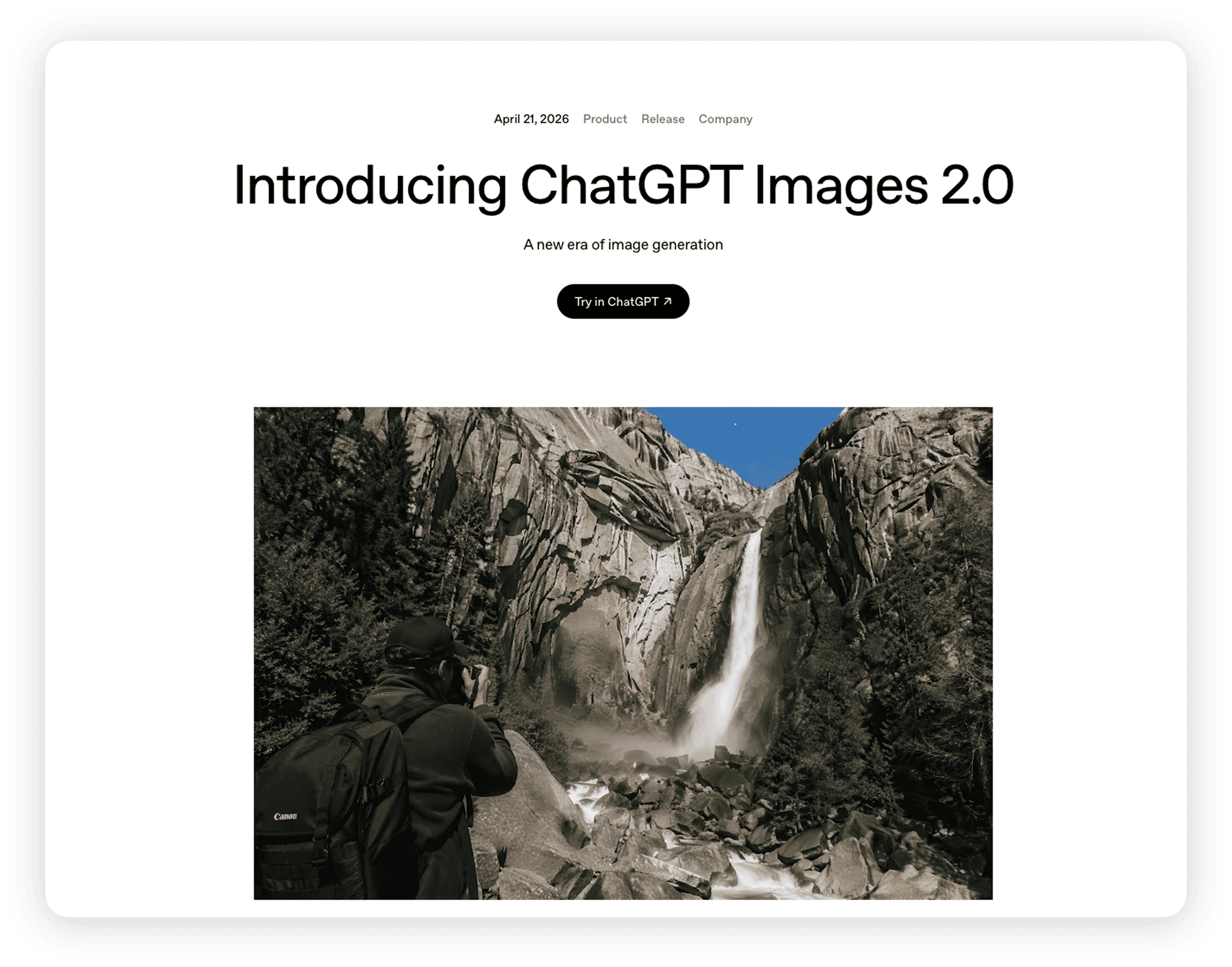
ChatGPT Image 2 is OpenAI's latest image generation model. As part of ChatGPT, it inherits the model's strong language understanding — you don't need to learn complex prompt syntax; the more specific and natural your description, the better the results.
Key capabilities include:
Native text rendering — accurately places text in images, ideal for posters, headlines, and packaging design
Stronger visual control — cross-image consistency has improved significantly; once you define a style and character traits, generating a series produces stable results
Fine detail rendering — from facial expressions to fabric textures, everything is reproduced with precision
Multilingual support — understands prompts in Chinese, Japanese, and other languages
It solves the problem of "where do high-quality images come from" — enabling anyone to produce professional-level visual content.
Seeing It in Action
All images in the following use cases were generated using ChatGPT Images 2.0 inside Kollab.
Case 1: Commercial Advertising
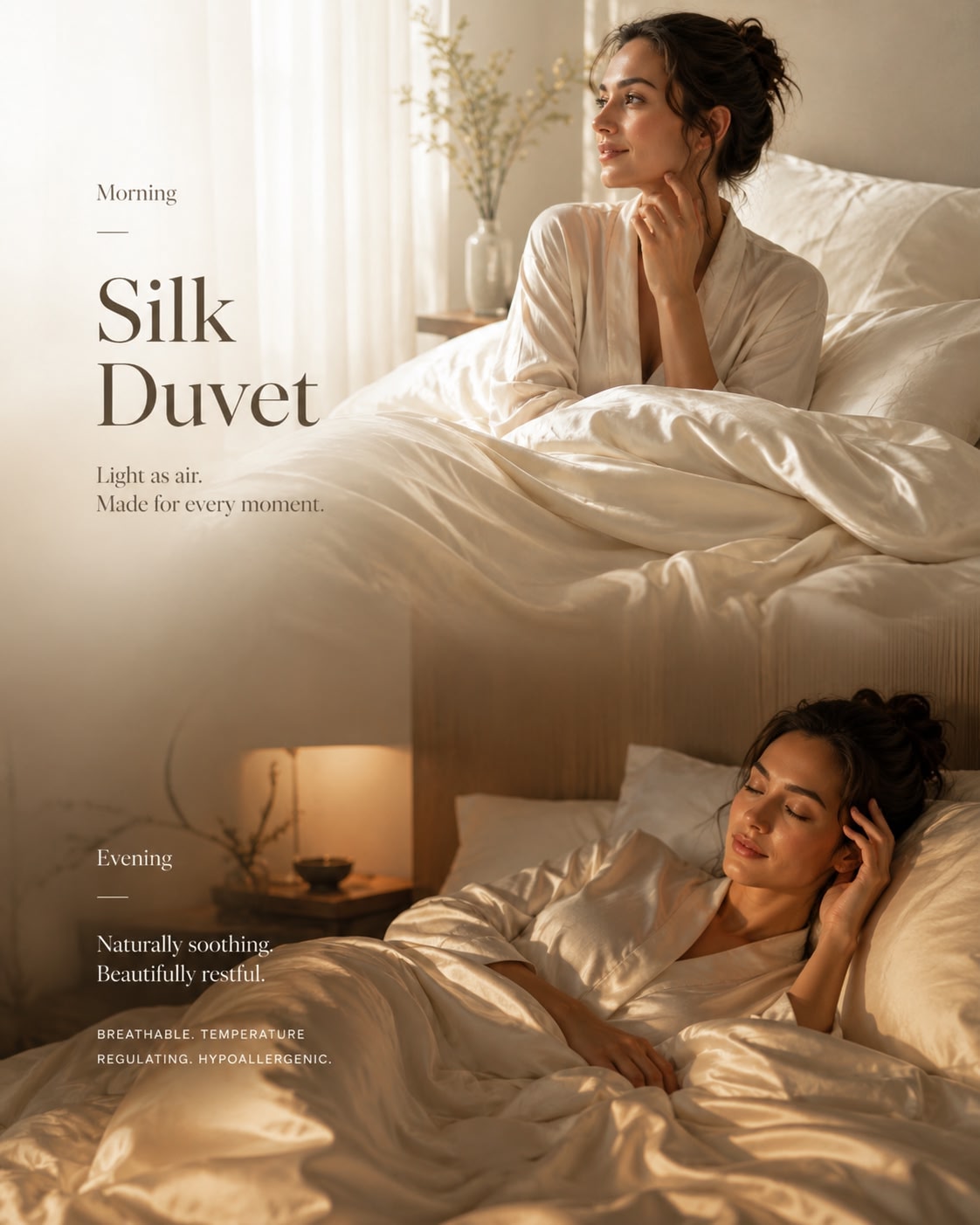
E-commerce platforms and brands need a constant stream of high-quality product images every day. Banner ads, promotional posters, hero images for new product launches — work that used to require professional photographers and post-production teams can now be handled with a single descriptive prompt. Beyond accurately reproducing product texture, you can quickly switch between different styles to match your needs, from minimalist luxury to youthful and energetic, from skincare products to tech gadgets, finding the most fitting visual expression for each.
Sample prompt: A premium editorial image for a luxury silk duvet. Two seamless scenes in one frame: a bright morning bedroom with soft natural light and a smooth silk duvet, and a warm evening version of the same space with cozy lighting and a slightly wrinkled duvet. Same woman across both scenes. Soft cream and beige tones, minimalist interior, calm and refined lifestyle mood, 4:5.
Case 2: Magazine Illustration
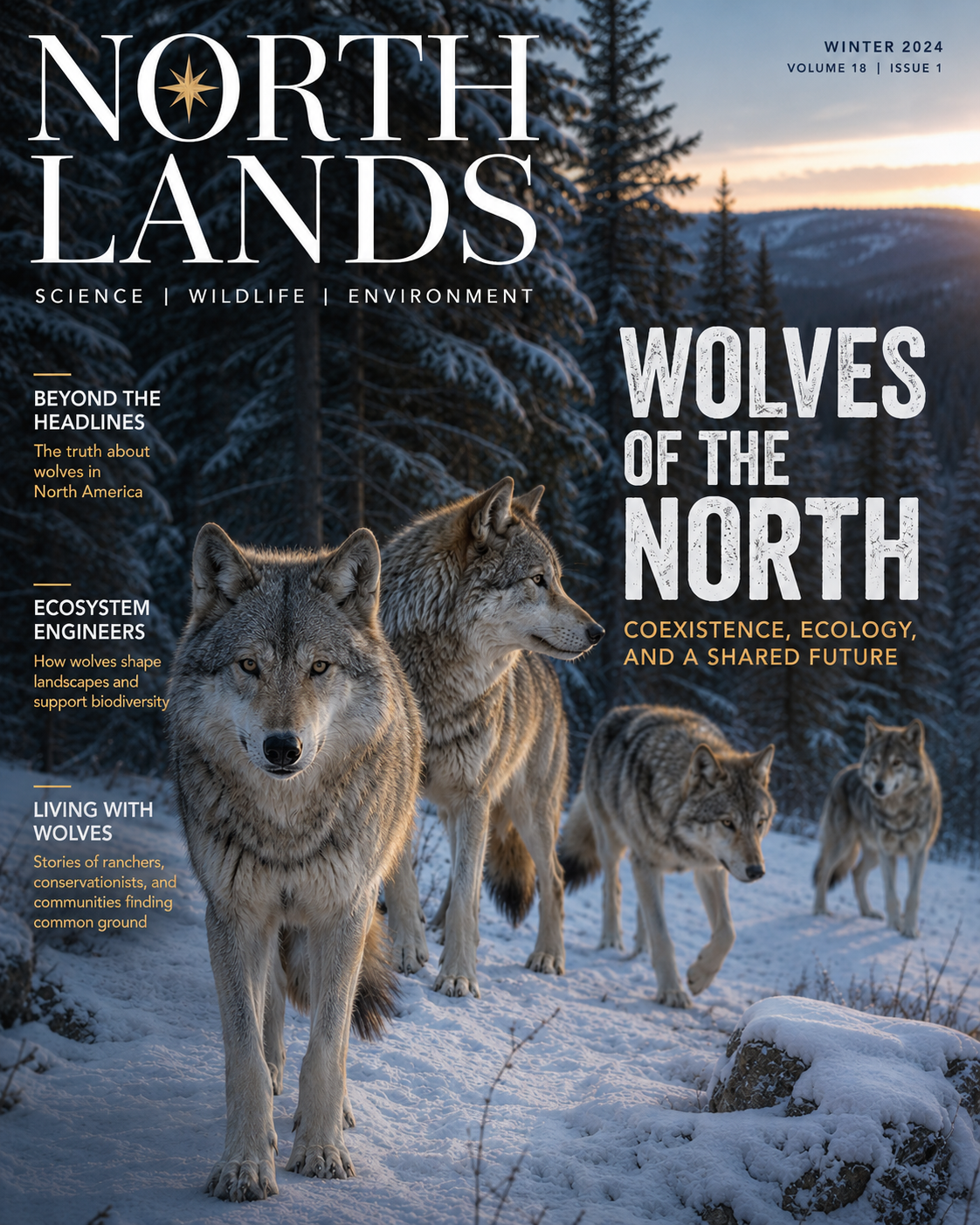
From article illustrations for science communicators to cover designs for professional magazines — AI image generation is reshaping how content is produced. More unique than stock photo libraries, more efficient than commissioning illustrators, and capable of maintaining consistent style across a series. The model's strength in complex scene composition and color control lets it strike a balance between scientific accuracy and visual appeal, whether depicting cellular structures or distant galaxies — both informative and shareable.
Sample prompt: A glossy magazine cover about wolves in North America. A small group of wolves moving through a snowy forest at dusk, each in a different natural pose. Cool blue-gray tones with subtle warm light. Calm, intelligent, non-threatening mood. Clean editorial layout with headline “WOLVES OF THE NORTH” and a subtitle about coexistence. High realism, 4:5.
Case 3: Brand Storytelling Style
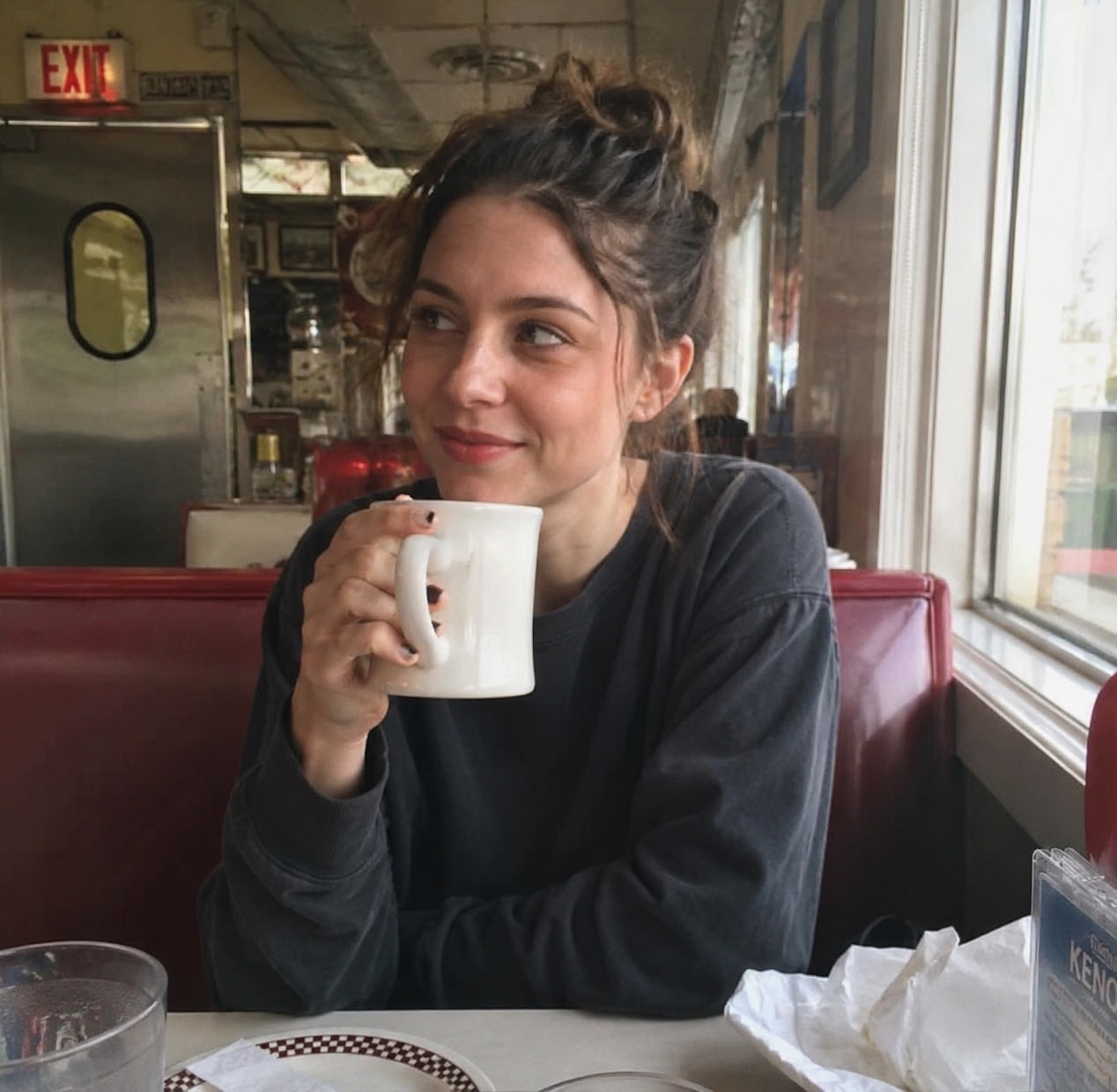
Brand content needs a sense of narrative; visual style is a key carrier for conveying emotion. Film grain, color fading, vignette — these elements, used well, let a single image tell the story of an era. The model's ability to recreate vintage photography aesthetics is precise — from light texture and color degradation to grain distribution, every detail is faithfully simulated. Particularly well-suited for brand stories, character portraits, or content that needs to create a nostalgic atmosphere.
Sample prompt: A natural candid photo of a young woman sitting in a retro American diner, holding a cup of coffee. Soft daylight from the window, slightly uneven lighting and gentle shadows. Relaxed, unposed moment with a subtle vintage feel—slightly faded colors and light film grain. Simple styling, slightly messy hair. Realistic diner background with small details, handheld imperfect framing.
Using ChatGPT Image 2 in Kollab
What Is Kollab
Kollab is an AI Agent-native workspace that integrates ChatGPT Image 2 directly into conversation. Everything you create happens within the context of the conversation. It supports MCP, Bots, Skills, and other extensions — you can set up scheduled tasks for automatic content generation or iterate and refine directly through conversation, making AI a truly reusable productivity tool.
Core Features
In Kollab, you describe the image you want in natural language, and AI handles everything from concept to final output. You can also upload reference images for style transfer or partial editing. When you need ongoing content production, set a scheduled task to have the system run automatically; when results don't quite hit the mark, describe your feedback directly in the conversation and the model continues iterating from the previous result.
Real-World Use Cases
Use Case 1: Auto-generating a Children's Story Page Every Day
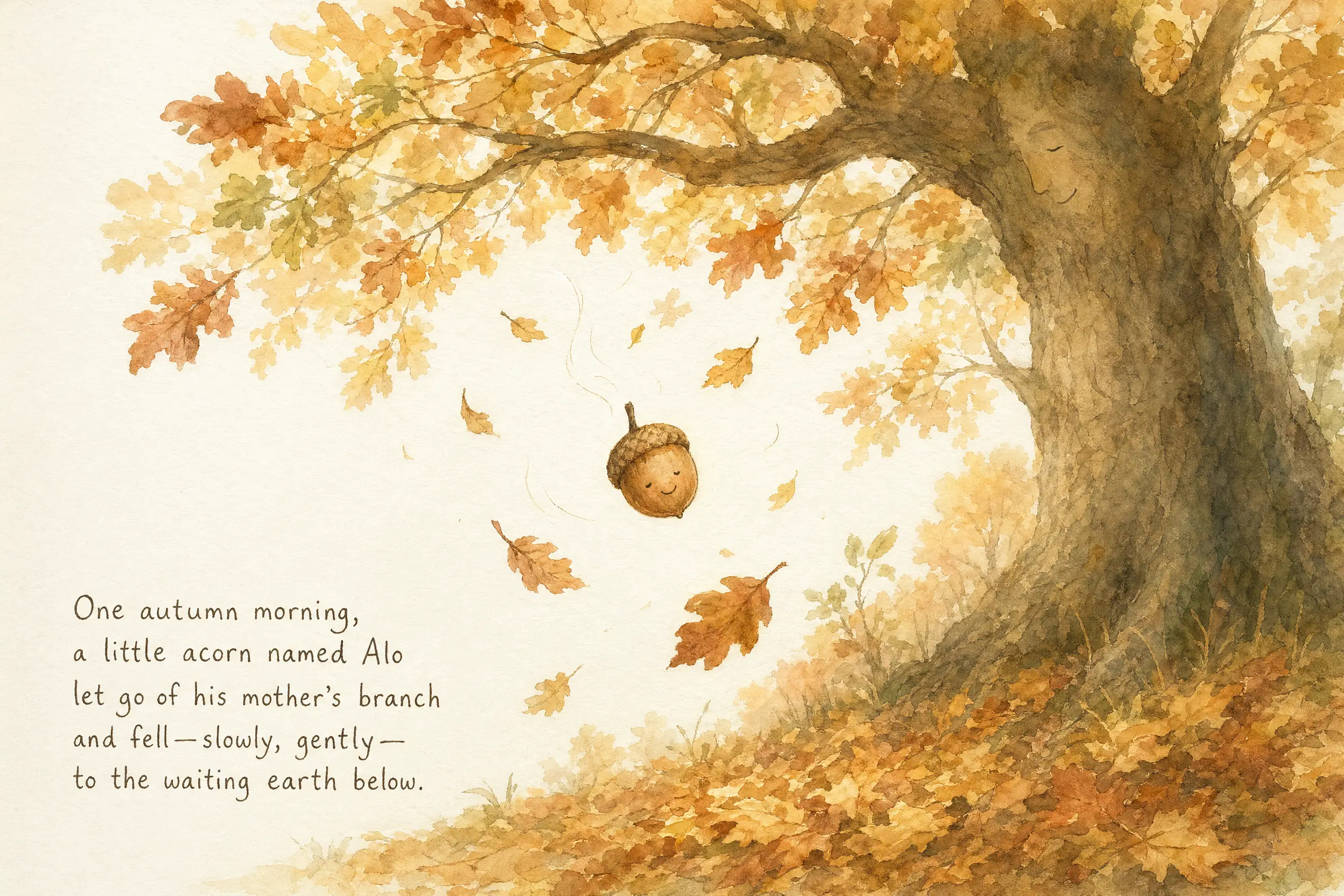
I created an ongoing children's story book — the protagonist is a little acorn named Alo, telling the story of falling from an oak tree in autumn, going through the seasons, and eventually growing into a big tree. I had zero involvement in any of the illustrations; it was all generated automatically by Kollab.
How It Works
STEP 1 — Define the Story Framework and Set Up a Scheduled Task
I wrote a system prompt that defined:
Protagonist: Alo is a little acorn with his own thoughts and feelings, who eventually grows into a big tree
Art style: Warm watercolor and ink-line illustration style, soft earth tones — ochre, amber, sage green, against a cream-colored paper texture background
Page structure: One full-page illustration plus hand-drawn style story text
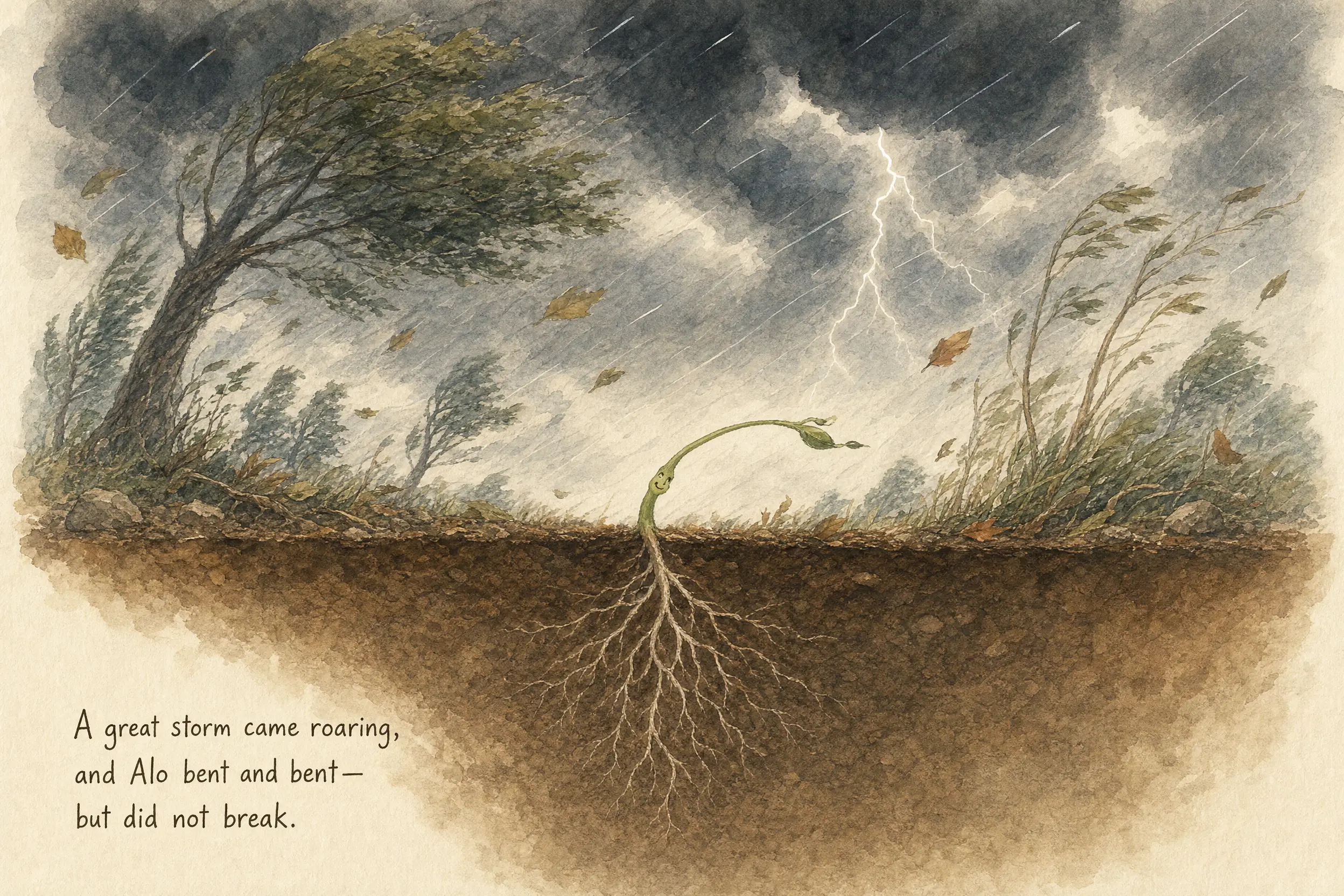
Story arc: Following the rhythm of the four seasons — falling → underground → sprouting → storm → growing → blooming and fruiting — culminating in Alo becoming a big tree with children swinging from his branches
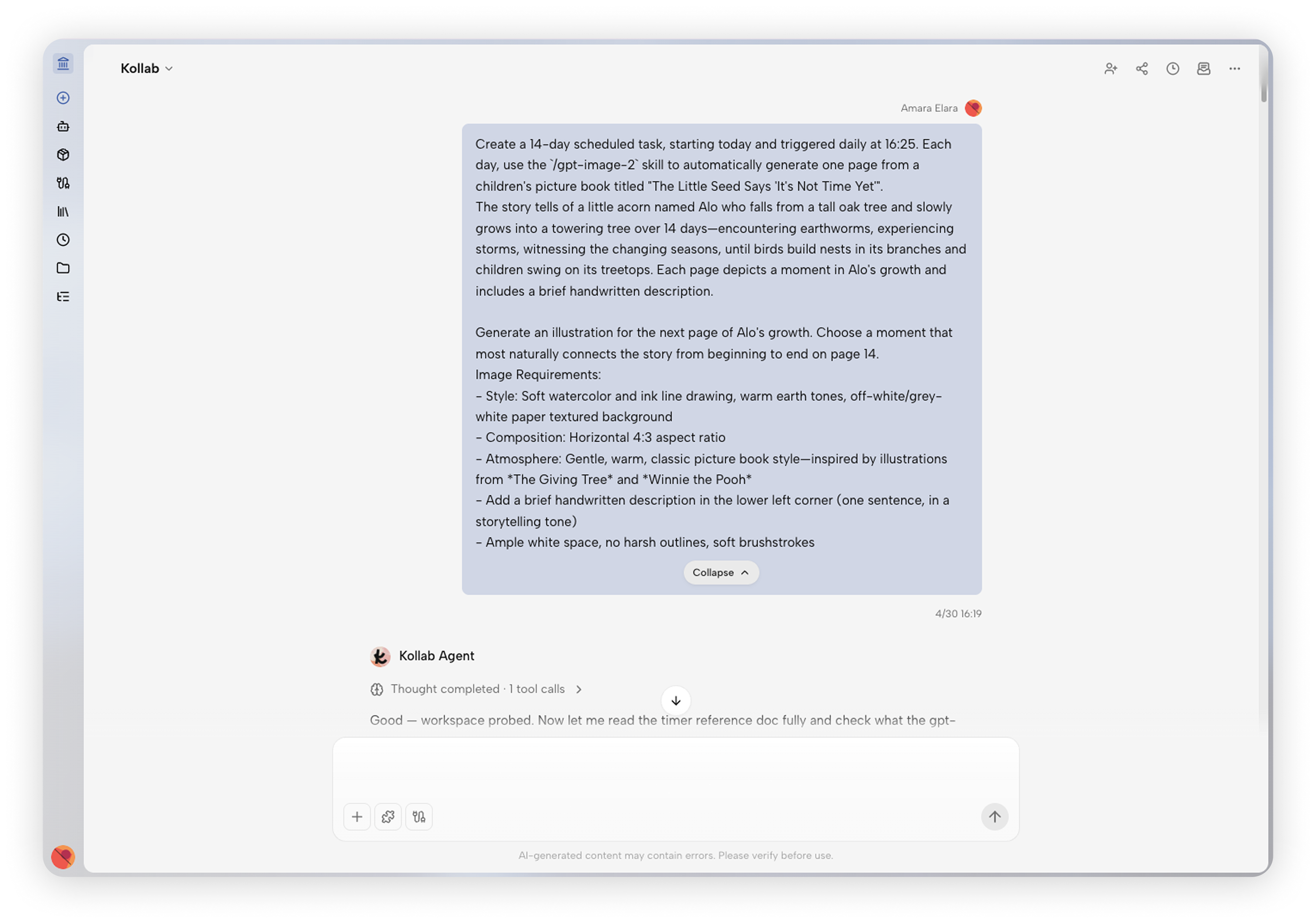
Then I set up a scheduled task in Kollab to run every afternoon at 4:25 PM, instructing it to:
Based on today's date, calculate which day this is (the story began on 2026-04-30), then generate today's page illustration and story text according to Alo's story outline.
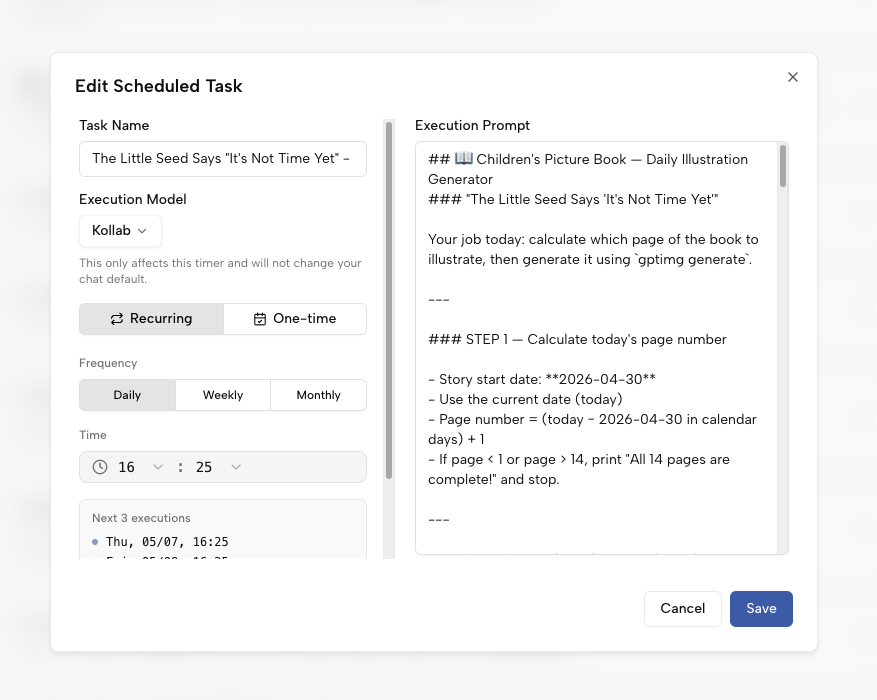
STEP 2 — The System Runs Automatically
Every afternoon 4:25 PM, Kollab automatically:
Calculates which page this is
Pulls today's scene description and story text from the outline
Calls ChatGPT Image 2 to generate the illustration
Attaches today's hand-drawn style story text
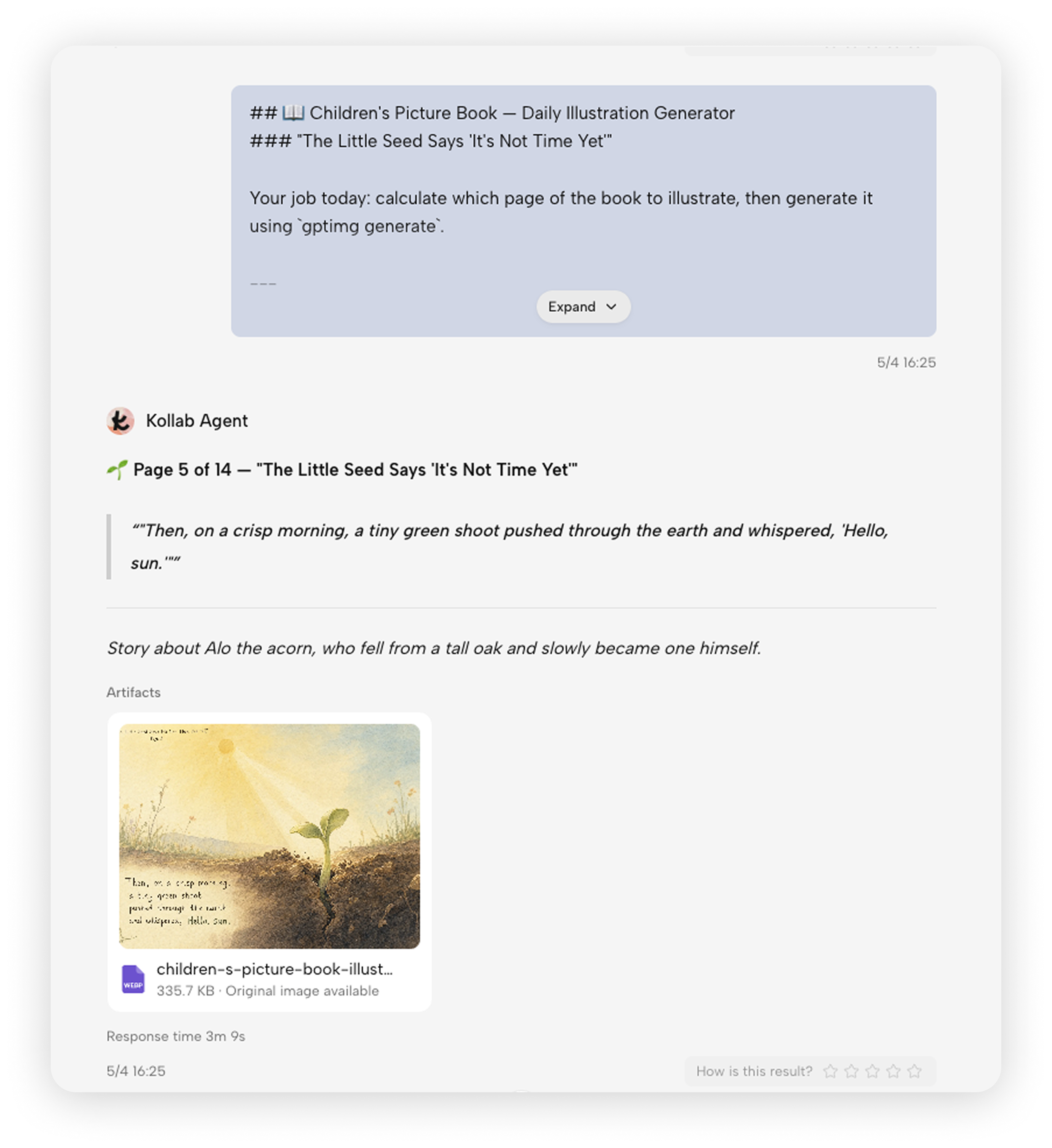
Story Outline (14 pages):
As of today, Alo's story has been automatically updated for 7 days straight, one page every day, without a single break.
Use Case 2: Collaborative Brand Social Media Content Creation
I recently worked on social media visuals for an store — TikTok thumbnails, Instagram posts, LinkedIn banners, X platform post images — work that used to require stock photo subscriptions or freelance designers can now be handled with AI image generation.
How It Works
Step 1: Initial creator generates the draft
I generate the initial draft based on brand tone and platform requirements, confirming overall style, composition, and visual direction.
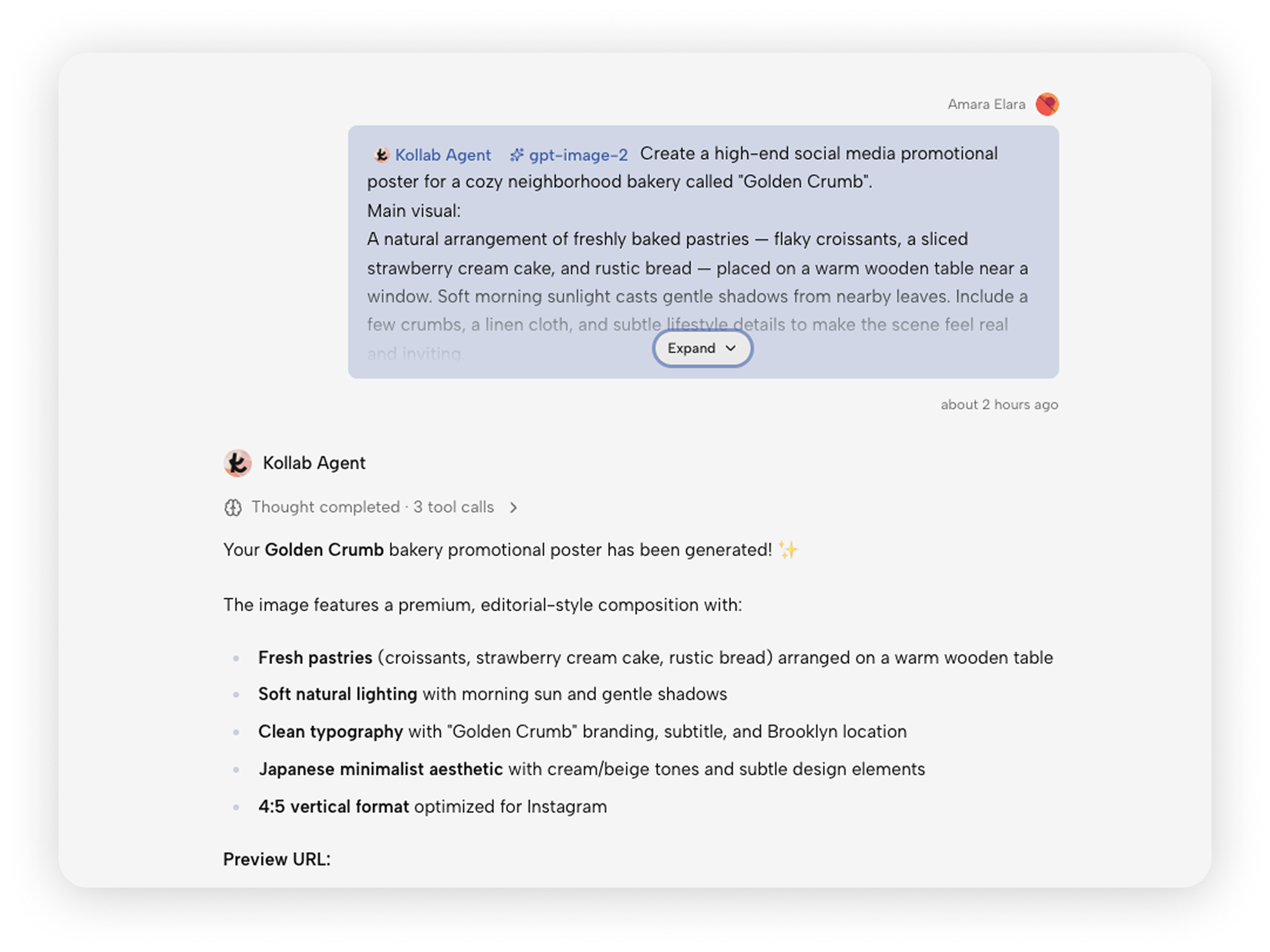
Step 2: The operations team member makes adjustments
The work continues within the same Task — handed to the colleague handling social media operations. They handle adjustments like color changes, adding brand elements, or repositioning copy. The entire process requires no tool switching, no exporting files and reimporting — everything from draft to final version happens right in the conversation.
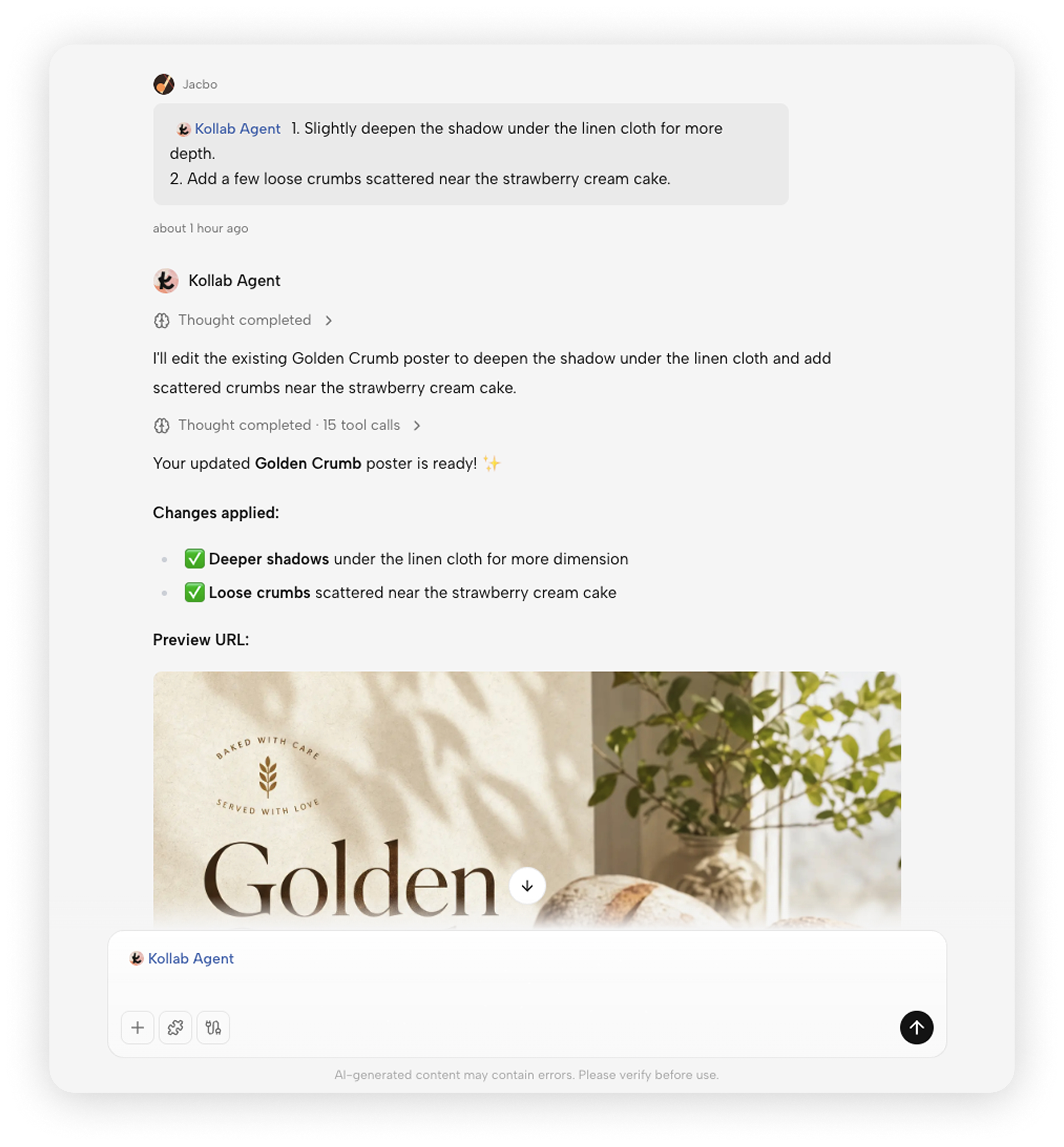
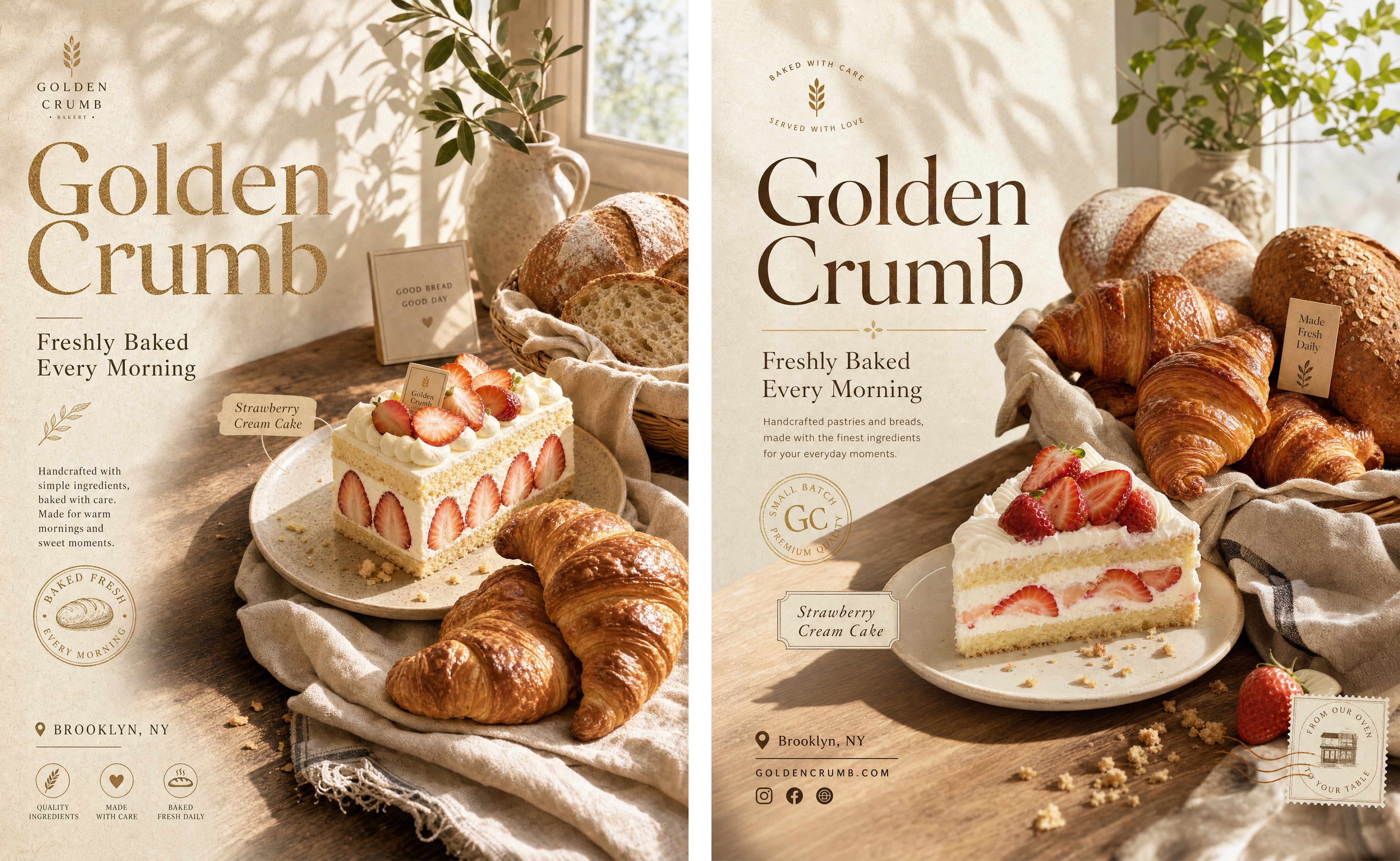
Versions from multi-person collaboration naturally accumulate within the same context, making review and comparison straightforward.
Closing Thoughts
ChatGPT Image 2 solves the problem of "where do high-quality images come from" — its language understanding and visual control precision enable anyone to produce professional-grade visual content.
Kollab builds on this with conversational iteration, making the creative process feel more natural — you can keep the dialogue going, refine across multiple rounds, until the result feels right. Multi-person collaboration naturally stacks within the same context, making version comparison and history review straightforward.
From a single image to ongoing content production — this is just the beginning.