Free AI Email Generator for Professional Work Emails

Turn a goal, recipient, offer, or messy note into a professional email draft. Kollab helps you generate subject lines, personalize the message, refine tone, and keep team feedback in one workspace.

Example: Write a concise follow-up email after a product demo for recipient role. Goal: next action. Tone: tone. Include proof point.

Replace the gray template fields with the recipient, goal, tone, offer, and next step. More context produces a stronger email draft.

From messy notesto ready-to-send email

Kollab works like an AI email writer plus a shared workspace, so drafts, feedback, and reusable email context stay together.

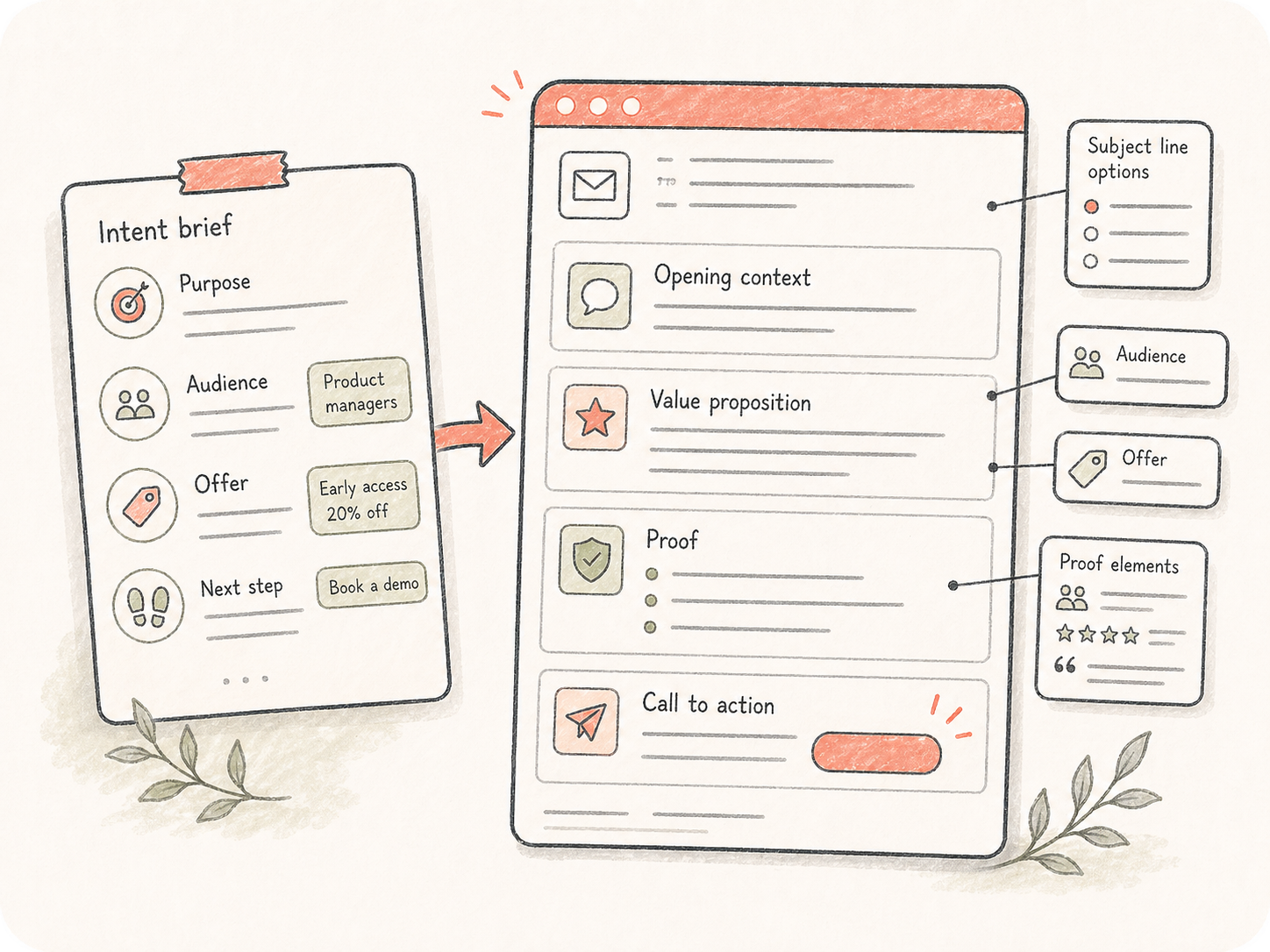
Turn intent into a complete email draft

Turn intent into a complete email draft

Start with the purpose, audience, offer, and next step. Kollab turns that intent into a structured email with subject line options, opening context, value proposition, proof, and a clear call to action.

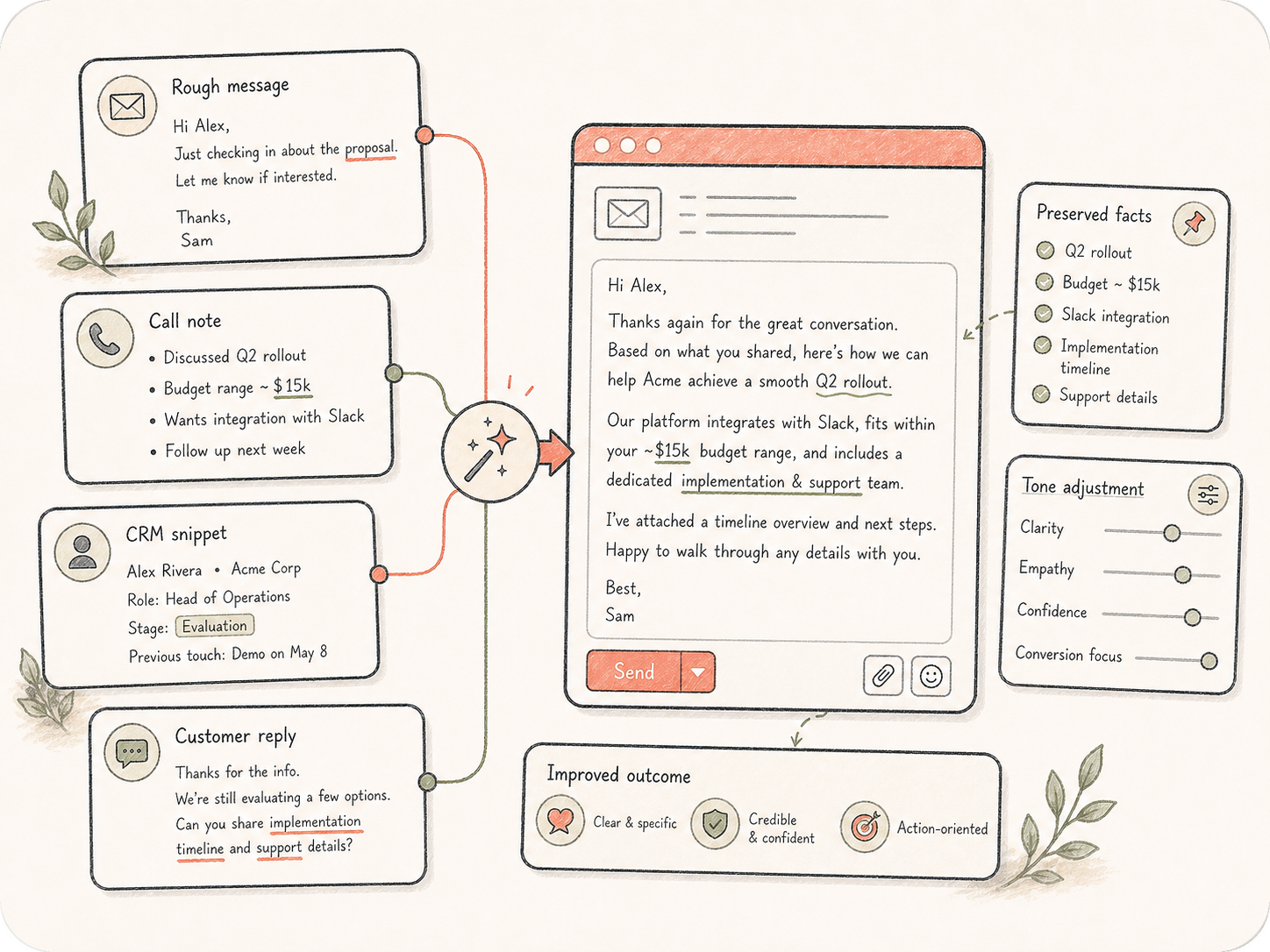
Rewrite with context instead of starting over

Rewrite with context instead of starting over

Paste a rough message, call note, CRM snippet, or customer reply. The Agent preserves the important facts while improving clarity, empathy, confidence, and conversion focus.

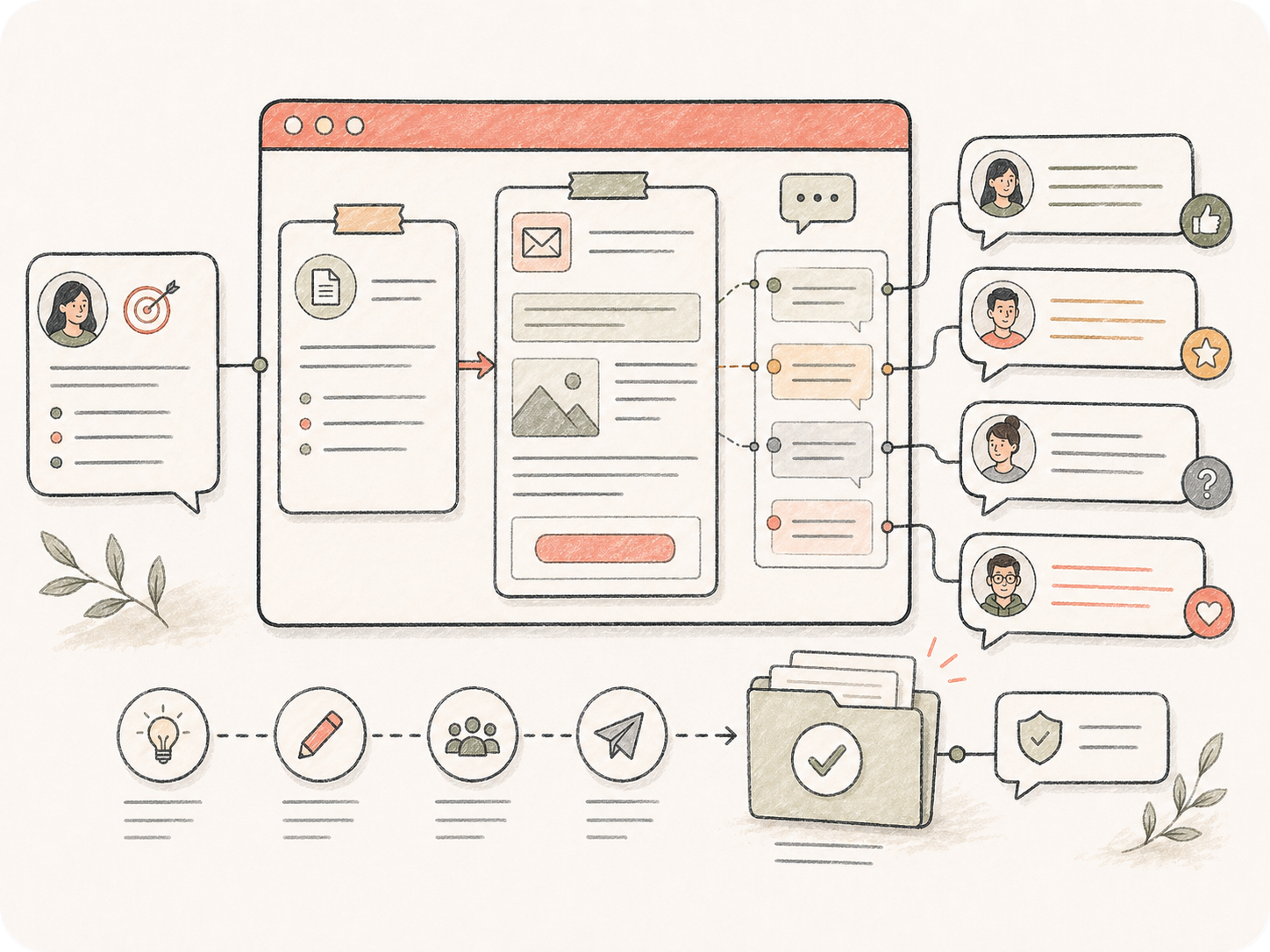
Review email workflows with your team

Review email workflows with your team

Keep briefs, drafts, comments, and approved versions together so marketing, sales, support, and founders can align before anything leaves the inbox.

How the email generator worksinside Kollab

Give the Agent enough context, review the first draft, then turn it into a polished message.

01

Describe the email

Add recipient, goal, tone, constraints, and any key facts the message must include.

02

Generate options

Kollab drafts a structured email with subject lines, body copy, and CTA alternatives.

03

Refine and share

Ask for edits, save the final version, and let teammates review before sending.

Email generator use casesfor everyday work

Target high-volume email work without turning every message into a blank-page problem.

Sales development emails

Create outbound cold emails, demo follow-ups, objection replies, and meeting reminders that stay specific to each audience.

Customer support replies

Turn support notes into calm, clear responses with the right apology, boundary, resolution path, and next step.

Marketing newsletters

Draft launch emails, product updates, event invitations, and newsletter intros with consistent brand tone.

Internal team updates

Write project updates, stakeholder summaries, handoff notes, and concise decision emails for busy teams.

Founder and executive communication

Polish sensitive announcements, partnership notes, investor updates, and high-context business emails.

Recruiting and HR emails

Generate outreach, scheduling, candidate follow-ups, offer notes, and policy communications.

AI email generator FAQ

Is this AI email generator free to try?+

Yes. You can start from the free tool page, fill in the email context, and open the draft in Kollab for continued editing.

Can it write cold emails?+

Yes. Add the audience, pain point, offer, proof point, and desired CTA. Kollab can generate concise cold outreach with subject lines and follow-up variants.

Can I rewrite an existing email?+

Yes. Paste a draft and ask Kollab to make it shorter, warmer, more executive, more persuasive, or easier to act on while preserving the original facts.

Does it support follow-up emails after meetings or demos?+

Yes. Include the meeting context, key recap, proof point, and next step. The Agent can draft a follow-up that feels specific instead of generic.

Can teams review email drafts together?+

Yes. Kollab keeps the prompt, draft, revisions, and comments in one workspace so teammates can approve wording before sending.

Can it generate subject lines?+

Yes. Ask for multiple subject line options, preview text, or A/B test variants for different audiences.

What should I put in the prompt?+

Include recipient, goal, context, tone, offer, proof point, and next action. The prompt templates on this page show those fields as gray blanks.

Write the emailwithout starting from zero

Use Kollab as your AI email generator for cold outreach, follow-ups, replies, and work updates.