Kollab vs. NotebookLM

NotebookLM is excellent when your learning starts inside a notebook of sources: PDFs, Google Docs, Slides, websites, YouTube links, audio files, Audio Overviews, Video Overviews, Mind Maps, and Reports. Kollab is broader: it can turn YouTube, TikTok, and podcast transcripts into text, then continue into study notes, scripts, clips, newsletters, files, agents, connectors, reusable skills, and team delivery.

Kollab logo
vs.
NotebookLM logo

Why teams choose Kollab over NotebookLM

The key difference is the workflow boundary. NotebookLM helps you learn from a notebook of sources; Kollab turns source material, transcripts, and ideas into connected learning, creation, and operations workflows.

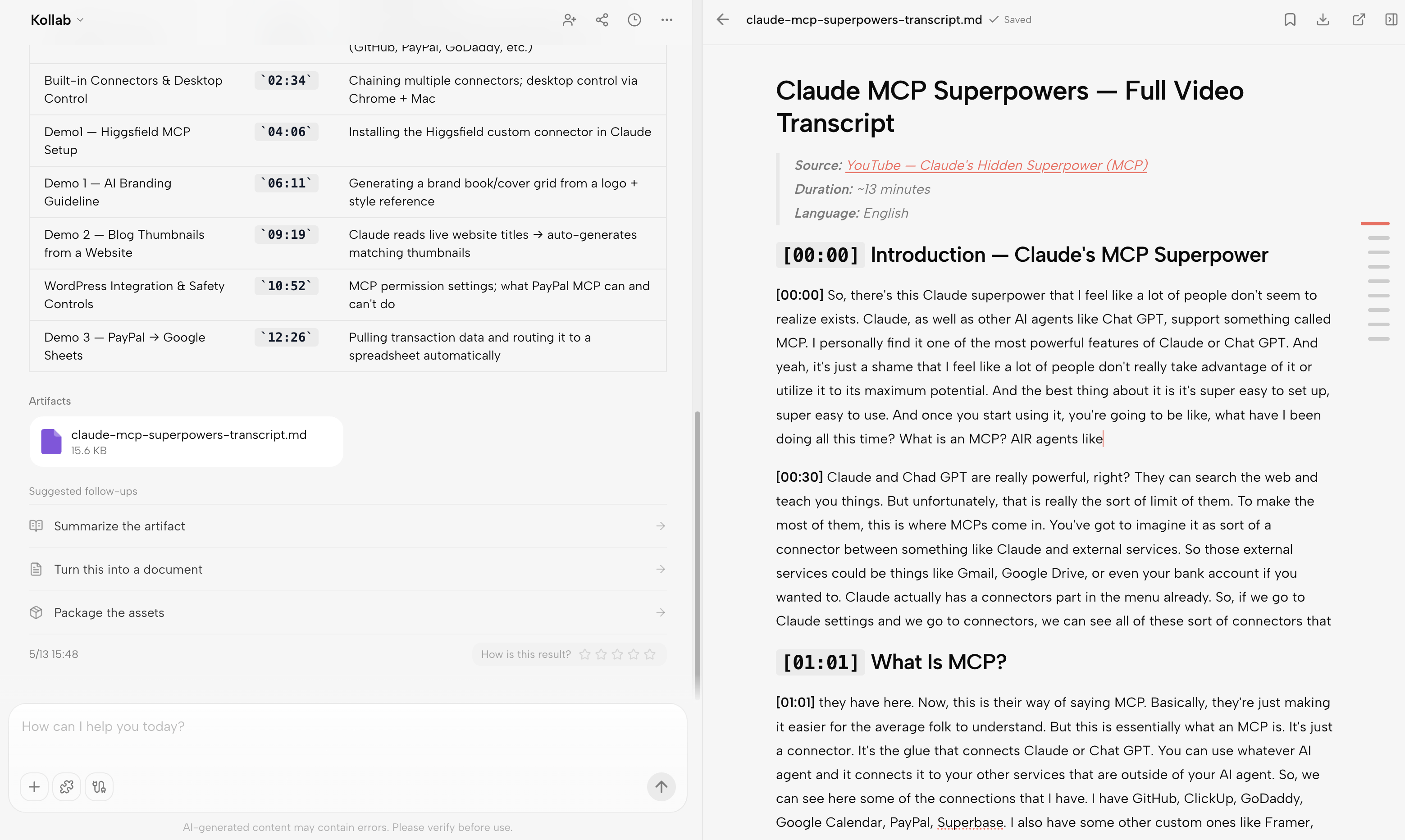
Kollab workspace showing a YouTube transcript converted into a timestamped markdown artifact.

Transcript workflows beyond source upload

Kollab is built to take YouTube, TikTok, podcast, and long-form media transcripts further: clean the text, summarize it, extract takeaways, build study notes, and turn it into reusable files or tasks.

NotebookLM can ingest many source types, including files, websites, YouTube URLs, and audio files that are transcribed on import, then answer questions inside the notebook.

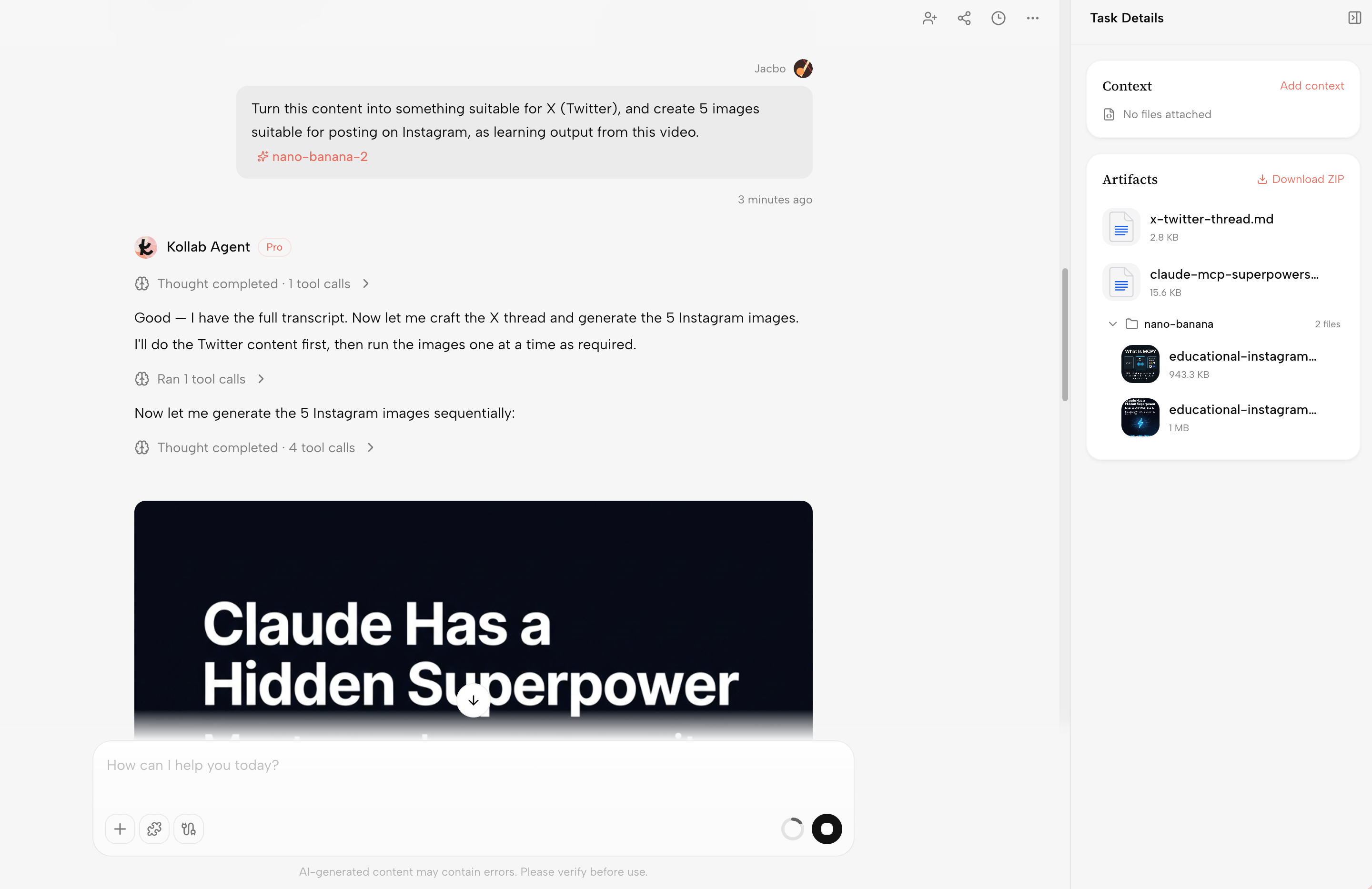
Kollab agent turning a video transcript into an X thread and Instagram image artifacts.

Creation system instead of study outputs only

Kollab can use the same source material to create scripts, Shorts and TikTok adaptations, newsletter drafts, X threads, presentation briefs, research reports, and campaign assets.

NotebookLM is strong at grounded learning outputs such as summaries, study guides, Audio Overviews, Video Overviews, Mind Maps, and Reports.

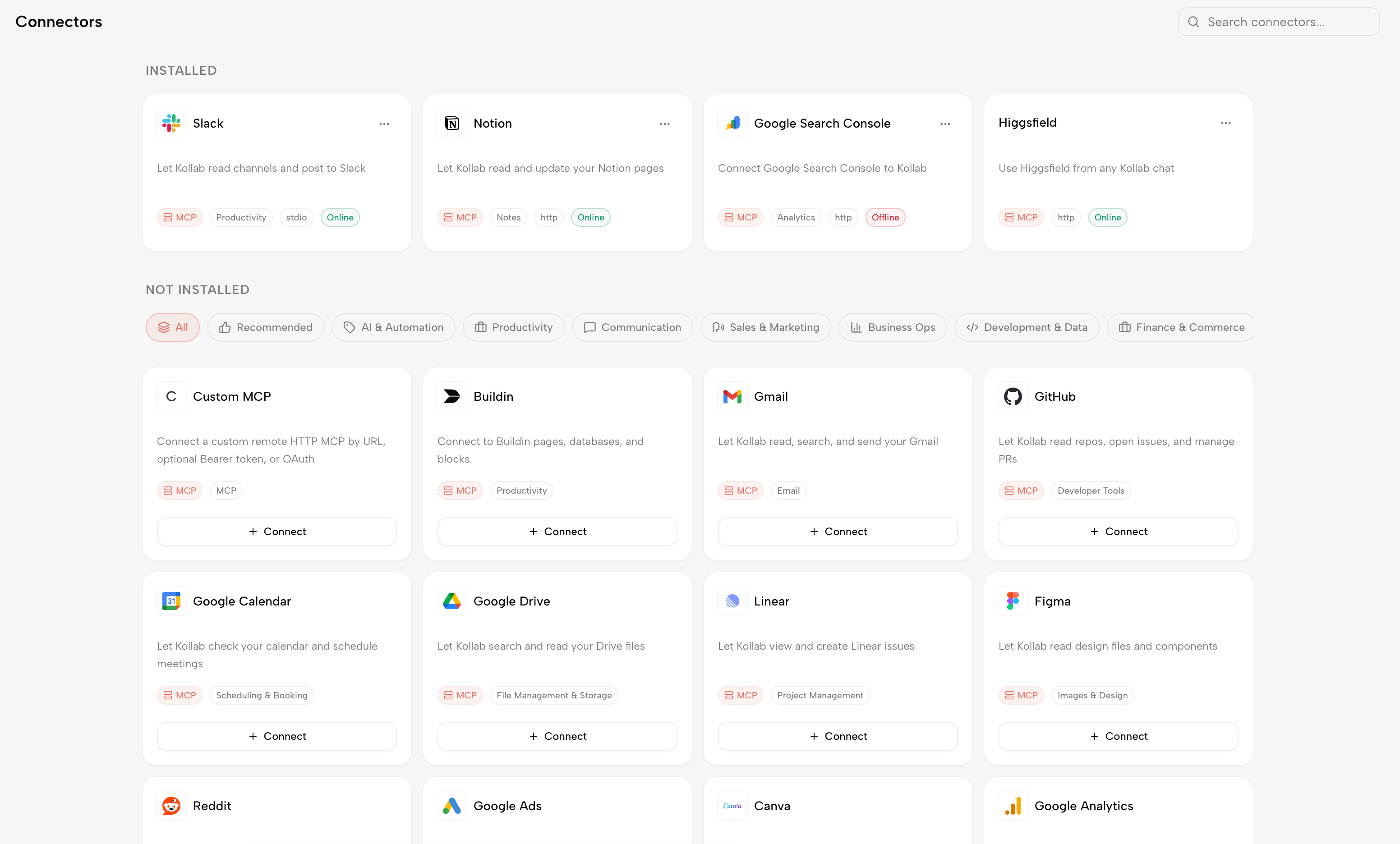
Kollab connectors page showing Slack, Notion, Gmail, GitHub, Figma, Google Drive, and other tool integrations.

Multi-tool workspace instead of Google-centered notebooking

Kollab connects AI work to the places teams already operate: chats, projects, files, Notion-style knowledge, GitHub-style issues, web research, MCP tools, and reusable agents in one workspace.

NotebookLM is deeply useful inside a Google learning flow, especially with Google Docs, Slides, Drive-style files, and YouTube sources. It can ingest other files and links, but it is not a broad operations connector workspace.

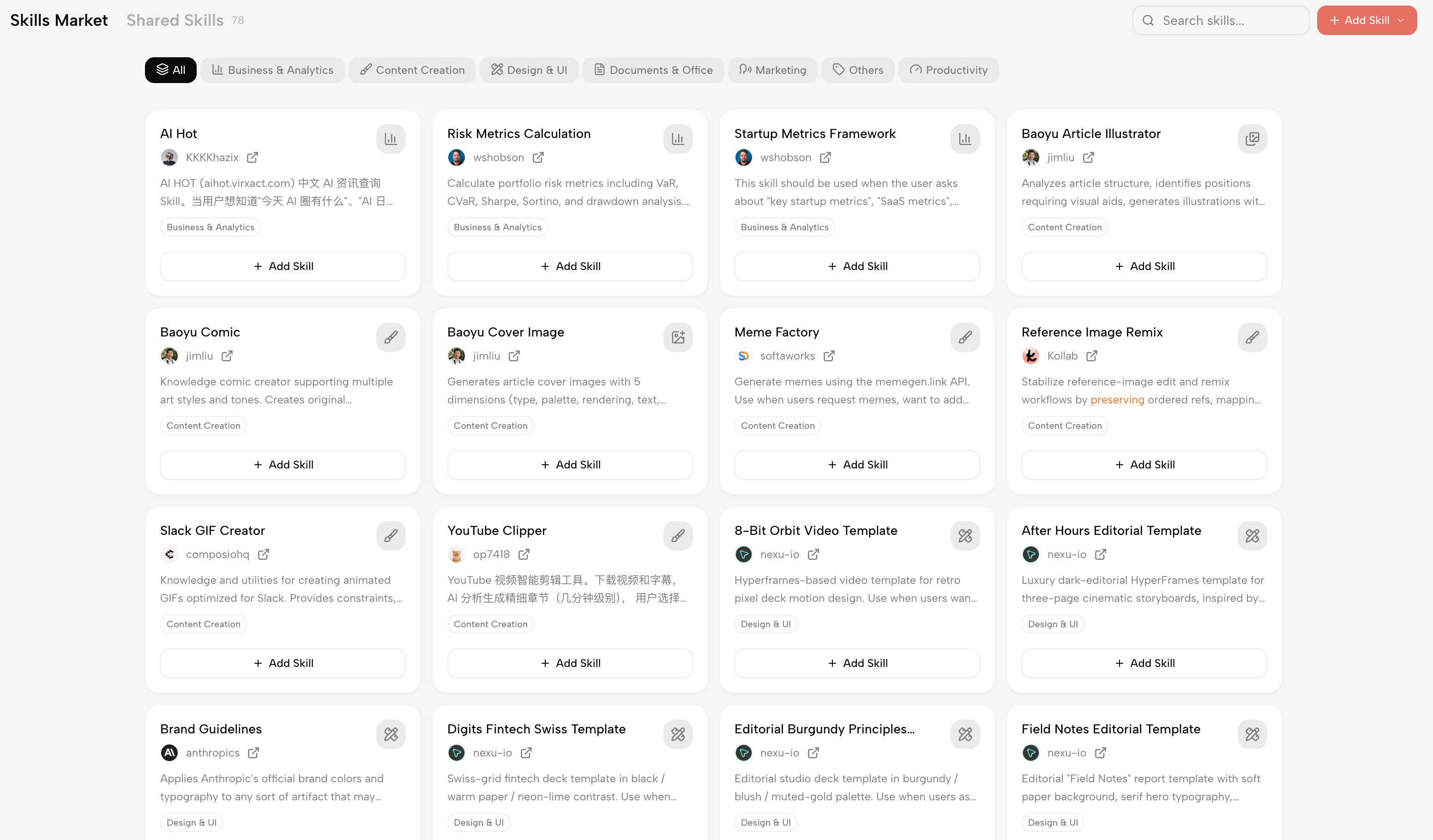
Kollab Skills Market showing reusable skills for analytics, content creation, design, documents, marketing, and productivity.

Reusable skills for repeated work

Kollab turns recurring transcript cleanup, course notes, creator research, content repurposing, reporting, and planning work into Skills that teammates can run consistently.

NotebookLM can generate multiple outputs from a notebook, but repeatable content and learning operations still depend on people recreating prompts, review steps, and handoffs.

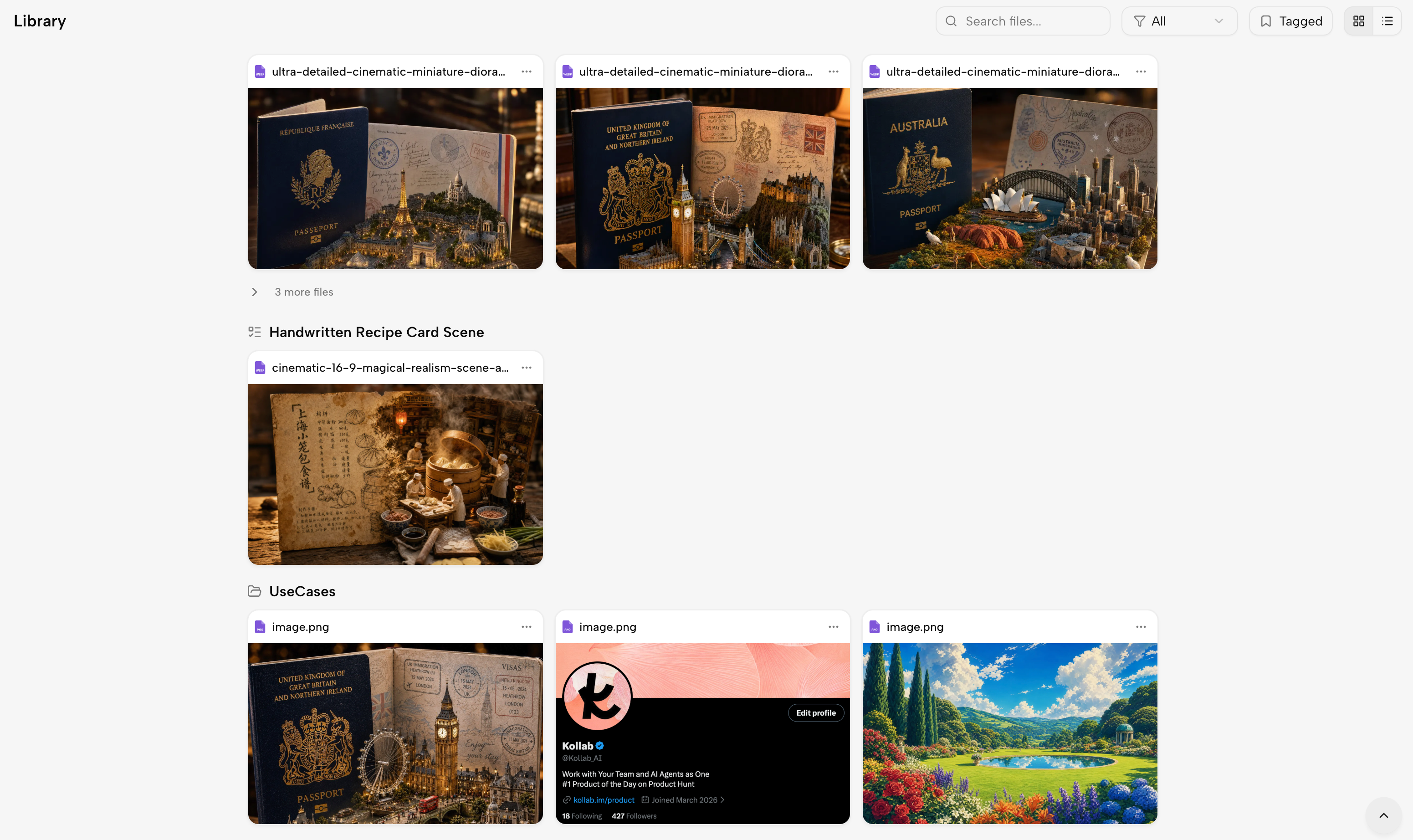
Kollab library showing generated image artifacts, grouped project files, and reusable creative assets.

Artifacts and decisions stay with the project

Kollab keeps transcripts, generated files, task history, decisions, and follow-up context attached to the project so the team can keep learning, creating, and shipping.

NotebookLM is great for exploring source material, but final scripts, briefs, checklists, publishing tasks, and team decisions often move into other tools.

One-line choice

NotebookLM is better when you want a source-grounded learning notebook. Kollab is better when transcripts, sources, and ideas need to become a connected learning, creation, and team delivery workflow.

NotebookLMKollab

Choose NotebookLM when the core job is understanding a source set.

It fits students, researchers, analysts, and creators who want a grounded notebook for uploaded files, Google sources, YouTube links, audio, summaries, and overviews.

Choose Kollab when transcripts must become usable work.

It fits people turning YouTube, TikTok, podcast, and interview material into notes, takeaways, scripts, clips, briefs, and reusable artifacts.

Choose NotebookLM when the notebook is the product.

It works well when sources, citations, notes, Audio Overviews, Video Overviews, Mind Maps, and Reports are the primary way you want to consume information.

Choose Kollab when learning and creation belong together.

Research, study notes, writing, scripting, distribution planning, and review can live in one project instead of being split across a notebook and downstream tools.

Choose NotebookLM for focused personal research.

It is especially strong when one person or a small review group needs to understand a bounded corpus quickly inside the Google ecosystem.

Choose Kollab when tools and teammates need to stay connected.

Bots, connectors, project context, and artifacts help source-grounded work move into the systems where the team already coordinates and ships.

Kollab vs. NotebookLM FAQ

Is Kollab a NotebookLM replacement?+

Not exactly. NotebookLM is a strong source-grounded notebook for learning from sources. Kollab is a broader AI workspace for transcript workflows, creation, projects, tasks, files, bots, connectors, reusable skills, and repeatable delivery.

Which one is better for research?+

NotebookLM is usually better for focused source Q&A, summaries, study guides, Audio Overviews, Video Overviews, Mind Maps, and Reports. Kollab is better when research must turn into tasks, reports, scripts, files, reviews, and connected workflows.

Which one is better for teams?+

Kollab is built around shared projects, files, tasks, bots, skills, and connected tools. NotebookLM supports collaborative source review, but its core model is still a notebook of sources rather than a full workflow workspace.

Can Kollab work with YouTube, TikTok, and podcast material?+

Yes. Kollab can turn media transcripts into text-based working material, then use that material for summaries, learning notes, scripts, repurposing plans, generated artifacts, and follow-up tasks.

Which one is better for audio or video overviews?+

NotebookLM is the better fit if Audio Overviews or Video Overviews from source material are the main deliverable. Kollab is the better fit when source material needs to become a script, brief, content system, shared task, file, workflow, or connected operation.

Can I use both?+

Yes. A team can use NotebookLM to explore a source set, then use Kollab as the shared workspace where transcripts, reports, scripts, files, decisions, connectors, bots, and follow-up workflows live.


관련 비교와 리소스

비슷한 대안을 함께 비교하고, Kollab이 Agent 작업을 공유 팀 워크플로로 바꾸는 방식을 확인하세요.

Turn transcripts and sources into work your team can keep using.

Use Kollab for free