지저분한 표 형식 데이터 가져오기
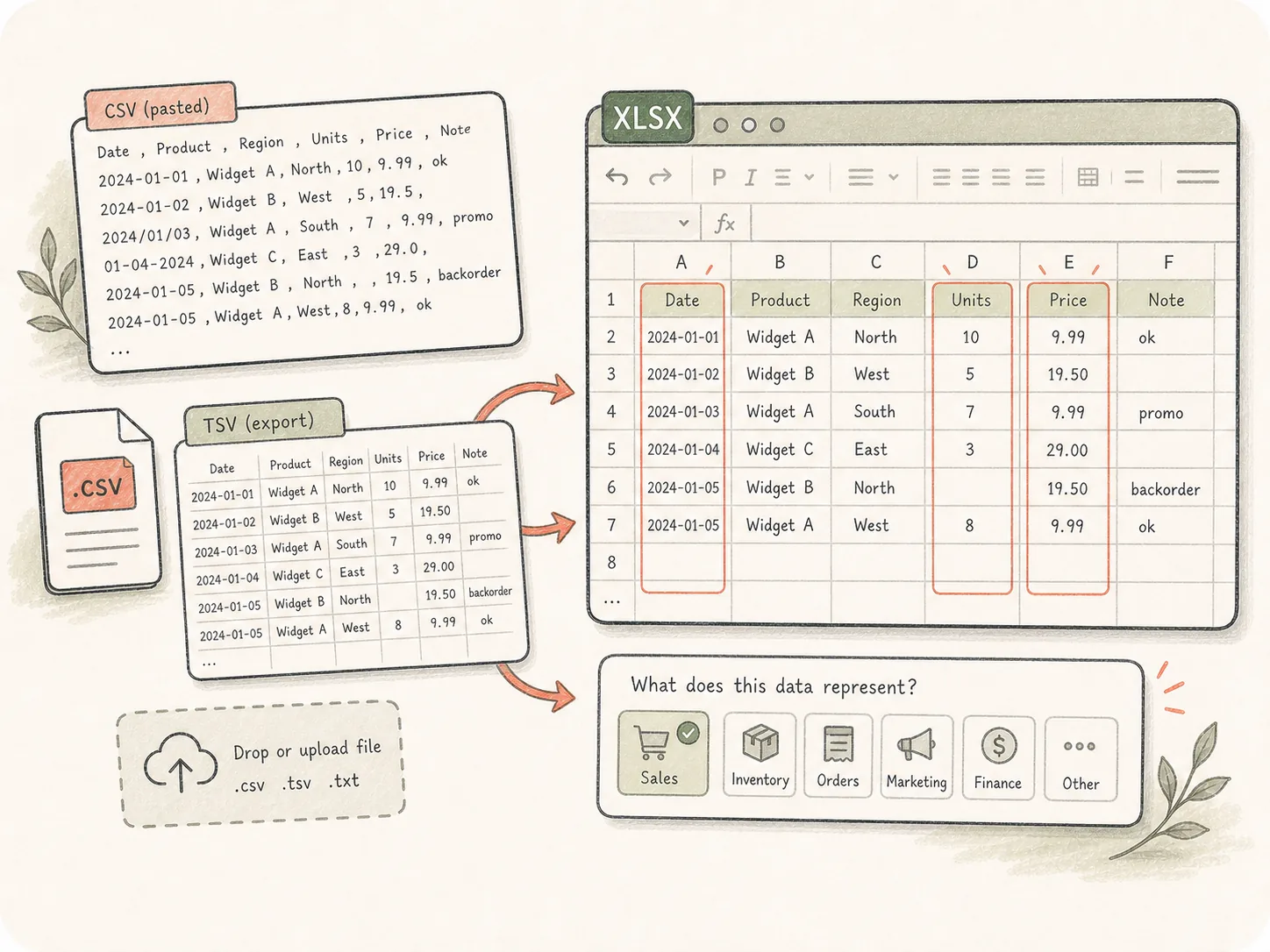
붙여넣은 CSV, TSV 내보내기 또는 업로드된 파일에서 시작한 다음 Kollab에게 데이터가 나타내는 내용과 주의할 만한 열을 알려주세요.
CSV / TSV 데이터를 업로드하거나 붙여넣은 다음 필요한 워크북을 설명하세요. Kollab은 열 정리, 유형 추론, 수식 추가, 요약 작성, XLSX 파일 생성을 도울 수 있습니다.
파일 확장자를 변경하는 대신 원시 내보내기를 형식화되고 검토 가능하며 분석 준비가 된 Excel 파일로 변환합니다.
붙여넣은 CSV, TSV 내보내기 또는 업로드된 파일에서 시작한 다음 Kollab에게 데이터가 나타내는 내용과 주의할 만한 열을 알려주세요.
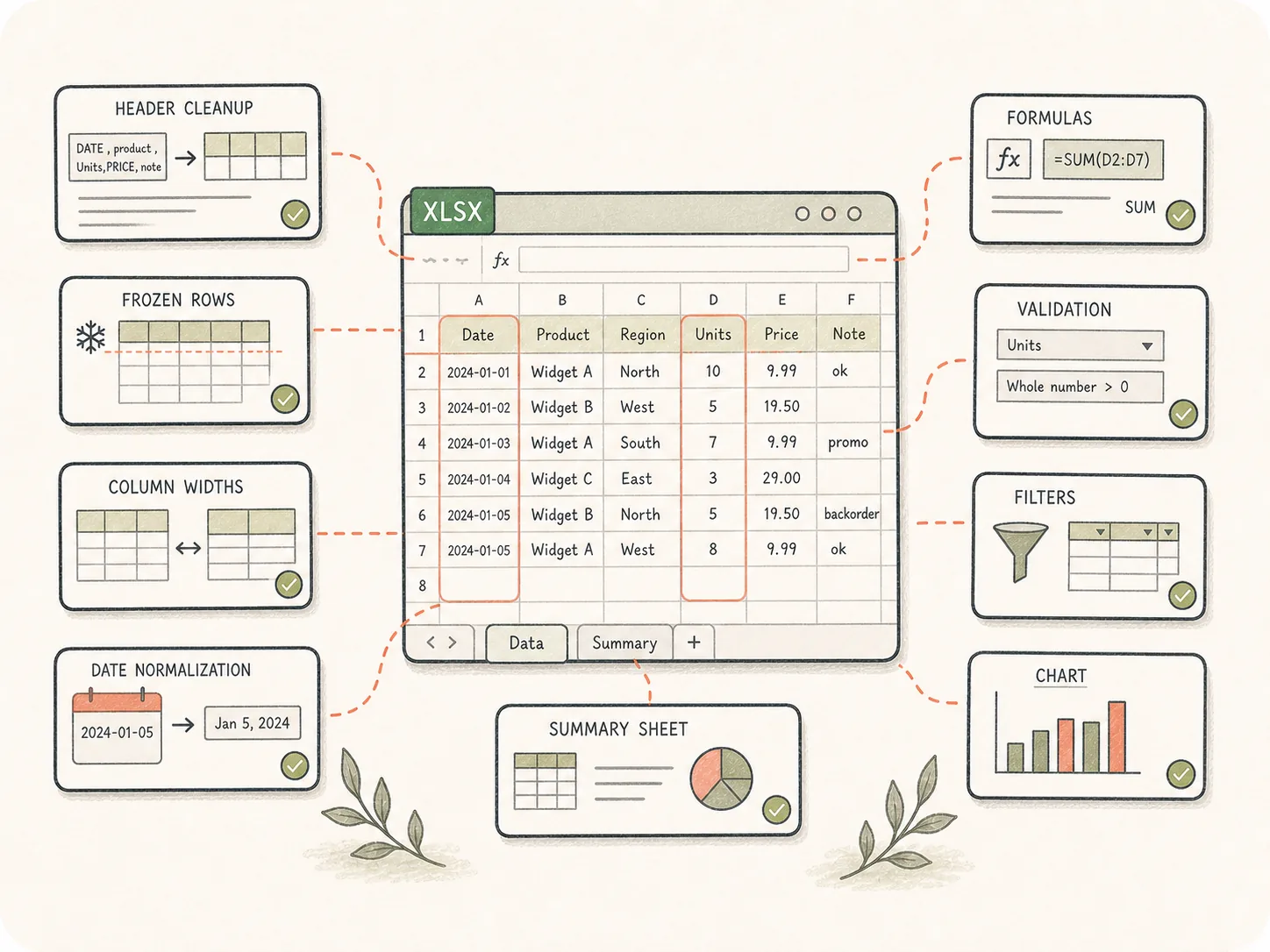
XLSX가 생성되기 전에 헤더, 고정된 행, 열 너비, 날짜 정규화, 수식, 유효성 검사, 필터, 차트 및 요약 시트를 요청하세요.
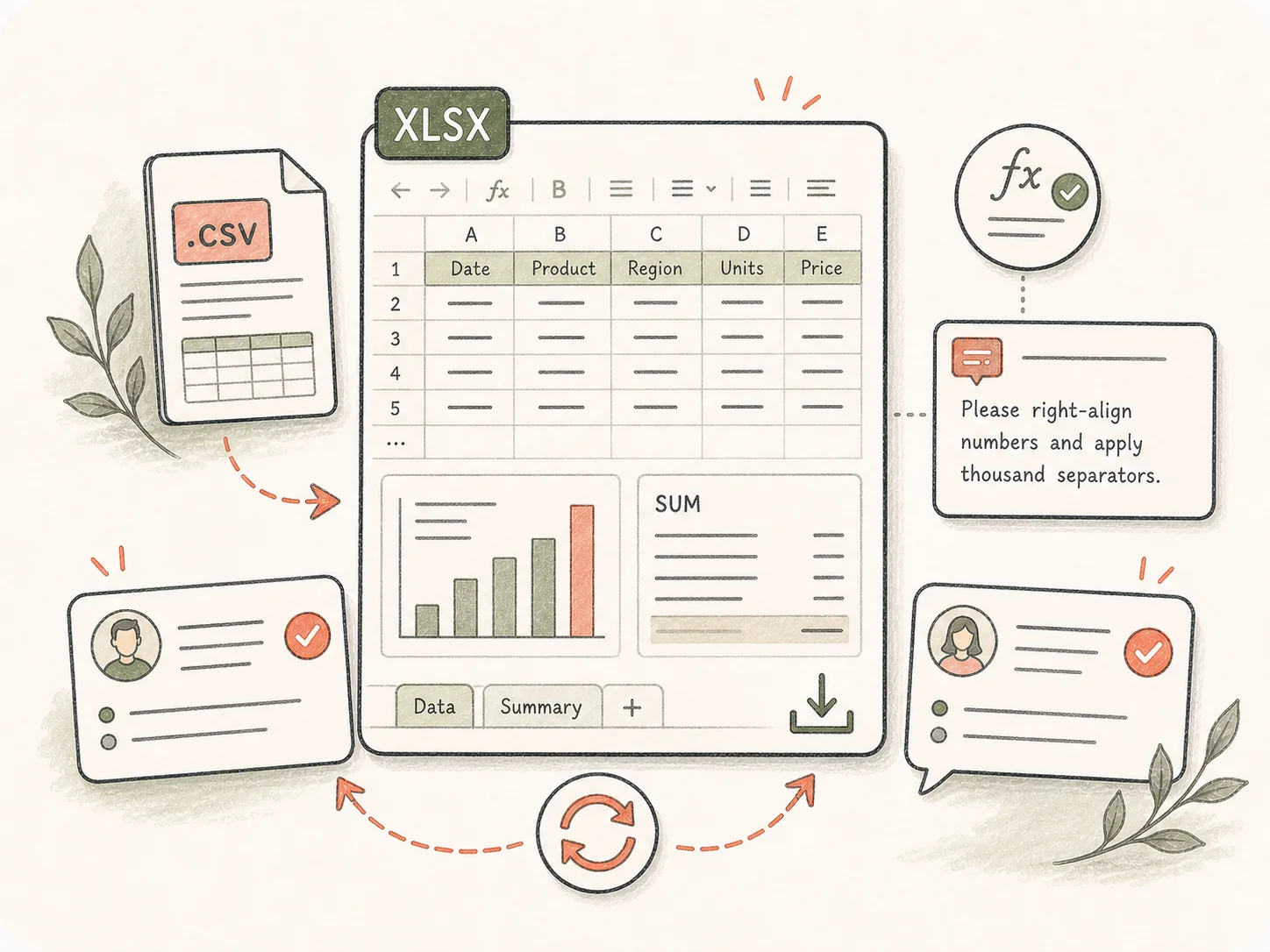
완성된 통합 문서는 Kollab 아티팩트로 유지되므로 팀에서는 계산을 검사하고, 새 요약을 요청하거나, 동일한 작업에서 서식을 수정할 수 있습니다.
원시 CSV를 정리하고 형식을 지정하고 패키징하여 사람들이 실제로 검사할 수 있는 Excel 통합 문서로 내보냅니다.
CSV / TSV 데이터를 붙여넣거나 Kollab에 파일을 업로드하세요.
형식, 수식 및 요약 기대치를 정의합니다.
Kollab는 스프레드시트 변환 개요와 함께 열립니다.
통합 문서를 검토하고 정리 변경 사항을 요청합니다.
팀이 사용하기 전에 내보내기에 정리, 수식, 요약 탭 또는 차트 준비 구조가 필요한 경우 이를 사용하십시오.
연락처, 계획, 세그먼트를 서식이 지정된 통합 문서로 정리하세요.
수익 CSV에 수식, 요약, 차트를 추가하세요.
지저분한 행, 날짜 및 누락된 값을 정규화합니다.
관련 페이지는 이 단일 도구가 Kollab 워크플로, 재사용 가능한 Skills(스킬), 팀 산출물과 어떻게 연결되는지 보여줍니다.
CSV 또는 TSV 데이터를 형식화된 XLSX 통합 문서로 변환하는 작업을 시작하기 위한 Kollab 도구 페이지입니다. 작업 흐름에는 정리, 수식, 요약 및 검토 메모가 포함될 수 있습니다.
무료 페이지에서 시작하여 Kollab에서 변환 작업을 열 수 있습니다. 더 큰 파일, 더 높은 사용량 및 팀 작업 공간 기능은 계획에 따라 달라질 수 있습니다.
CSV 및 TSV는 기본 입력입니다. Kollab를 입력한 후 페이지에 작은 조각을 붙여넣거나 더 큰 .csv/.tsv 파일을 업로드할 수 있습니다.
그렇습니다. 프롬프트에 필요한 계산, 그룹화, 차트, 피벗 스타일 요약 또는 대시보드 탭을 설명하세요.
네, 요청하실 때요. Kollab는 날짜를 정규화하고, 빈 행을 자르고, 열 이름을 바꾸고, 누락된 값에 플래그를 지정하고, 필드를 분할하고, 더 깔끔한 통합 문서 구조를 만들 수 있습니다.
CSV를 열면 단순히 행을 가져옵니다. Kollab는 통합 문서 구조, 서식, 수식, 요약 및 검토 루프를 추가하여 팀이 결과를 더 쉽게 사용할 수 있도록 합니다.
그렇습니다. XLSX 아티팩트는 작업에 연결된 상태로 유지되며 팀원은 새 시트, 수정된 수식 또는 다른 차트와 같은 변경 사항을 요청할 수 있습니다.
데이터 세트, 중요한 열, 원하는 시트, 수식, 차트, 서식 기본 설정 및 날짜 형식, 통화 또는 중복 처리와 같은 정리 규칙을 설명합니다.

정리 요구 사항이 포함된 CSV에서 Excel로 변환 작업을 시작하세요.