12 Twitter Outils Vidéo à Connaître en 2026
Les 12 meilleurs outils vidéo Twitter de 2026, comparés : éditeurs AI, générateurs de légendes, outils vocaux et plus — avec un tableau rapide des fonctionnalités pour trouver celui qui vous convient.
Chaque jour, plus de 500 millions de tweets sont publiés, et plus de 80 % des utilisateurs de X/Twitter font défiler avec le son désactivé. Dans un paysage oùLa vidéo surpasse constamment le contenu statique sur toutes les plateformes sociales, la vidéo est devenue l'arme la plus puissante pour percer le bruit. Mais capter l'attention n'est pas automatique — les bons outils font la différence entre un contenu qui marque et un contenu qui disparaît. Cet article résume 12 outils vidéo Twitter et inclut un tableau comparatif des fonctionnalités pour vous aider à trouver rapidement l'outil approprié.
Pourquoi la vidéo Twitter a-t-elle besoin d'outils professionnels ?
L'écosystème vidéo de X/Twitter est fondamentalement différent de celui de TikTok et d'Instagram. La plateforme permet des longueurs et des spécifications vidéo variables selon le type de compte et le mode de téléchargement. La vidéo courte demeure le format dominant ; la lecture automatique avec le son coupé est un comportement utilisateur profondément ancré ; et l'algorithme privilégie le taux d'achèvement et l'engagement au-dessus de presque tout le reste. Ces caractéristiques signifient qu'une vidéo produite de manière occasionnelle a rarement une chance — si les trois premières secondes ne captent pas l'attention, le contenu disparaît sans laisser de trace.
Un solidecréation de contenu pour les réseaux sociauxun processus construit autour des bons outils vous aide à faire quatre choses :
Gagner du temps: Compresser le pipeline du script à la publication de plusieurs heures à quelques minutes
RAIse qualité: Les sous-titres AI, la réduction du bruit, le recadrage automatique — tout cela rend les séquences ordinaires semblables à des productions professionnelles
Restez conforme: L'adaptation automatique du ratio de la plateforme et de la taille des fichiers empêche la perte de qualité due à la recompression
Publier régulièrement: Les modèles et les kits de marque maintiennent la cohérence du style visuel lors des publications fréquentes
Comparaison rapide de tous les 12 outils
| Outil | Meilleur pour | Prix de départ | Caractéristique remarquable |
|---|---|---|---|
| Kollab | Création et gestion de contenu tout-en-un AI | Tarification personnalisée | Génération de vidéos AI + rédaction de scripts + distribution multi-plateformes en un seul endroit |
| CapCut | Édition de courtes vidéos sur mobile | 10 $/mois | Immense bibliothèque de modèles + sous-titres automatiques en un clic, courbe d'apprentissage nulle |
| Canva | Création de vidéos de marque | 12 $/mois | Glisser-déposer + Kit de marque, concevoir sans expérience préalable |
| Adobe Express | Contenu professionnel cohérent avec la marque | 10 $/mois | Génération Firefly AI + intégration transparente dans l'écosystème Adobe |
| Descript | Montage de table-ronde / podcast | 24 $/mois | Éditez la vidéo comme un document ; suppression des mots de remplissage AI |
| VEED.IO | Légendes rapides et montage léger | 12 $/mois | Basé sur le navigateur + collaboration en équipe + sous-titres en un clic |
| InVideo AI | Texte / script en vidéo | 20 $/mois | Script AI + vaste bibliothèque média + voix off multilingue |
| Opus Clip | Conversion intelligente de vidéo longue en clip court | 15 $/mois | Score de viralité AI + recadrage automatique ; un enregistrement, d'innombrables clips |
| Kapwing | Édition en ligne collaborative à plusieurs | 16 $/mois | Collaboration en temps réel + sous-titres intelligents + réutilisation de contenu |
| ElevenLabs | AI voix off et narration multilingue | 5 $/mois | Des milliers de voix ultra-réalistes dans plus de 70 langues |
| Synthesia | Création de vidéo avatar AI | 22 $/mo | Pas besoin de caméra ; plus de 180 présentateurs AI + 160 langues |
| Riverside.fm | Enregistrement d'interview / de podcast de haute qualité | 15 $/mois | Enregistrement multi-pistes 4K + montage AI + génération de clip en un clic |
1. Kollab
Kollabest une plateforme de création de contenu propulsée par l'agent AI. PourCréateurs de vidéos Twitter, sa valeur va bien au-delà de la création d'une seule vidéo — c'est une mise à niveau AI de bout en bout pour l'ensemble de votre flux de travail de contenu. Contrairement à la plupart des outils qui ne gèrent que le montage ou la génération, Kollab couvre l'ensemble du chAIn : de la recherche de tendances et de l'écriture de script jusqu'àgénération de vidéo AIet la distribution multiplateforme. Un seul outil remplace réellement plusieurs autres. Si vous voulez comprendre jusqu'oùOutils de génération de vidéos AIArrivé en 2026, Kollab est l'une des démonstrations les plus claires. Pour les créateurs en solo ou les petites équipes qui ont besoin d'une production cohérente et à haut volume, les gains d'efficacité de gAI provenant de cette approche de workflow complet sont transformationnels — pas incrémentiels.
Caractéristiques principales :
- génération de vidéo AI: Plusieurs modèles de génération de vidéos de premier plan intégrés dans (texte-en-vidéoetimage-en-vidéo), tous accessibles directement depuis l'interface de chat — aucun logiciel à télécharger
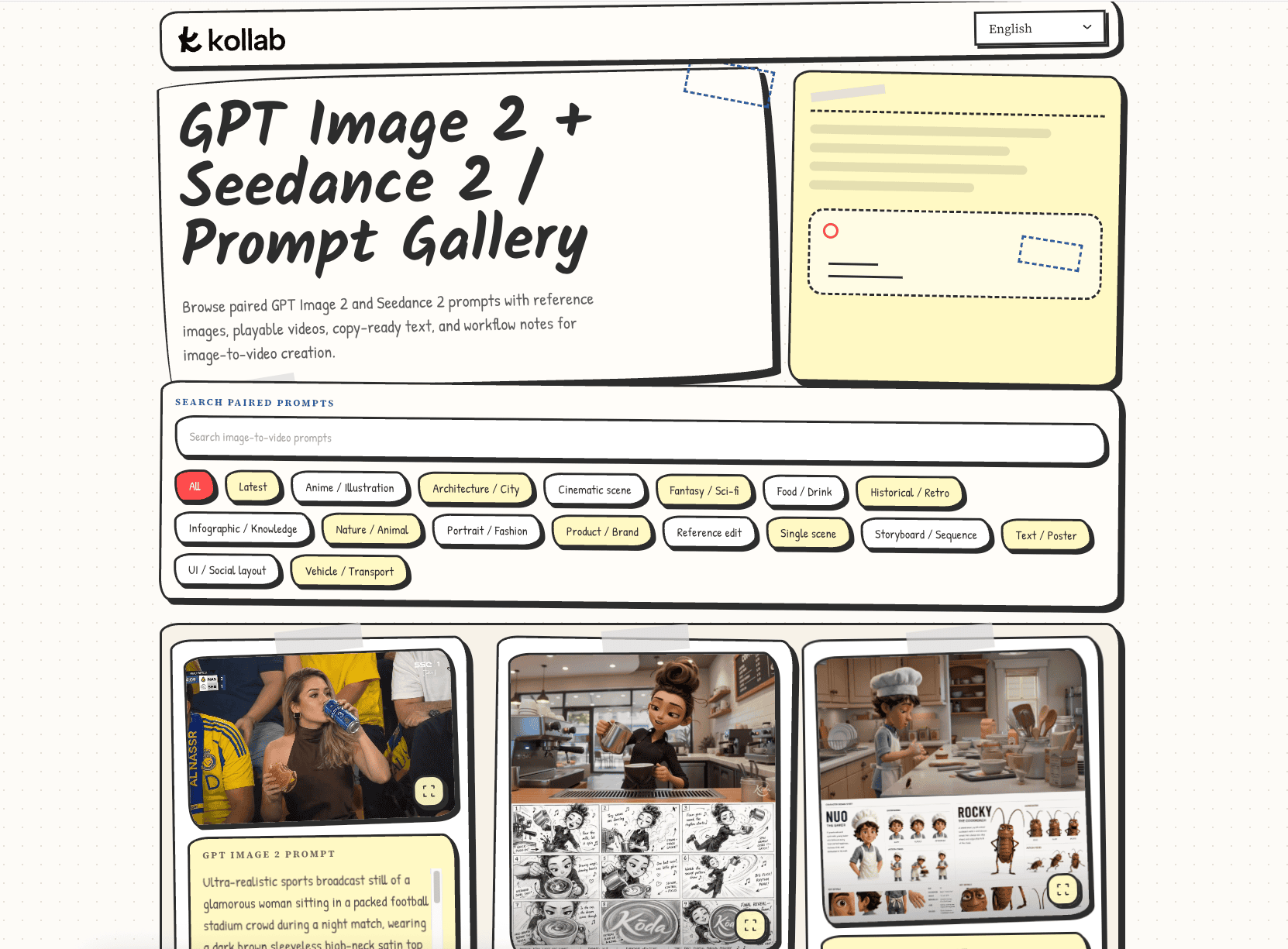
- Scénario et texte: AI génère des scripts vidéo, des accroches et des CTAs pAIrés à votre tweet, pour que vous ne restiez jamais devant une page blanche
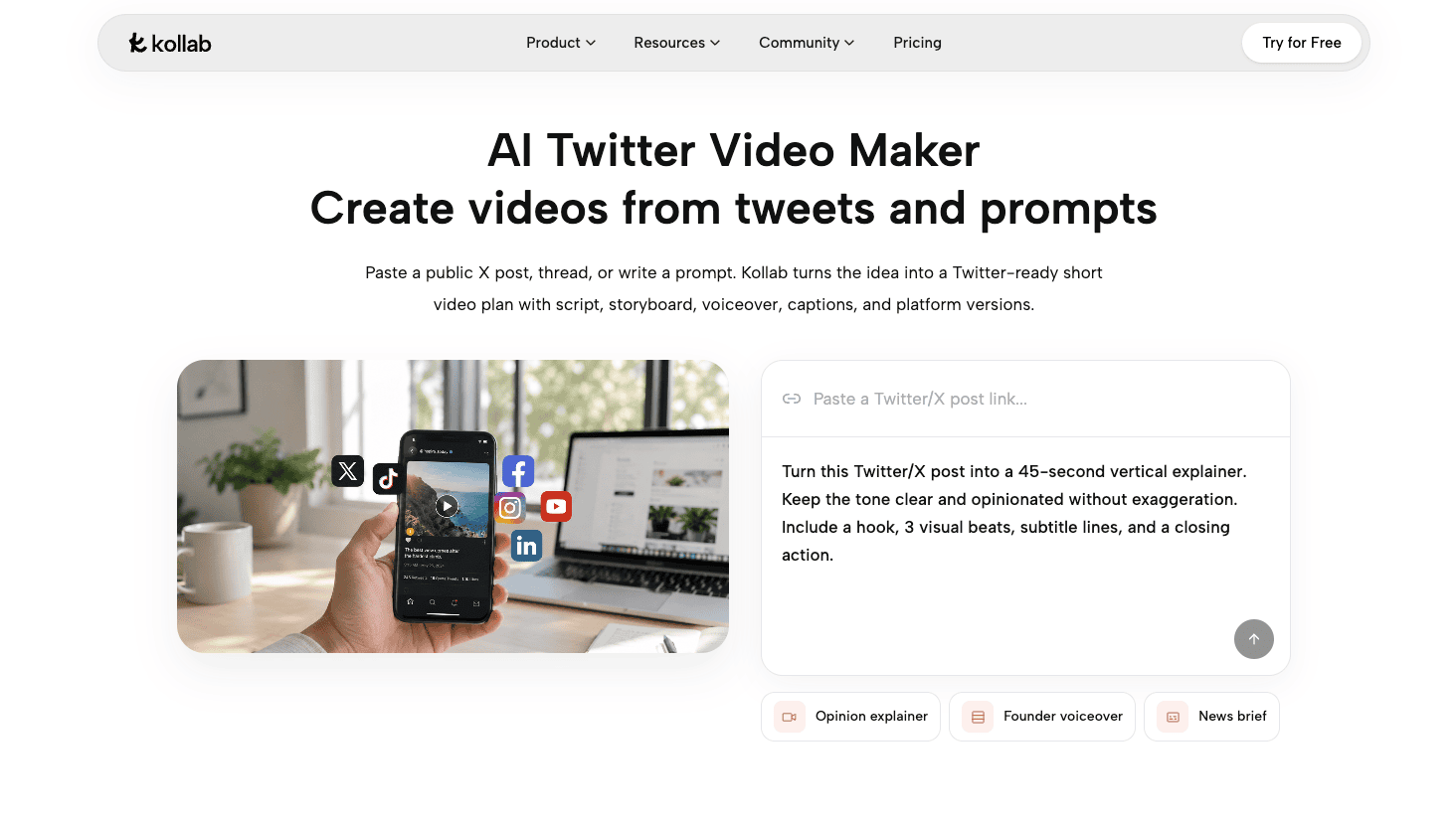
Recherche et découverte de sujets: Recherche web en temps réel poursujets tendanceet analyse des concurrents, afin que chaque vidéo profite de l'élan actuel
Sortie multiplateforme: Exporter dans différents ratios et formats pour Twitter, LinkedIn et Instagram à partir d'un seul flux de travail
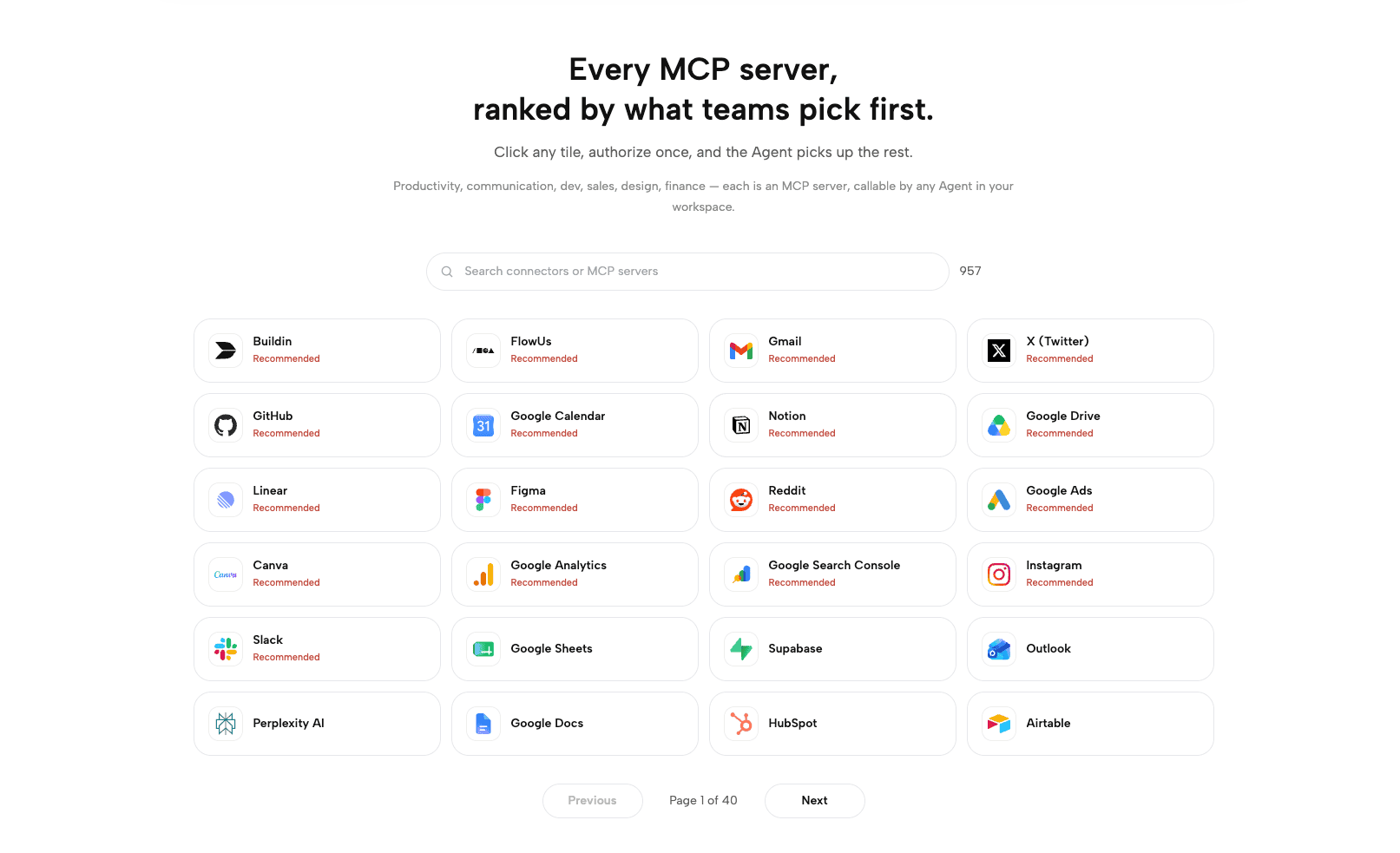
- Mémoire de marque: Enregistre les préférences créatives, la voix de la marque et les ressources passées à travers les sessions pour maintenir la cohérence de votre style de contenu
2.CapCut
CapCutévolué à partir de Jianying de ByteDance et compte désormais plus de 300 millions d'utilisateurs actifs mensuels dans le monde, ce qui en fait l'un des outils de montage mobile les plus utilisés au monde. Bien que ses racines soient dans l'écosystème TikTok, ses fonctionnalités correspondent parfaitement à la production vidéo Twitter. Sa barrière d'entrée ultra-basse et les fonctionnalités AI constamment mises à jour signifient que même les créateurs débutants peuvent produire des vidéos de qualité en quelques minutes — ce qui est la raison principale pour laquelle il est devenu un outil de référence pour les créateurs du monde entier. Il convient de noter : pris dans le feu croisé de la régulation technologique entre les États-Unis et la Chine, CapCut a été brièvement retiré des magasins d'applications américains en janvier 2025, puis réintégré pendant une période de grâce de la politique. Au moment de la rédaction, il est entièrement disponible, mais la situation réglementaire reste non résolue, il vaut donc la peine de suivre les actualités de la plateforme.
Caractéristiques principales :
Bibliothèque de modèles massive: Des milliers de modèles vidéo prêts à l'emploi — remplacez par vos séquences et publiez
Sous-titres automatiques: AI reconnaissance vocale avec une précision de pointe dans l'industrie ; prend en charge la traduction multilingue
Suppression de l'arrière-plan: AI découpe sans écran vert en un clic pour images et vidéos
Recentrage automatique: Changement automatique entre les rapports d'aspect pour s'adapter à tout format Twitter
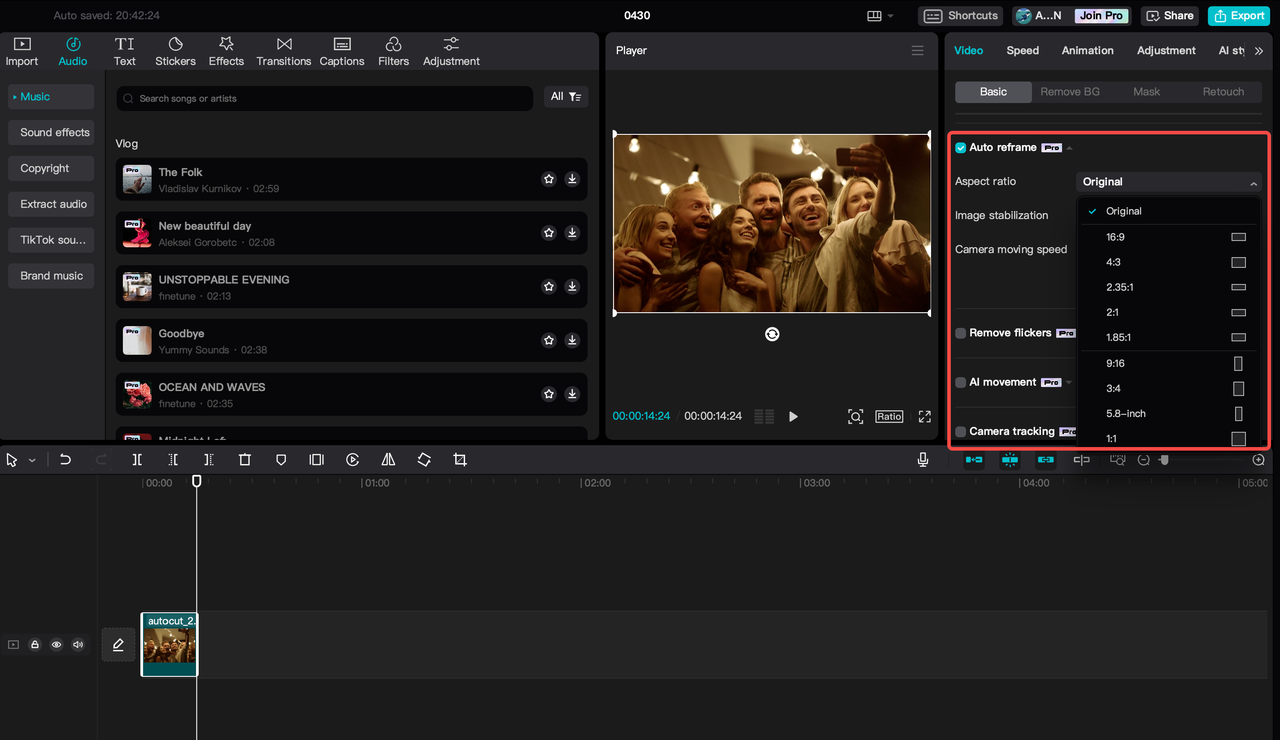
- effets AI: Autocollants animés, transitions, avatars numériques, et plus encore, avec des mises à jour régulières
3.Canva
Canvaest l'une des plus grandes plateformes de design en ligne au monde, et ses capacités vidéo ont considérablement augmenté ces dernières années — c'est maintenant un équipement standard pour de nombreux créateurs de contenu Twitter. Pour les créateurs sans expérience en design, la valeur de Canva est de rendre « avoir l'air bien » réellement facile. Les kits de marque, les palettes de couleurs intelligentes et une vaste bibliothèque de modèles professionnels permettent à quiconque de produire des vidéos avec une véritable identité de marque, sans passer des heures à apprendre le logiciel de design.
Caractéristiques principales :
Éditeur vidéo par glisser-déposer: Aucune compétence technique requise — faites glisser les éléments et assemblez la vidéo
Kit de marqueVerrouillez les couleurs de la marque, les polices et les logos pour garantir une cohérence visuelle dans chaque vidéo
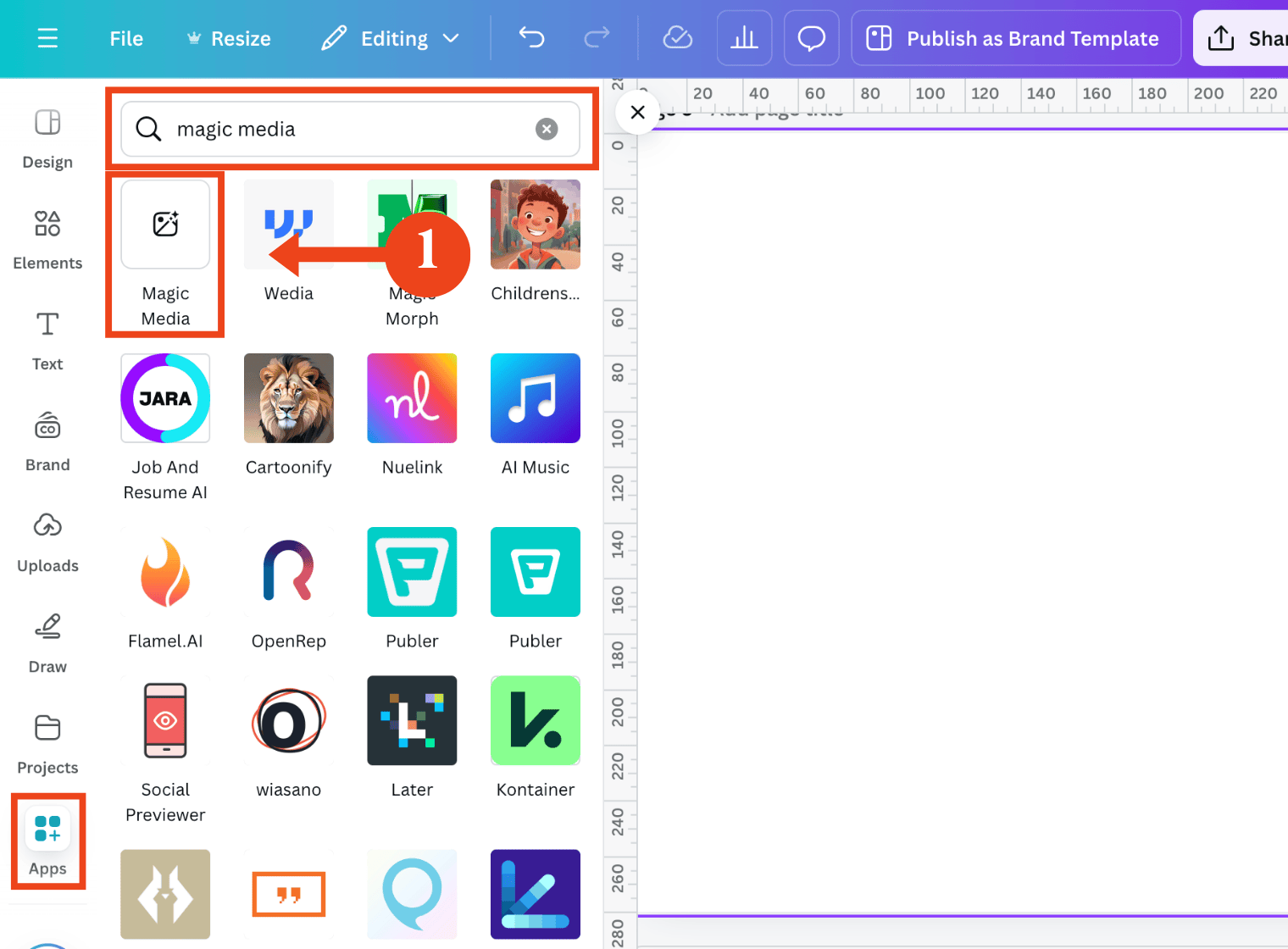
Media Magique (génération d'images/vidéos AI): Tapez un texte Description ; AI génère des éléments visuels correspondants — similaire à ce quegénérateurs d'images AIfaire pour les images fixes
Préréglages de taille pour les réseaux sociauxUn clic pour passer aux dimensions standard de Twitter, sans recadrage manuel
Collaboration d'équipePlusieurs personnes peuvent modifier le même projet simultanément en temps réel
4.Adobe Express
Adobe Expressest l'outil de création léger d'Adobe conçu spécifiquement pour les créateurs de contenu sur les réseaux sociaux, propulsé par la technologie de génération d'images Firefly AI. Pour les professionnels qui travaillent déjà sur Photoshop, Premiere Pro ou Illustrator, Adobe Express comble le manque de « rAPId output social » dans l'écosystème Adobe — plus besoin de changer de plateforme pour déplacer les actifs de marque. La continuité du flux de travail à elle seule représente une amélioration significative.
Caractéristiques principales :
- Génération Firefly AI: Tapez un Description ; obtenez instantanément des images correspondantes, des arrière-plans et des éléments visuels
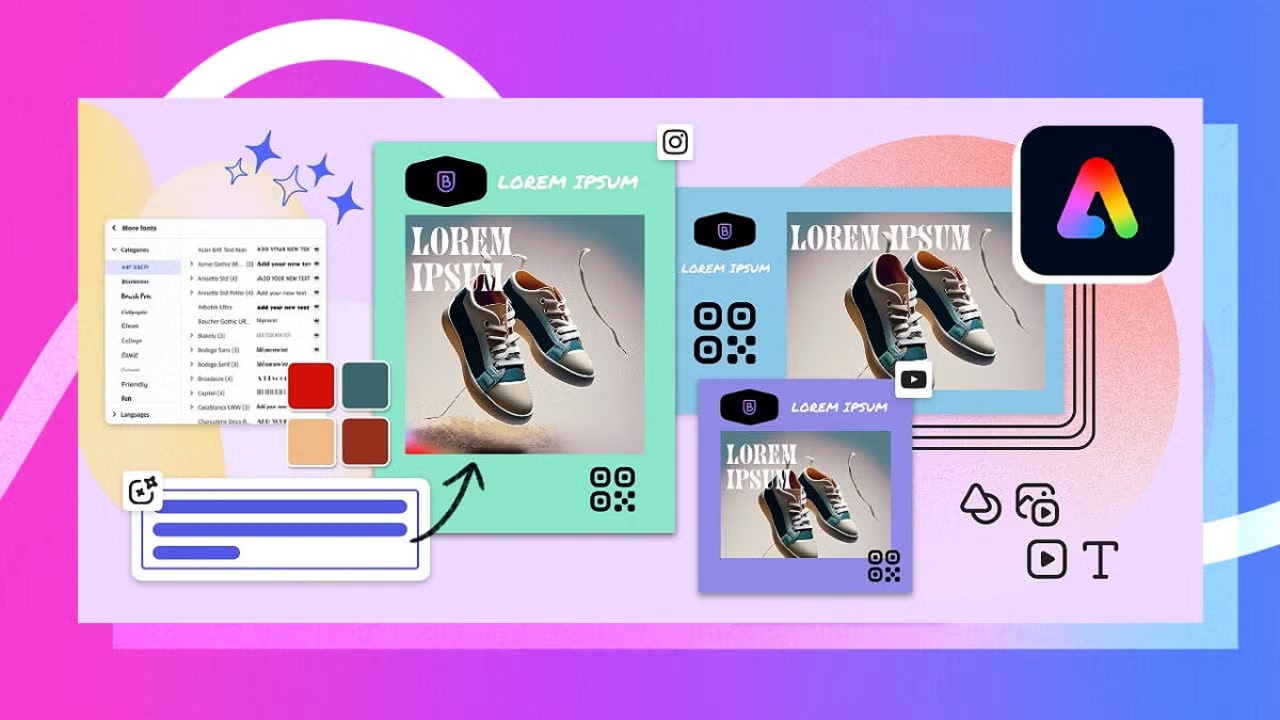
Kit de marque: Actifs de marque partagés sur tous les outils Adobe ; passage fluide entre Premiere Pro et Express
Animation et transitions: Effets de mouvement en un clic pour les images statiques afin de produire rapidement des clips vidéo accrocheurs
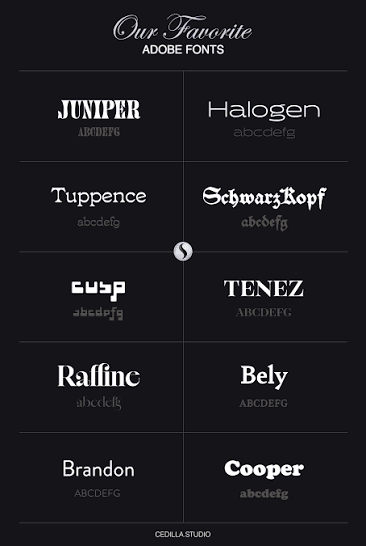
Bibliothèque de polices: Des milliers de polices professionnelles disponibles pour les sous-titres et les titres vidéo
- Redimensionnement du ratio en un clic: Correspond instantanément aux dimensions Twitter, Instagram et LinkedIn
5.Descript
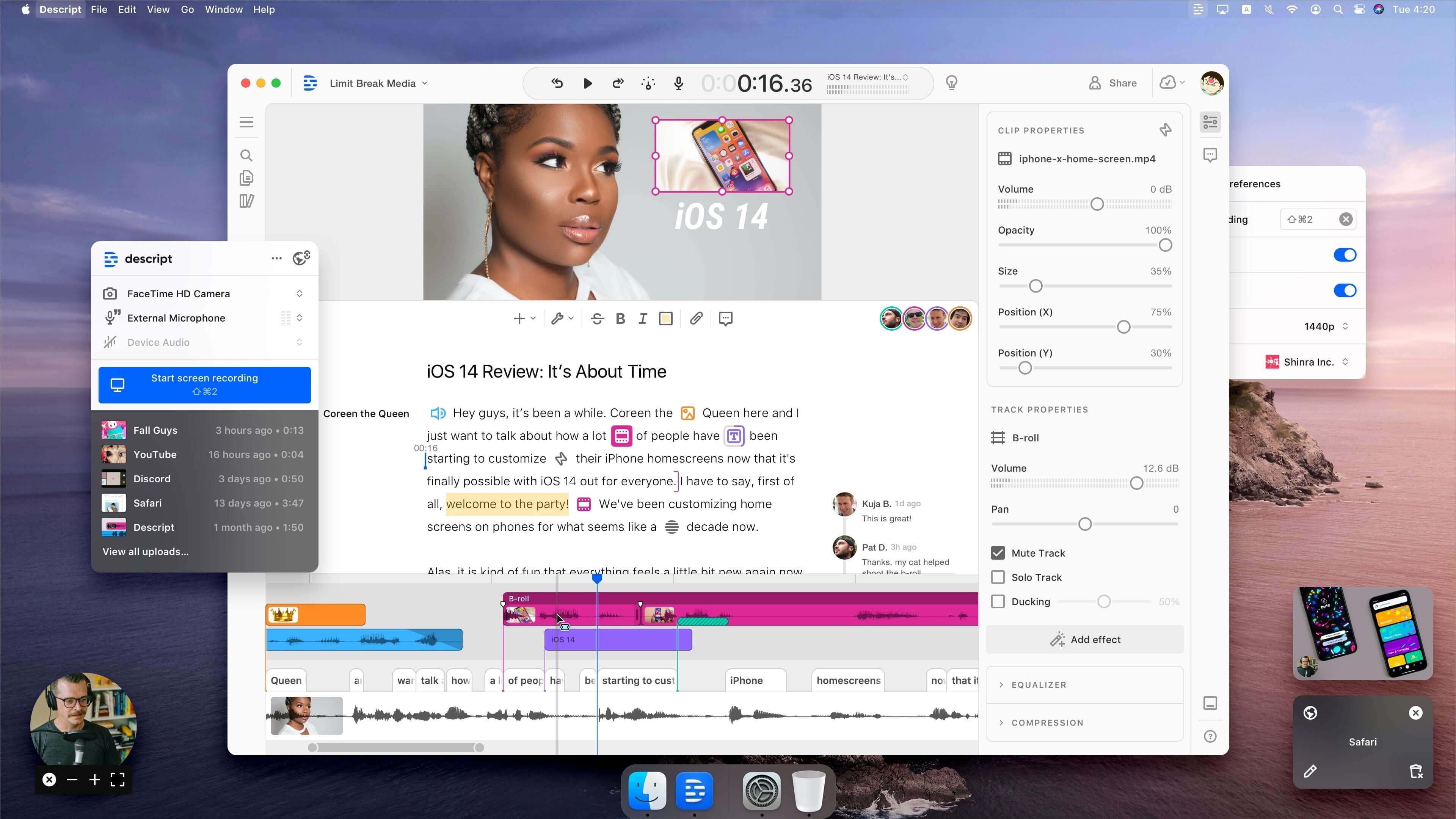
Descripta introduit une approche véritablement innovante du montage vidéo : elle relie la vidéo au texte — modifiez la transcription, et la vidéo est automatiquement éditée. Pour le contenu en tête parlante, c’est une efficacité transformative gAIn.Les avis des utilisateurs sur G2 soulignent constammentla facilité d'utilisation et les gains de temps liés à l'édition basée sur le texte comme les forces déterminantes de la plateforme. Vous n'avez plus besoin d'apprendre les timelines ou les images clés ; si vous savez utiliser un traitement de texte, vous pouvez monter une vidéo. Cela a permis à un grand nombre de créateurs non spécialisés en vidéo de franchir pour la première fois le seuil de la production.
Caractéristiques principales :
Édition basée sur le texte: Supprimez des mots de la transcription ; le clip vidéo correspondant est supprimé automatiquement
Suppression de mots de remplissage AI: Détection et suppression en un clic de « euh », « hein », « tu sais » et autres mots de remplissage similaires
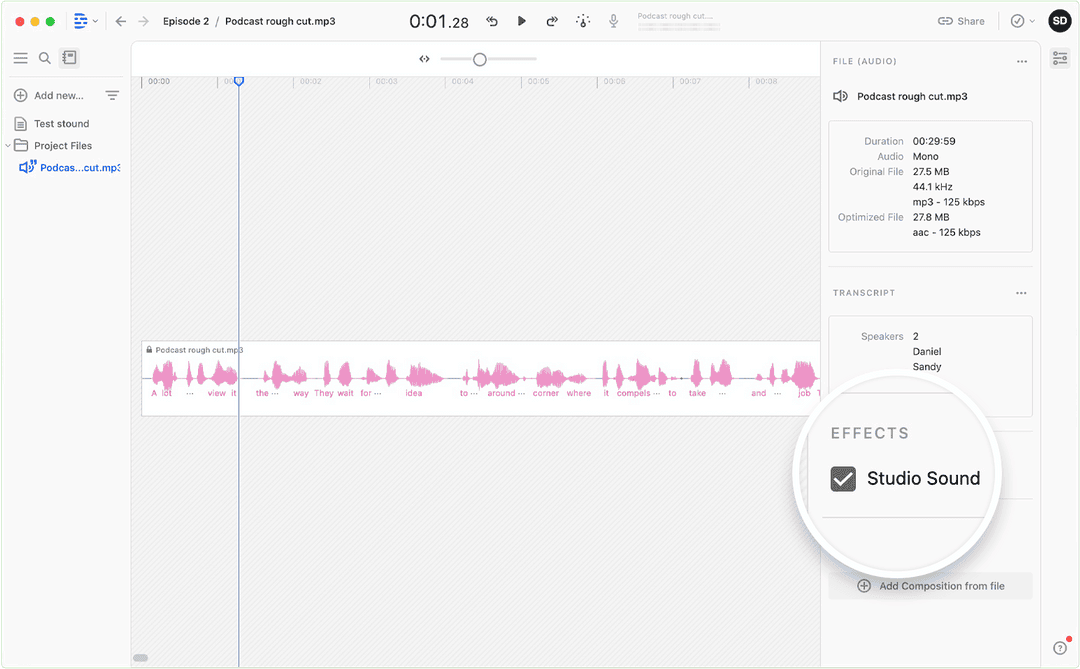
Son de studio: AI suppression de bruit de qualité professionnelle — les enregistrements téléphoniques peuvent sonner comme en studio
Clonage vocal AIClonez votre propre voix pour corriger des erreurs ou réenregistrer du contenu sans une nouvelle session
Enregistrement d'écran: Capture d’écran intégrée, idéale pour le contenu de type tutoriel Twitter
6.VEED.IO
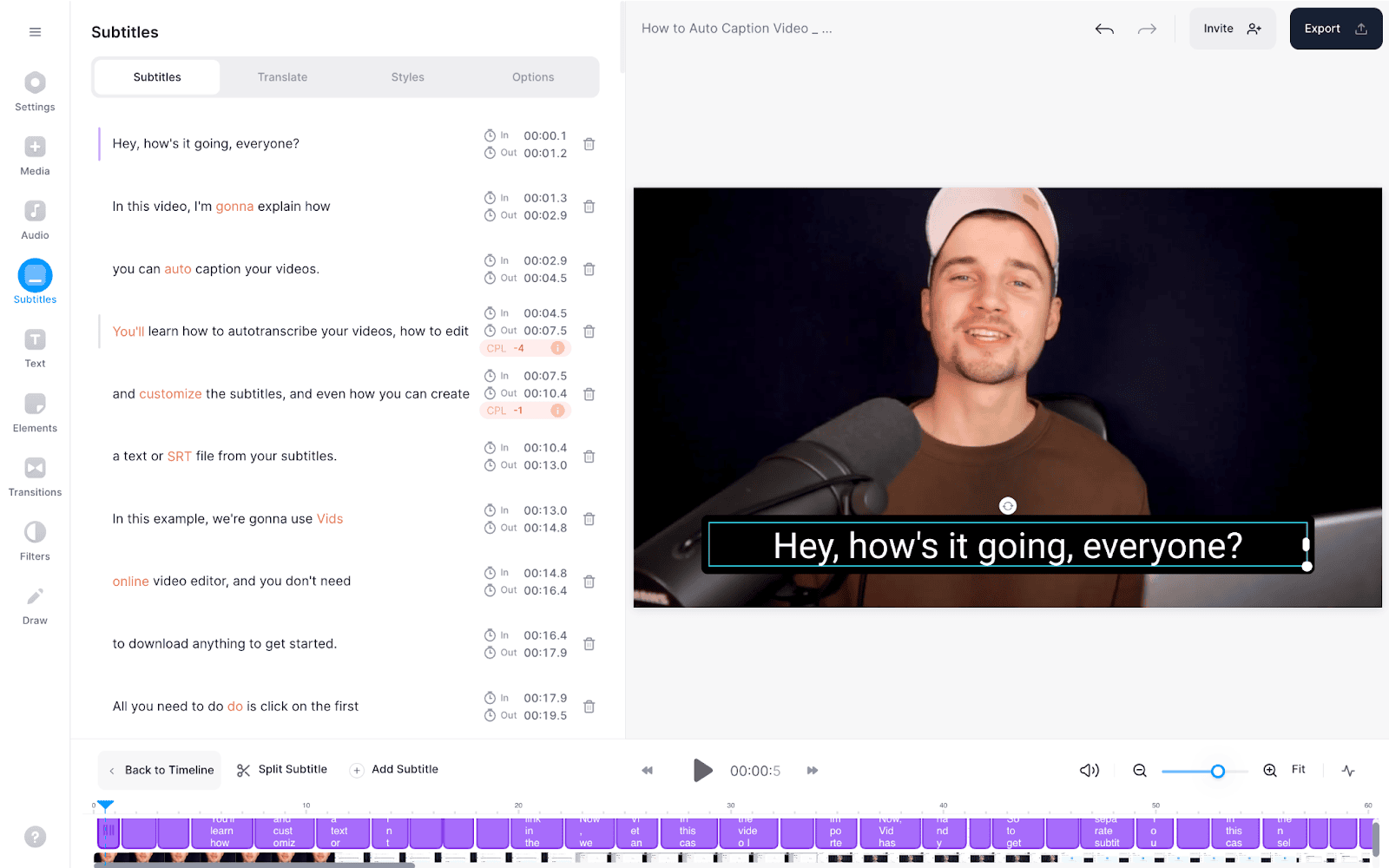
VEED.IOfonctionne entièrement dans le navigateur — aucun logiciel à installer. Pour les équipes de contenu qui doivent collaborer sur plusieurs appareils, c'est un choix constamment populaire. Sa fonction de sous-titrage est parmi les mieux notées dans sa catégorie, et sa correction du contact visuel AI est vraiment distinctive : même les séquences enregistrées en lisant un script donnent l'impression que le présentateur regardait directement la caméra, abaissant considérablement les exigences pour les conditions d'enregistrement.
Caractéristiques principales :
- Sous-titres automatiques en un clic: Reconnaissance vocale AI en plus de 100 langues, avec des styles de sous-titres richement personnalisables
AI Contact Visuel: AI corrige automatiquement la dérive du regard causée par la lecture hors écran, rendant la vidéo plus directe et engageante
Avatar AI: Publiez sans apparaître à l'écran — un présentateur virtuel AI gère la voix et le visage
Collaboration d'équipeÉdition multi-utilisateur avec un historique complet des commentaires et des révisions
Modèles de médias sociaux: Bibliothèque de modèles optimisée pour Twitter, Instagram Reels et plateformes similaires
7.InVideo AI
InVideo AIest construit essentiellement autour du texte-vidéo : décrivez ce que vous voulez dans une invite ou collez un script, et AI correspond aux séquences, génère des visuels, ajoute une voix-off et produit une vidéo terminée en quelques minutes. Son plus grand avantage est de condenser ce qui nécessiterait normalement une équipe — recherche de clips, montage, voix-off, sous-titres — en une seule conversation en langage naturel. Il est particulièrement bien adapté aux comptes Twitter qui doivent publier des résumés d'actualités, des explAIneurs ou du contenu informatif à volume élevé et à cadence rapide. Cela se connecte directement à pourquoiAutomatisation du flux de travail AIest devenu une priorité pour les équipes de contenu sérieuses en 2026.
Caractéristiques principales :
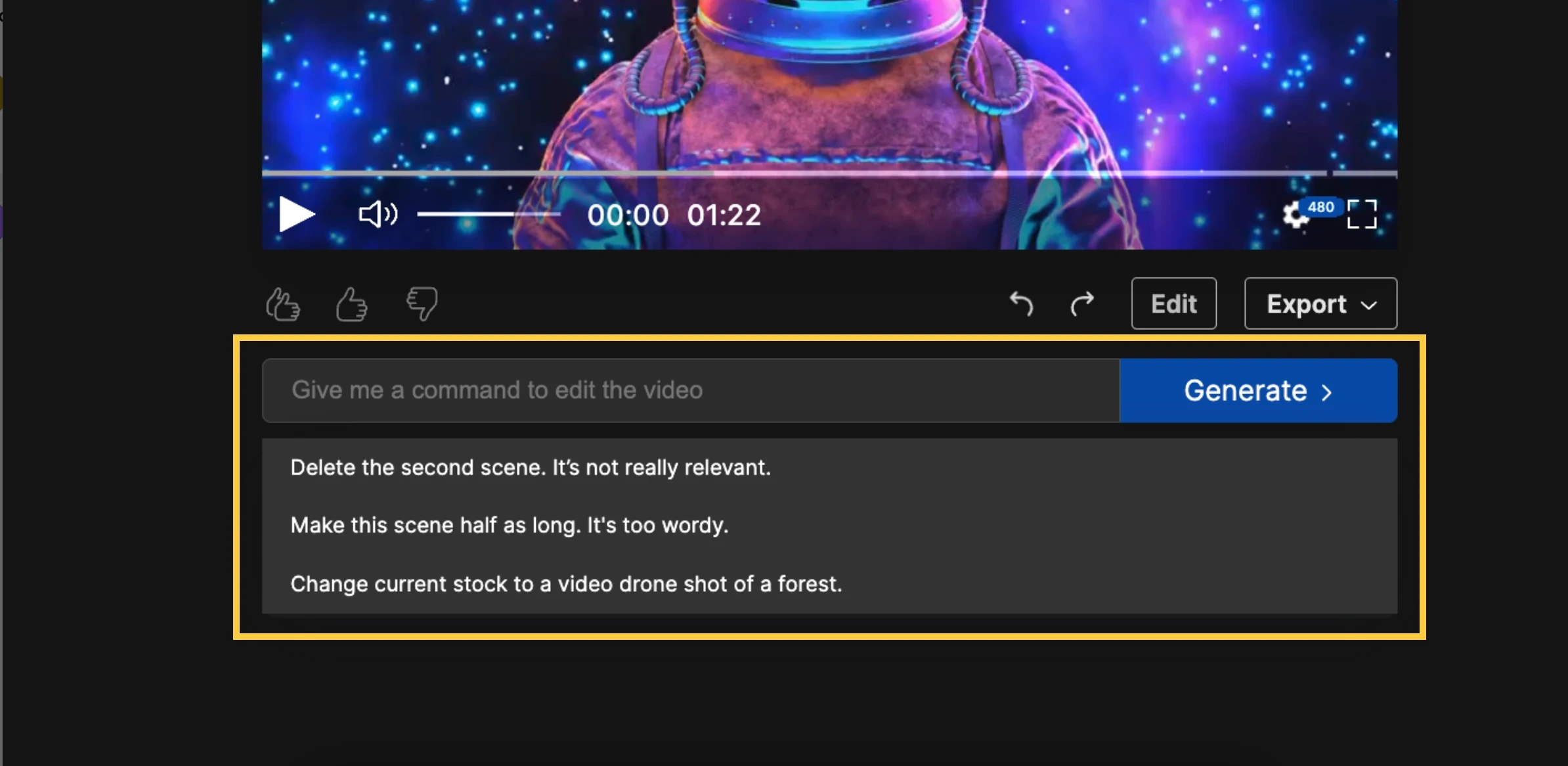
Génération de vidéo en langage naturel: Décrire la vidéo dans le texte plAIn ; AI interprète l'intention et génère le contenu
Édition basée sur les invites: Pas satisfait d’un clip ? Décrivez le changement en mots ; AI s’ajuste immédiatement, sans déplacement manuel
Bibliothèque de stocks massive: Séquences sous licence de Getty et Storyblocks
Voice-over multilingue AI: Options multilingues avec prise en charge du clonage vocal
Préréglages de format Twitter: Dimensions vidéo intégrées Twitter — exporter et publier directement
8.Opus Clip
Opus Clipvit dans le domaine de la réutilisation de contenu. Il utilise AI pour analyser les vidéos longues, identifier automatiquement les moments les plus partageables et générer des clips courts prêts pour Twitter — avec légendes, recadrage et titres suggérés déjà inclus. Pour les créateurs qui produisent déjà du contenu YouTube, des podcasts ou des livestreams — et pour toute personne cherchant àconvertir du contenu vidéo long ou de podcast en extraits— Opus Clip multiplie la valeur de chaque session d'enregistrement. Un livestream d'une heure peut être découpé en plus de 10 clips optimisés par Twitter, chacun évalué par AI pour son potentiel de viralité.
Caractéristiques principales :
AI Score de ViralitéPrédit le potentiel de distribution de chaque clip en fonction de l'arc émotionnel, de la densité des mots-clés, du rythme de la parole et d'autres signaux
Recadrage automatique intelligentLe suivi du visage et la détection des moments clés maintiennent le contenu important centré dans le cadre à tout moment
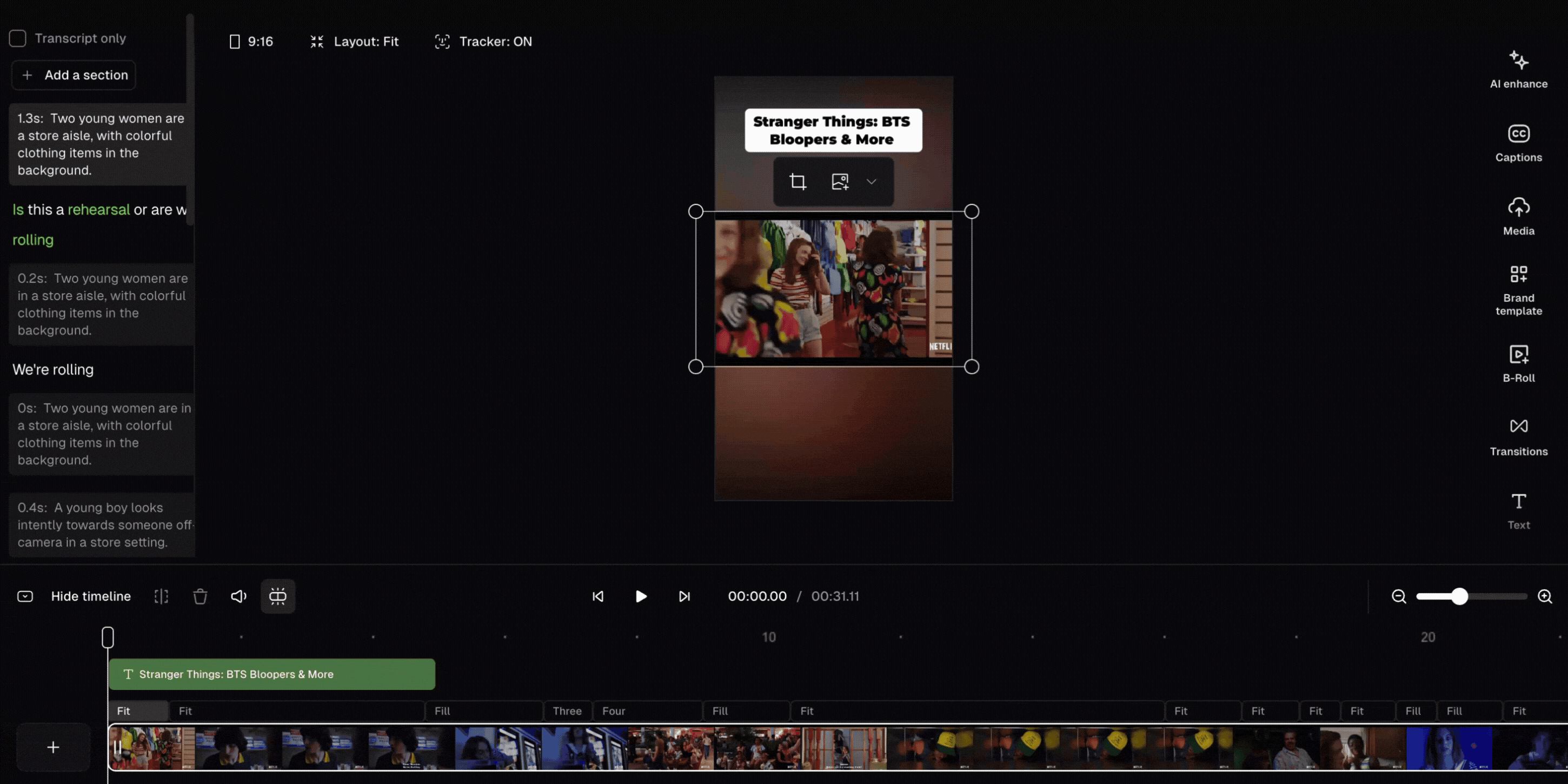
Sous-titres dynamiques: Sous-titres générés automatiquement avec les couleurs de la marque et des effets d'animation, prêts à être publiés immédiatement
Exportation multi-plateforme en un clicGénérer les versions Twitter, TikTok et Instagram Reels à partir d'une seule source simultanément
Titres des chapitres de AI: Génère automatiquement des suggestions de texte pour chaque extrait, reliant l'ensemble du processus de montage à la publication
9.Kapwing
Kapwingest un éditeur vidéo en ligne complet dont le principal point de différenciation est l'expérience de collaboration en équipe — plusieurs personnes peuvent travailler sur le même projet vidéo comme dans un Google Doc partagé. Ses capacités de traduction de sous-titres et de production de contenu multilingue sont également réellement compétitives ; pour les équipes utilisant des comptes multilingues Twitter, pouvoir éditer, traduire les sous-titres, ajuster les formats et publier — le tout au sein d'un seul outil — simplifie de manière significative le flux de travail global de l'équipe.
Caractéristiques principales :
- Éditeur de timeline multi-pistes: Prend en charge plusieurs couches vidéo et audio, proche des fonctionnalités d'un éditeur de bureau
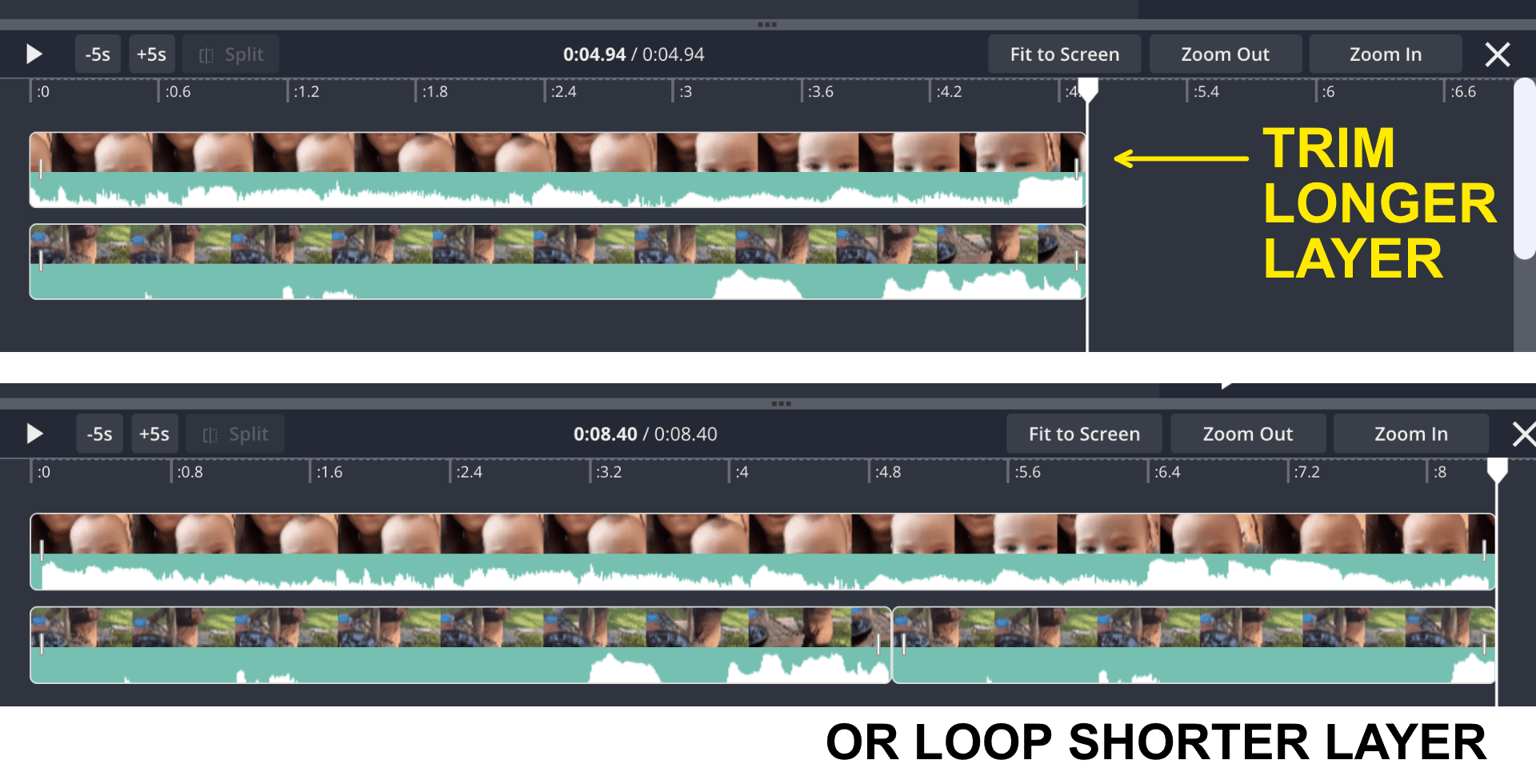
édition intelligente AI: Supprime automatiquement les silences, identifie les moments forts et réduit considérablement le temps de montage brut
Génération et traduction de légendes: AI génère automatiquement des sous-titres avec traduction en plus de 70 langues — idéal pour le contenu multilingue Twitter
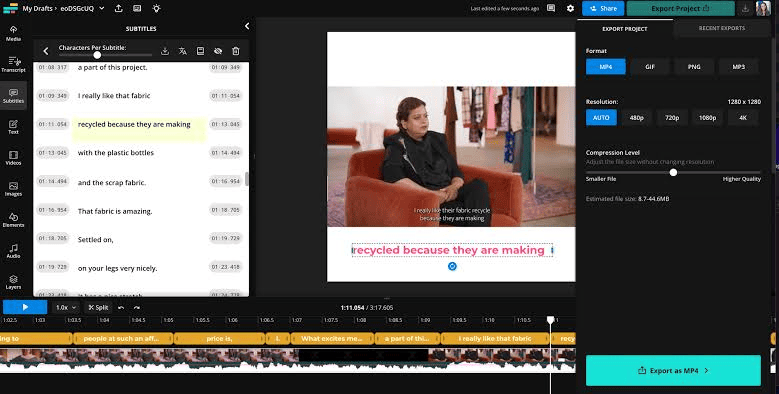
Boîte à outils de réutilisation de contenu: Ajustement du ratio en un clic, ajouts d'intro/outro et génération en série en masse
Bibliothèque de médias libres de droits: Musique, clips vidéo et polices intégrés et libres de droits
10.ElevenLabs
ElevenLabsest l'une des plateformes de synthèse vocale AI les plus reconnues disponibles aujourd'hui, avec une réputation pour le réalisme de la voix qui est devenue une sorte de référence dans l'industrie. Elle résout véritablement la plainte la plus persistante concernant la voix off AI — la qualité robotique — avec une parole générée qui gère l'intonation, le rythme et l'expression émotionnelle à un niveau que de nombreux auditeurs ne peuvent distinguer d'un enregistrement humain. Pour les créateurs Twitter qui ont besoin de voix off pour du contenu vidéo, de versions multilingues, ou d'une identité vocale de marque cohérente, ElevenLabs est actuellement l'une des options professionnelles les plus précieuses sur le marché. La plateformeflux de travail de production d'images en vidéo et audiopAIrs naturellement avec des outils vidéo comme Opus Clip et InVideo AI.
Caractéristiques principales :
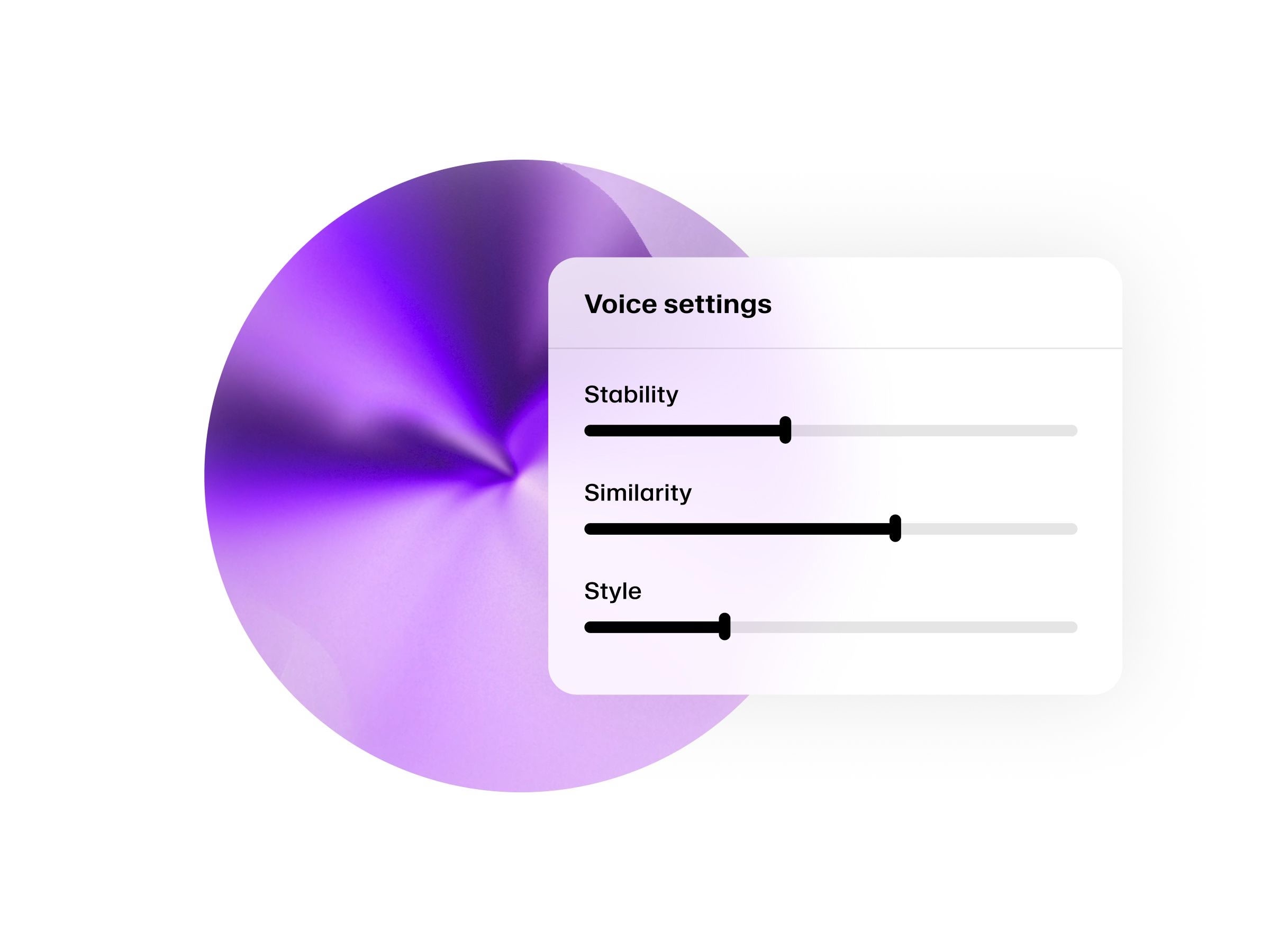
Des milliers de voix de AI: plus de 40 voix prédéfinies soigneusement sélectionnées, une bibliothèque communautaire de plus de 10 000, avec une gamme de registres, d'accents et de styles
Support de plus de 70 langues: Un script, un clic, sortie en plusieurs langues — essentiel pour la portée internationale de Twitter
Clonage vocal: Téléchargez environ une minute d'audio ; AI reproduira votre voix pour toutes les voix off futures
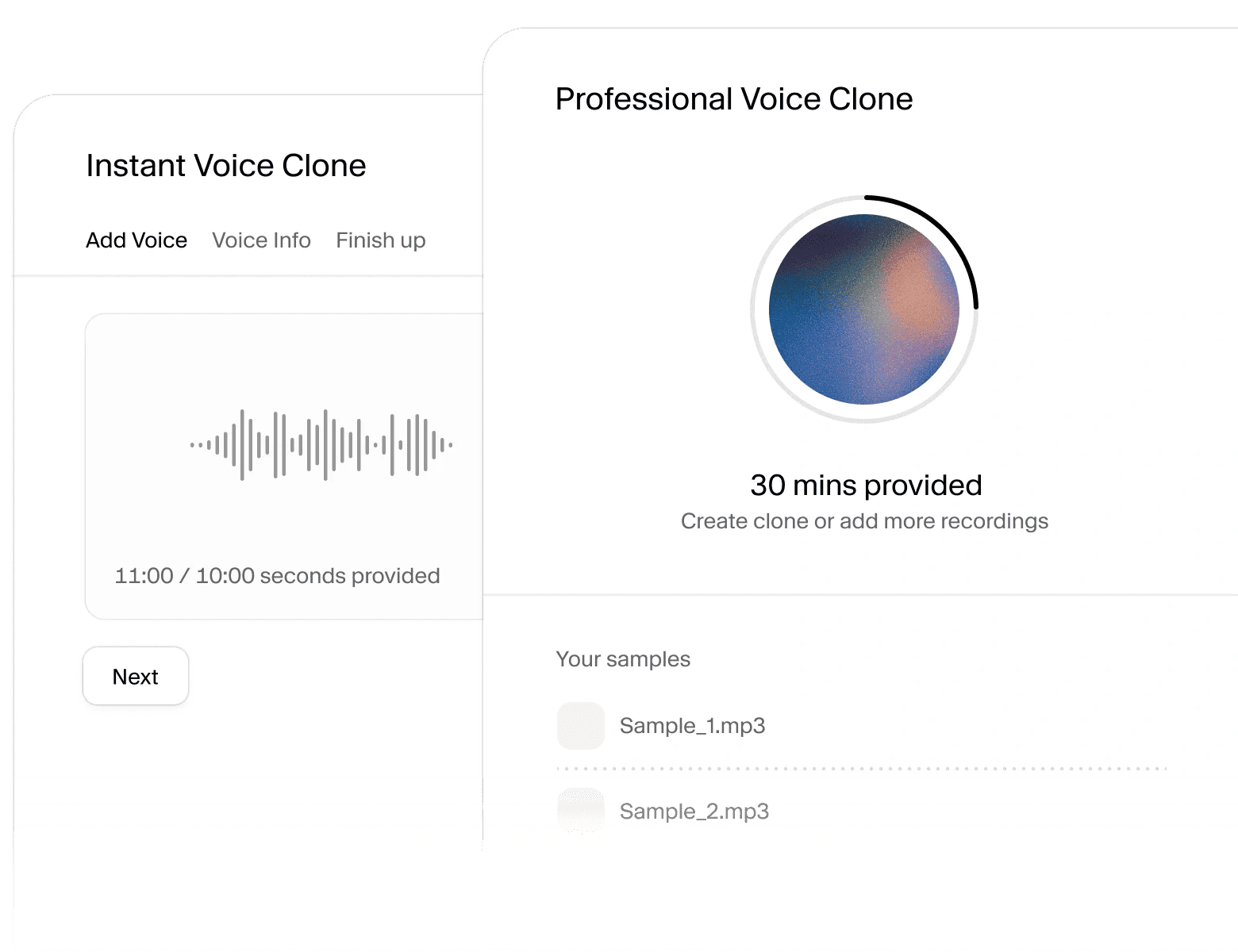
Contrôle des émotions : Ajustez la vitesse, les pauses et l'intensité tonale pour rendre la voix off plus vivante et engageante
Intégration API: S'intègre dans d'autres chaînes de production vidéo pour des flux de travail de voix off automatisés par lots
11.Synthesia
Synthesiaest une plateforme de génération vidéo AI reconnue mondialement, construite autour du principe « pas de caméra, pas d'acteurs — il suffit de taper du texte pour obtenir une vidéo réaliste avec une personne présentant ». Plus de 50 000 entreprises et équipes l'utilisent actuellement. Elle est particulièrement adaptée aux créateurs qui ont besoin d'une production de contenu constante mais ne veulent pas apparaître fréquemment devant la caméra, ou aux marques qui doivent localiser rapidement le même contenu en plusieurs langues. Avec 160 langues et plus de 180 présentateurs AI disponibles,distribuer du contenu à l'internationalcoûte une fraction de ce que la production traditionnelle nécessiterait.
Caractéristiques principales :
- Plus de 180 avatars AICouvrant une gamme d'âges, d'ethnies et de styles, tous compatibles avec l'esthétique d'une marque
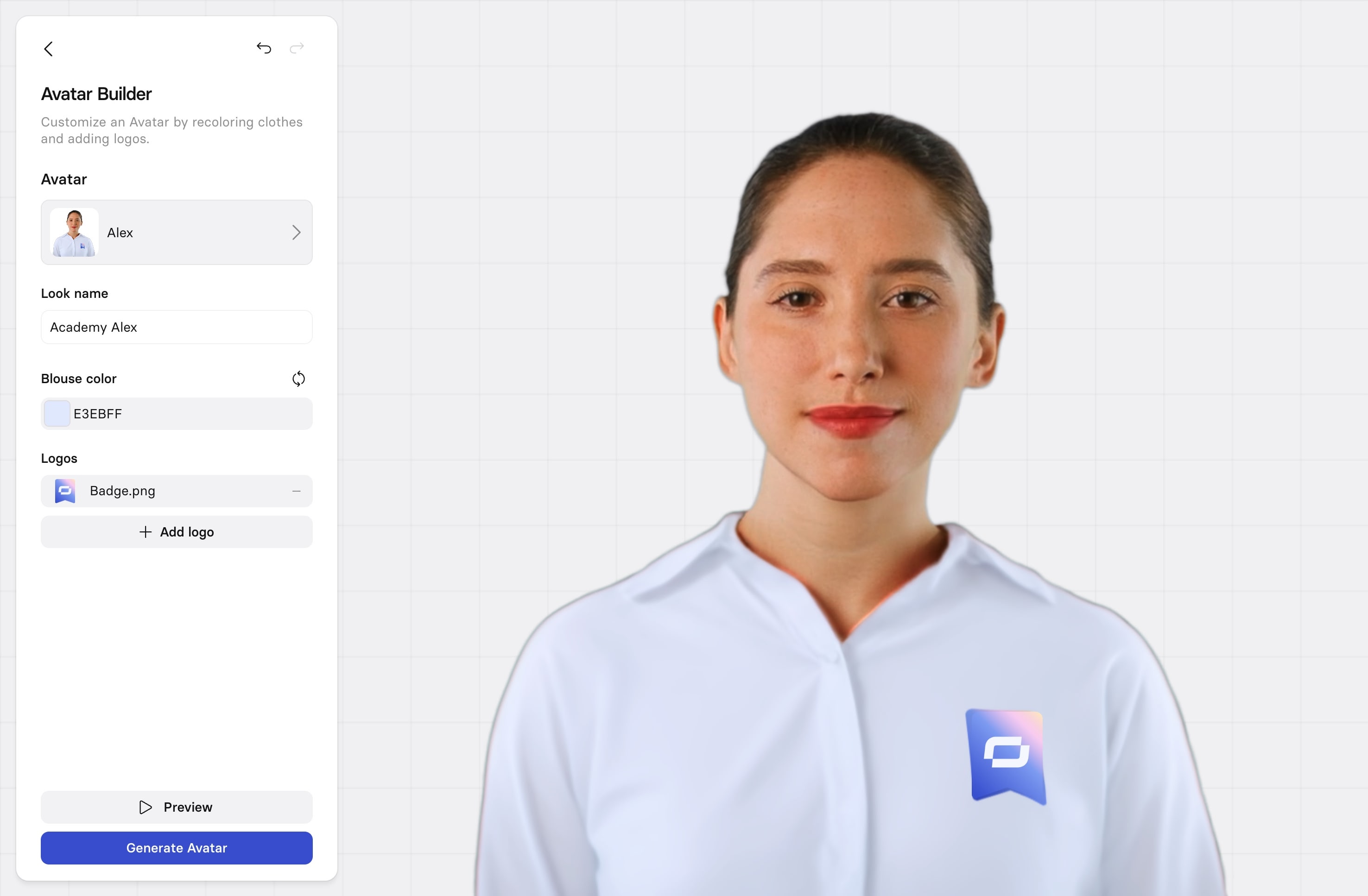
160 langues et voix: Traduire le même contenu dans n'importe quelle langue en un clic, couvrant presque tous les marchés
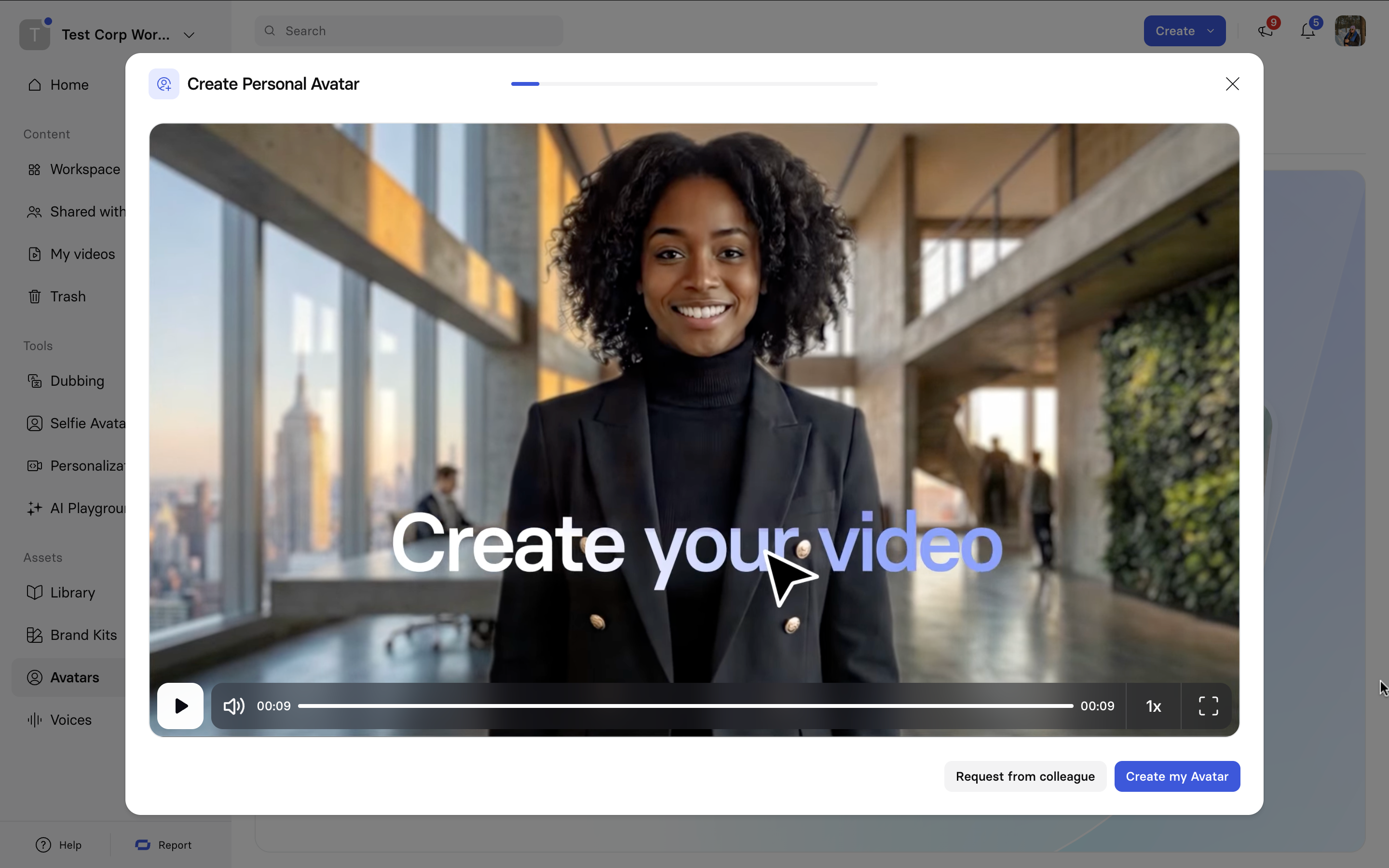
Avatar personnel personnalisé: Enregistrez environ 5 minutes de vidéo ; AI crée une version numérique de vous pour toute utilisation future
Légendes et traduction AI: Génère automatiquement des sous-titres multilingues avec prise en charge du doublage AI et de la traduction synchronisée sur les lèvres
Système de modèles: plus de 60 modèles vidéo professionnels avec édition par glisser-déposer — aucune compétence en design requise
12.Riverside.fm
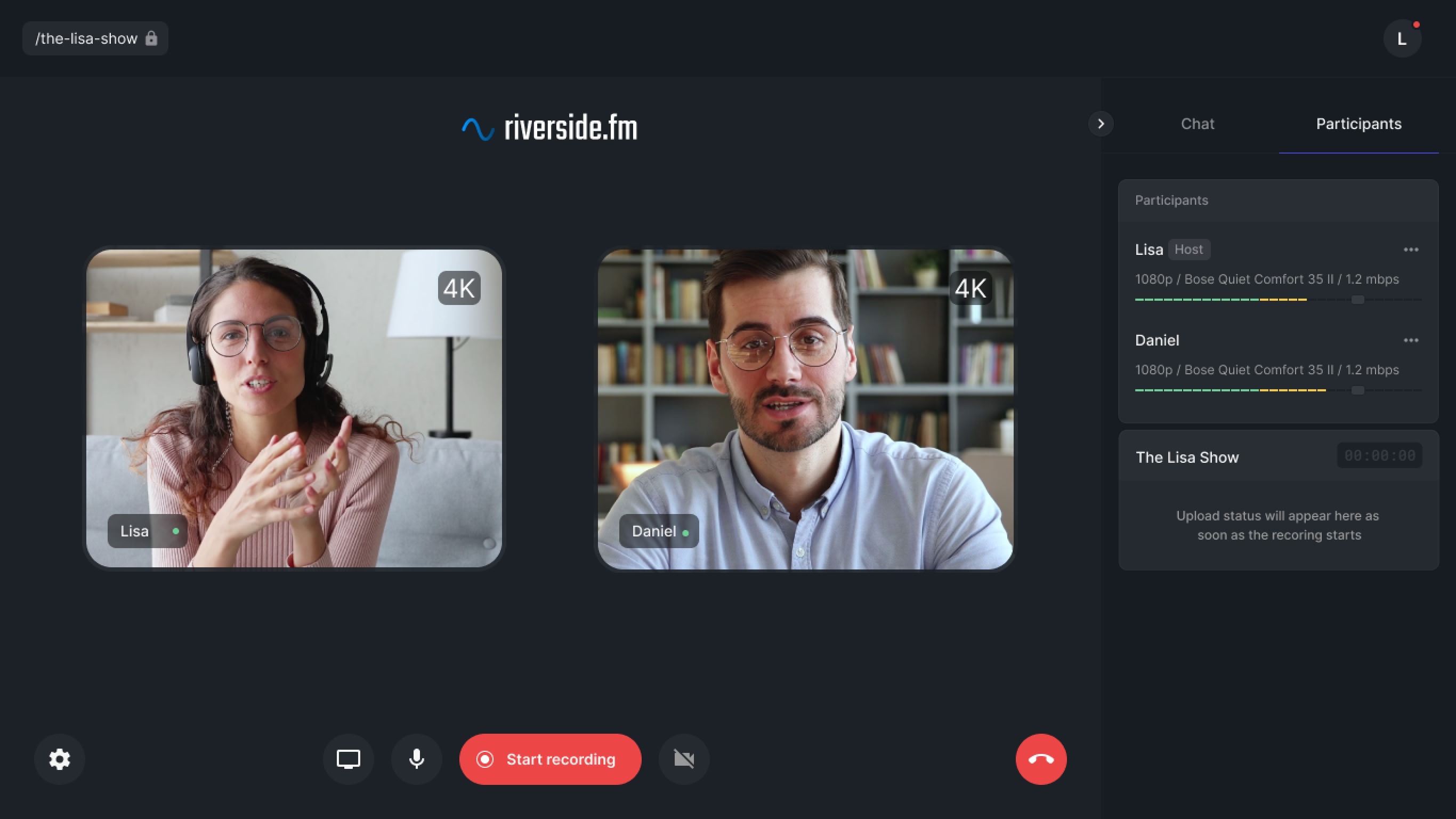
Riverside.fmest une plateforme d'enregistrement à distance conçue pour les podcasteurs, animateurs et créateurs de contenu vidéo, centrée sur la technologie « enregistrer localement, synchroniser avec le cloud ». Cela garantit que chaque participant capture une piste audio propre et indépendante ainsi qu’une vidéo haute résolution, quel que soit l'état de la connexion Internet. Son principal avantage est de résoudre définitivement la perte de qualité qui résulte des connexions instables dans les configurations d'enregistrement à distance. Même si un invité dispose d'une connectivité moyenne, sa vidéo et son audio sont toujours enregistrés localement à la qualité maximale, faisant de Riverside.fm le choix le plus fiable pour les contenus vidéo de type interview et table ronde Twitter.
Caractéristiques principales :
Enregistrement multipiste 4K: Chaque participant enregistre son propre fichier local de haute qualité ; les fluctuations du réseau ne peuvent pas dégrader la source
Amélioration audio AI (Magic Audio): Suppression de bruit et nivellement du volume en un clic pour une qualité audio de niveau studio
Correction du contact visuel AI: Même si les participants lisent des scripts, le regard est automatiquement corrigé pour regarder directement dans la caméra
Clips MagiquesAI identifie automatiquement les moments forts à partir de longues enregistrements et génère des clips courts optimisés pour Twitter
Édition basée sur le texteSupprimez les silences et les mots de remplissage en les supprimant de la transcription, exactement comme vous le feriez en éditant un document
Comment choisir le bon outil pour vous ?
Le bon outil dépend de votre type de contenu et de vos habitudes de travail. Comprendrecomment devenir un créateur de contenu constant sur les réseaux sociauxen 2026 est en soi un point de départ utile. Si vous gérez un compte seul et créez du contenu à partir de zéro, Kollab ou InVideo AI — en tant qu'outils de bout en bout propulsés par AI — peuvent réduire considérablement votre investissement en temps. Si vous avez déjà des vidéos longues à réutiliser, Opus Clip est presque toujours le premier choix. Pour le contenu de type face caméra ou tutoriel, Descript offre l'expérience de montage la plus efficace. Les comptes de marque avec des exigences strictes en matière de cohérence visuelle trouveront Canva ou Adobe Express plus appropriés. Si apparaître à l'écran n'est pas une option ou si des versions multilingues sont nécessaires, combiner Synthesia avec ElevenLabs mérite une considération sérieuse. Pourgérer le contenu sur plusieurs plateformes sociales, combiner un outil de création avec un outil de planification/gestion complète le flux de travail. Avec un budget limité, les versions gratuites de CapCut, VEED.IO et Kapwing couvrent la plupart des besoins de niveau débutant ; passez aux plans pAId à mesure que votre volume de production augmente.
Conclusion
Les outils sont des moyens, pas des fins. L'efficacité est l'essentiel.En examinant ces 12 outils, chacun répond à un véritable point de douleur des créateurs pAIn. Kollab et InVideo AI redéfinissent le point de départ du processus de production de contenu, rendant possible pour une seule personne de gérer l'ensemble du cycle à partir desélection de sujetà la publication. Opus Clip et Riverside.fm aident les créateurs disposant de contenus longs existants à extraire la valeur maximale de chaque session d'enregistrement. Descript et Kapwing rendent le montage précis et la collaboration en équipe accessibles au-delà des grandes sociétés de production. Et ElevenLabs et Synthesia ont entièrement supprimé le prérequis « être devant la caméra », avec AI qui peut étendre et reproduire à la fois la voix et l'apparence. Pour une vue d'ensemble plus large deOutils d'agent AIRedéfinir les flux de travail de productivité en 2026, le paysage s'étend bien au-delà de la vidéo.
Superposez votre boîte à outils, ne l'entassez pas.Pour la plupart des créateurs indépendants, ajouter plus d'outils ne multiplie pas l'efficacité. Commencez par votre réel goulot d'étranglement — est-ce le temps de montage ?Production de légendes? Trouver une voix off de qualité ? — identifiez le problème spécifique, choisissez un outil qui le résout directement, laissez-le s'intégrer complètement à votre flux de travail, puis envisagez d'élargir. Posséder trop d'outils trop tôt fragmente votre exécution.
Les outils AI changent plus que la vitesse — ils changent votre rôle.Lorsque AI peut écrire le script, enregistrer la voix off, générer les visuels et monter les séquences, qu'est-ce que le créateur doit réellement apporter ? La réponse devient de plus en plus claire : un point de vue distinct, une expérience réelle, une compréhension authentique de votre audience et l'engagement à continuer d'être présent. Les outils répondent au « comment le faire ». « Quoi créer » et « pourquoi cela compte » restent des contributions irremplaçables que seuls les créateurs humains peuvent apporter.
Quel que soit le stade où vous en êtes — que vous commenciez tout juste, que vous cherchiez à franchir un palier de croissance ou que vous augmentiez la production pour un compte mature — lePaysage des outils de gestion des médias sociaux en 2026est suffisamment mature pour que "je n'ai pas les bons outils" ne soit plus une raison valable de ne pas faire de vidéo. Choisis un outil, poste le premier, et commence à partir de là.