From Image to Video: A Real Workflow Using ChatGPT Image 2 and Seedance 2
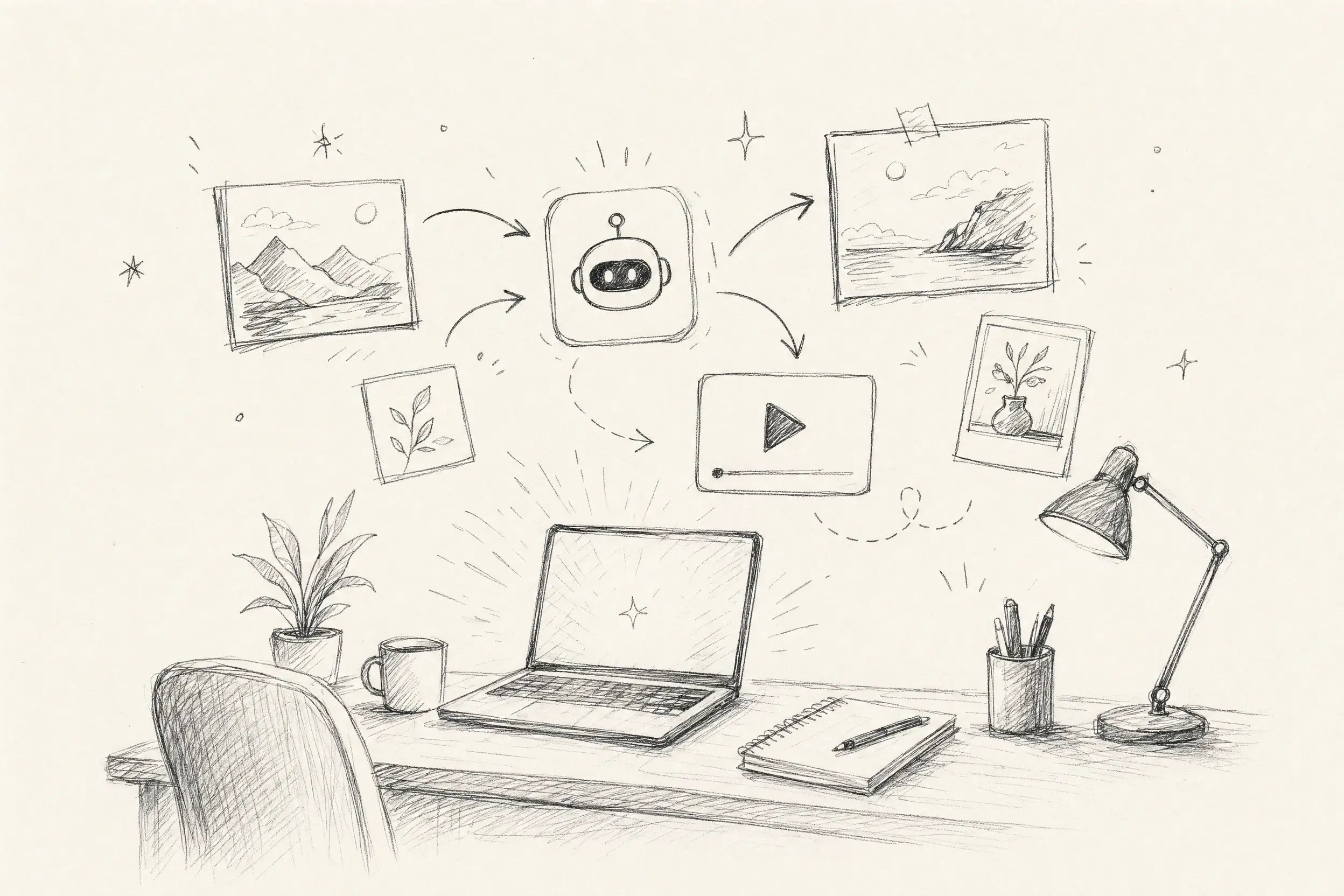
See how a real small team uses ChatGPT Image2and Seedance2 inside Kollab to generate editorial illustrations and product video ads — without switching between tools.
Most articles about AI image generation spend their time explaining what the model can do — resolution, style fidelity, prompt techniques. What nobody tells you is how a real small team actually uses it to get work done.
This isn't a benchmark. It's a workflow walkthrough.
We ran two complete scenarios in Kollab: one using ChatGPT Image 2 to produce a custom editorial illustration set for a content team, and one using Seedance 2 to turn a static image into a short video ad. Both ran start to finish inside Kollab tasks — no jumping between tools, no downloading files just to re-upload them somewhere else.
Why Kollab + Image 2 Is Worth Talking About Separately
The most underrated thing about ChatGPT Image 2 isn't image quality — it's how the model handles iterative refinement inside a conversation. Tell it "warm up the background light a little, but keep the brand colors," and it understands that as an incremental edit, not a prompt to start over from scratch.
That's already useful on its own. But running it inside a Kollab task makes a noticeable difference:
Every iteration is logged, so you can trace the decision path just by scrolling back
Teammates can pick up the thread directly in the same task, without screenshotting anything into a group chat and trying to describe "the part on the left"
Final files live in the task itself — not scattered across everyone's Downloads folder
Here are two scenarios we actually ran.
Generating Custom Editorial Illustrations for a B2B Newsletter
The content team needed illustrations for each article they published. Their usual process was picking a stock photo that felt close enough, licensing it, and moving on. This time, they wanted to try something different: generating custom illustrations matched to each article, entirely inside Kollab.
Each issue got one Kollab task. The editor opened it and sent the first prompt directly:
Article: "Why most SaaS onboarding flows lose users in the first 48 hours" Illustration style: editorial, flat but slightly textured, warm earth tones with coral accent (#E8674A) Mood: thoughtful, slightly ironic — like a New Yorker cartoon, no old-fashioned feel Format: 2:1 email header thumbnail No text in the image. Illustrated and ownable — not stock-photo realism.
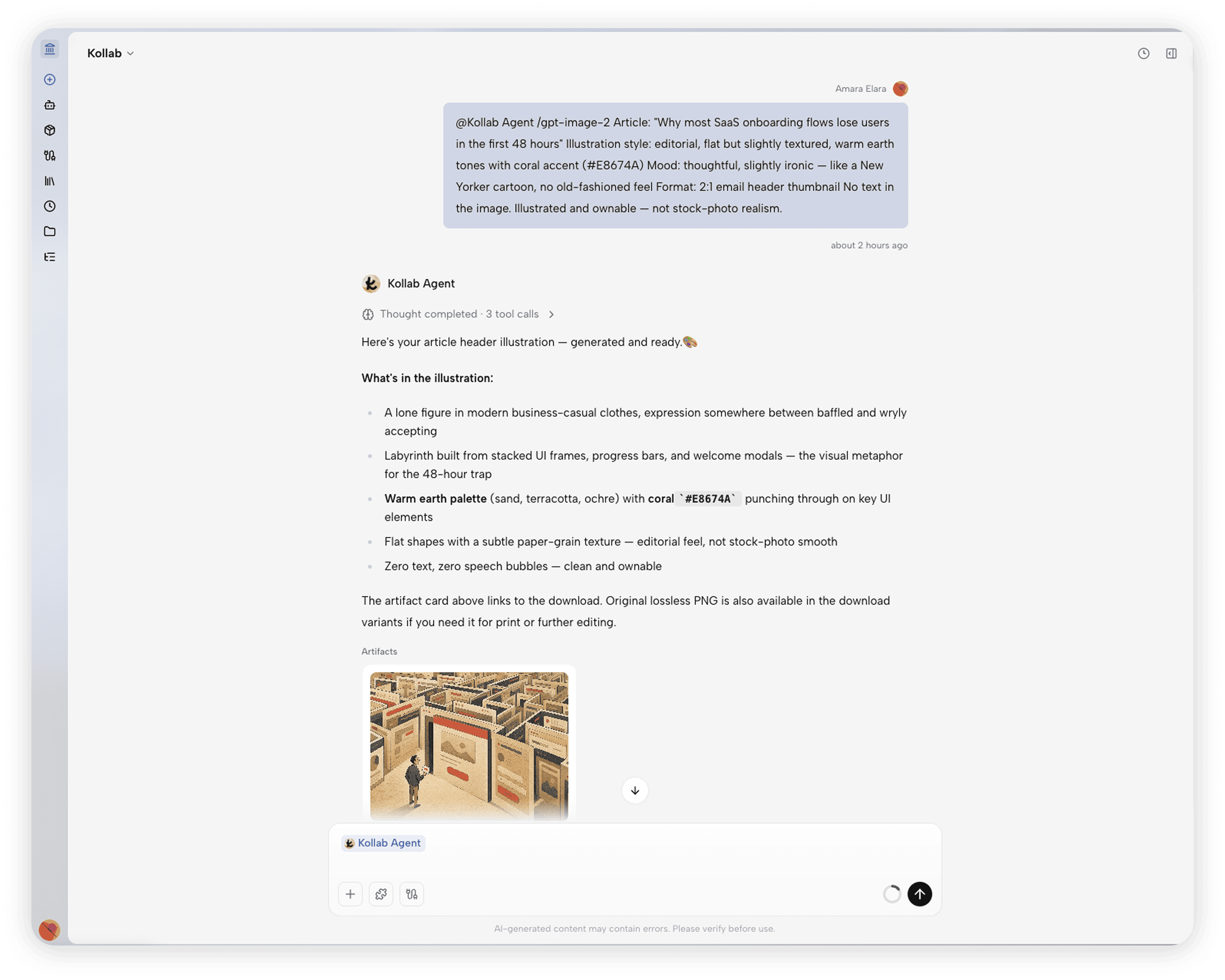
The image came back in about 30 seconds. One reply from a teammate to push it a little further:
The figure looks too passive — have them stepping forward through the door, reaching out confidently toward the screen. Make the coral accents on the central panel brighter.
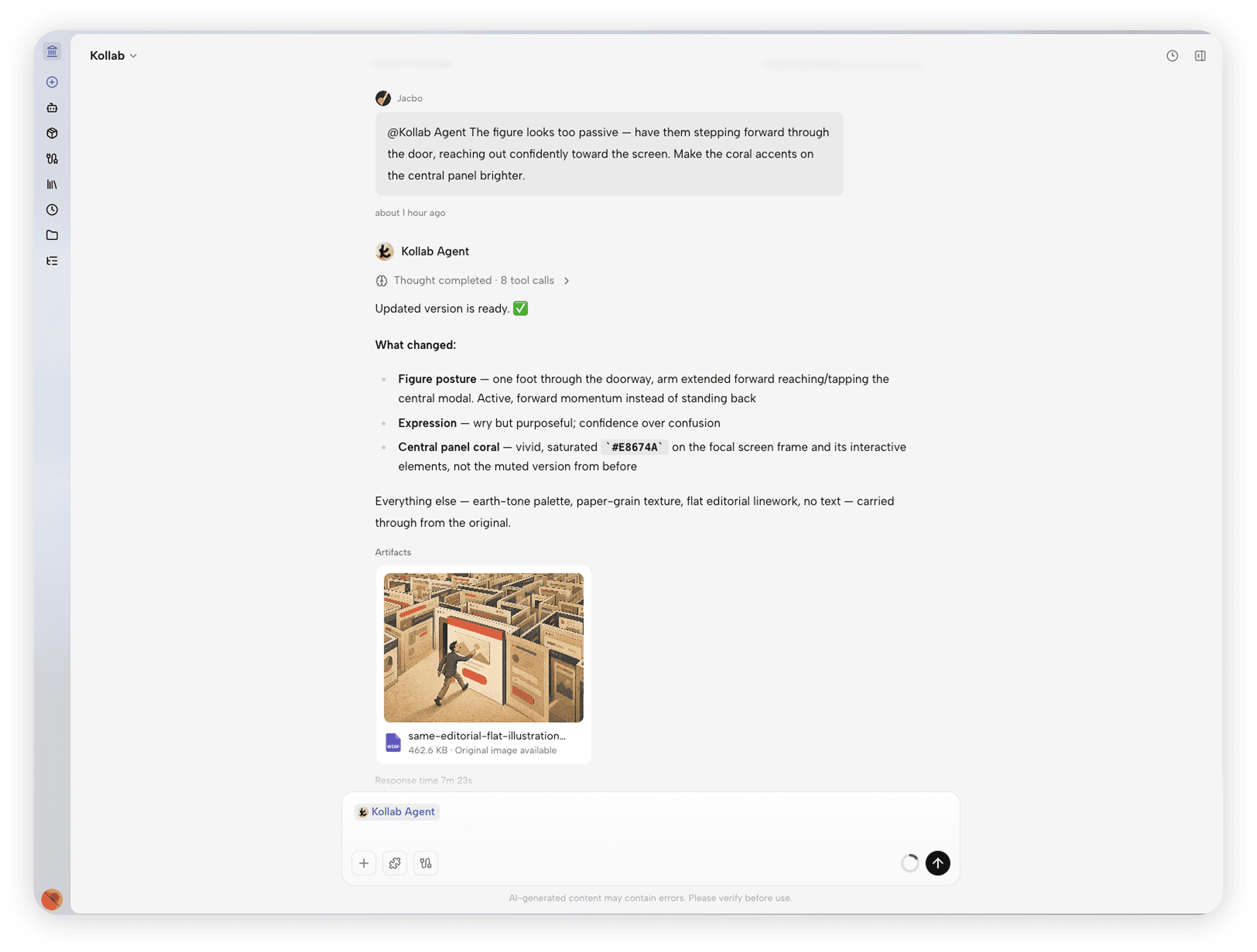
Two messages. Done.

Nobody had to open a design file. Every change was expressed in plain language, and anyone picking it up has full context just by reading the thread. Over time, the team built a growing library of brand-consistent illustrations — all logged in Kollab tasks, referenceable for future issues. When a new member joins, the task history is the visual style guide.
From Product Photo to 15-Second Video Ad — Image 2 into Seedance 2
This one's worth writing about separately: use ChatGPT Image 2 to nail the visual baseline, then hand it to Seedance 2 to bring it to life.
A D2C skincare brand wanted a 15-second product ad for Instagram Reels and Meta Stories. No video production crew, no budget for one — just a test to see if the creative could perform. They ran the whole thing inside a single Kollab task.
First, Image 2 to establish the starting frame:
A premium glass serum bottle with a matte black dropper cap, minimal label — just a small embossed logo. Placed on a white marble surface, soft natural side lighting, shallow depth of field, photorealistic product photography. No background clutter. Studio quality.
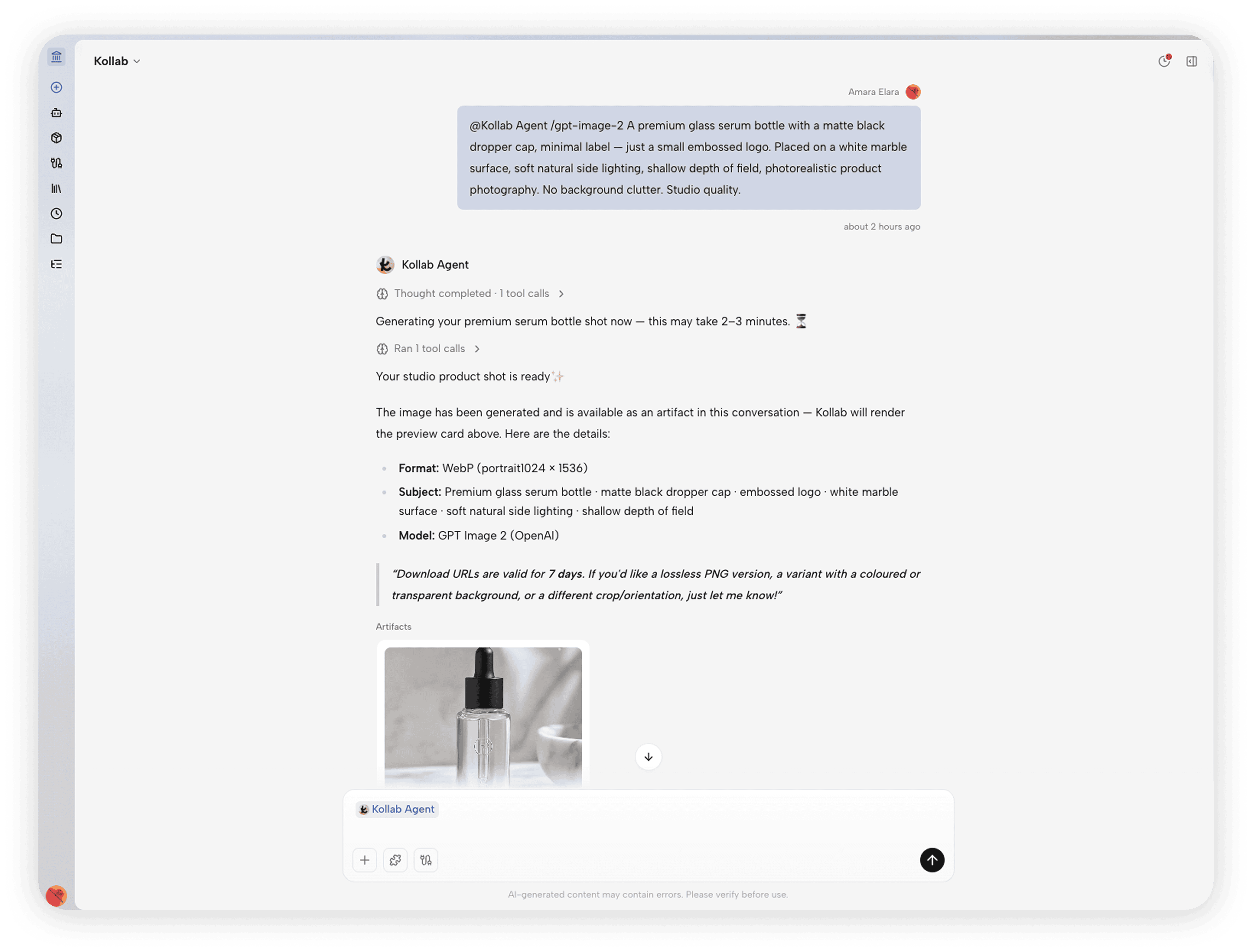
Clean image, consistent lighting — good enough to use as a static Story asset on its own.
Then, still in the same task, that image went straight to Seedance 2:

Starting frame: [product image above] 15-second product scene, single continuous shot. No cuts. Camera: ultra-slow orbital drift — starts at mid-distance, gently rotates clockwise while easing toward the bottle, ends close on the embossed logo. Movement barely perceptible. Ambient audio: soft indoor room tone, faint breeze through leaves, subtle glass surface hum. No music. Light shifts slowly and naturally across the marble surface.
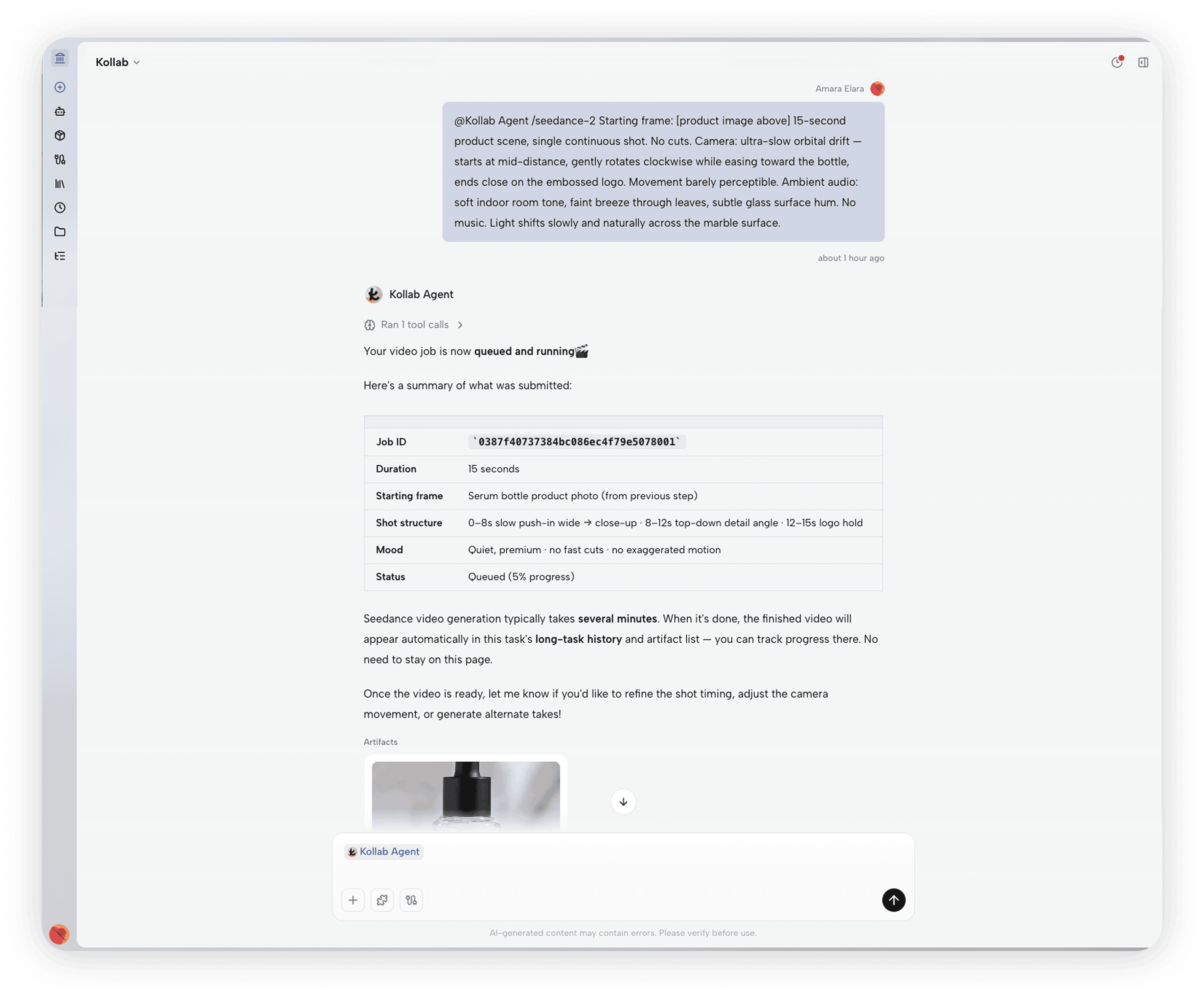
The video matched the lighting and color of the starting frame closely. That's the point — Seedance isn't generating something from scratch, it's generating motion inside a visual language you already established. The "no cuts, no music" brief did a lot of heavy lifting too: that single unbroken orbital move reads as premium in a way a quick-cut montage never would.
The Kollab task had the full trail: the Image 2 frame, the Seedance prompt, the output. Next product, swap in a new reference and run it again.
The Logic Behind Both
On the surface, one is about images and one is about video. But the underlying logic is the same: keep the creative decision-making and the generation in the same place.
The traditional creative workflow is scattered — brief in email, reference in Slack, revision notes in comments, final files in a shared drive. Three weeks later, nobody's sure which version is current.
Running these workflows in Kollab means every task is a complete decision chain. Who asked for what, what the AI produced, which direction the team chose, what changed between revisions — all in one place, traceable, reusable, ready to hand off.
Image 2 and Seedance 2 are both capable models. But whether that capability actually translates into shipping work as a team has a lot more to do with how the workflow is organized than how well the prompts are written.
Try It Yourself
A few Kollab use cases that build on the same logic:
Generate a campaign asset pack with AI — if you need a core visual direction that stretches across formats and channels, not just a single image
Make comic style images with AI — a good starting point for the editorial illustration workflow, especially if the tone skews social or satirical
Blog automation pipeline — covers the broader content production loop that the illustration workflow slots into
None of them require a design background or prompt engineering expertise. You just need to know what you want — and be able to describe it the way you'd describe it to a capable person on your team.
These workflows will keep evolving. The models get better, the prompts get refined, the products ship new features. What stays the same is the habit of keeping creative decisions and generation inside the same thread — so the work is traceable, the context doesn't get lost, and the next person can actually pick up where you left off. That part doesn't need updating.