01
Read the call evidence
Kollab starts with customer recordings, Transcripts, account context, and any existing feedback records.

Turn sales calls, user interviews, and support recordings into Customer Evidence, Product Themes, and review-ready Feedback Records.
Kollab turns customer calls into Product Evidence with Transcripts, Customer Quotes, Pain Points, Feature Requests, Objections, and Priority.
Use it when customer voice needs to feed product review, not another meeting summary.
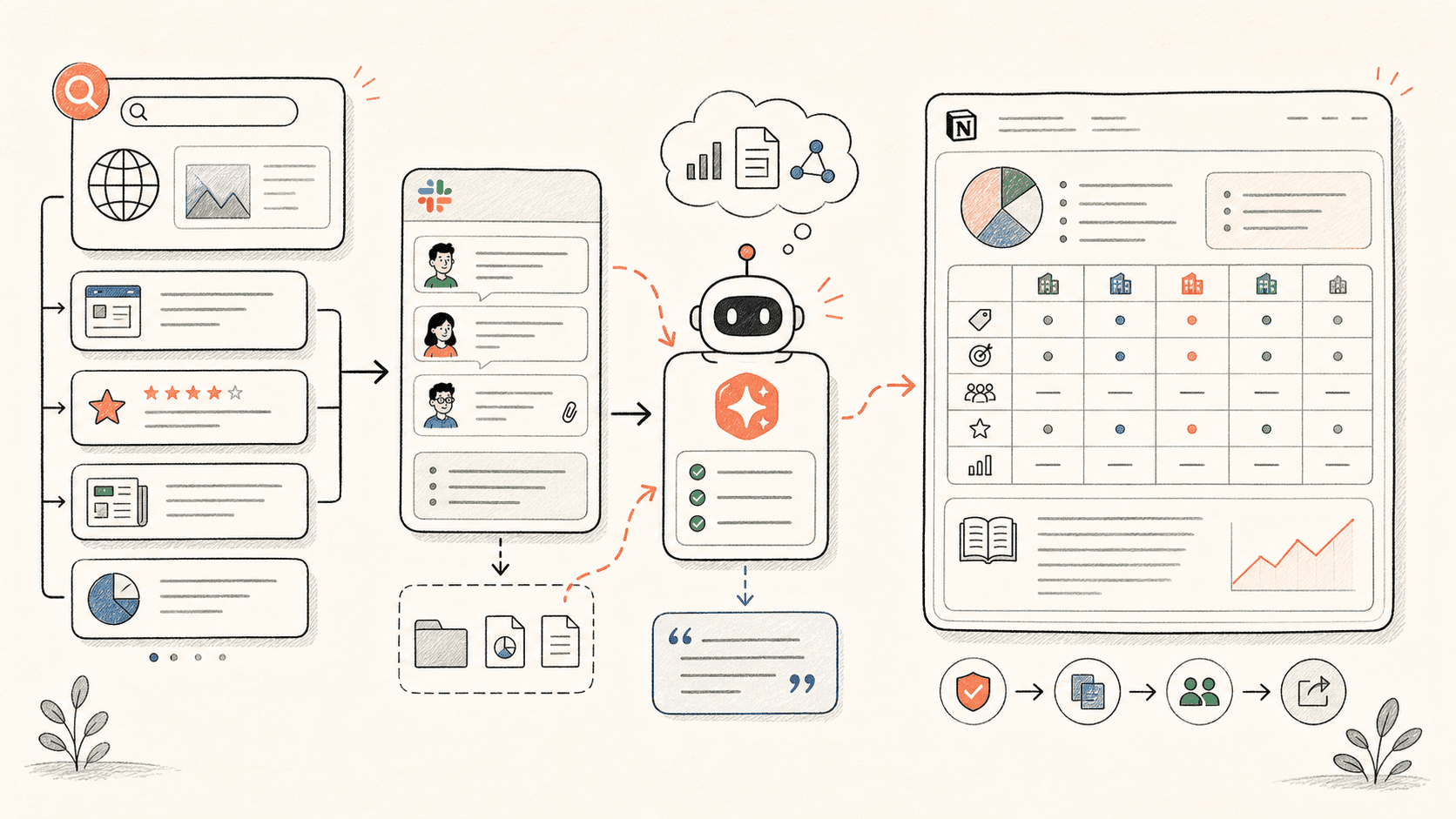
Đọc qua quy trình một lượt, sau đó thay vào vai trò, nguồn dữ liệu và kết quả đầu ra của riêng bạn.
Kollab starts with customer recordings, Transcripts, account context, and any existing feedback records.
The agent pulls Pain Points, Feature Requests, Objections, Urgency, and Source Quotes instead of writing a vague call summary.
Similar feedback is merged with existing themes so product managers see patterns, not duplicate fragments.
Each insight gets Priority, Linked Roadmap Item, PM Decision Status, and Follow-Up Owner for human judgment.
Kollab keeps the voice of the customer attached to the decision record.
| Manual feedback review | With Kollab | |
|---|---|---|
| Evidence | Call notes summarize the customer and lose exact wording. | Each insight keeps the Source Quote, Transcript, and Audio Link. |
| Deduping | Repeated Requests appear as separate notes in different places. | Similar calls are clustered into one theme with supporting accounts. |
| Prioritization | PMs rely on memory or whoever spoke loudest. | Records include segment, urgency, frequency, and linked roadmap context. |
| Review | It is unclear which feedback needs a decision. | Every record has PM Decision State and Follow-Up Owner. |
| Total time | A pile of notes | Evidence-backed product insight records |
The output should help product teams decide, not just remember the call.
Evidence
Themes
Decision
Xem các trang tính năng liên quan để biết lớp sản phẩm và công cụ nào giúp trường hợp sử dụng này lặp lại được cho cả nhóm.
Turn sales calls, user interviews, and support recordings into Customer Evidence, Product Themes, and review-ready Feedback Records.
Sao chép prompt thiết lập vào Kollab, thay thế các placeholder bằng thông tin thực tế của đội nhóm bạn, sau đó chạy nó như một tác vụ có thể kiểm duyệt trong không gian làm việc của bạn.
A feedback database with Customer Quotes, Pain Point Clusters, Priority, Linked Roadmap Items, PM Decision State, and Follow-Up Owners.
Không. Quy trình được thiết kế để tạo ra các bản nháp, bản tóm tắt, artifact hoặc bản cập nhật cơ sở dữ liệu có thể xem lại trước, để nhóm của bạn có thể phê duyệt kết quả trước khi bất cứ điều gì được xuất bản hay thay đổi.
Keep Transcripts, quotes, themes, and roadmap Decisions connected.
Chạy