I 10 migliori strumenti per la generazione di video AI nel 2026: un'analisi approfondita
Confronta i 10 migliori strumenti di generazione video AI del 2026: Veo 3, Runway, Kling, Seedance, Pika e altri, classificati per qualità, funzionalità e prezzo.
Nel 2024, produrre un video generato dall’intelligenza artificiale abbastanza decente sembrava un vero risultato. Entro il 2026, l’asticella si sarà completamente spostata: quasi tutti gli strumenti tradizionali possono produrre una clip accettabile in meno di trenta secondi. Ciò che distingue oggi i leader è se lo strumento si adatta perfettamente a un flusso di lavoro di produzione completo.
Il cambiamento più sorprendente in questa ondata di video AI non è un modello che domina tutto. Il fatto è che la concorrenza si è davvero frammentata: generazione di audio nativo, controllo narrativo multi-inquadratura, coerenza dei personaggi, precisione della simulazione fisica: ogni giocatore è riuscito a sfondare in una dimensione diversa, ma nessun singolo strumento è all'avanguardia.
I dieci strumenti qui recensiti abbracciano l'intero spettro: dalle piattaforme collaborative ai modelli autonomi, dagli abbonamenti incentrati sui creatori alle API per gli sviluppatori. Che tu sia un creatore di contenuti, un produttore di video, uno sviluppatore indipendente o qualcuno che aiuta un team a scegliere il suo stack, troverai la soluzione giusta da qualche parte in questo elenco.
1. Kollab
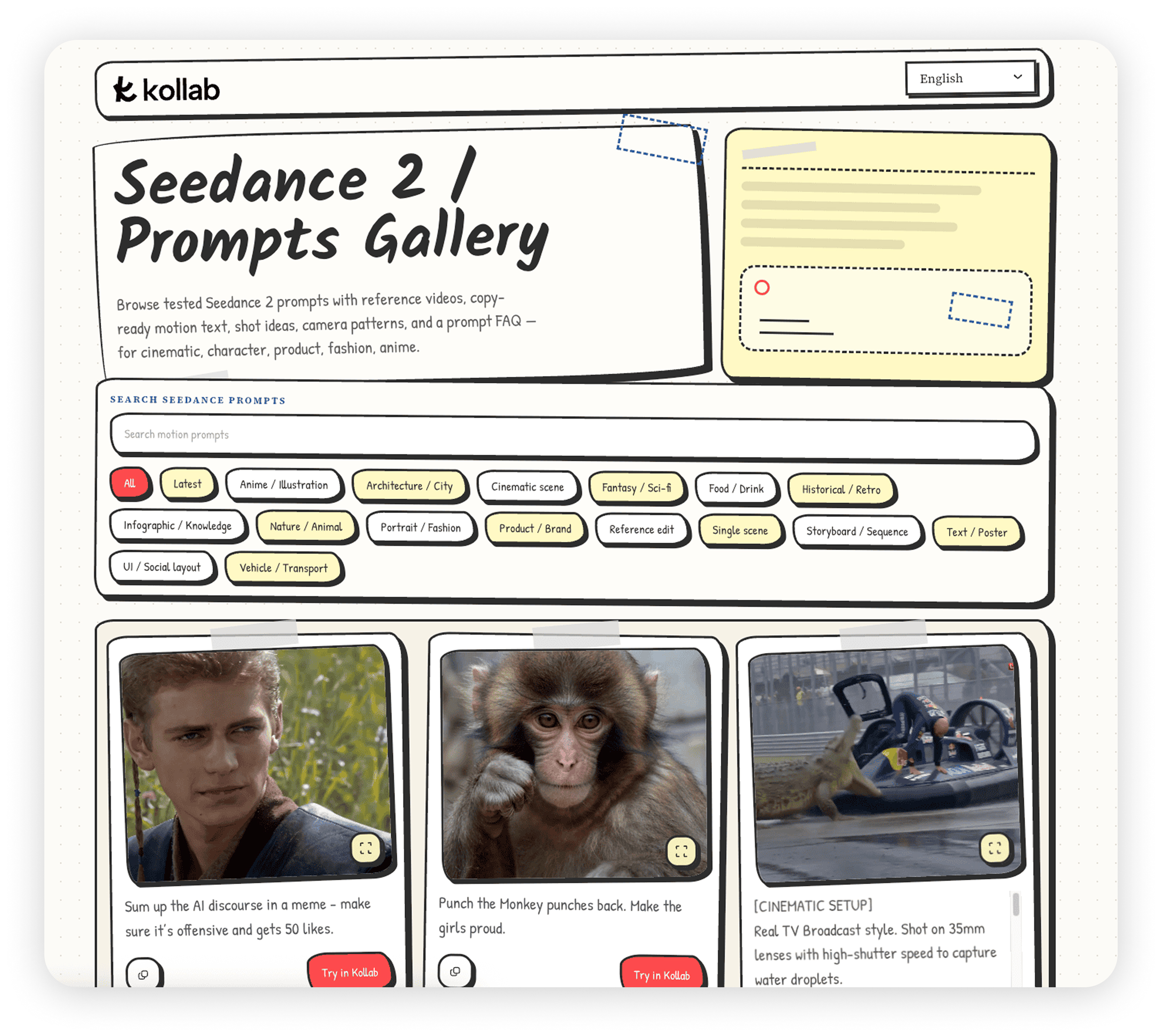
Kollab è uno spazio di lavoro collaborativo basato sull'intelligenza artificiale che riunisce scrittura, ricerca, generazione di video e generazione di immagini sotto lo stesso tetto del progetto. La maggior parte degli strumenti video sono isolati per progettazione: generi una clip su un sito, la scarichi, passi a uno strumento di copywriting, quindi passi a una terza piattaforma per la distribuzione. La premessa di Kollab è che tutto questo lavoro appartiene allo stesso posto. Niente si perde tra le piattaforme; il tuo team condivide la stessa base di conoscenza e la stessa storia generazionale.
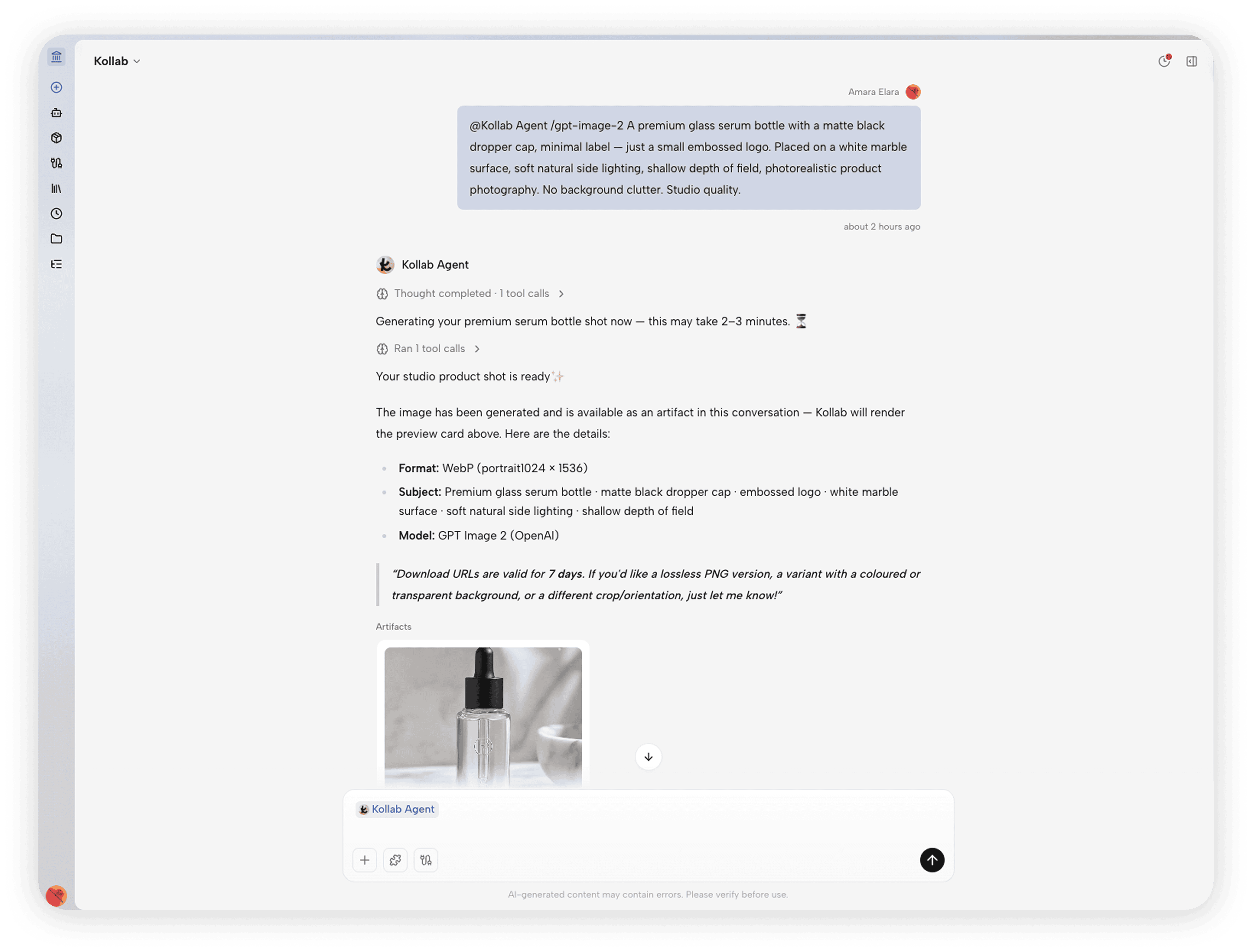
Per quanto riguarda i video, Kollab ha Seedance 2.0 e HappyHorse 1.0 integrati, entrambi disponibili per l'uso diretto. Kollab include anche lo strumento di ottimizzazione del prompt /kollab-imagine: quando un'idea creativa è ancora confusa, traduce il concetto in un prompt di generazione preciso e lo indirizza automaticamente al modello più adatto.
Caratteristiche principali:
Seedance 2.0 e HappyHorse 1.0 integrati: due modelli di generazione video di alto livello, pronti all'uso
/kollab-imagine trasforma idee vaghe in suggerimenti precisi, abbinati automaticamente al modello video giusto
La generazione di video, il copywriting, la ricerca e la generazione di immagini condividono un unico spazio di progetto, senza cambiare piattaforma
Integrazione con Slack/Telegram Bot: attiva attività video dal canale del tuo team e sincronizza i risultati
Base di conoscenza condivisa del team: ogni membro lavora dalla stessa libreria di risorse e registro di generazione, riducendo gli sforzi ridondanti
Prezzi: piano gratuito disponibile; Pro $20/mese; Massimo $ 200 al mese. Tutti i piani utilizzano un sistema di crediti aggiornato con 200 crediti al giorno.
2. Google Veo 3/Veo 3.1
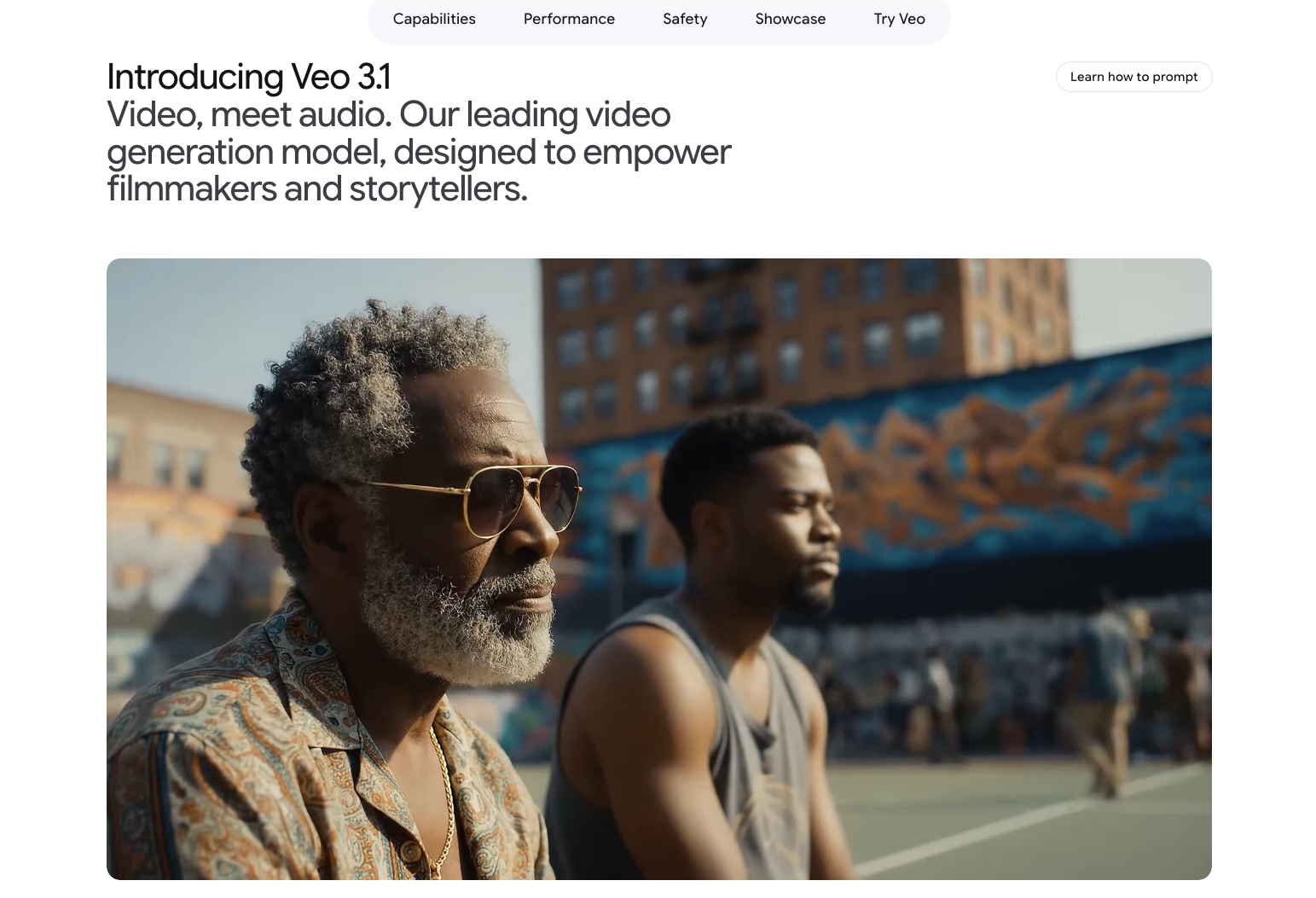
Per quanto riguarda la qualità video grezza, Veo 3.1 è ampiamente considerato come uno dei modelli di generazione video più potenti del 2026. Quando Google DeepMind ha lanciato Veo 3, ha fatto qualcosa che la maggior parte dei concorrenti non aveva fatto: ha inserito la generazione audio direttamente nel modello invece di inserirla in un secondo momento. Ciò significa che il suono ambientale, il dialogo e gli effetti di sottofondo sono tutti prodotti nello stesso passaggio di inferenza delle immagini: la sincronizzazione labiale e l'allineamento suono-movimento sono significativamente migliori di qualsiasi flusso di lavoro in due fasi "genera video, quindi aggiungi audio".
Veo 3.1 supporta un output fino a 4K ed entrambi i formati 16:9 e 9:16. Attraverso la Flow platform di Google (in precedenza VideoFX), i creatori possono estendere e unire le scene in video di formato più lungo sfruttando al tempo stesso i controlli della fotocamera e i flussi di lavoro di editing multi-scatto. Ciò trasforma quello che altrimenti sarebbe un modello potente in uno strumento di produzione pratico per i team creativi.
Caratteristiche principali:
Generazione congiunta di audiovisivi nativi: suoni ambientali, dialoghi e immagini renderizzati insieme; la precisione della sincronizzazione labiale è leader nel settore
Risoluzione 4K, formati 16:9 e 9:16 supportati
La Flow platform fornisce il controllo del movimento della telecamera (spingere/tirare/panoramica/inclinazione), assemblaggio multi-scatto e taglio della scena
API Vertex AI di livello aziendale per flussi di lavoro di generazione batch su larga scala
Filigrana digitale SynthID incorporata in tutti i contenuti generati
Prezzi: Google AI Pro $ 19,99/mese (accesso a Flow, quota di generazione di circa 100); Google AI Ultra $ 249,99/mese (audio nativo Veo 3.1, accesso prioritario, 25.000 crediti); API: Veo 3.1 Standard $ 0,40/sec (720p/1080p), 4K ~ $ 0,60/sec; Veo 3.1 Veloce $ 0,10/sec (720p), $ 0,12/sec (1080p), $ 0,30/sec (4K).
3.Adobe Firefly
Il principale elemento di differenziazione di Adobe Firefly Video non è la qualità della generazione, ma la sicurezza legale. A differenza della maggior parte degli strumenti addestrati su contenuti Internet recuperati, il modello video di Firefly è addestrato esclusivamente su filmati Adobe Stock con licenza e materiale di pubblico dominio. Adobe offre un indennizzo relativo alla proprietà intellettuale sui piani qualificanti: se un titolare dei diritti contesta il contenuto generato, Adobe si assume la responsabilità legale. Per i team che producono pubblicità commerciale o contenuti brandizzati, questa garanzia conta più di qualsiasi punteggio di riferimento.
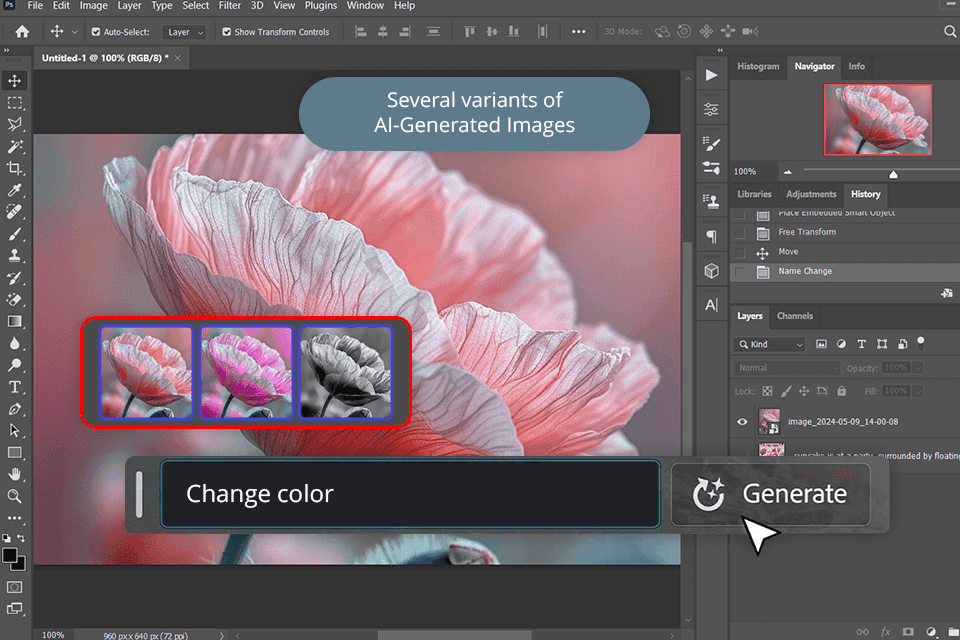
Il secondo vantaggio è il suo hub multi-modello: Kling 3.0, Google Veo 3.1 Fast, Luma Ray 3.14 e Runway Gen-4.5 sono tutti accessibili all'interno della stessa interfaccia Firefly, insieme al Firefly Video Model nativo. Uno spazio di lavoro, una libreria di risorse, motori di più generazioni.
Caratteristiche principali:
Indennizzo IP sui piani qualificanti: uso commerciale legalmente supportato
Modello video Firefly nativo addestrato solo su contenuti Adobe Stock concessi in licenza
Hub multi-modello: Kling 3.0, Veo 3.1 Fast, Luma Ray 3.14, Runway Gen-4.5 in un'unica interfaccia
Integrazione diretta di Premiere Pro e After Effects
Prezzo: gratuito (25 crediti/mese); Standard $ 9,99/mese (2.000 crediti); Pro $ 19,99/mese (4.000 crediti).
4. Kling 3.0
Kling 3.0 è il modello video di terza generazione di Kuaishou ed è lo strumento più difficile da battere in questo elenco in termini di valore. Il livello gratuito fornisce 66 crediti al giorno; un abbonamento Pro costa meno di $ 30 al mese. In termini di qualità dell'immagine e realismo del movimento, viene regolarmente confrontato con Sora. Per i team di contenuti o i creatori singoli che generano a volume, il vantaggio in termini di costi per generazione di Kling è difficile da ignorare.
Gli aggiornamenti principali della versione 3.0 riguardano la narrazione Multi-Shot e l'audio nativo. Multi-Shot ti consente di definire più riprese consecutive in un unico prompt (contenuto, angolazione della telecamera e tempi di taglio) e il modello produce una sequenza modificata, non un metraggio grezzo che devi assemblare. L'audio nativo significa che il suono ambientale e gli effetti dei personaggi vengono generati insieme al video, non aggiunti in post.
Il realismo fisico e l'espressività dei personaggi nella versione Kling 3.0 Omni sono notevolmente migliori rispetto al suo predecessore. Kuaishou ha anche preso sul serio il lancio internazionale: klingai.com offre un'interfaccia inglese completa e l'accesso API tramite fal.ai e Replicatetete non richiede un account per il mercato cinese.
Caratteristiche principali:
Narrazione multi-scatto: un comando genera più inquadrature consecutive con tagli automatici
Audio nativo: suono ambientale ed effetti dei personaggi trasmessi insieme al video
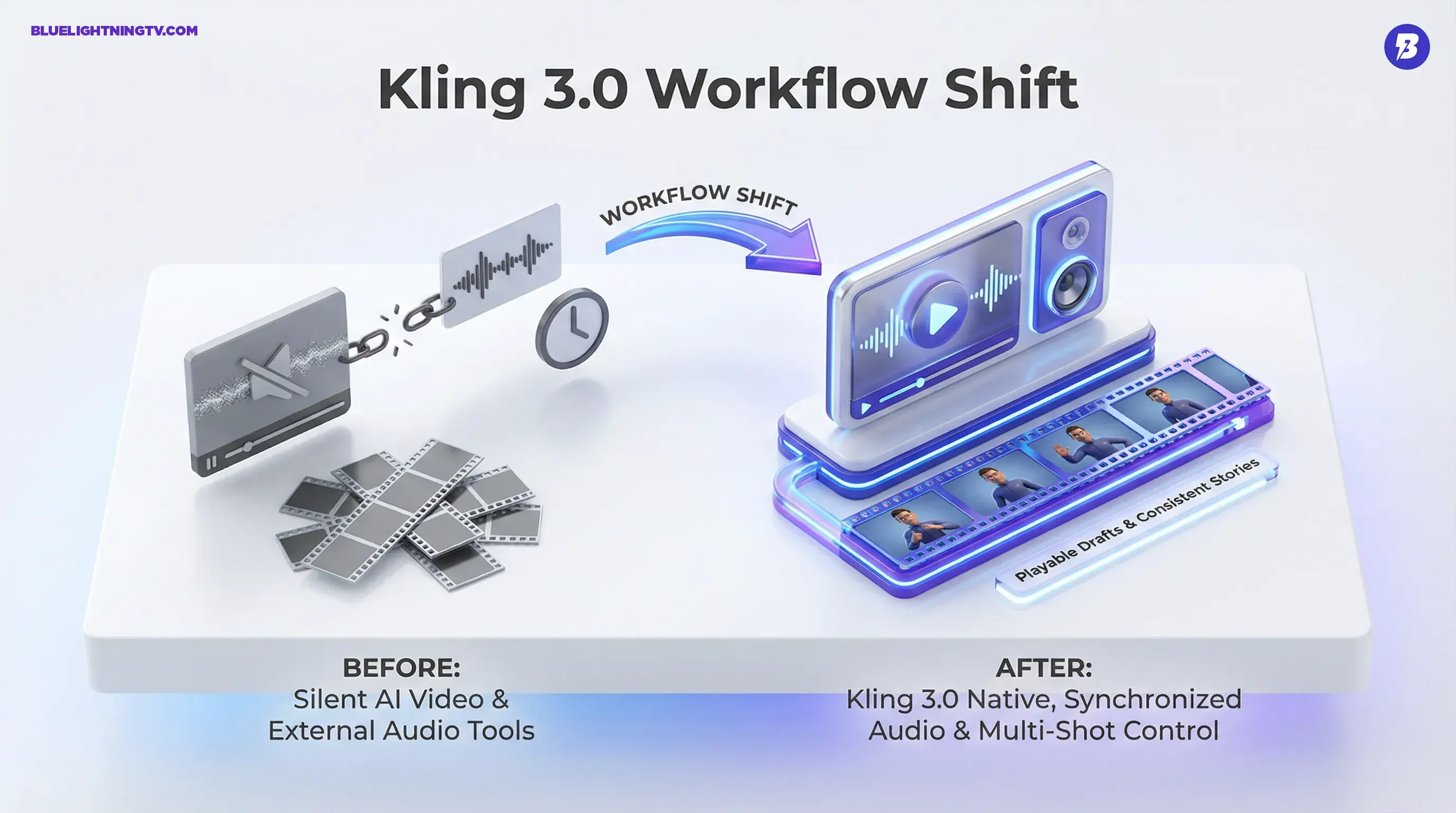
Controllo coerenza elementi: mantiene l'aspetto del personaggio, i vestiti e gli oggetti di scena nelle inquadrature
Clip singole fino a 15 secondi, risoluzione fino a 1080p
Accesso internazionale completo tramite klingai.com; API su fal.ai/Replicatete
Prezzi: Livello gratuito 66 crediti/giorno (720p, con filigrana); Standard da ~$6,99/mese (introduttivo); Pro da ~$25,99/mese (introduttivo).
5. Runway Gen-4.5
Se stai cercando lo strumento di creazione video professionale più completo, Runway è il punto di riferimento attuale. Non è solo un'interfaccia di generazione: è un ambiente di produzione video AI completo: genera, modifica, vernicia, controlla il movimento, trasferisci stile, tutto in un unico spazio di lavoro senza spostare le risorse tra gli strumenti.
Motion Brush è l'elemento di differenziazione più riconoscibile di Runway. Laddove la maggior parte degli strumenti video si basa su descrizioni di testo per guidare il movimento, Motion Brush ti consente di dipingere direttamente sul primo fotogramma, contrassegnando cosa si muove, in quale direzione, a quale velocità. Questo livello di controllo diretto non è replicabile solo con i suggerimenti. Per le scene che richiedono una separazione precisa del movimento in primo piano e sullo sfondo, è la soluzione più affidabile disponibile.
L'altro grande punto di forza di Runway è la coerenza del personaggio: carica un'immagine di riferimento e il modello mantiene le caratteristiche del viso, la corporatura e il guardaroba di quel personaggio nelle generazioni successive. Per la pubblicità e i contenuti del brand si tratta di una capacità non negoziabile.
Caratteristiche principali:
Pennello movimento: dipingi percorsi di movimento direttamente sul primo fotogramma per controllare esattamente cosa si muove e come
Riferimento al personaggio: carica un'immagine di riferimento per mantenere l'aspetto coerente del personaggio in tutte le riprese
Input multimodale: accetta contemporaneamente istruzioni di testo, immagini seed e video di riferimento
Controllo della telecamera: impostazioni precise di spinta, trazione, panoramica e inclinazione
Inpainting: modifica regioni specifiche di un fotogramma video senza toccare il contenuto circostante
Prezzi: piano gratuito 125 crediti (esportazioni una tantum con filigrana); Standard $ 15 / mese; Pro $ 35/mese; Illimitato $ 95/mese.
6. Seedance 2.0
La caratteristica tecnica che definisce Seedance 2.0 è la sua architettura di generazione audiovisiva multimodale unificata: testo, immagini e audio possono tutti fungere da input simultaneamente, con video e audio generati congiuntamente in un unico passaggio di inferenza anziché prima il video e l'audio doppiato successivamente. Il risultato è una precisione della sincronizzazione labiale all'avanguardia: le scene dei dialoghi dei personaggi non richiedono la sostituzione dell'audio in post-produzione.
Per la maggior parte dei creatori, la via di accesso principale è CapCut/Dreamina. L'integrazione Seedance 2.0 di Dreamina è stata resa operativa a livello globale, incluso il mercato statunitense, nell'aprile 2026. I nuovi utenti possono accedervi tramite un abbonamento CapCut Pro, con sconti introduttivi in diverse regioni. Per chiunque già utilizzi CapCut per la modifica, questo è il percorso più conveniente: la generazione e la modifica avvengono nello stesso strumento.
Caratteristiche principali:
Input multimodale unificato: testo, immagini e audio accettati simultaneamente; video e audio generati congiuntamente
Precisione della sincronizzazione labiale leader del settore: le scene dei dialoghi dei personaggi funzionano senza correzioni audio in post-produzione
Generazione nell'editor tramite CapCut/Dreamina: genera, quindi taglia immediatamente nello stesso ambiente
Modalità di editing video API (~39% più economica rispetto alla modalità di generazione) per flussi di lavoro di iterazione su larga scala
Prezzo: tramite CapCut/Dreamina - CapCut Pro da ~$10/mese (i prezzi regionali e le tariffe promozionali variano).
7. Luma AI (Ray 3)
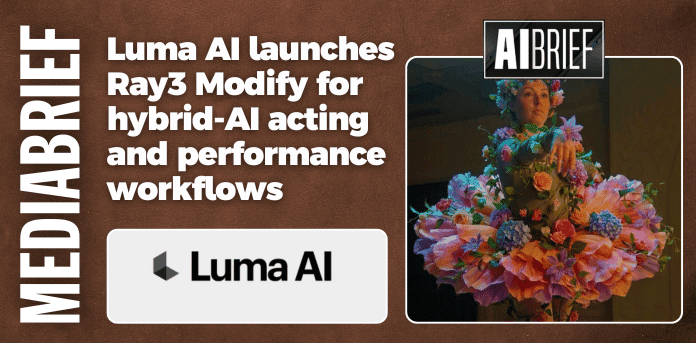
La piattaforma Dream Machine di Luma AI, costruita attorno al modello Ray 3, è una scelta affidabile per creatori indipendenti e piccoli team, non perché supera ogni singolo benchmark, ma perché raggiunge un equilibrio tra prezzo, qualità da immagine a video e facilità di accesso che pochi strumenti di questo livello possono eguagliare.
Ray 3 è particolarmente efficace nella conversione da immagine a video, ovvero lo scenario in cui hai già prodotto un'immagine di alta qualità (da Midjourney o Stable Diffusion) e desideri darle vita. Luma gestisce bene la transizione: il movimento è fluido e la qualità visiva dell'immagine viene preservata anziché degradata. Ray 3.14 (la variante leggera) si genera rapidamente (una clip di 5 secondi a 540p costa solo 50 crediti) rendendo l'iterazione rapida davvero fattibile.
La funzione Modifica video di Luma consente modifiche in stile video-video su clip già generati senza una rigenerazione completa. Per i perfezionamenti di stile, il risparmio sul credito si aggiunge.
Caratteristiche principali:
Image-to-Video (Ray 3): animazione affidabile di risorse di immagini esistenti; il movimento scorre naturalmente
Modifica video: applica modifiche di stile e contenuto alle clip esistenti senza rigenerarle da zero
Formati di output SDR e HDR, risoluzione fino a 1080p
Nessun limite di utilizzo (Crediti di ricarica acquistabili in qualsiasi momento, validi per un anno)
Prezzo: più $ 29,99 / mese; Pro $90/mese; i crediti di ricarica durano un anno.
8. HappyHorse 1.0
HappyHorse 1.0 è stato lanciato pubblicamente nell'aprile 2026 e ha guadagnato il primo posto nelle valutazioni delle preferenze umane sia da testo a video che da immagini a video di Artificial Analysis , entrambe misurate da autentici punteggi di preferenza umana con scelta cieca. È uno dei risultati benchmark indipendenti più sorprendenti per qualsiasi modello video rilasciato quest’anno.
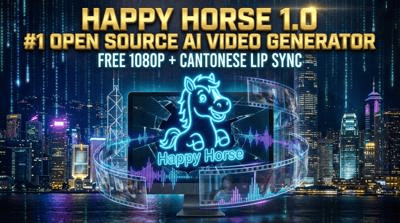
I punti salienti tecnici sono la generazione congiunta audiovisiva e l'ingresso multiriferimento da riferimento a video. La modalità di input di riferimento ti consente di caricare immagini di riferimento di personaggi, scene o stili; il modello mantiene quegli elementi visivi per tutta la generazione. Per i contenuti del brand e la produzione video basata sui personaggi, questo risolve la coerenza visiva delle inquadrature incrociate, uno dei punti critici più persistenti nei flussi di lavoro video AI.
HappyHorse 1.0 è attualmente solo API (accessibile tramite fal.ai, Replicatetete e Alibaba Cloud Model Studio): non esiste un prodotto in abbonamento per i consumatori. Ciò lo rende più adatto agli sviluppatori e ai team con funzionalità di integrazione API che ai creatori che desiderano un'interfaccia web semplice.
Caratteristiche principali:
Analisi artificiale Valutazioni delle preferenze umane Text-to-Video e Image-to-Video: primo posto in entrambe (aprile 2026)
Generazione congiunta audiovisiva: suono ambientale ed effetti di movimento sincronizzati con il video
Riferimento al video: input di riferimento per personaggi, scene e stili; mantiene la coerenza visiva tra le inquadrature
Supporta endpoint di conversione da testo a video, da immagine a video e di editing video
Accesso API tramite fal.ai, Replicatetete e Alibaba Cloud Model Studio
Prezzi: fatturazione al secondo, non è richiesto alcun abbonamento. 720p $ 0,14/sec, 1080p $ 0,28/sec (tramite fal.ai / Replicatetete). Prezzi Alibaba Cloud Model Studio: vedi il sito ufficiale.
9. Pika 2.5
Il posizionamento di Pika è stato coerente fin dall'inizio: non è uno strumento per inseguire la massima qualità dell'immagine; è uno strumento per rendere accessibili gli effetti speciali dei video. Pikaffects è il set di funzionalità esclusive: oltre 16 effetti con un tocco tra cui esplosione, fusione, gonfiaggio, liquefazione e cake-ify. Pochissimi strumenti video tradizionali offrono qualcosa di paragonabile. Per i creatori che necessitano di contenuti virali sui social media, questi effetti rappresentano un netto vantaggio competitivo.
Pika 2.5 ha anche fatto progressi reali sulla qualità della generazione di base: output a 1080p, velocità di generazione elevate e un sistema di crediti chiaro senza moltiplicatori nascosti. Pikaswaps ti consente di sostituire oggetti specifici in una clip lasciando tutto il resto intatto; Pikatwists modifica lo stile di un video preservandone il movimento.
Il piano Standard a $ 8/mese (annuale) include diritti di utilizzo commerciale ed esportazioni senza filigrana: una delle offerte di livello base più complete a questo prezzo.
Caratteristiche principali:
- Pikaffects: oltre 16 effetti video con un tocco (esplosione, fusione, gonfiaggio, liquefazione, ecc.); poche opzioni comparabili tra gli strumenti tradizionali
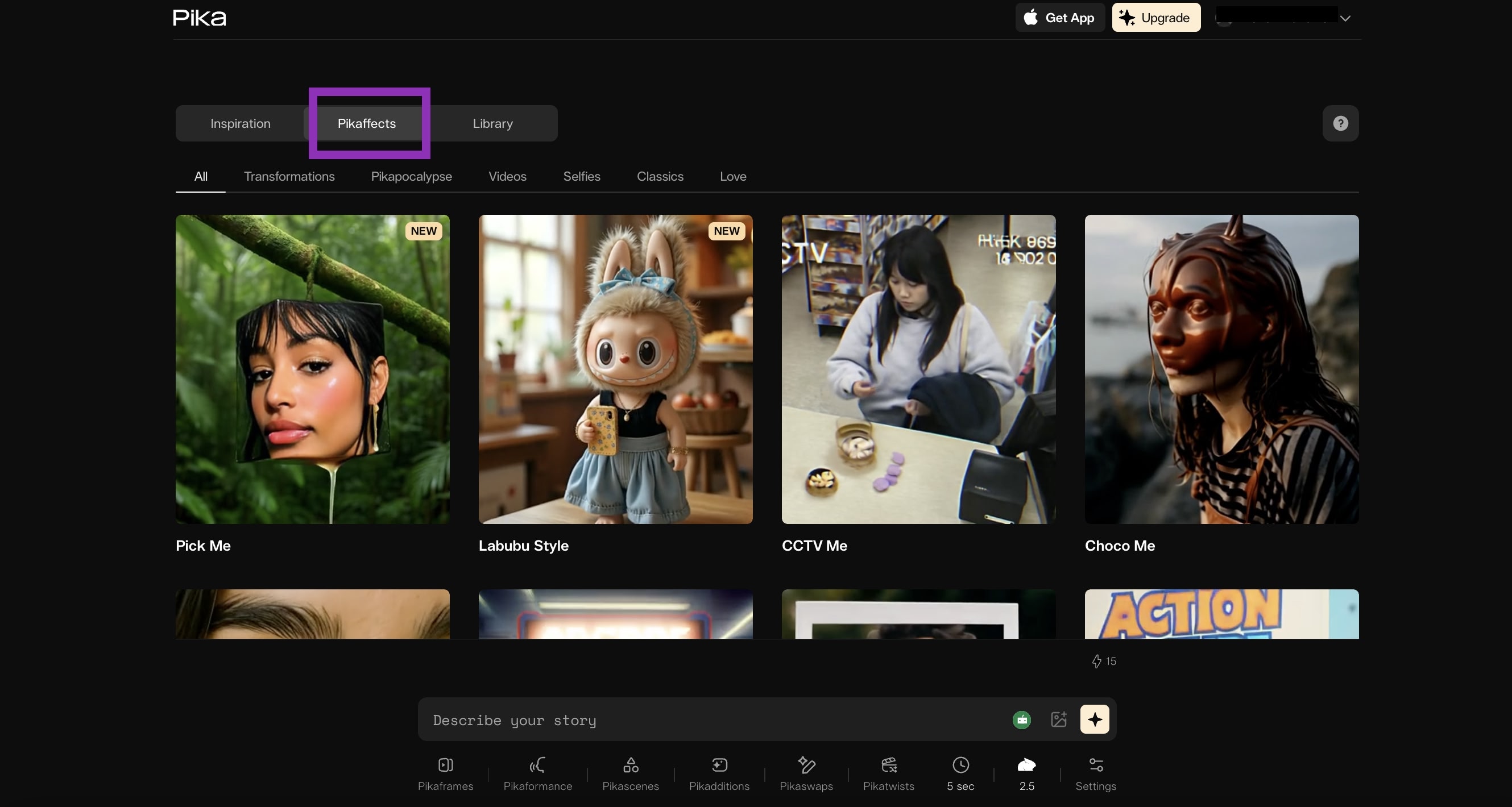
Pikaswap: sostituisci oggetti specifici in una clip mantenendo intatta la scena circostante
Pikatwists: rinnova un video preservandone il movimento originale
Pikascenes: genera clip basati su scene dal testo, non è richiesta alcuna immagine seed
Sistema di credito completamente trasparente: il costo del credito di ogni funzionalità è chiaramente etichettato
Prezzi: base gratuita $ 0/mese; Standard $ 10 / mese; Pro $ 35/mese; Fantasia $ 95/mese (annuale $ 76/mese, 6.000 crediti).
10. Hailuo AI (MiniMax Video 2.3)
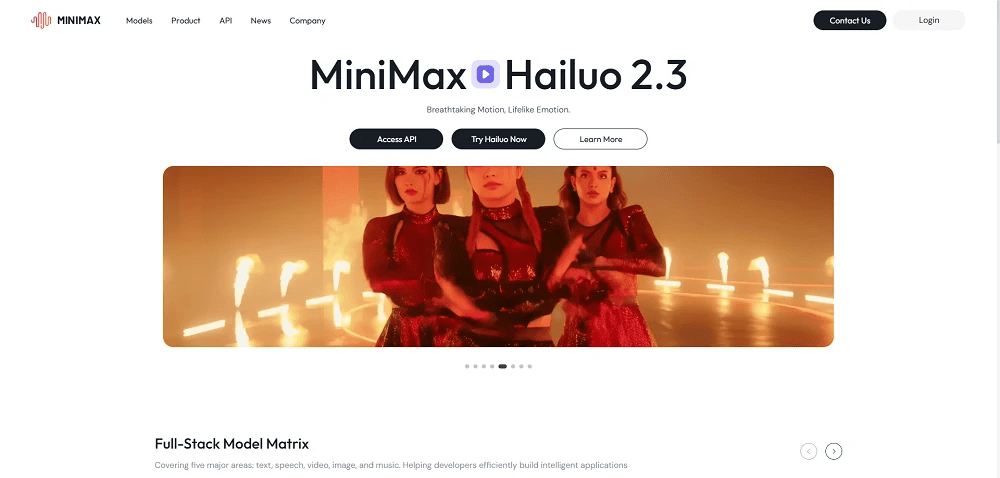
Hailuo AI è il prodotto di generazione video di MiniMax e la versione 2.3 ha attirato l'attenzione di tutto il settore per la sua simulazione del movimento fisico. I movimenti umani complessi (corsa, lotta, danza) e le interazioni con gli oggetti (impatti, deformazioni, schizzi) sono resi con una precisione che supera la maggior parte dei concorrenti a questa fascia di prezzo. Il lavoro dinamico della telecamera insieme alle scene d'azione gestisce le transizioni di illuminazione in modo convincente.
A circa $ 9,99 al mese, il piano Standard offre circa 1.000 crediti, sufficienti per consentire a un tipico creatore di produrre diverse clip a settimana senza incidere sul budget. L'interfaccia inglese su hailuoai.video è pulita e accessibile a livello globale, con una barriera d'ingresso bassa per i creatori che non necessitano di una profonda integrazione API.
MiniMax fornisce anche un'API per sviluppatori tramite minimax.io, fatturata per generazione, che consente di incorporare le funzionalità di Hailuo in prodotti personalizzati. Ciò fornisce ad Hailuo 2.3 una copertura simultanea sia per il pubblico dei consumatori che per quello degli sviluppatori.
Caratteristiche principali:
Simulazione complessa del movimento umano: correre, combattere, ballare; il movimento scheletrico e gli effetti fisici guidano il campo
Controllo della direzione del movimento: specifica con precisione la direzione e la velocità del movimento dell'oggetto
Illuminazione dinamica della telecamera: la direzione dell'illuminazione e le transizioni delle ombre rimangono fisicamente convincenti attraverso i movimenti push/pull/pan/tilt
Output stilizzato per casi d'uso commerciali, inclusa la pubblicità e-commerce
Interfaccia inglese pulita su hailuoai.video, accessibile a livello globale
Prezzi: prova gratuita disponibile; Standard ~$9,99/mese (~1.000 crediti); Pro ~$34,99/mese (~4.500 crediti); Illimitato ~ $ 94,99 / mese. L'API tramite minimax.io è per generazione. I prezzi possono variare in base alla regione; vedi hailuoai.video/subscribe per le tariffe attuali.
Confronto a colpo d'occhio
| Attrezzo | Ideale per | Punti di forza chiave | Prezzi |
|---|---|---|---|
| Kollab | Generazione di video e creazione di contenuti in un unico spazio di lavoro | Seedance 2.0 + HappyHorse 1.0 integrato; ottimizzazione tempestiva; collaborazione di squadra | Gratuito; Pro $20/mese; Massimo $ 200 al mese |
| Google Veo 3.1 | Produzione professionale, massima qualità visiva | Generazione audiovisiva nativa; 4K; Controllo della telecamera di flusso | Google AI Pro $ 19,99 / mese; Ultra $ 249,99/mese; API da $ 0,40/sec |
| Adobe Firefly | Produzione commercialmente sicura + team aziendali | Indennizzo IP; hub multimodello; Integrazione Premiere Pro + After Effects | Gratuito 25 crediti; Standard $ 9,99/mese; Pro $ 19,99/mese |
| Kling 3.0 | Produzione di grandi volumi + controllo dei costi | Narrazione in più inquadrature; 66 crediti gratuiti/giorno; pieno accesso internazionale | Gratuito; Standard da ~$6,99/mese; Pro da ~$25,99/mese |
| Runway Gen-4.5 | Creatori professionisti + controllo preciso del movimento | Pennello di movimento; coerenza del carattere; studio video AI completo | Gratuito; Standard $ 15/mese (annuale $ 12/mese); Pro $ 35/mese (annuale $ 28/mese) |
| Seminazione 2.0 | Utenti con sincronizzazione labiale e flusso di lavoro CapCut | Generazione audiovisiva congiunta; la migliore sincronizzazione labiale della categoria; generazione in-editor | CapCut Pro da ~$10/mese; API tramite BytePlus, basata sul volume |
| Luma AI Ray 3 | Immagine in video + creatori indipendenti | Immagine in video stabile; iterazione veloce di Ray 3.14; Piano illimitato senza limite | Più $ 29,99 / mese; Pro $90/mese |
| HappyHorse 1.0 | API-first + integrazione per sviluppatori | Analisi artificiale doppia #1; ingresso multiriferimento; audio-video congiunti | Fatturazione al secondo: 720p $ 0,14/sec, 1080p $ 0,28/sec |
| Pika 2.5 | Effetti dei social media + contenuti virali | 16+ Pikaffect; Pikaswap; sistema creditizio trasparente | Gratuito; Standard $ 10/mese (annuale $ 8/mese); Pro $ 35/mese (annuale $ 28/mese) |
| Hailuo AI 2.3 | Scene fisiche ad alto movimento + budget iniziale | Simulazione del movimento umano; interfaccia utente consumatore + API sviluppatore | Gratuito; Standard ~ $ 9,99 / mese; Pro ~$34,99/mese; Illimitato ~ $ 94,99 / mese |
Considerazioni finali
Il mercato degli strumenti video AI nel 2026 non è più una questione di "può funzionare?" - la questione è "quale funziona per te?" Ogni strumento in questo elenco può fare qualcosa che sarebbe stato veramente impossibile due anni fa: audio nativo 4K, output narrativo multi-scatto, composizione di effetti in tempo reale.
Ma anche il ritmo degli aggiornamenti è accelerato in modo significativo. Le nuove versioni del modello vengono spedite ogni pochi mesi; le strutture dei prezzi cambiano regolarmente. Prima di sottoscrivere un piano a pagamento, dedica un po' di tempo al livello gratuito o ai crediti di prova di ogni strumento: la differenza nella qualità dell'output per il tuo tipo di contenuto specifico ti dirà più di qualsiasi benchmark. Quel test pratico, non questa recensione, dovrebbe essere la tua decisione finale.