01
Read meeting evidence
Kollab reads recordings, transcripts, existing account records, and your current ICP hypothesis.
Turn customer meetings into ICP segments, qualification signals, fit scores, and evidence-backed lead-scoring records.
Kollab reads meeting audio, transcripts, and existing account context, then updates a structured ICP database with buyer roles, pain patterns, buying triggers, disqualification signals, and fit scores.
Use it when your team needs to learn which customers are a real fit across many conversations, not just follow up on one deal.
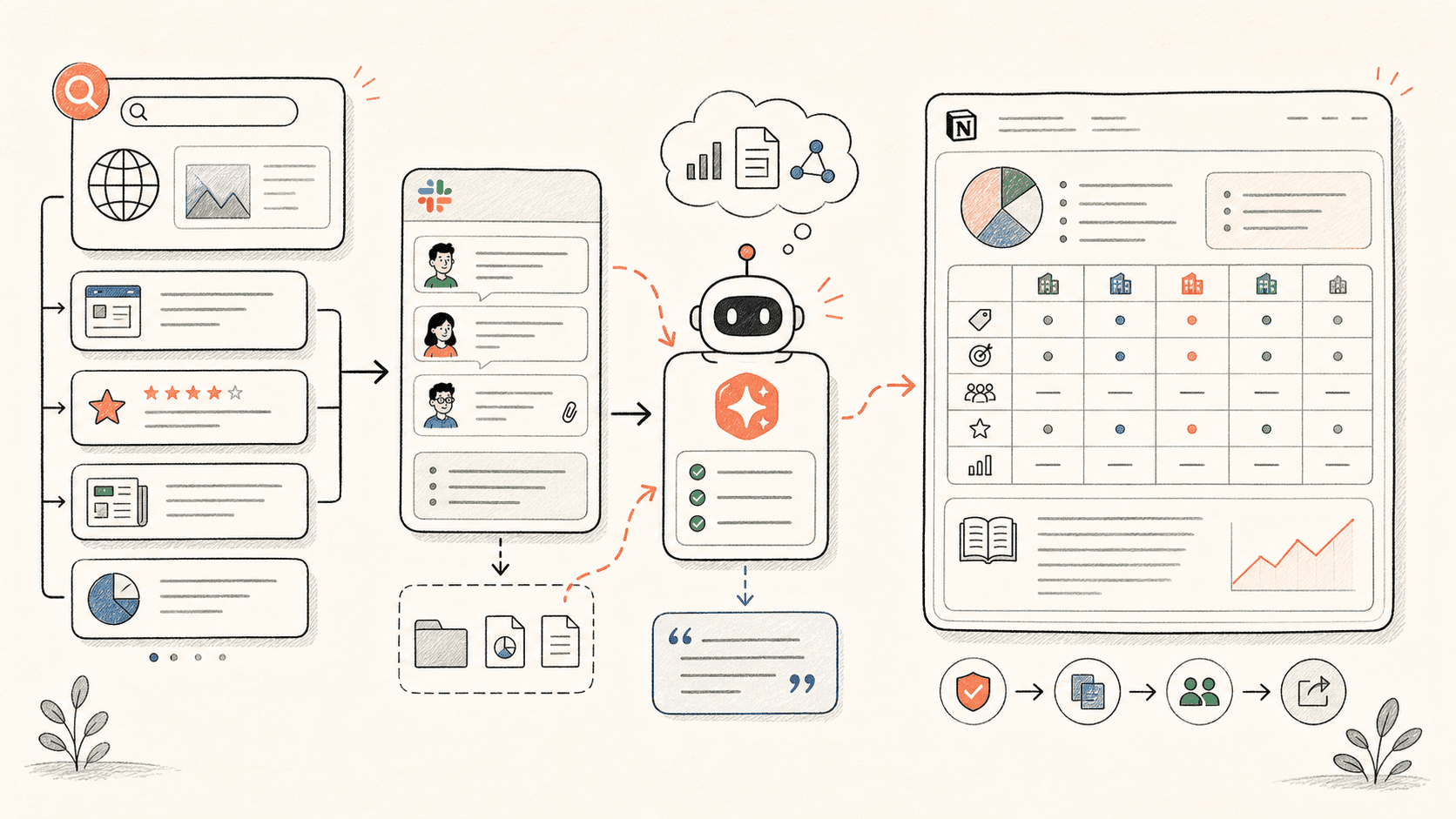
Lesen Sie den Workflow einmal durch und tauschen Sie dann Ihre eigenen Rollen, Quellen und Ausgaben aus.
Kollab reads recordings, transcripts, existing account records, and your current ICP hypothesis.
The agent pulls Buyer Role, Pain Point, Buying Trigger, Qualification Signal, Disqualification Signal, and Evidence Quote.
Existing accounts and segments are updated with Fit Score, Confidence, Review Status, and Data Enrichment Needed.
Kollab produces qualification questions, poor-fit filters, and the next experiment for sales or growth.
Kollab turns customer conversations into qualification logic your team can reuse.
| Manual ICP review | With Kollab | |
|---|---|---|
| Evidence | Meeting notes stay in separate docs and the ICP is updated from memory. | Every ICP change links back to Source Meeting, Transcript, and Evidence Quote. |
| Segmentation | Teams debate segments without consistent criteria. | Segments include Industry, Company Size, Buyer Role, Pain Point, and Fit Score. |
| Qualification | Sales questions drift from rep to rep. | Qualification Signals and Disqualification Signals become database fields. |
| Review | Weak assumptions become part of the ICP too early. | Low-confidence records stay in Needs Review with Data Enrichment Needed. |
| Total time | Loose notes and opinion-based ICP | Evidence-backed ICP and lead scoring |
The output should improve targeting, qualification, and sales learning.
ICP
Scoring
Evidence
Folgen Sie den entsprechenden Funktionsseiten, um zu sehen, welche Produktebenen und Tools diesen Anwendungsfall für ein Team wiederholbar machen.
Turn customer meetings into ICP segments, qualification signals, fit scores, and evidence-backed lead-scoring records.
Kopieren Sie die Setup-Prompt in Kollab, ersetzen Sie die Platzhalter durch Ihren Teamkontext und führen Sie sie dann als überprüfbare Aufgabe in Ihrem Arbeitsbereich aus.
An ICP database with account segments, buyer roles, Pain Points, Buying Triggers, disqualification signals, Fit Scores, Evidence Quotes, Confidence, and Next GTM Actions.
Nein. Der Workflow ist darauf ausgelegt, zunächst überprüfbare Entwürfe, Briefings, Artefakte oder Datenbankaktualisierungen zu erstellen, damit Ihr Team das Ergebnis genehmigen kann, bevor etwas veröffentlicht oder geändert wird.
Keep segments, fit scores, qualification signals, and evidence in one database.
Ausführen