01
Start with the outline
Kollab first builds a slide plan so you can confirm the story before anything is designed.

Turn a topic, audience, and style into an AI presentation workflow with outline, visuals, speaker notes, team review, and exportable HTML / PDF decks.
Kollab starts with a slide-by-slide outline, generates visuals for key moments, adds review-ready speaker notes, then assembles the copy, images, and layout into a deck your team can keep revising.
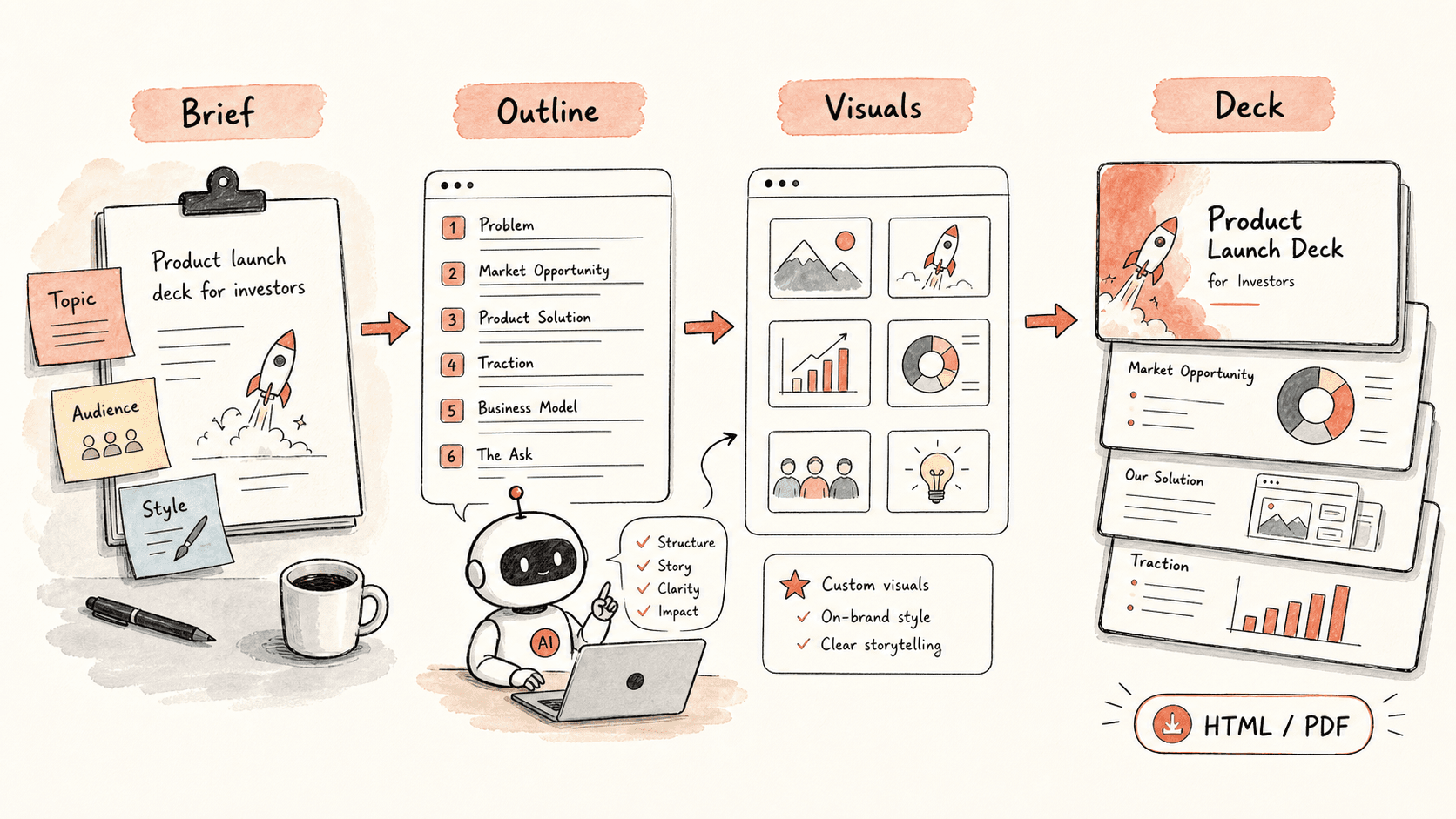
Đọc qua quy trình một lượt, sau đó thay vào vai trò, nguồn dữ liệu và kết quả đầu ra của riêng bạn.
Kollab first builds a slide plan so you can confirm the story before anything is designed.
For the key slides, Kollab creates images that match the message of the deck.
Copy and visuals are assembled into a clean HTML deck that can also be exported as a PDF.
If you want to change a slide, just describe the change in plain language and Kollab updates it.
Xem các trang tính năng liên quan để biết lớp sản phẩm và công cụ nào giúp trường hợp sử dụng này lặp lại được cho cả nhóm.
Turn a topic, audience, and style into an AI presentation workflow with outline, visuals, speaker notes, team review, and exportable HTML / PDF decks.
Sao chép prompt thiết lập vào Kollab, thay thế các placeholder bằng thông tin thực tế của đội nhóm bạn, sau đó chạy nó như một tác vụ có thể kiểm duyệt trong không gian làm việc của bạn.
A deck you can keep editing, starting from the outline and ending with a complete HTML or PDF presentation.
Không. Quy trình được thiết kế để tạo ra các bản nháp, bản tóm tắt, artifact hoặc bản cập nhật cơ sở dữ liệu có thể xem lại trước, để nhóm của bạn có thể phê duyệt kết quả trước khi bất cứ điều gì được xuất bản hay thay đổi.
