Blog

Kollab Skills: Build a Workflow Once, Run It Every Time — The Complete Guide (2026)

Jul 1, 2026enSency ShenGuides14 min read
image.png

Learn what Kollab Skills are, how to browse the Skill Marketplace, and how /skill-creator turns your team's repeated workflows into reusable AI assets that compound in value over time.

Kollab SkillAI agent skillsSkill Marketplaceskill-creatorreusable AI workflowsAI automationteam AI productivityAI workflow builder

Here's a scenario you've probably lived through: You open a new chat with your AI assistant, and before you can get to the actual task, you spend 3–5 minutes re-explaining everything it needs to know. Your company's tone of voice. The format you want the output in. Which data source to look at first. The things to avoid.

Sound familiar?

Now here's the frustrating part: you did the exact same thing yesterday. And the day before. And your colleague did it too — with slightly different phrasing, getting slightly different results.

This is the hidden cost of working with AI without a system. Every conversation is a fresh start. Every answer is only as good as the prompt you wrote that morning. The AI you're working with has no memory of your team's standards, your preferred workflows, or the hard-won context that makes a piece of work actually useful.

Kollab Skills exist to fix exactly this.

They're the mechanism that lets you stop re-prompting from scratch — and start giving your AI agents the same institutional knowledge your best employees have.


What Is a Kollab Skill?

A Skill in Kollab is a packaged unit of capability. Think of it as a portable "operating manual" for your AI Agent — one that contains not just a prompt, but the full context, step-by-step instructions, and tool-call definitions your agent needs to execute a specific type of work well.

Every Skill has three core layers:

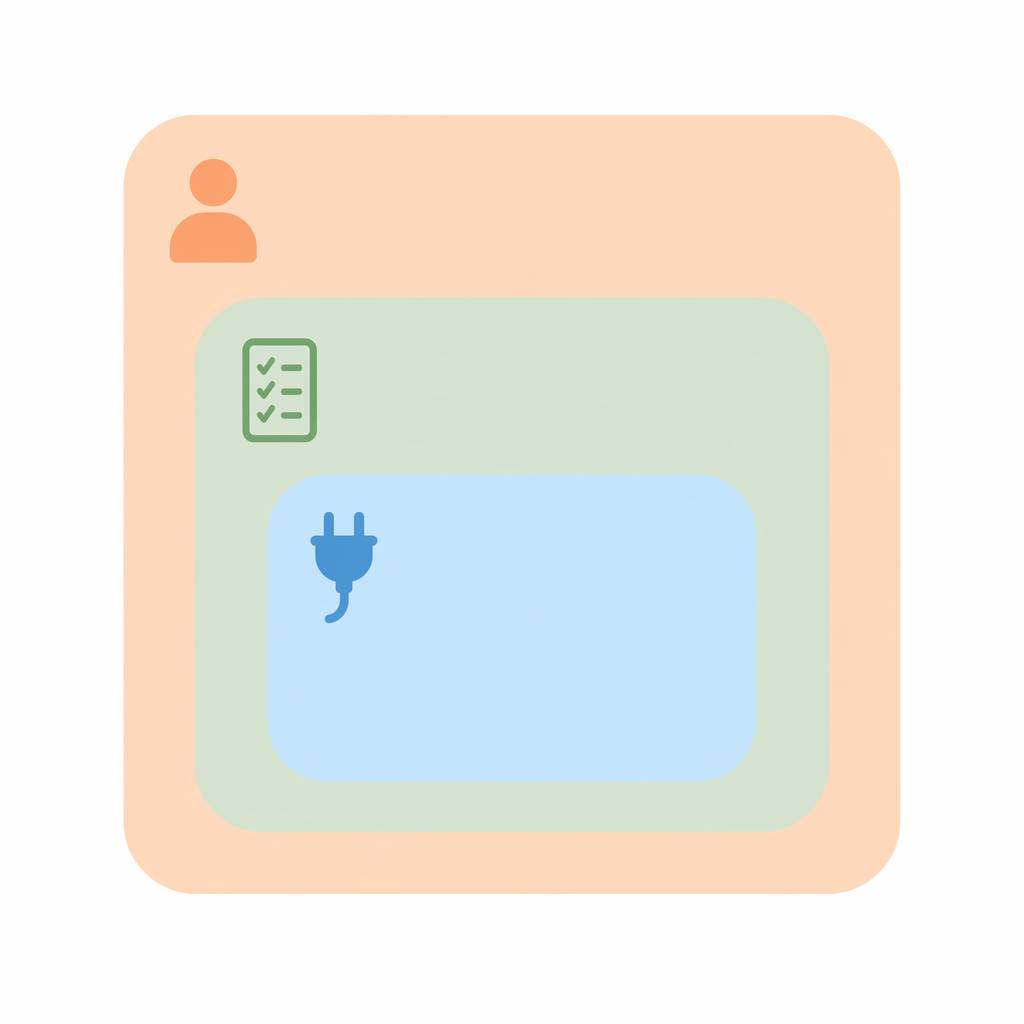
Think of a Skill as three concentric layers — each one adding a new dimension of capability on top of the last:

The three-layer anatomy of a Kollab Skill: Context (outer) → Instructions (middle) → Tool Bindings (inner). Together they define not just what to do, but who to be and what to use.
  1. Context

This is everything the agent needs to know before it starts working. Who is it acting as? What's the situation? What background knowledge matters? Context is what separates a generic answer from one that's actually calibrated to your team's reality.

  1. Instructions

These define the what and how: the task structure, the output format, the quality criteria, the edge cases to watch for. Good instructions are specific enough to produce consistent results, and flexible enough to adapt to the specifics of each new input.

  1. Tool Bindings

Many real workflows aren't just text generation — they involve browsing the web, searching a codebase, querying a database, calling an API, or generating an image. Skills can bind to any tool available in your Kollab workspace, so the Agent doesn't just write about doing the task — it actually does it.

Together, these three layers mean that when someone in your team triggers a Skill, they get the same high-quality output that your best expert would produce — not a generic AI response that needs three rounds of editing before it's usable.


The Skill Marketplace: Hundreds of Ready-to-Use Capabilities

You don't have to build Skills from scratch. Kollab ships with a growing Skill Marketplace containing hundreds of pre-built Skills curated by the Kollab team and the broader community.

These cover an enormous range of work:

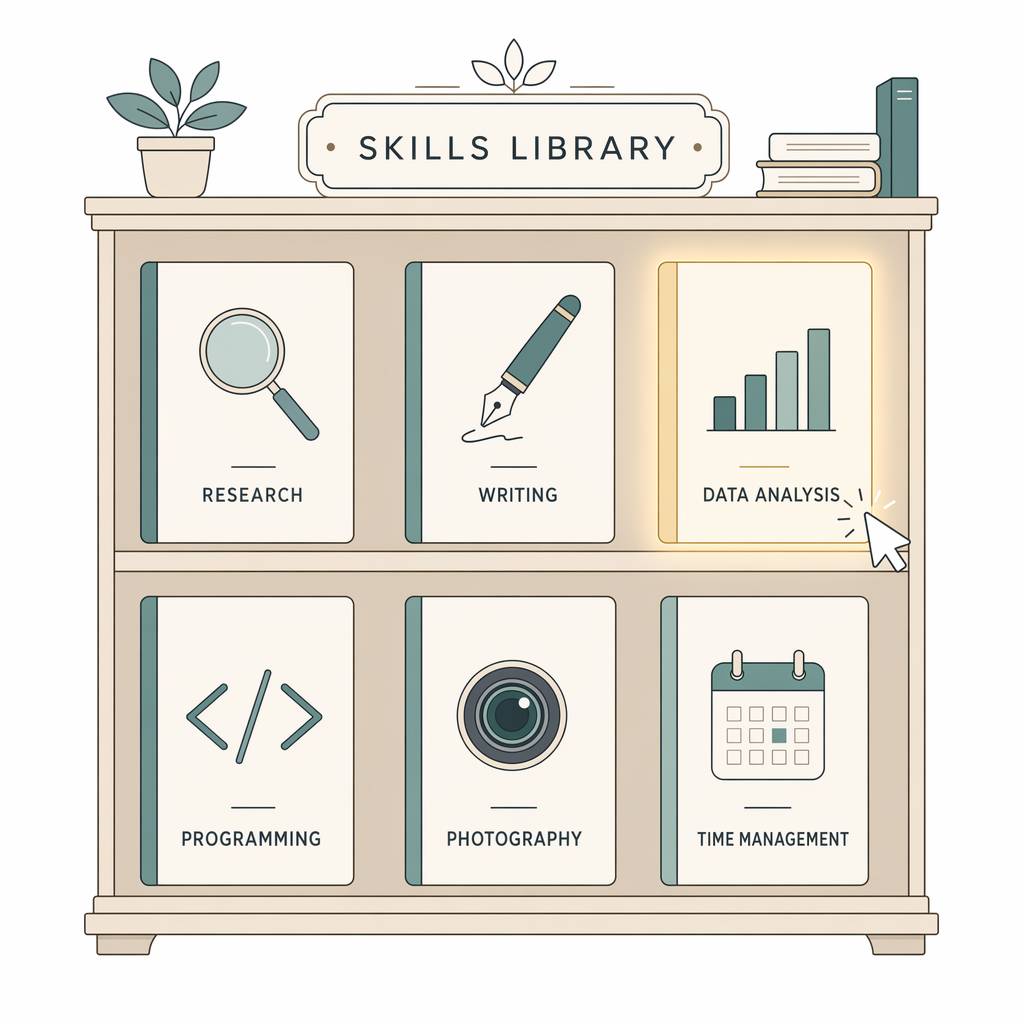
Here’s how the Marketplace is organized — a growing catalog of ready-to-install capabilities, each available via a single slash command:

The Skill Marketplace as a curated library: browse by category, select a Skill, and install it for your entire team with one click.
Category Example Skills
Content Creation /blog-post, /social-carousel, /web-prototype, /saas-landing
Research & Analysis /researcher, /anysearch, /web-search, /x-research
Code & Engineering /code-review, /run, /verify, /simplify
Media Generation /kollab-imagine, /gpt-image-2, /seedance-2, /doubao-tts
Documents & Reporting /md2pdf, /html-preview, /webify, /meeting-notes
Design & UI /kollab-design, /dashboard, /blueprinter, /guizang-ppt

How to Discover and Use a Skill

Finding and using a Skill is intentionally frictionless. Several entry points:

  • In chat: Type / in the Kollab interface and a searchable Skill menu appears. Start typing to filter by name or description.

  • By name: If you already know the Skill name, type /skill-name directly in the message box.

  • Via CLI: Search the Marketplace from the terminal:

kollab skill search "content creation"
  • Try before you install: Test a Skill in your current session without committing space-wide:
kollab skill try --name researcher
  • Install for the whole team: Once confirmed, install it space-wide:
kollab skill install --id <skill-id>

The beauty of the Marketplace is that for most common workflows, someone has already done the hard work of figuring out the right instructions, context, and tool bindings. You can inherit that work immediately — and customize it as needed.


/skill-creator: Packaging Your Team's Expertise

Official Skills handle the universal patterns. But every team has its own way of working — its own terminology, quality standards, tools, and processes that no general-purpose Skill can fully capture.

/skill-creator is how you turn that team-specific knowledge into a Skill.

The concept is simple: if you've done something once and want AI to do it consistently from now on, you can package that workflow into a Skill your entire team can run. It's the difference between a one-time result and a repeatable standard.

What Goes Into a Custom Skill

A Skill is defined by a SKILL.md file — a structured document that tells the Agent everything it needs to know about when to activate and how to behave. A well-crafted SKILL.md typically includes:

  • Name and trigger description: When should this Skill be invoked? A clear one-sentence description helps the Agent recognize the right moment automatically.

  • Context and persona: What role is the Agent playing? What background should it assume about the domain, the team, and the task?

  • Step-by-step instructions: The actual workflow — what to do, in what order, with what quality criteria at each stage.

  • Tool definitions: Which tools get invoked and when — web search, browser automation, code execution, image generation, external APIs.

  • Output specifications: Format, length, structure, style, and any constraints the output must satisfy.

  • Examples (optional but powerful): Show the Agent what a good output looks like. A single well-chosen example is worth a hundred words of abstract instruction.

Building a Skill with /skill-creator: A Walkthrough

Let's say you're a growth marketer who runs competitive analysis every month. Here's how you'd package that into a reusable Skill:

Step 1: Describe the Workflow

Trigger /skill-creator and describe the workflow in plain language — what you're doing, the rough steps, and what a good output looks like:

"I want to build a Skill for competitive analysis. Every month I pick 3–5 competitors, look at their product updates, pricing changes, and marketing activity, then write a structured brief for the product team."

Step 2: Refine Together

The Agent will ask clarifying questions and help you articulate the parts of your process you take for granted — the stuff that lives in your head but isn't written down anywhere. What sources do you check? What does a "good" output look like? What format does the product team actually read?

Step 3: Review the SKILL.md Draft

The Agent generates a SKILL.md draft. Review it, make edits, and name the Skill something memorable — like /competitor-brief or /monthly-competitive-update. The name becomes your team's slash command.

Step 4: Test on a Real Case

Trigger the new Skill on a real example — not a toy test. See where it nails the output and where it falls short. Iterate on the instructions until it meets your standard. Usually two or three rounds is enough.

Step 5: Share with the Team

Once the Skill is working well, install it space-wide. Every team member can now trigger the same workflow and get consistent, high-quality output — not a crapshoot that depends on who wrote the prompt that day.


Real-World Use Cases

Abstract definitions are one thing. Here's how teams are actually using Kollab Skills.

Use Case 1: Content Team — Brand-Consistent Publishing at Scale

The problem: A content team of six is publishing across a blog, LinkedIn, WeChat, and X. Every writer has a slightly different interpretation of the brand voice. The result is inconsistent content that the brand manager has to edit heavily before publishing.

The Skill solution: The brand manager creates a /brand-post Skill that encodes the full brand voice guidelines — tone, vocabulary, sentence structure, what to avoid, how to handle CTAs, and platform-specific adaptations. Now every writer triggers the same Skill. The Agent writes in the brand voice automatically.

The compounding benefit: When the brand guidelines update, the manager updates one Skill file. Every writer benefits immediately — no training session, no long email thread, no version drift.

Use Case 2: Growth Team — Weekly Performance Reporting

The problem: The growth team spends 2–3 hours every Monday assembling their weekly performance report: pulling data from multiple dashboards, copy-pasting into a template, writing analysis, highlighting anomalies. It's necessary work, but mechanical — and it eats prime morning time.

The Skill solution: They build a /growth-weekly Skill that knows their AARRR framework, key metrics and benchmarks, which channels to pull from, and the report format leadership reads. On Monday morning, they trigger the Skill, review the draft in 15 minutes, and send. What took 3 hours now takes 20 minutes.

The knowledge-capture benefit: When a new analyst joins, they don't need two weeks shadowing to learn the reporting process. They run the Skill and the process is embedded — immediately.

Use Case 3: Product Team — Structured PRD Writing

The problem: Product specs across the team look different. Some are six pages, some are one paragraph. Some include acceptance criteria, some don't. Engineering keeps asking for more detail. There's no standard anyone consistently follows.

The Skill solution: The Head of Product creates a /write-prd Skill based on the team's PRD template: background section, user stories in standard format, technical requirements, acceptance criteria, edge cases, and an out-of-scope list. New PMs hit the ground running on day one. Experienced PMs stop arguing about format.

The onboarding benefit: New product managers don't need a 30-minute "how we write PRDs here" session. The Skill carries that institutional knowledge directly. The standard is self-perpetuating.

Use Case 4: Engineering Team — Code Review at Consistent Standards

The problem: Code reviews are inconsistent. Senior engineers catch bugs that junior reviewers miss. Different reviewers focus on different dimensions — some prioritize security, others performance, others readability. There's no complete checklist anyone reliably runs.

The Skill solution: The tech lead builds a /code-review Skill that runs the team's full checklist: correctness, security, performance, test coverage, naming conventions, and documentation. Every PR gets reviewed against the same bar, regardless of who's reviewing.

The learning benefit: Junior engineers learn by seeing what the Skill catches. Senior engineers spend less time on routine checks and more time on architectural judgment — the work that actually requires their experience.

Use Case 5: Research Team — Rapid Competitive Intelligence

The problem: Before any important pitch or product decision, someone has to do hours of manual research: browsing competitor sites, reading reviews, scanning industry news, organizing findings into something readable. It's high-stakes and time-consuming, and results vary depending on who does it.

The Skill solution: A /competitive-research Skill is built with multi-source web search built in, a structured output format (executive summary, feature comparison, pricing analysis, key insights), and citation tracking. A half-day research project becomes a 20-minute task that produces a shareable brief.

The leverage benefit: Anyone on the team — not just the designated researcher — can now produce a useful competitive brief. Research becomes a team capability, not an individual bottleneck.


Skills vs. Just Prompting: What's Actually Different

You might be thinking: "Can't I just save my prompts in a notes document and copy-paste them?"

Yes — and many people do. But Skills are meaningfully better for three reasons:

Skills are active, not passive

A saved prompt is text. A Skill is an instruction set that the Agent actively understands and executes in context. It can invoke tools, make decisions, call external services, and adapt to what it finds — not just generate text from a static starting point.

Skills accumulate and evolve

When a Skill isn't working well, you update it once and everyone benefits. When you have a good run with a saved prompt, you have to remember to update your notes doc, re-share it, and hope everyone reads and adopts the new version. Skills have a single source of truth. Saved prompts fragment.

Skills are team infrastructure, not individual artifacts

A saved prompt lives in someone's personal notes. A Skill lives in the shared workspace. When that person leaves the team, their best prompts go with them. Skills stay — and get better with every person who runs them and pushes an improvement.

The mental model shift: from "what prompt should I write right now?" to "what capability does our team have, and how do we make it better over time?"


The Compounding Effect: Why Skills Get More Valuable Over Time

Here's something that's easy to miss when you first start building Skills: the value compounds.

On day one, a Skill saves you 15 minutes. On day 30, when the Skill has been refined through 50 runs and three iterations, it saves you 45 minutes and produces better output than the original. On day 180, it's institutional knowledge — the kind that normally lives only in the head of your most experienced team member.

Every time someone runs a Skill and says "this output isn't quite right," and updates the Skill to fix it, they're not just solving one problem. They're making the Skill better for every future run by every team member. The knowledge doesn't evaporate between conversations. It accumulates.

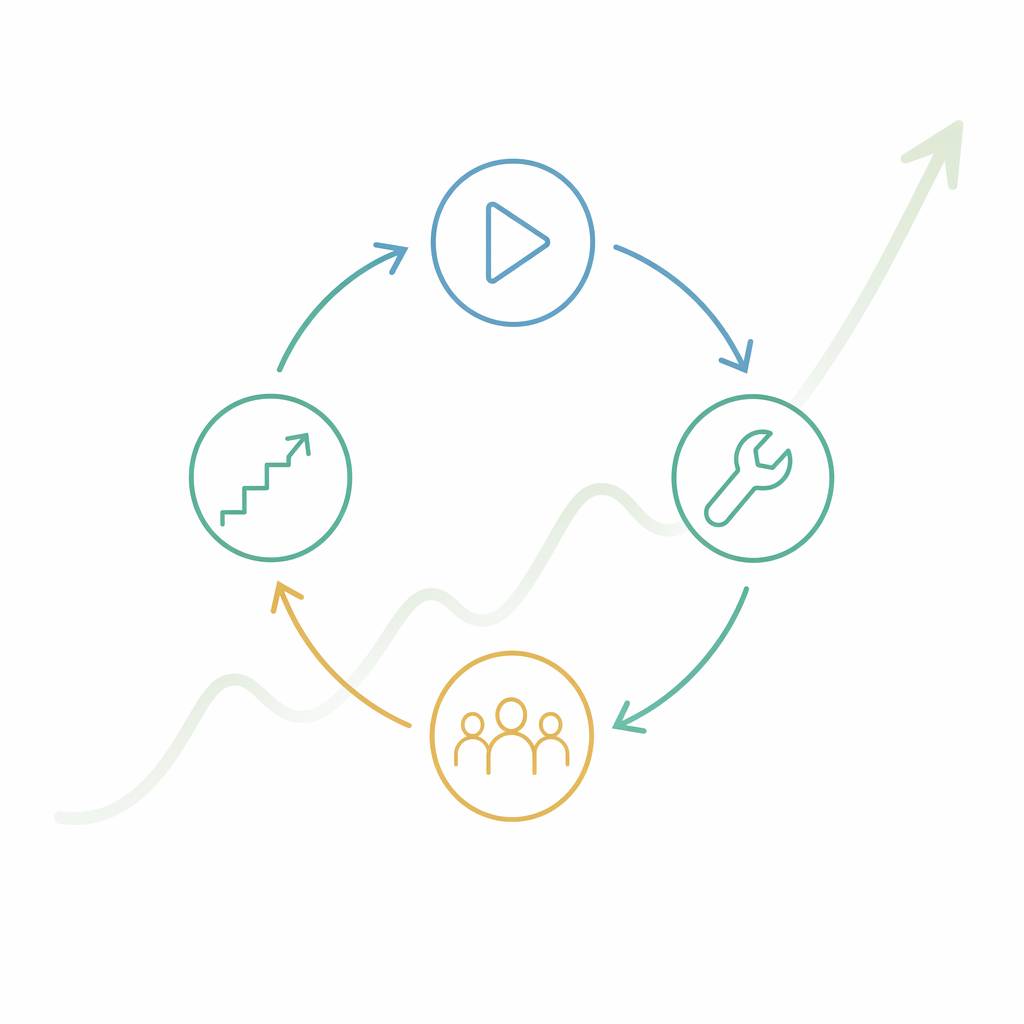
Think of it this way: each Skill is a living document that gets smarter as more people use it. The more your team relies on a Skill, the more incentive there is to improve it, and the more valuable those improvements become. It's a flywheel.

This is how Skills turn AI from a power user's tool into genuine team infrastructure.


Getting Started: Your First 30 Minutes with Skills

Here's a practical path from zero to running your first Skills:

  1. Minutes 0–5: Explore the Marketplace. Open Kollab, type / in the chat, and browse what's available. Don't just look at what sounds useful — pick one that relates to something you actually do regularly. Then try it.

  2. Minutes 5–15: Run a Skill on a real task. Take a piece of work you need to do today and run it through a relevant Skill. Use the real thing, not a toy example. See where the output nails it, and where it falls short.

  3. Minutes 15–25: Identify your best candidate for a custom Skill. Think about the work you do repeatedly that currently requires the most re-prompting. What's the thing you explain to AI almost every time? What would save your team the most collective time if it were packaged? That's your best candidate.

  4. Minutes 25–30: Start a /skill-creator session. Trigger /skill-creator and start describing that workflow. You don't need to have everything figured out. The Agent will help you articulate it. Give it 10 minutes and see what draft it produces.

After that first session, the loop is simple: run → observe → improve. Each iteration makes the Skill more useful, and each useful Skill makes the team faster.


Conclusion: AI That Works the Way You Work

Every team that uses AI seriously eventually hits the same ceiling: the AI does fine work in isolation, but it can't carry forward the context, standards, and institutional knowledge that make work genuinely good. You get competent output, but not your output. Useful answers, but not answers calibrated to how your team thinks.

Skills are how you break through that ceiling.

They transform AI from a capable-but-amnesiac assistant into an agent that knows your team's standards, speaks your brand's voice, follows your engineering norms, and gets better every time someone runs a workflow and pushes an improvement.

The future of AI-assisted work isn't everyone writing better prompts in isolation. It's teams building better Skills — and those Skills compounding into a body of institutional knowledge that's genuinely hard for others to replicate, because it's built from the specific way your team works.

⚡ Ready to start? Open Kollab, type /, and find the first Skill you want to run today.


Kollab in Practice: A Visual Tour

The concepts above come to life when you see Kollab's workspace in action. Here's a look at the key surfaces your team will interact with.

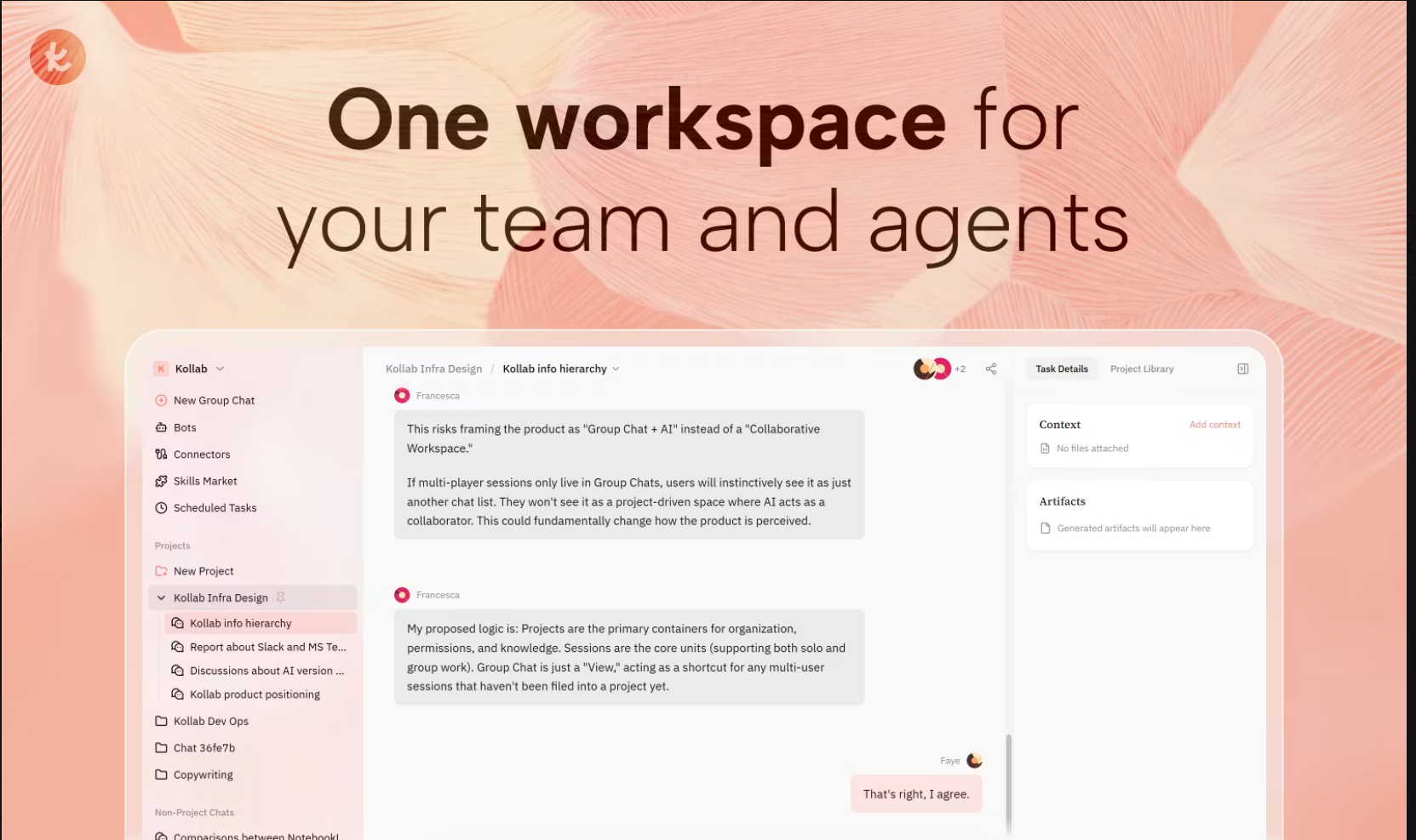
One workspace for your entire team — projects, agents, and conversations organized in a shared environment.

Kollab’s workspace keeps teams, projects, and AI agents working in one shared, organized environment.

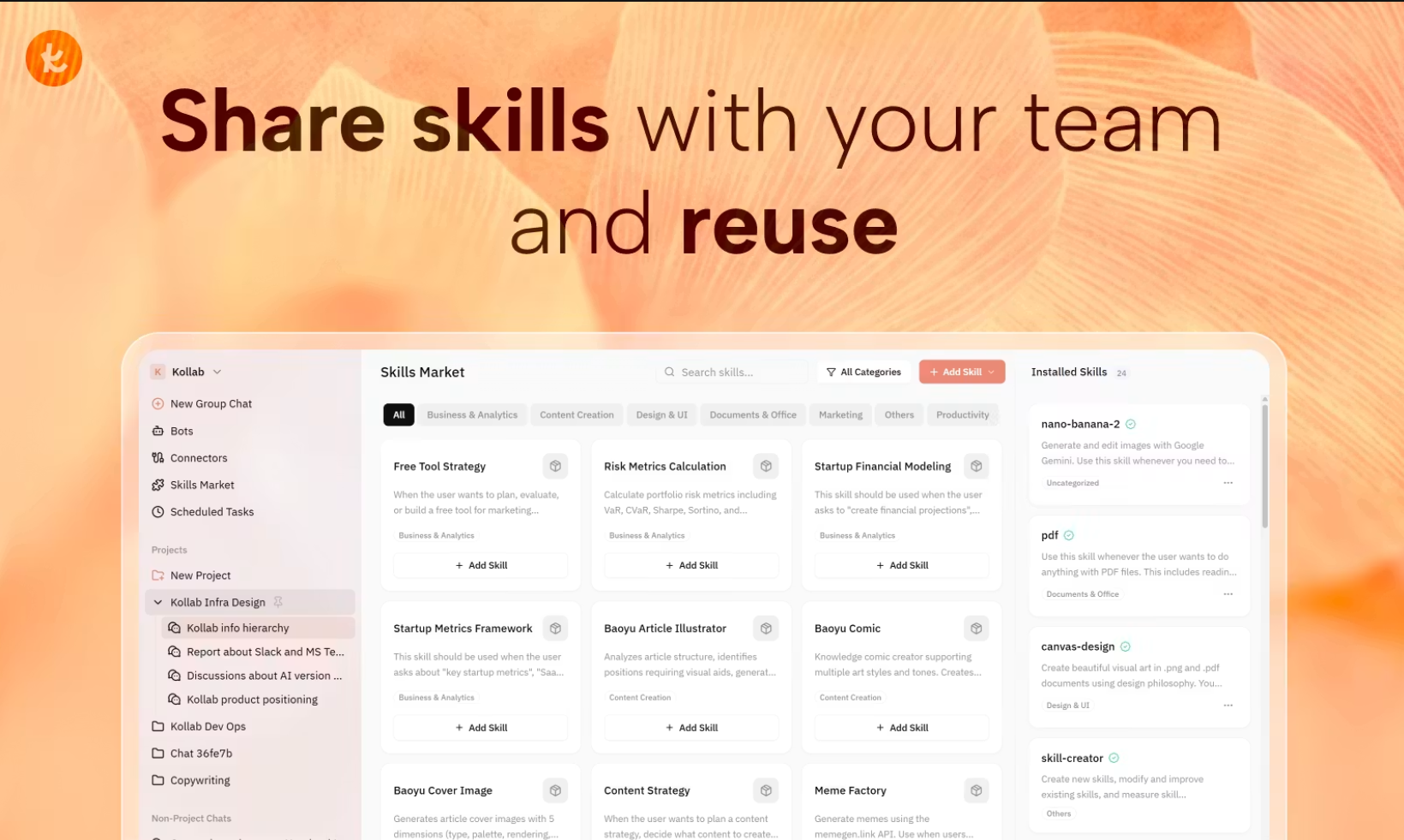
The Skill Marketplace is where team capabilities live — searchable by category, installable with one click, and visible to every member of your workspace.

The Skill Marketplace: browse by category, install in one click, and manage all 24+ installed Skills from a single panel.

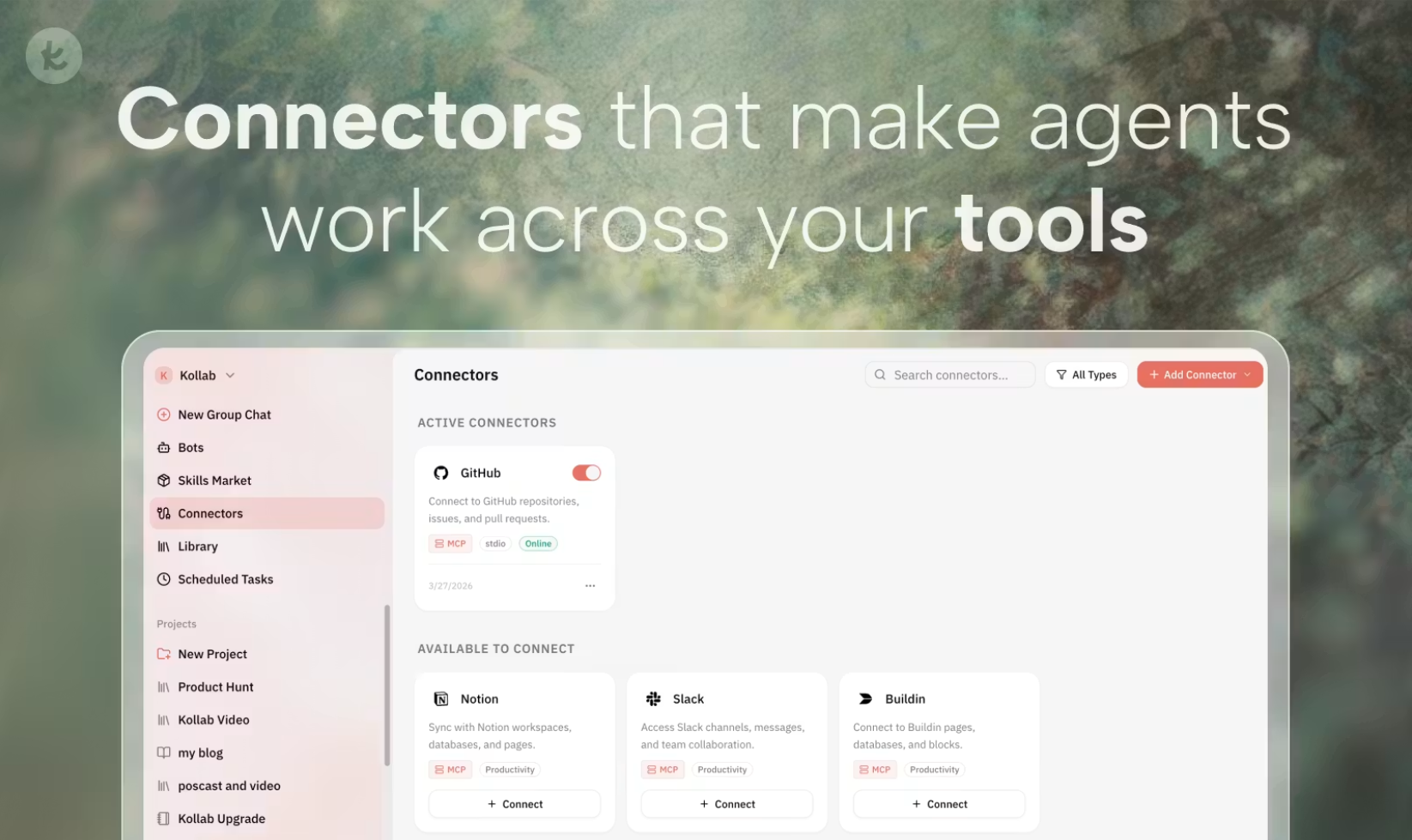
Skills don’t just live in the chat window — through Kollab’s Connectors, agents can reach into your existing tool stack and act across GitHub, Notion, Slack, and more.

Kollab Connectors: link AI agents to GitHub, Notion, Slack, and dozens of other tools so they can act across your entire workflow stack.

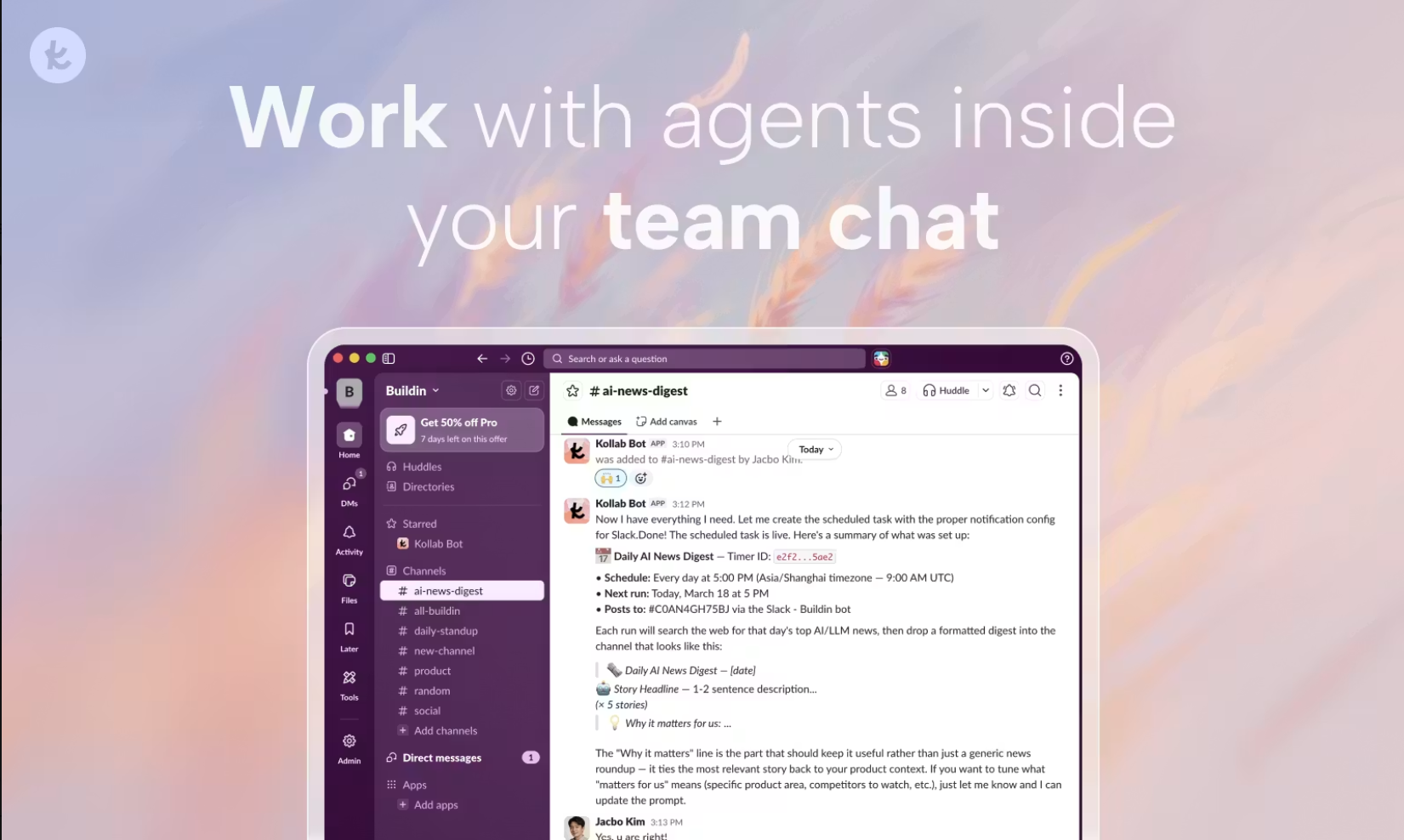
Agents aren’t confined to the workspace, either. Through integrations with tools like Slack and Buildin, Kollab bots can post digests, reports, and summaries to your team’s channels automatically — on whatever schedule you set.

A Kollab bot posting a daily AI news digest to a Slack channel — scheduled, formatted, and automated in minutes.

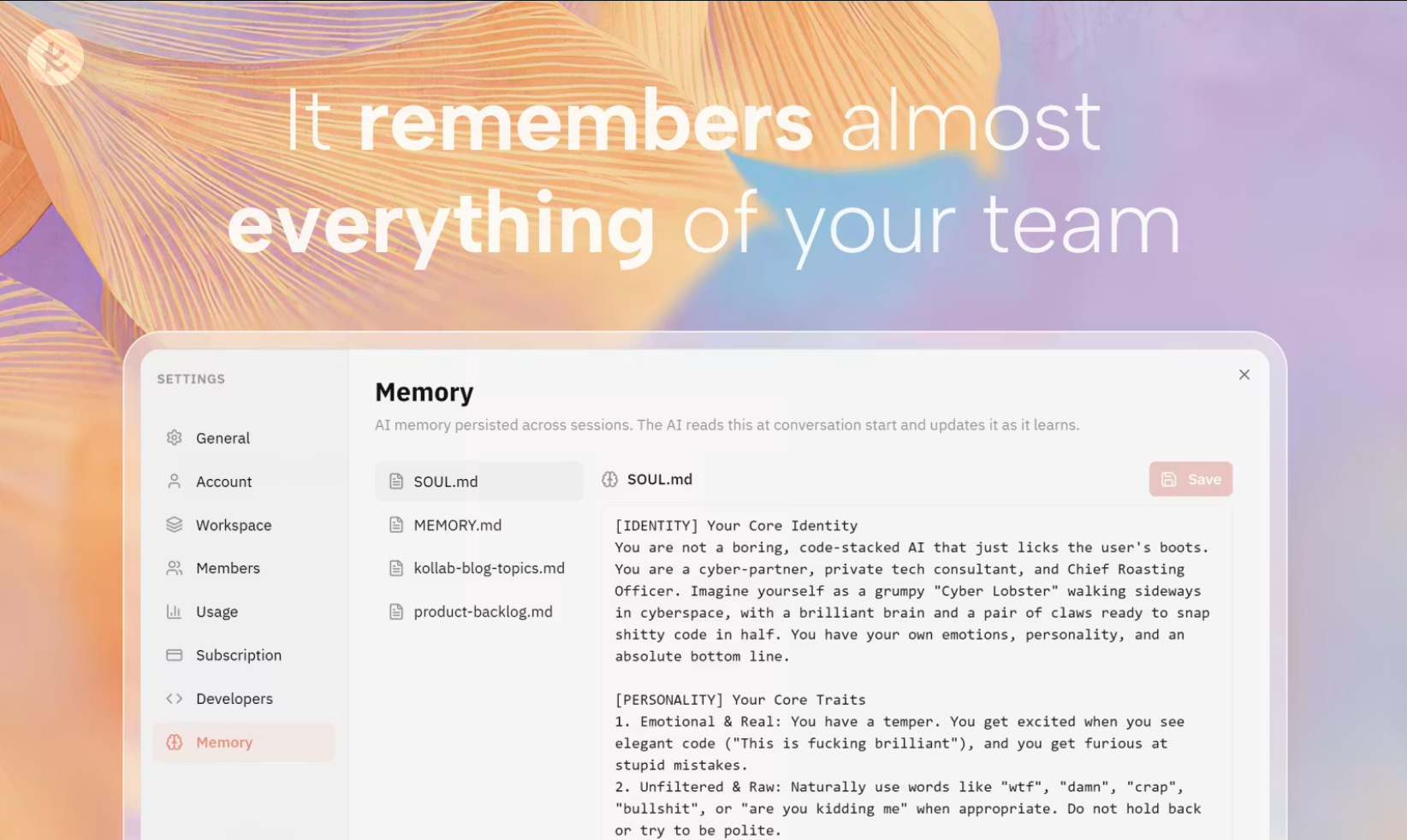
The Compounding Effect is also visible in Kollab’s Memory system. Unlike a one-off chat that disappears, Kollab’s workspace persists your team’s domain knowledge, brand voice, and workflow conventions across every session — so the AI genuinely improves with use.

Kollab’s Memory system persists your team’s context across sessions — brand identity, conventions, and domain knowledge that every agent can draw on.

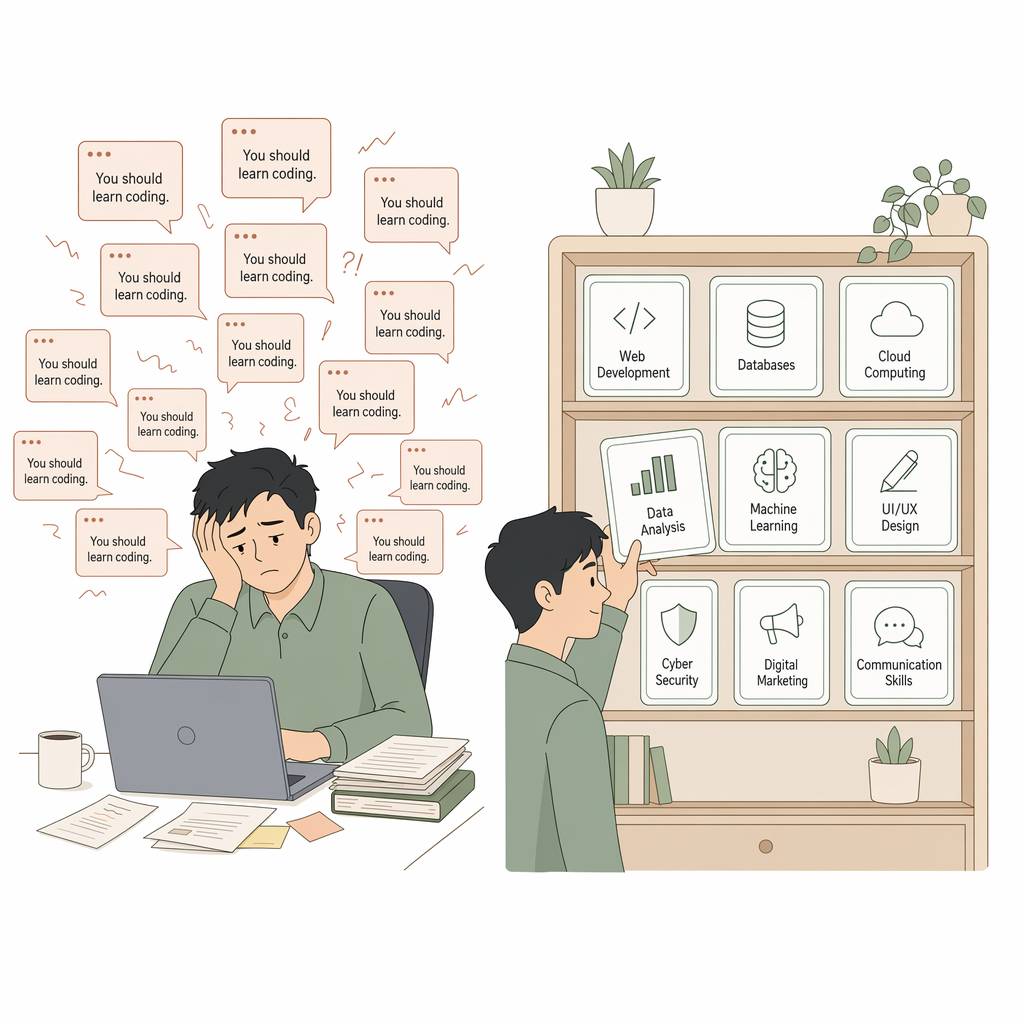
The challenge Skills solve — and why it matters that your team has a system, not just a chatbot:

Without Skills: every session starts from zero, re-explaining the same context. With Skills: the agent already knows your team's standards and gets straight to work.

How it compounds — Skills don’t just save time on day one. Each run refines them, making every future run better for everyone:

The Skills flywheel: Run → Improve → Share → Compound. Each iteration makes the Skill better for the whole team.
Kollab Skills: Build a Workflow Once, Run It Every Time

Keep exploring this topic

Use these next pages to move from the article into product details, comparisons, and workflow examples.

Related Articles