01
Read every attachment
Kollab starts from PDFs, images, screenshots, scans, reports, proposals, or charts instead of requiring clean text first.

Attach PDFs, screenshots, reports, proposals, or photos, and let Kollab turn them into summaries, evidence, risks, and next actions.
Many research inputs are not clean web links. They arrive as PDFs, screenshots, scanned notes, product images, proposals, reports, or meeting photos.
Kollab helps read those attachments, extract the useful evidence, compare them against your question or criteria, flag uncertainty, and create a structured insight report that can be saved to a project or knowledge base.
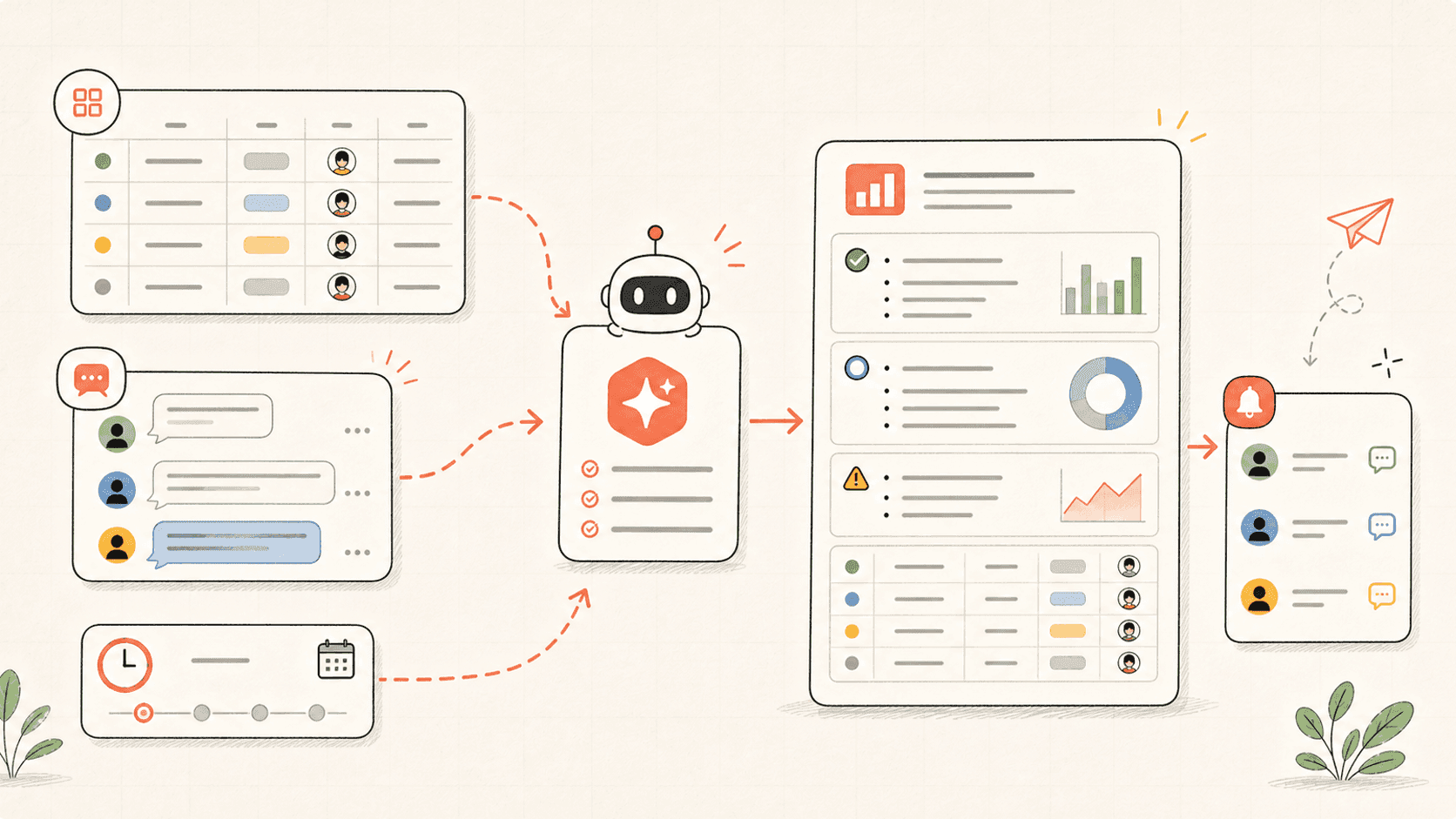
Kaynakları, yönergeleri, çıktıları ve ekip incelemesini tek yerde tutan tekrar kullanılabilir görev akışı.
Kollab starts from PDFs, images, screenshots, scans, reports, proposals, or charts instead of requiring clean text first.
The agent pulls out conclusions, data points, visual details, missing information, and uncertainty that need review.
If you provide a research question, requirement, or rubric, each source is mapped to what it supports or fails to support.
The final report keeps summaries, evidence, risks, questions, and next actions together for follow-up work.
The output should support a decision or research path, not just summarize files.
Inventory
Evidence
Action
Kollab ile bu adımda gerekli bağlamı, kaynakları ve çıktıları tek yerde tutarak ekip çalışmasını daha düzenli ilerletin.
Attach PDFs, screenshots, reports, proposals, or photos, and let Kollab turn them into summaries, evidence, risks, and next actions.
Kollab, kaynakları, yönergeleri ve çıktıları aynı görevde tutarak bu iş akışını ekip içinde tekrar kullanılabilir hale getirir.
A structured insight report with attachment inventory, key takeaways, evidence, visual details, risks, criteria comparison, open questions, and next actions.
Kollab, kaynakları, yönergeleri ve çıktıları aynı görevde tutarak bu iş akışını ekip içinde tekrar kullanılabilir hale getirir.
Use Kollab to analyze PDFs, images, screenshots, and reports with evidence and next steps.
Kollab iş akışı