




01
Escolha uma ferramenta
Encontre GitHub, Notion, Slack ou outra ferramenta compatível no mercado de conectores e siga o fluxo de autorização.
Traga GitHub, Notion, Slack, Telegram, Linear, Buildin e o restante do seu stack para o Kollab. Depois da autorização, os Agents podem ler contexto, escrever resultados, enviar notificações e concluir tarefas entre ferramentas dentro das permissões aprovadas.

Escolha os apps necessários, autorize o acesso e chame-os em conversas, tarefas agendadas ou automações.
Encontre GitHub, Notion, Slack ou outra ferramenta compatível no mercado de conectores e siga o fluxo de autorização.
O Kollab usa apenas ferramentas e permissões aprovadas, para que o Agent trabalhe sem você copiar dados entre sistemas.
Deixe o Agent buscar dados, organizar documentos, escrever em sistemas ou enviar notificações como uma única tarefa.
Os conectores levam ferramentas externas para conversas, tarefas e automações do Kollab. Autorize, filtre e escolha ferramentas quando necessário para que os Agents trabalhem com o contexto certo.

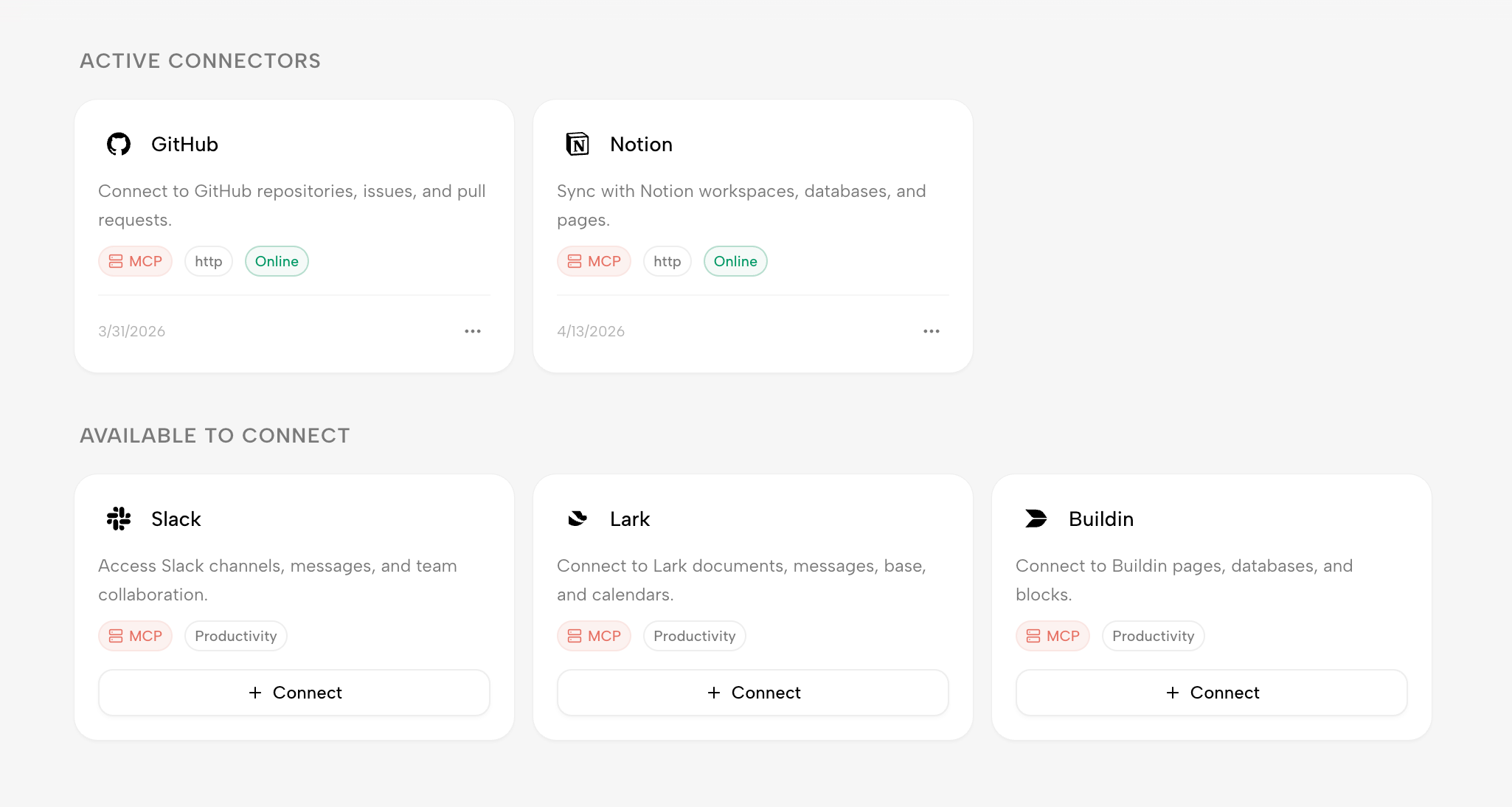
Veja GitHub e Notion já ativados junto com Slack, Linear e Buildin como opções prontas para conectar. Adicione uma nova ferramenta pela mesma tela.
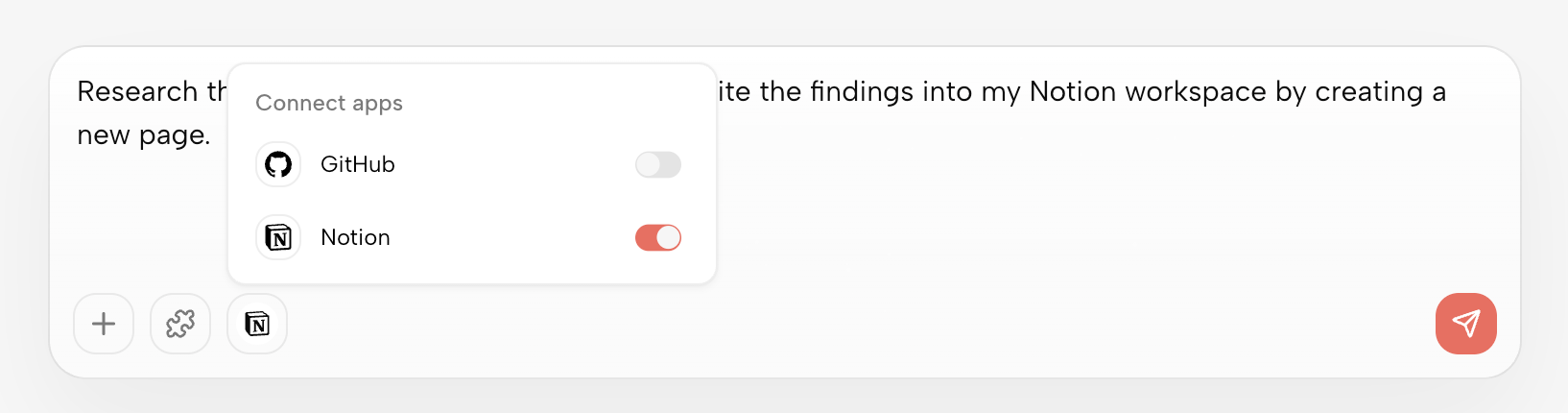
Antes de enviar uma mensagem, selecione os conectores GitHub, Notion ou outros necessários para esta execução. O Agent começa com permissões e contexto corretos sem criar um fluxo fixo antes.
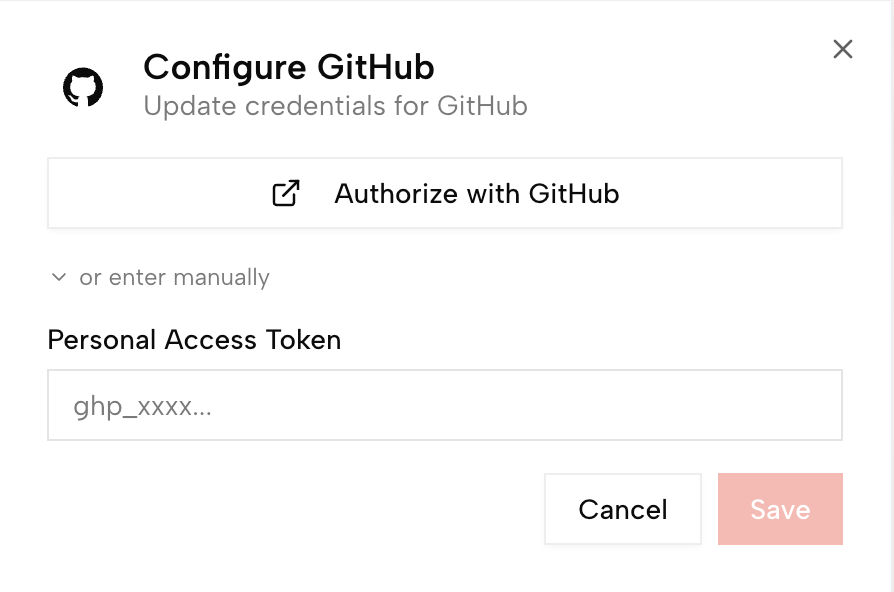
Cada ferramenta pode se conectar via MCP Server, HTTP API, OAuth ou autorização de app. Busque, filtre por tipo e depois autorize ou configure manualmente.
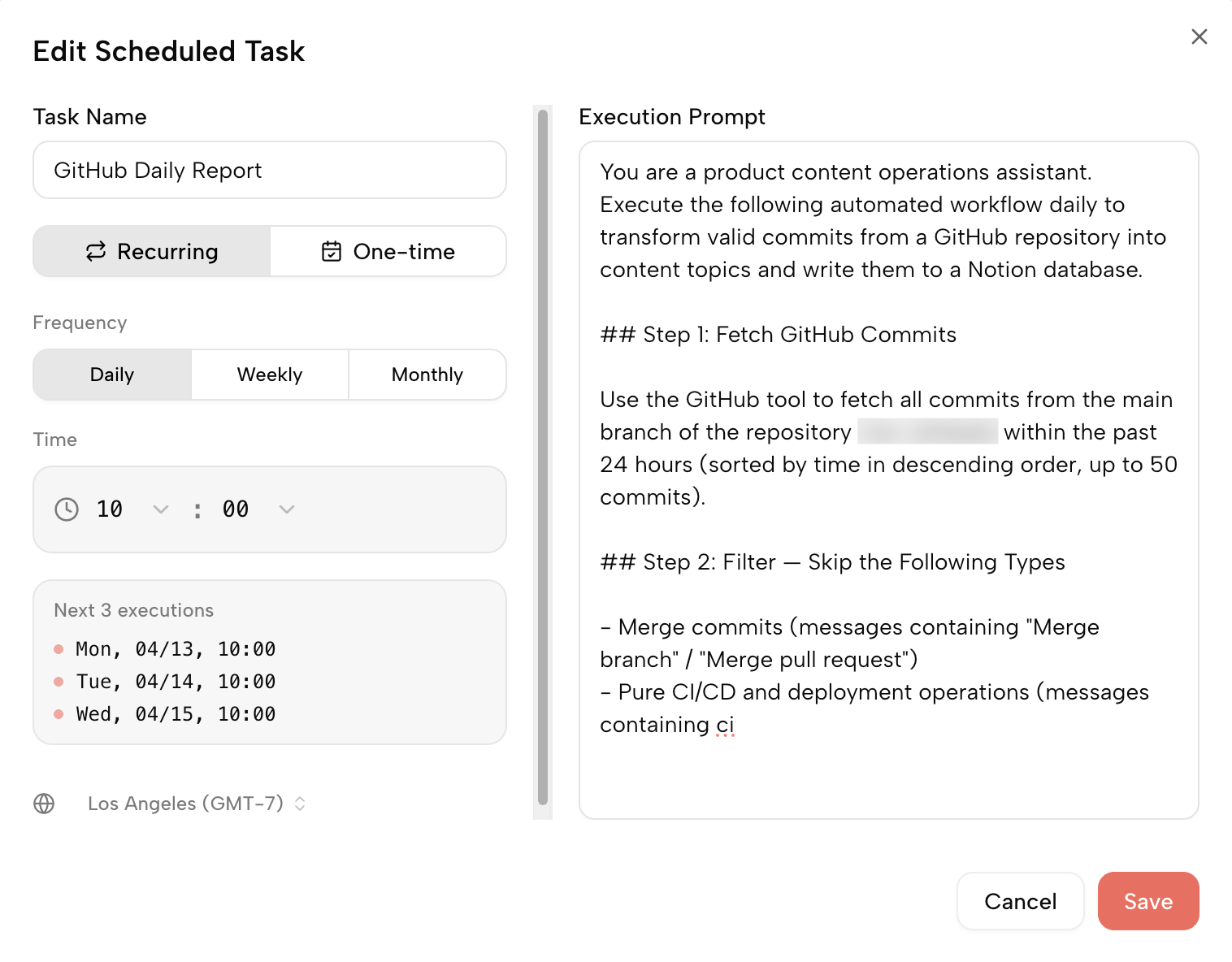
Combine conectores com horários: leia atualizações do GitHub todos os dias, transforme-as em ideias de conteúdo, escreva no Notion e avise a equipa.
Escolha uma ferramenta, autorize e deixe o Agent chamá-la quando necessário.
Ferramentas de produtividade, colaboração, engenharia, vendas, design e finanças podem ser conectadas ao Kollab para que os Agents do espaço de trabalho as usem com permissões aprovadas.

Copiar manualmente perde contexto. A automação tradicional funciona melhor com regras fixas. Os conectores Kollab permitem que Agents chamem ferramentas autorizadas e decidam o próximo passo pelo contexto da tarefa.
| Trabalho manual | Zapier / Make | Conectores Kollab | |
|---|---|---|---|
| Modelo de conexão | Copiar, colar e enviar manualmente | Configurar gatilhos e ações | Autorizar e deixar o Agent chamar ferramentas |
| Esforço inicial | Baixo, mas repetitivo | Exige lógica de automação | Começar com linguagem natural |
| Como o trabalho é tratado | Depende do julgamento humano | Regras fixas | O Agent usa o contexto da tarefa |
| Encaixe com AI | Mover dados para o chat manualmente | Geralmente exige etapas extras de AI | O Agent lê e escreve em ferramentas autorizadas |
| Melhor para | Pequenas transferências ocasionais | Usuários à vontade com automação | Pessoas e equipas que trabalham entre ferramentas |
Kollab funciona melhor quando competências, bots, conectores e fluxos de trabalho prontos se reforçam no mesmo espaço de trabalho da equipa.
Os exemplos desta página incluem GitHub, Notion, Slack, Telegram, Linear e Buildin. O Kollab continuará expandindo conectores com autorização de apps, MCP Server e API.
A maioria das ferramentas comuns não exige código. Escolha uma ferramenta no mercado de conectores e siga a autorização. APIs personalizadas ou MCP Server podem exigir configuração extra.
Não. Agents só podem usar ferramentas e permissões aprovadas explicitamente. Você pode gerenciar acesso por espaço de trabalho e ferramenta, e os dados do espaço de trabalho não são usados para treinar modelos públicos.
Conectores permitem que Agents acessem ferramentas externas. Habilidades preservam formas reutilizáveis de processar esses dados. Por exemplo, um conector lê atualizações do GitHub e uma habilidade as transforma em notas de versão ou resumo diário.
O suporte será ampliado gradualmente. Além dos apps listados, o Kollab cobrirá mais apps OAuth, MCP Server e APIs configuráveis para integrar ferramentas próprias da equipa.
Adicione as apps do dia a dia, aprove as permissões certas e deixe o Kollab concluir tarefas entre ferramentas.
Ligar a primeira ferramenta