Come usare PowerPoint: guida completa dalle basi all’automazione AI (edizione 2026)
Regoli ancora PowerPoint a mano? Impara scorciatoie, layout, animazioni e come generare slide in pochi secondi con Kollab AI Presentation Maker.
Come creare presentazioni professionali con AI nel 2026: dalle basi di PowerPoint ai flussi di lavoro intelligenti
Introduzione:Nel posto di lavoro del 2026, non è necessario essere un esperto di PowerPoint per creare presentazioni eccezionali. SecondoRapporto sulla produttività aziendale 2025 di Forrester Research, i lavoratori della conoscenza spendono in media6,4 orealla settimana sulla creazione di presentazioni, con oltre il 60% del tempo dedicato ad attività di formattazione ripetitive. Questo articolo rivelerà come utilizzare i flussi di lavoro AI per ridurre questo tempo a pochi minuti, pur mantenendo la qualità professionale.
Parte 1: Le vere sfide della creazione di presentazioni nel 2026
1.1 Colli di bottiglia in termini di efficienza nei flussi di lavoro tradizionali
Anche nell’era AI di oggi, molti team rimangono intrappolati nella tradizionale routine di creazione di presentazioni. Quando apri PowerPoint e ti trovi di fronte a una tela bianca, ideare da zero il contenuto, il layout, la combinazione di colori e le animazioni per ogni diapositiva è un processo incredibilmente dispendioso in termini di energia. Ancora più frustrante è quando, dopo aver finalmente completato una presentazione di cui sei soddisfatto, i membri del team o i clienti richiedono revisioni. È quindi necessario regolare manualmente la formattazione, sostituire le immagini e riorganizzare le caselle di testo pagina per pagina: un'attività ripetitiva che spesso è più faticosa della creazione iniziale.
Secondo i dati della ricerca diil Rapporto McKinsey 2025 ,dopo aver utilizzato gli strumenti AI,i lavoratori della conoscenza hanno visto una media40%riduzione del tempo dedicato a compiti ripetitiviEUN35%aumento della produzione creativa. Questi dati ci dicono che il nocciolo del problema non è se le funzionalità di PowerPoint siano abbastanza potenti, ma se abbiamo scelto il flusso di lavoro giusto per sbloccare il potenziale di AI.
Perché AI è la soluzione giusta per le presentazioni?Il motivo è in realtà abbastanza semplice: creare presentazioni è, nella sua essenza, un processo creativo altamente strutturato: è necessario organizzare le informazioni in una sequenza logica, presentarle visivamente e garantire che il prodotto finale sia in linea con il tono del marchio e gli standard estetici. Sono proprio questi i compiti in cui AI eccelle: può analizzare rapidamente grandi quantità di informazioni, distillare i punti chiave, abbinare automaticamente gli schemi di progettazione e ottenere una produzione scalabile mantenendo la coerenza.
Ma ecco la questione chiave:ciò di cui hai bisogno è uno spazio di lavoro persistente, non solo una finestra di chat più intelligente.
1.2 I difetti fatali degli strumenti di chat effimeri
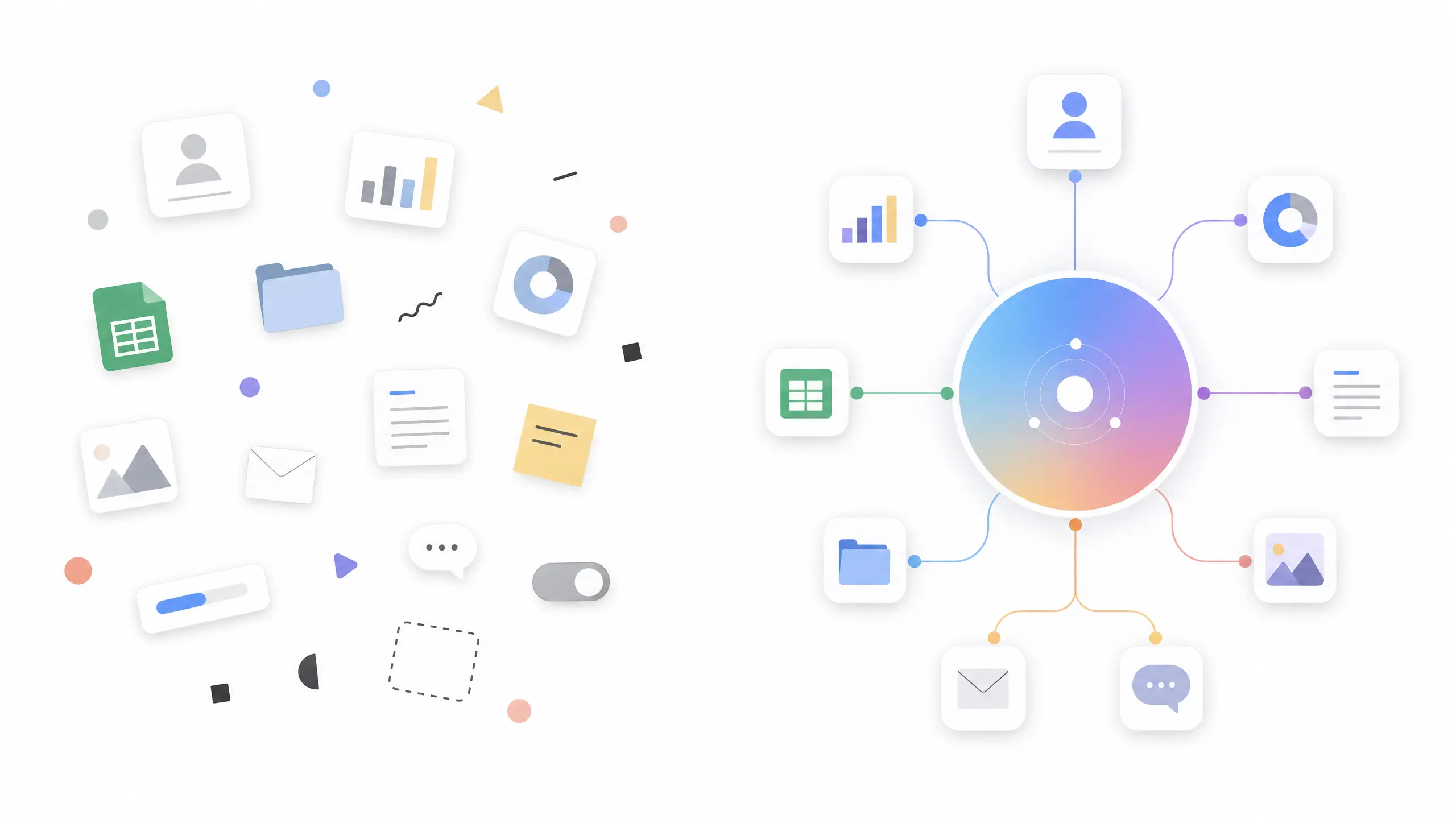
La maggior parte degli strumenti AI esistenti seguono lo stesso schema: inserisci le istruzioni in una finestra di chat, AI genera una risposta, quindi copi e incolli il risultato in PowerPoint e regoli manualmente la formattazione. Questo processo sembra semplice, ma in pratica porta a una serie di grattacapi.
Primo,una volta terminata la conversazione, tutti i contenuti scompaiono. Quando vuoi rivedere i suggerimenti dello AI il giorno successivo, devi scavare nella cronologia della chat; quando vuoi riutilizzare un'idea di ieri, scopri che è già sepolta sotto centinaia di altre conversazioni. Questo modello di lavoro “usa e getta” è fondamentalmente in conflitto con le effettive esigenze delle presentazioni, che sono proprio il tipo di contenuto che richiede revisioni ripetute, collaborazione di gruppo e manutenzione a lungo termine.
Secondo,il contesto non può essere trasferito tra le sessioni. Se lunedì avete discusso del background del progetto con lo AI e martedì volete approfondire quelle informazioni, lo AI ha completamente dimenticato la conversazione del lunedì. Sei costretto a reinserire le informazioni di base, perdendo una notevole quantità di tempo.
Terzo,la collaborazione di squadra è quasi impossibile. Quando collabori con uno AI tramite una finestra di chat, il contenuto risultante esiste solo all'interno della tua conversazione personale. Gli altri membri del team non possono vedere i risultati della tua collaborazione con lo AI, né possono basarsi su ciò che è già stato fatto; possono interagire con lo AI solo in modo indipendente, portando a una grande quantità di lavoro ridondante e incoerenze di versione.
Finalmente,i flussi di lavoro non possono essere riutilizzati. Le istruzioni e i flussi di lavoro progettati attentamente per un progetto non possono essere riutilizzati direttamente in un altro progetto simile. Ogni volta che inizi un nuovo progetto, devi progettare le istruzioni da zero. Questo lavoro ripetitivo diminuisce gravemente il valore effettivo degli strumenti AI.
La radice di questi problemi sta nel fatto che trattiamo AI come un “motore di ricerca più intelligente” piuttosto che come un “partner di lavoro in grado di ricordare il contesto, collaborare continuamente e condividere con il team”. Questo è esattamente il problema che Kollab mira a risolvere.
Parte seconda: Kollab: i principali vantaggi di uno spazio di lavoro nativo AI
Kollab lo èuno spazio di lavoro AI progettato specificamente per i lavoratori della conoscenza nel 2026. A differenza dei tradizionali strumenti di creazione PowerPoint o anche della maggior parte dei chatbot AI, Kollab consente davvero un modello di lavoro in cui“Tu e un agente AI completate le attività insieme.” Non è un semplice generatore di testo, ma un ambiente di lavoro completo, persistente e condivisibile in team.
Secondo il brief ufficiale di Kollab, la sua filosofia progettuale principale può essere riassunta in una frase: "Gli output AI restano, i workflow sono riutilizzabili e nulla si perde nella chat." Queste tre promesse risolvono le carenze critiche degli strumenti di conversazione effimeri menzionati in precedenza.
2.1 Area di lavoro persistente: garantire che gli output AI non scompaiano mai
In Kollab, ogni interazione con AI viene automaticamente salvata all'interno dell'area di lavoro. Questa non è semplicemente una semplice cronologia delle conversazioni, ma una base di conoscenza strutturata, ricercabile e modificabile. Sia che tu abbia collaborato con AI per generare uno schema di presentazione, fatto riferimento a un report di mercato o che AI abbia perfezionato la copia per una diapositiva, tutti questi output vengono conservati in modo permanente nello spazio del progetto, pronti per essere rivisitati, modificati e riutilizzati in qualsiasi momento.
Questo design offre diversi vantaggi chiave.Innanzitutto, la visibilità del team è notevolmente migliorata. Quando collabori con AI per generare una bozza di presentazione, gli altri membri del team possono accedere direttamente allo spazio del progetto per visualizzare, commentare e modificare il tuo lavoro. Non hanno bisogno che tu invii screenshot o copie di file, né ricreano il contenuto in un altro strumento: tutto è nello stesso spazio e si sincronizza in tempo reale.
In secondo luogo, il contesto persiste tra le sessioni. KollabLa funzione di memoria consentelo AI per conservare informazioni chiave come la cronologia del progetto, le preferenze del team e le linee guida del marchio. Anche se ti allontani dal progetto per una settimana e ritorni per continuare a lavorare, lo AI può riprendere la collaborazione in base al contesto precedente senza dover inserire nuovamente tutti i dettagli di base. Questo contesto persistente migliora notevolmente la continuità e l’efficienza della collaborazione.
In terzo luogo, le versioni dei contenuti sono chiaramente tracciabili. Ogni parte del contenuto generato da AI viene automaticamente salvata come versione. Quando modifichi manualmente l'output dello AI o lo ottimizzi in base al feedback, Kollab registra queste modifiche, consentendoti di ripristinare qualsiasi versione storica in qualsiasi momento. Questa funzionalità di controllo della versione è particolarmente cruciale per la collaborazione del team: impedisce confusione su “chi ha cambiato cosa” e “quale versione è quella finale”.
2.2 Agent Skills riutilizzabile: Crea una volta, usa per sempre
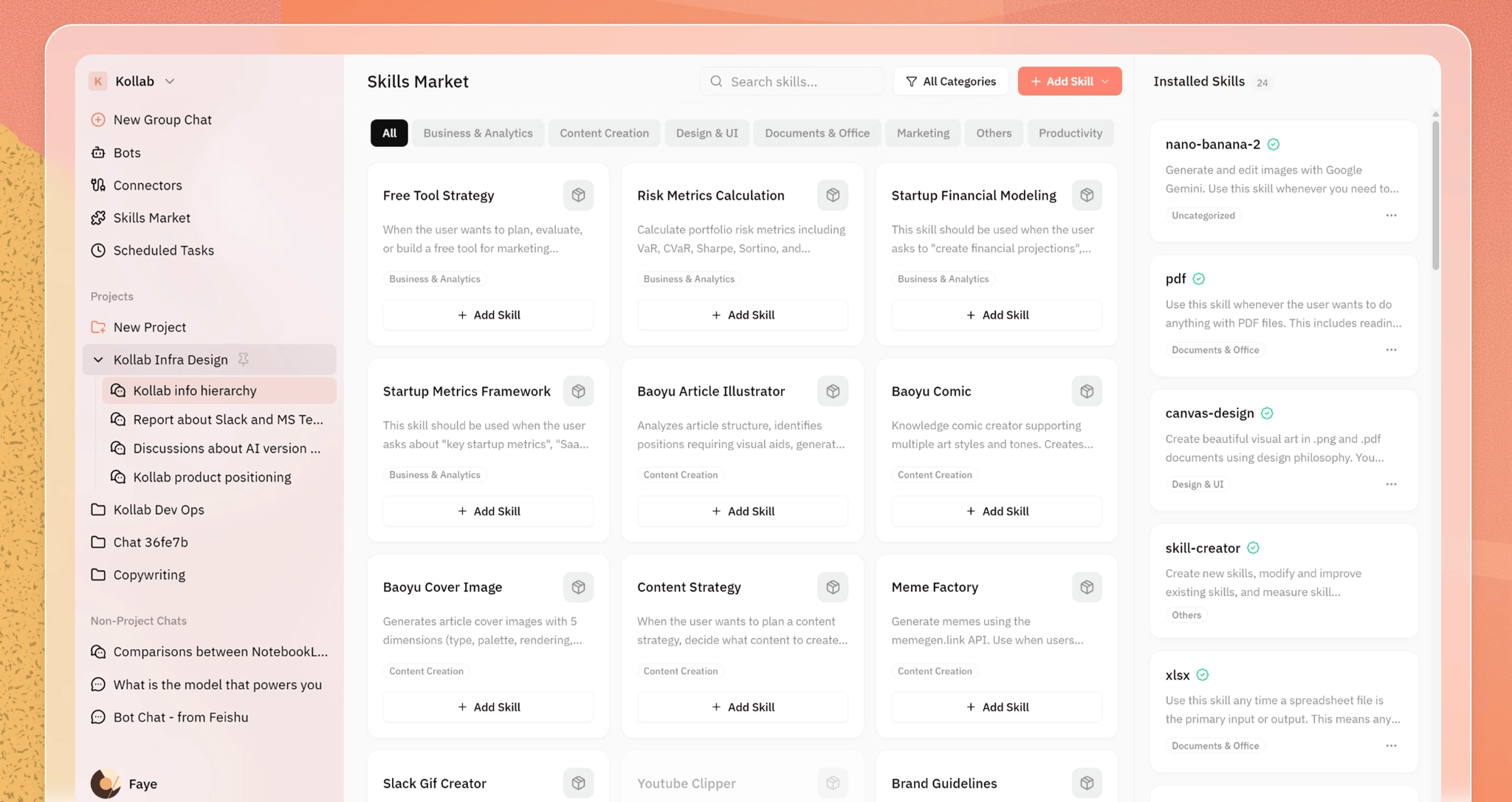
KollabLa caratteristica Skills èun altro elemento fondamentale di differenziazione. Ti consente di salvare qualsiasi richiesta e flusso di lavoro come modelli riutilizzabili, il che significa che non devi progettare richieste da zero ogni volta che avvii un nuovo progetto: puoi creare flussi di lavoro AI standardizzati basati sui successi passati e applicarli a qualsiasi progetto con un solo clic.
Cosa sono gli Agent Skills?In poche parole, Agent Skills è un insieme di sequenze di istruzioni predefinite che indicano allo AI quali azioni eseguire, quali strumenti richiamare e come organizzare il formato di output in scenari specifici. Ad esempio, se hai spesso bisogno di creare report di analisi di mercato, puoi creare uno Skill contenente i seguenti passaggi: eseguire una ricerca sul web per raccogliere informazioni sulla concorrenza → analizzare i dati per generare informazioni chiave → convertire le informazioni in una struttura di presentazione → applicare un modello di marchio per generare diapositive. Ora, ogni volta che devi creare un report di analisi di mercato, seleziona semplicemente questo Skill e lo AI eseguirà automaticamente l'intero processo senza richiedere l'immissione di comandi passo dopo passo.
I casi d'uso tipici includono:

Scenario 1: report settimanali sui progetti.Zhang del reparto marketing deve riferire ogni lunedì lo stato di avanzamento del progetto al suo manager. In precedenza, doveva organizzare manualmente i dati, scrivere testo e creare diapositive, un processo che richiedeva 2-3 ore. Ora ha creato un Skill che include "Analisi dei dati di mercato → Genera punti chiave → Converti in struttura di presentazione". Ogni settimana attiva semplicemente lo Skill nello Kollab, inserisce i dati più recenti e lo AI genera una presentazione completa in 10 minuti.
Scenario 2: proposte del cliente.I membri del team di vendita devono preparare le proposte prima degli incontri con i clienti. In precedenza, dovevano personalizzare manualmente il contenuto della proposta in base al background del cliente, operazione che richiedeva 1-2 ore. Utilizzando la funzione Skills di Kollab, hanno creato un flusso di lavoro standardizzato: "Confronto tra concorrenti → Raccomandazione di soluzione → Stima del preventivo". Ora è sufficiente inserire il nome e i requisiti del cliente e lo AI genera un quadro completo di presentazione aziendale, incluso un confronto con la concorrenza, entro 15 minuti.
Scenario 3: materiali formativi.I formatori del dipartimento Risorse umane devono creare materiali di onboarding per i nuovi dipendenti. In precedenza, ogni serie di materiali di formazione richiedeva progettazione manuale, layout, raccolta di immagini e copywriting, impiegando 3-4 ore. Ora hanno creato uno Skill che include "Scrittura di contenuti → Generazione di immagini → Layout e stile". Ogni volta che è necessario creare nuovi materiali di formazione, un solo clic avvia il processo e l'intero flusso di lavoro viene completato automaticamente.
2.3 Collaborazione di squadra: dallo strumento personale all'intelligenza del team
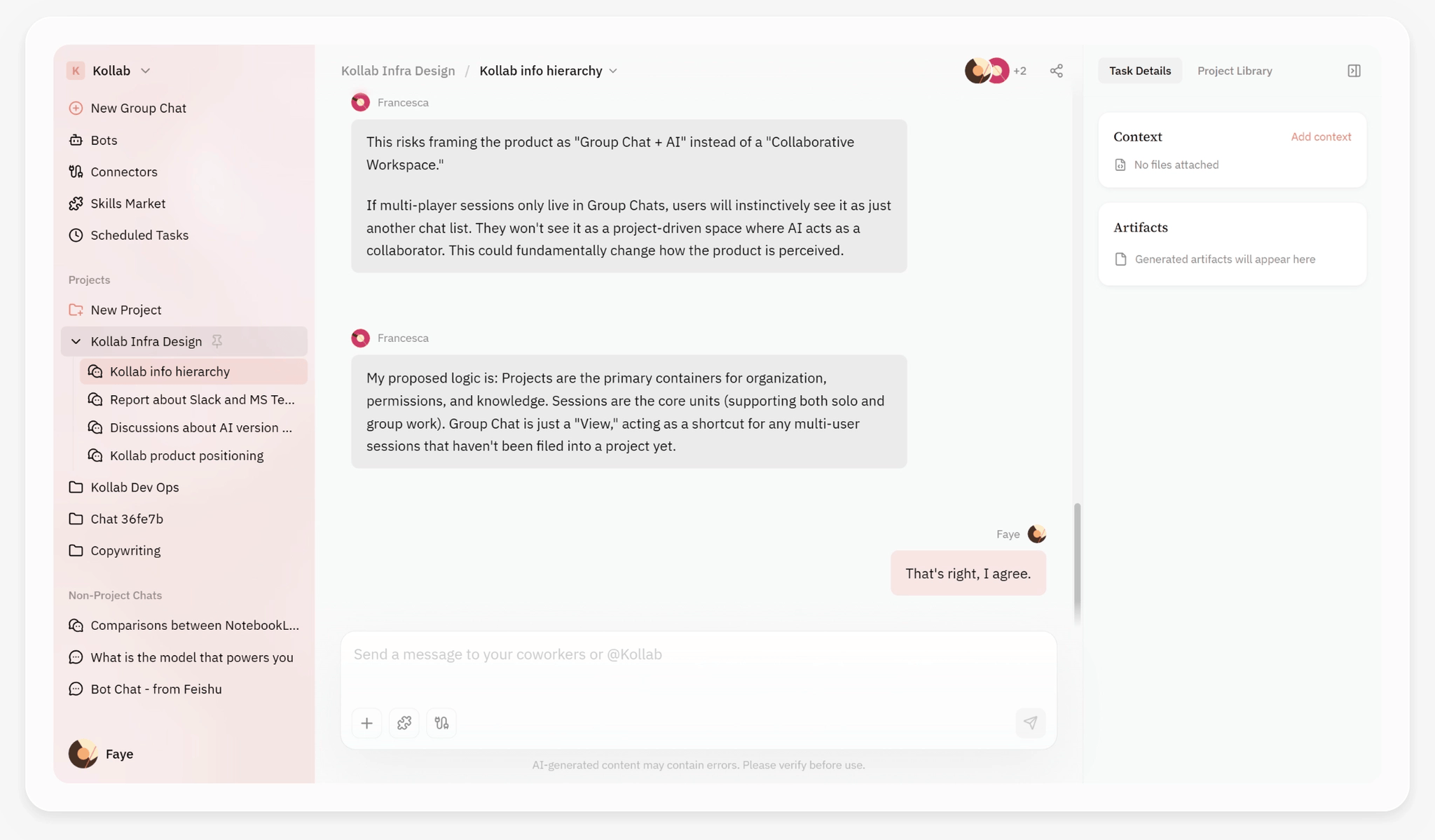
Supporta Kollabsia in modalità individuale che di squadra. Questa filosofia di progettazione è simile a quella di Notion: non è uno strumento isolato progettato per singoli utenti, ma uno spazio di lavoro condiviso che supporta la collaborazione del team.
In modalità individuale, Kollab funge da assistente AI, gestendo attività come la generazione di contenuti, l'analisi dei dati e la creazione di immagini. Puoi avviare conversazioni approfondite con lo AI per farne una bozza di copia, analizzare i dati e generare immagini per te; tutti gli output vengono salvati nel tuo spazio di lavoro personale.

Nella modalità Team, le capacità di Kollab vengono ulteriormente ampliate.I membri del team possono visualizzare gli output generati da AI gli uni dagli altri, ovveroche quando un collega crea un efficace Skill, altri possono usarlo direttamente senza doverlo riprogettare. Questo meccanismo di condivisione delle conoscenze accelera in modo significativo l’adozione complessiva di AI da parte del team.
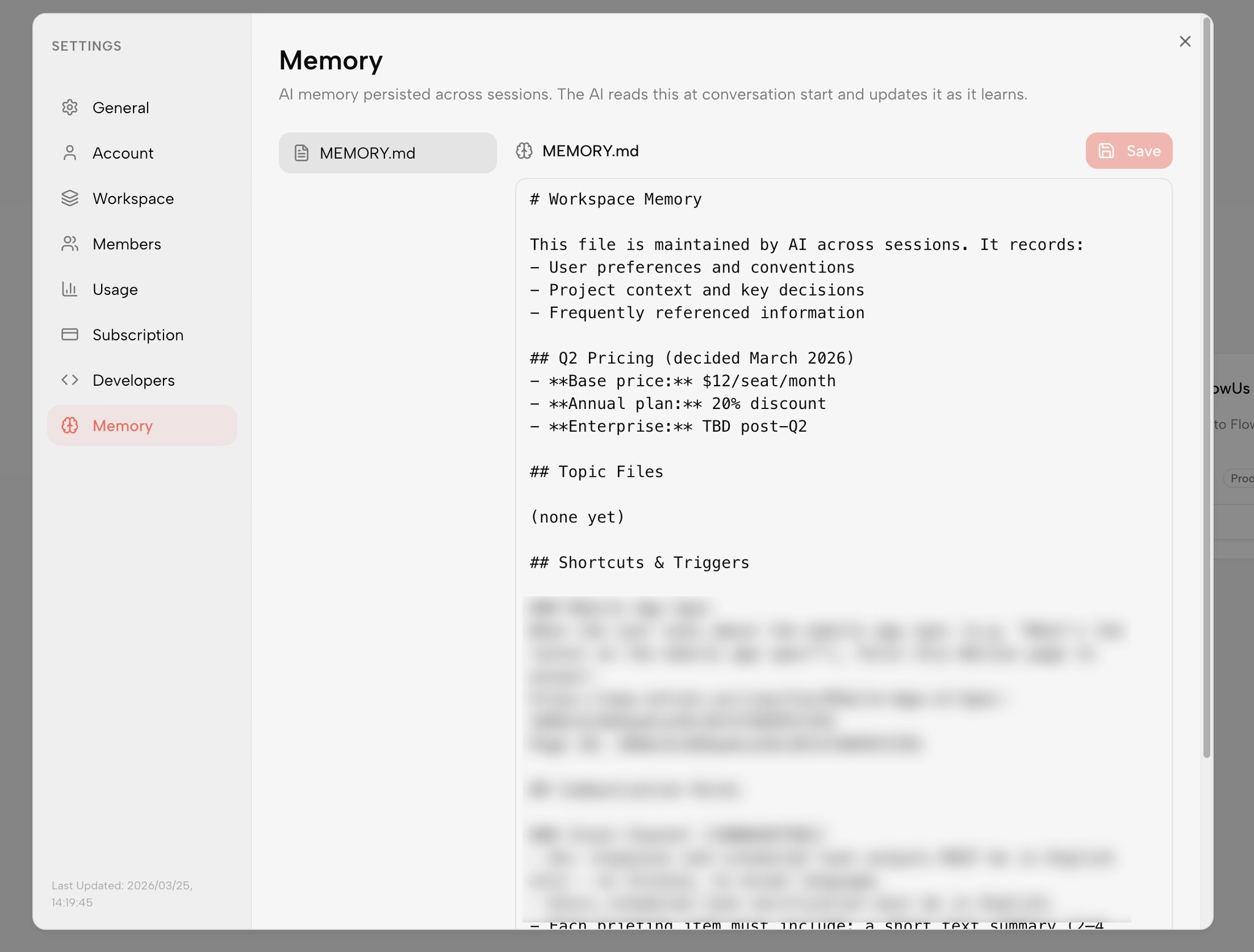
Ancora più importante,i flussi di lavoro possono essere riutilizzati in più progetti. Quando un team convalida un flusso di lavoro AI efficiente in un progetto specifico, tale flusso di lavoro può essere salvato come Skill a livello di team affinché tutti i membri possano utilizzarlo direttamente nei progetti futuri. Questo meccanismo aiuta i team ad accumulare rapidamente le migliori pratiche per le applicazioni AI, anziché ripetere ogni volta lo stesso processo di tentativi ed errori.
Visitala pagina Caratteristiche del team Kollabper vedere come i team reali utilizzano Kollab per ottenere un salto di efficienza nella collaborazione.
2.4 Ecosistema di connettori MCP: creazione di flussi di lavoro AI end-to-end
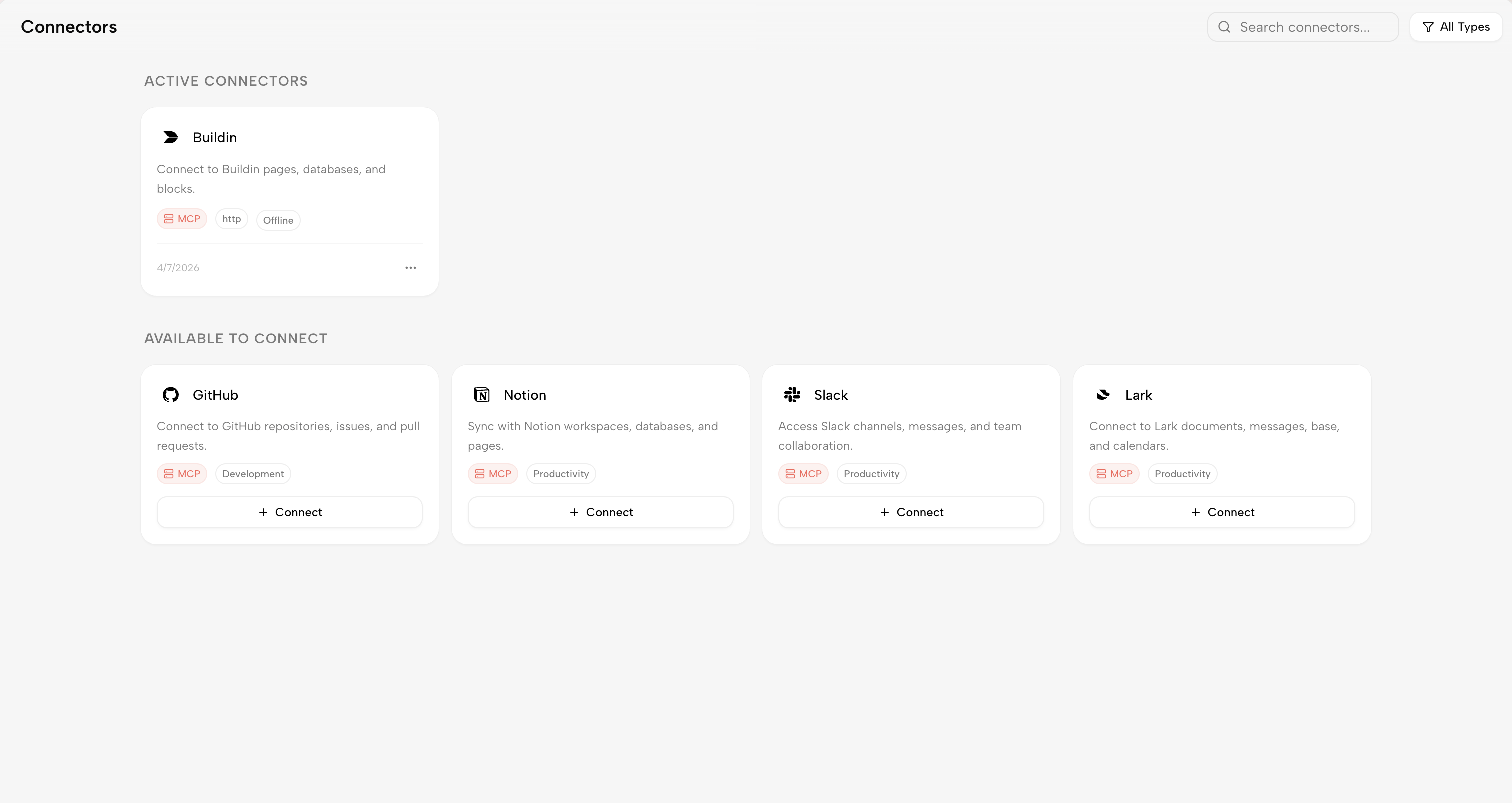
Supporta KollabMCP (protocollo contesto modello)connettori, un protocollo aperto che consente una profonda integrazione tra gli strumenti AI e i sistemi esterni. Attraverso i connettori MCP, Kollab può connettersi agli strumenti e alle origini dati che il tuo team sta già utilizzando, consentendo la creazione di veri flussi di lavoro AI end-to-end.
Il connettore Notion èuna delle integrazioni più utilizzate. Con esso, i contenuti generati in Kollab possono essere sincronizzati direttamente con la knowledge base del tuo team. Ad esempio, quando AI genera un report di analisi di mercato, puoi sincronizzarlo con uno spazio di progetto Notion con un solo clic, consentendo ai membri del team di continuare a modificare e collaborare all'interno di Notion. Questa sincronizzazione bidirezionale garantisce un'integrazione perfetta tra Kollab e gli strumenti esistenti del tuo team.
Il connettore GitHub èuno strumento essenziale per i team tecnici. Attraverso il connettore GitHub, Kollab può recuperare automaticamente dati come commit del codice, stati dei problemi e flussi di lavoro CI/CD e generare automaticamente diapositive del report sullo stato del progetto. Per i team tecnici che necessitano di segnalare frequentemente lo stato di avanzamento del progetto alla direzione o ai clienti, questa funzionalità può far risparmiare una notevole quantità di tempo che altrimenti verrebbe dedicato all'organizzazione manuale dei dati.
Il connettore Slack/Telegram Bot rendecollaborazione ancora più immediata. Puoi attivare la generazione AI di Kollab direttamente all'interno di Slack o Telegram e, una volta che AI completa l'attività, i risultati vengono inviati al tuo spazio di lavoro in tempo reale. Ad esempio, quando si discute una decisione relativa a un progetto nello Slack, è possibile chiamare immediatamente lo AI per generare analisi dei rischi o stime dei costi pertinenti e salvare i risultati direttamente nel progetto.
Note di livello aziendale: i dati delle aree di lavoro Kollab non vengono utilizzati per addestrare modelli pubblici e presentano controlli completi delle autorizzazioni e crittografia end-to-end. Per informazioni più dettagliate sulle politiche sulla privacy e sui meccanismi di sicurezza, fare riferimento al'Informativa sulla sicurezza e sulla privacy di Kollab.
Parte 3: Applicazioni specifiche di Kollab nella creazione di presentazioni
3.1 Generazione di presentazioni con un clic: un flusso di lavoro completo dall'argomento alle diapositive
L'esperienza di creazione di presentazioni con Kollab è completamente diversa dagli strumenti tradizionali. L'intero processo è estremamente semplificato e ti consente di concentrarti sul contenuto stesso anziché sui dettagli di formattazione.
Passaggio 1: inserisci un argomento.Indica semplicemente a Kollab l'argomento della presentazione che desideri creare, ad esempio "Rapporto sulle prestazioni delle vendite del secondo trimestre 2026" o "Roadshow sul lancio di nuovi prodotti". Lo AI analizzerà l'argomento, identificherà i punti informativi chiave e genererà un quadro di presentazione logicamente coerente e ben strutturato. Questo quadro è più di un semplice schema; include il messaggio principale di ogni diapositiva, argomenti di supporto e consigli per la visualizzazione dei dati.
Passaggio 2: scegli uno stile.Dopo aver inserito l'argomento, puoi selezionare un modello adatto dalle opzioni di stile preimpostate. Kollab offre una varietà di stili professionali: Business Report è ideale per ambienti formali, Presentazione creativa si adatta al lancio di prodotti e Data-Driven è perfetto per report analitici. Ogni stile include una combinazione di colori, selezione di caratteri, layout ed effetti di animazione corrispondenti, garantendo che le diapositive generate offrano un'esperienza visiva coerente.
Passaggio 3: genera con un solo clic.Una volta confermato l'argomento e lo stile, AI genererà il contenuto completo della diapositiva in pochi secondi. Questo contenuto non è solo una pila di testo: è una presentazione progettata professionalmente con un layout strutturato. Ogni diapositiva presenta titoli chiari, punti chiave, elementi visivi e note del relatore. Puoi modificare questo contenuto direttamente o fare in modo che lo AI lo ottimizzi ulteriormente in base al tuo feedback.
Tempo necessario per l'intero processo:meno di 1 minuto. Al contrario, completare la stessa attività con gli strumenti tradizionali richiederebbe almeno 2-3 ore, anche per gli utenti PowerPoint esperti.
3.2 Miglioramento dei contenuti: dalle bozze colloquiali al linguaggio commerciale professionale
Le funzionalità AI di Kollab vanno oltre la generazione di contenuti fino all'ottimizzazione dei contenuti esistenti. In pratica, spesso abbiamo appunti informali, idee casuali o bozze che contengono informazioni preziose ma che non possono essere utilizzate direttamente nelle presentazioni formali.
Kollab può aiutarti a trasformare questi contenuti in un linguaggio commerciale professionale.Identifica i punti chiave del contenuto originale e li riorganizza utilizzando una fraseologia formale e professionale.Ad esempio, se hai una nota che dice: "Penso che le nostre vendite in questo trimestre siano state decenti, soprattutto nella Cina orientale, dove la crescita è stata piuttosto rapida, ma la Cina meridionale è stata un po' deludente", lo AI può trasformarlo in: "La performance complessiva delle vendite nel primo trimestre del 2026 è stata stabile, con un aumento del 28% su base annua nella Cina orientale e un calo del 12% su base annua nella Cina meridionale. Sono necessarie ulteriori analisi per identificare le cause e sviluppare strategie di miglioramento mirate."
Oltre allo stile della lingua, Kollab può anche essere regolatoil tono e lo stiledel contenuto. Puoi fare in modo che lo AI adatti il contenuto a un tono "dinamico, in stile presentazione", adatto per occasioni come il lancio di prodotti in cui è necessario coinvolgere il pubblico; oppure adattarlo a uno "stile rigoroso e accademico", adatto a rapporti interni o proposte formali. La capacità di cambiare tono in modo flessibile in base al contesto è una competenza chiave per le presentazioni professionali.
Inoltre, Kollab puòidentificare automaticamente le diapositive sovraccariche di informazionie ottimizzareloro. Quando una diapositiva contiene troppo testo o punti dati, AI suggerirà di suddividerla in più diapositive o di spostare le informazioni secondarie nelle note del relatore, garantendo che la diapositiva principale rimanga chiara e facile da leggere.
3.3 Mantenere la coerenza del marchio: dalle operazioni manuali all'applicazione automatica
Per i team e le aziende che necessitano di mantenere un'immagine di marchio unificata, Kollab fornisce una serie completa di meccanismi per la coerenza del marchio.
Salva le impostazioni del marchio.Puoi salvare la tavolozza dei colori del marchio della tua azienda, le specifiche dei caratteri, le linee guida sull'utilizzo del logo, gli standard degli elementi visivi e altre configurazioni all'interno di Kollab. Queste impostazioni sono collegate al tuo account del team, consentendo a qualsiasi membro di accedervi direttamente durante la creazione di contenuti.
Applica automaticamente le linee guida del brand.Quando AI genera diapositive in base alle tue istruzioni, identifica e applica automaticamente le combinazioni di colori, i caratteri e le regole tipografiche dalle impostazioni del tuo marchio. Ciò garantisce che l'output visivo finale mantenga uno stile di marchio coerente, indipendentemente da chi crea la presentazione o da quando viene generata.
Cambio multimarca.Per team come agenzie o società di consulenza che servono più marchi di clienti, Kollab supporta il salvataggio di più configurazioni di marchio e il passaggio rapido da una all'altra durante la generazione di contenuti. Ad esempio, se devi creare una proposta per il cliente A e un preventivo per il cliente B, seleziona semplicemente la configurazione del marchio corrispondente e AI applicherà automaticamente lo stile visivo corretto.
3.4 Esempio tipico di flusso di lavoro: rapporto trimestrale del reparto marketing
Esploriamo uno scenario specifico per comprendere il valore pratico di Kollab.
Scenario: Li del reparto marketing deve preparare un rapporto trimestrale entro lunedì prossimo, un compito che di solito richiede 4-6 ore
Lunedì alle 9:00, Li ha creato un nuovo progetto denominato "Q2 Quarterly Report" in Kollab.
Lunedì alle 9:05, Xiaoli attiva l'abilità "Analisi di mercato" e comunica allo AI le dimensioni da analizzare: dati di vendita, quota di mercato, tendenze della concorrenza e feedback dei clienti. Lo AI recupera automaticamente le fonti dati rilevanti, esegue un'analisi preliminare e genera un report di 3 pagine con informazioni chiave.
Alle 9:15 di lunedì, lo AI ha completato l'analisi del rapporto e ha identificato diversi punti dati che vale la pena esplorare in modo più approfondito. Dopo che Xiao Li ha confermato i punti chiave, lo AI ha generato sottoreport più dettagliati.
Lunedì alle 9:20, Xiao Li ha attivato l'abilità "Generazione di presentazioni". Lo AI ha convertito il rapporto di analisi in uno schema di presentazione di 12 pagine, inclusa una copertina, un sommario, parametri di performance principali, approfondimenti chiave, analisi della concorrenza e raccomandazioni strategiche per il trimestre successivo.
Lunedì alle 9:25, Xiao Li ha selezionato il modello del marchio dell'azienda e AI ha applicato automaticamente la combinazione di colori, gli standard dei caratteri e il layout per generare un set completo di diapositive pronte per la presentazione.
Lunedì alle 9:30, Xiao Li ha messo a punto manualmente le diapositive chiave, in particolare lo stile di presentazione dei grafici dei dati principali e i suggerimenti per la gestione del tempo nelle note del relatore.
Durata totale: 30 minuti compresiGenerazione AI e revisione manuale. Ciò rappresenta a90%aumento di efficienza rispetto alle tradizionali 4–6 ore.
Ancora più importante, sia lo Skills creato da Xiao Li che l'output generato sono stati salvati in Kollab. Quando avrà bisogno di creare nuovamente un report il prossimo trimestre, aggiornerà semplicemente i dati, attiverà lo stesso Skill e l'intero processo potrà essere completato in 15 minuti.
Parte 4: Perché scegliere Kollab rispetto ad altri strumenti?
4.1 Confronto della differenziazione fondamentale
Nel mercato degli utensili AI, prodotti diversi hanno filosofie di progettazione e capacità principali nettamente diverse. Di seguito è riportato un confronto approfondito di Kollab con i suoi principali concorrenti:
| Dimensione | ChatGPT / Claude | Manus/Genspark | Kollab |
|---|---|---|---|
| Persistenza dell'output | ❌ Il contenuto scompare dopo la conversazione | ✅ I file possono essere scaricati ma sono difficili da riutilizzare | ✅ Lo spazio di lavoro viene salvato in modo permanente |
| Visibilità della squadra | ❌ Conversazioni private e personali | ✅Consegna in una sola volta | ✅ Condivisione in tempo reale con il team |
| Riutilizzabilità del flusso di lavoro | ❌ Ricomincia ogni volta da zero | ⚠️ Supporto limitato | ✅ Riutilizza con un clic |
| Collaborazione di squadra | ❌ Nessun supporto nativo | ⚠️ Condivisione di file limitata | ✅ Spazi del team nativo |
| Persistenza del contesto | ❌Sessioni una tantum | ❌ Compiti una tantum | ✅ Funzionalità di memoria tra le sessioni |
| Gestione del marchio | ❌ Nessuno | ❌ Nessuno | ✅ Applicazione automatica delle impostazioni del marchio |
Come mostrato nella tabella, i vantaggi competitivi di Kollab risiedono principalmentetrearee: persistenza, collaborazione in team e riutilizzo del flusso di lavoro. These three areas are precisely the most critical requirements in presentation creation scenarios—you need to permanently save your work, share and collaborate with your team, and efficiently reuse workflows.
4.2 Destinatari
Basato suKollab Breveposizionamento chiaro, Kollab è particolarmente adatto per i seguenti gruppi:
Creatori di contenuti: ricercatori, blogger e influencer dei social media che creano spesso presentazioni. Questi utenti in genere hanno bisogno di produrre rapidamente contenuti di alta qualità; Le funzionalità di generazione basate su AI e il sistema di modelli di Kollab li aiutano a semplificare l'intero processo, dall'ideazione alla consegna.
Sviluppatori indipendenti: hacker indipendenti che hanno bisogno di generare rapidamente demo di prodotti e report di progetto. Users with a technical background typically have high expectations for tool efficiency; Le capacità di generazione del codice e di integrazione dei dati di Kollab possono soddisfare le loro specifiche esigenze di reporting tecnico.
Piccole squadre: startup, dipartimenti marketing e team di vendita con 5-30 membri. Questi team di solito non dispongono di designer dedicati, ma devono creare rapidamente presentazioni di livello professionale. Le funzionalità di collaborazione del team e le capacità di gestione del marchio di Kollab possono migliorare significativamente la qualità complessiva del risultato del team.
Lavoratori della conoscenza: Professionisti che già utilizzano AI ma sono ostacolati da strumenti frammentati. Se utilizzi già AI nel tuo lavoro quotidiano ma ritieni che i risultati di AI non siano durevoli, non possano essere condivisi o riutilizzati, Kollab può aiutarti a risolvere questi punti critici sistemici.
4.3 Prezzi e guida introduttiva
Kollab offre piani gratuiti e a pagamento per soddisfare le esigenze di team di tutte le dimensioni. Il piano gratuito è adatto ai singoli utenti per provare la piattaforma e per piccoli progetti; i piani a pagamento forniscono spazi di lavoro aggiuntivi, funzionalità AI più avanzate e funzionalità di collaborazione del team migliorate.
Se sei interessato a Kollab, ti consigliamo di iniziare conla pagina ufficiale dei prezziper esplorare i piani dettagliati.
Parte 5: Risorse autorevoli e apprendimento avanzato
5.1 Riferimenti ai principi di progettazione
Il design della presentazione implica qualcosa di più della semplice tipografia e combinazioni di colori; comprende campi professionali come l'architettura dell'informazione, la gerarchia visiva e l'esperienza dell'utente. Di seguito sono riportati i riferimenti riconosciuti nel settore per i principi di progettazione:
Linee guida per l'interfaccia umana di Apple: progettazione della presentazione: la filosofia di design di Apple enfatizza la semplicità, la coerenza e un approccio incentrato sull’utente, principi che sono ugualmente applicabili al design delle presentazioni.
Google Material Design: visualizzazione dei dati: il sistema di progettazione di Google offre numerosi grafici e best practice di visualizzazione per aiutarti a progettare pagine di presentazione dei dati più chiare.
5.2 Ricerca di settore
Se desideri comprendere più a fondo come AI sta trasformando il lavoro della conoscenza, vale la pena leggere i seguenti rapporti di settore:
Forrester: L'impatto dell'intelligenza artificiale sulla produttività aziendale (2025): Forrester è una società di ricerca tecnologica autorevole a livello mondiale; il suo rapporto fornisce ampi dati empirici che dimostrano il valore pratico degli strumenti AI in contesti aziendali.
McKinsey: Lo stato e il futuro del generativo AI: Questo rapporto McKinsey fornisce un'analisi approfondita dei principi tecnici, dei casi d'uso e delle tendenze di sviluppo del generativo AI, fungendo da riferimento cruciale per comprendere la trasformazione AI.
Gartner: i 10 principali trend tecnologici strategici per il 2026: il rapporto annuale sulle tendenze tecnologiche strategiche di Gartner funge da barometro chiave per il settore tecnologico; l'edizione 2026 pone particolare enfasi sulla convergenza di AI e automazione.
5.3 Risorse Kollab
Se desideri saperne di più sulle capacità di Kollab e su come utilizzarlo, ecco un elenco di risorse ufficiali:
Kollab Skills Documentazione: Scopri come creare flussi di lavoro AI riutilizzabili, dal principiante all'esperto.
Casi d'uso Kollab: esplora casi di studio di team reali per vedere come Kollab viene applicato in vari scenari.
Pagina del set di strumenti Kollab: Scopri gli strumenti AI e le integrazioni di terze parti supportate da Kollab.
Analisi comparativa Kollab: Confronti dettagliati con altri strumenti AI per aiutarti a fare una scelta informata.
Kollab contro OpenClaw: Un confronto approfondito degli spazi di lavoro AI, con un'analisi completa dall'architettura alle funzionalità.
Conclusione: creazione di presentazioni nell'era AI
"L'obiettivo degli strumenti di progettazione è consentirti di concentrarti sul pensiero, non sul layout."
Guardando indietro all'evoluzione della creazione di presentazioni, abbiamo sperimentato un passaggio rivoluzionario dalle diapositive disegnate a mano a PowerPoint. Ora siamo all’alba di un’altra rivoluzione: la transizione dal layout manuale alla generazione assistita da AI.
Kollab sta ridefinendo i confini del lavoro della conoscenza. Non è solo un altro chatbot AI, ma aSpazio di lavoro AI persistente e riutilizzabile progettato per la collaborazione in team. Il suo scopo non è quello di sostituire la creatività e il giudizio umani, ma di liberare tempo umano, consentendo ai lavoratori della conoscenza di concentrare le proprie energie su ciò che conta veramente: pensiero, processo decisionale e innovazione.
Che tu sia un creatore indipendente o un membro del team, che tu stia creando una proposta di vendita o un rapporto accademico, Kollab ti consente di:
Ridurreora di creazione della presentazione daore a minuti
Trasforma AI inUNVEROmembro della squadra, non solo uno strumento una tantum
Costruireflussi di lavoro riutilizzabiliper ridimensionare la produzione di contenuti
Provalo adesso:
👉Inizia con Kollab— crea diapositive professionali in 10 secondi
👉Esplora la funzionalità Skills— Costruisci il tuo primo flusso di lavoro AI
👉Visualizza i casi d'uso del team— Impara le migliori pratiche da utenti reali
Risorse correlate:
Blog Kollab— Ultimi aggiornamenti sugli strumenti di produttività AI
Analisi comparativa Kollab— Confronto approfondito delle aree di lavoro AI