Blog

How to Turn AI Meeting Notes into Action Items That Get Done

17 Haz 2026enSency ShenGuides7 min read
image.png

Turn AI meeting notes into structured action items with owners, deadlines, and a ready-to-send follow-up — in under 3 minutes with this four-step workflow.

AI meeting notes action itemsmeeting notes automationAI meeting workflowmeeting action item extractionfollow-up email from meeting notespost-meeting AI workflow

Most teams now have AI that captures what was said in a meeting. The problem is what comes next. Action items get buried in a wall of unstructured text. Owners are vague or missing entirely. Deadlines are implied, not stated. By Friday, half the items have drifted into irrelevance.

The teams moving faster aren't better at taking notes — they're better at AI meeting notes action items extraction: the four-minute workflow that runs the moment a meeting ends and converts a raw transcript into structured decisions, named owners, firm deadlines, and a ready-to-send follow-up email. This guide shows you exactly how to build it.

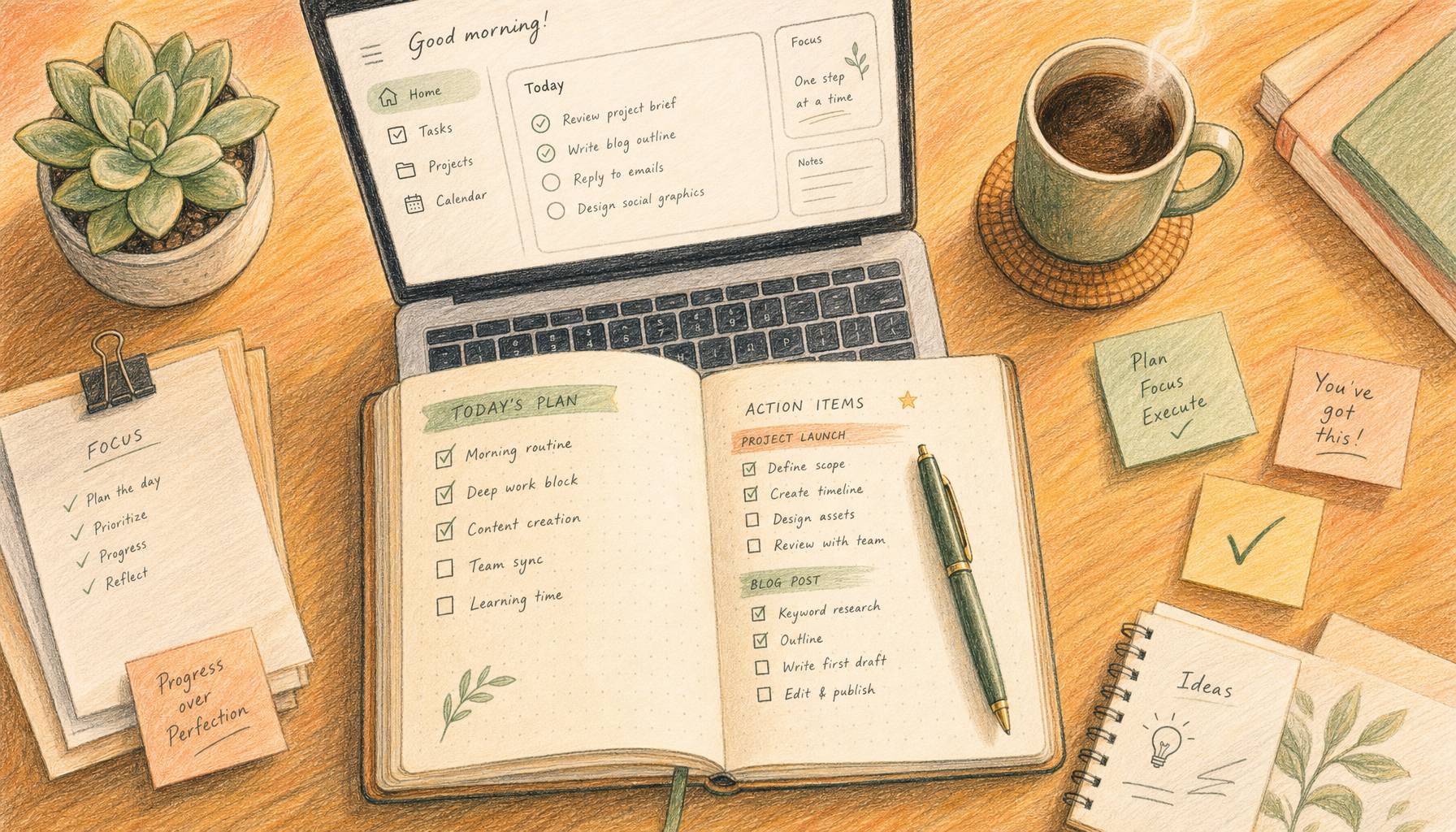
How to Turn AI Meeting Notes into Action Items That Get Done image

Why Transcription Is No Longer the Hard Part

In a June 2026 review of eight leading meeting tools, Simular.ai found that every tested product scored between 90 and 95 percent transcription accuracy. Their conclusion: "The real differentiators in 2026 are how notes get into your workflow, and what happens after the meeting ends."

That's the real shift. Transcription is table stakes — roughly where spell-check was a decade ago. Every tool has it. The gap now is in structured extraction and downstream routing.

Teams that capture a transcript and then manually scan it for action items are working twice. They're also introducing latency: a follow-up that lands more than two hours after a meeting closes is far less likely to trigger the immediate context and attention needed for someone to act.

The answer isn't a smarter transcription model. It's a short AI task that runs the moment your call ends.


The Four-Step Post-Meeting AI Workflow

How to Turn AI Meeting Notes into Action Items That Get Done image

Here is the meeting notes automation workflow that reliably converts transcripts into executed decisions. Each step takes under a minute once the prompt is ready.

  1. Capture the transcript — Paste the full transcript from any meeting recorder (Otter.ai, Fathom, Granola, or your video platform's built-in tool), or paste written notes if the meeting was informal. Speaker labels improve accuracy but aren't required.

  2. Run structured extraction — Use a precise extraction prompt that asks for four categories: decisions made, action items (each with an owner and a deadline), open questions, and risks or blockers. Ask the AI to flag missing information rather than guess at it.

  3. Resolve ambiguity — This is the human-in-the-loop step. The AI surfaces items where ownership or deadlines are unclear. You fill in the gaps before anything goes downstream. This step takes 60–90 seconds for most meetings.

  4. Send the follow-up — The AI drafts a follow-up email or Slack message with finalized action items sorted by owner. You review, adjust the tone, and send.

The total time — steps 2 through 4 — runs under three minutes for a typical one-hour meeting. The output is a structured list ready to paste into a project tracker, send to attendees, or import as tasks.


Running This AI Meeting Workflow in Kollab

Kollab handles this as a single multi-step task. Once you've run it once, you can package the full prompt chain as a reusable Kollab Skill so every team member can run it with a single command.

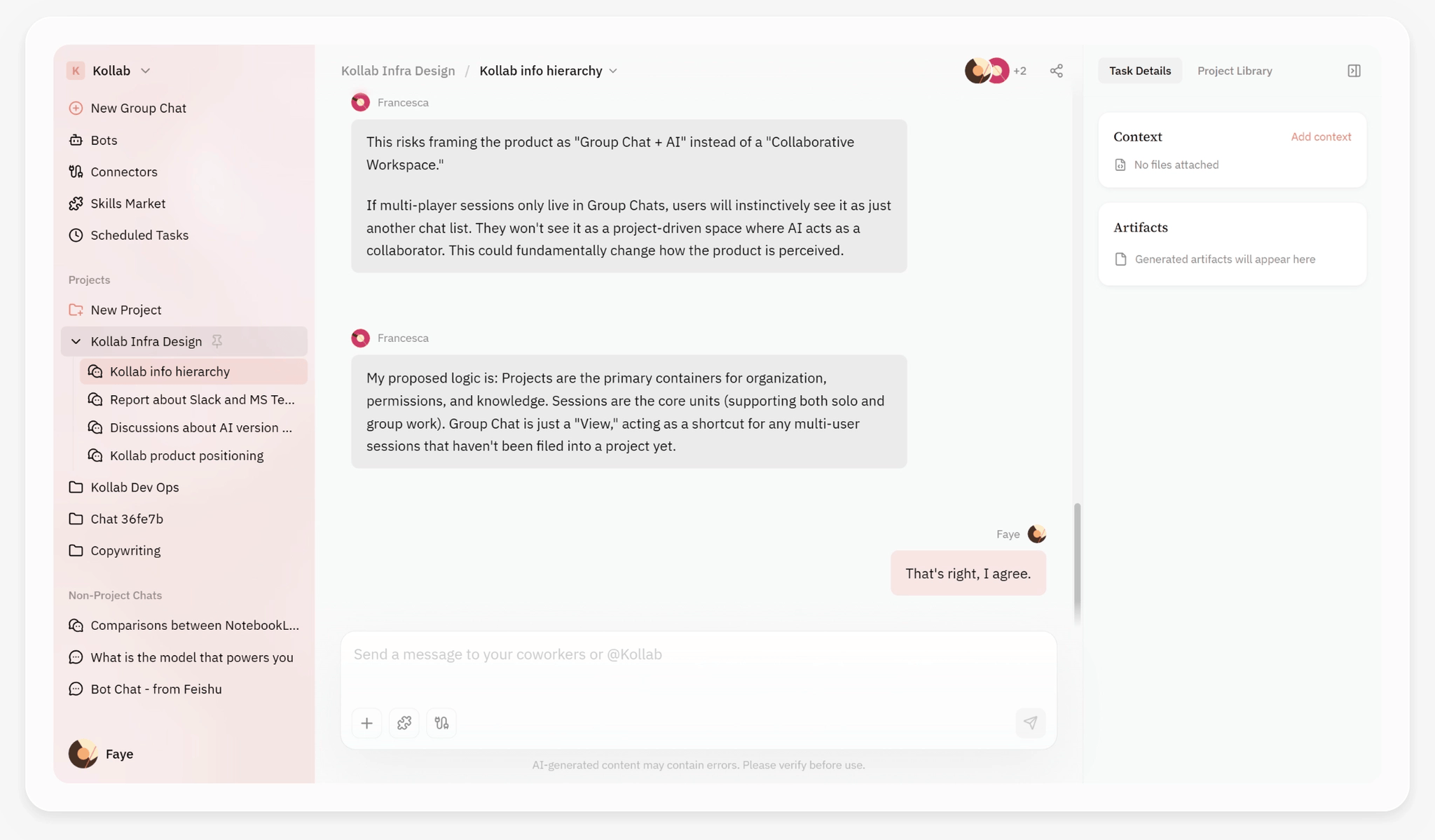
Kollab tasks support multi-user collaboration — paste your transcript and get structured output in the same workspace your team already uses.

Step 1: Start a task and paste your transcript

Open a Kollab task and paste your meeting transcript with this extraction prompt:

Review this meeting transcript. Output four clearly labeled sections: (1) Decisions Made — list each decision with the person who approved it. (2) Action Items — each on its own line as: Owner | Task | Deadline. Flag any missing owner or deadline as [Needs clarification] rather than guessing. (3) Open Questions — items that need a follow-up answer before work can proceed. (4) Risks or Blockers — anything mentioned that could slow progress.

Step 2: Review the structured output

Kollab returns a formatted block with all four sections. Scan for [Needs clarification] flags. Respond in the same task with the missing context — for example: "The landing page deadline is June 20, assigned to Sarah" — and the agent updates the list.

Step 3: Generate the follow-up email

Add one instruction: "Based on the finalized action items, draft a concise follow-up email for all attendees. Group items by owner. Use a subject line that includes the meeting name and date."

The draft is ready to paste and send directly from your email client.

Step 4: Save as a Skill

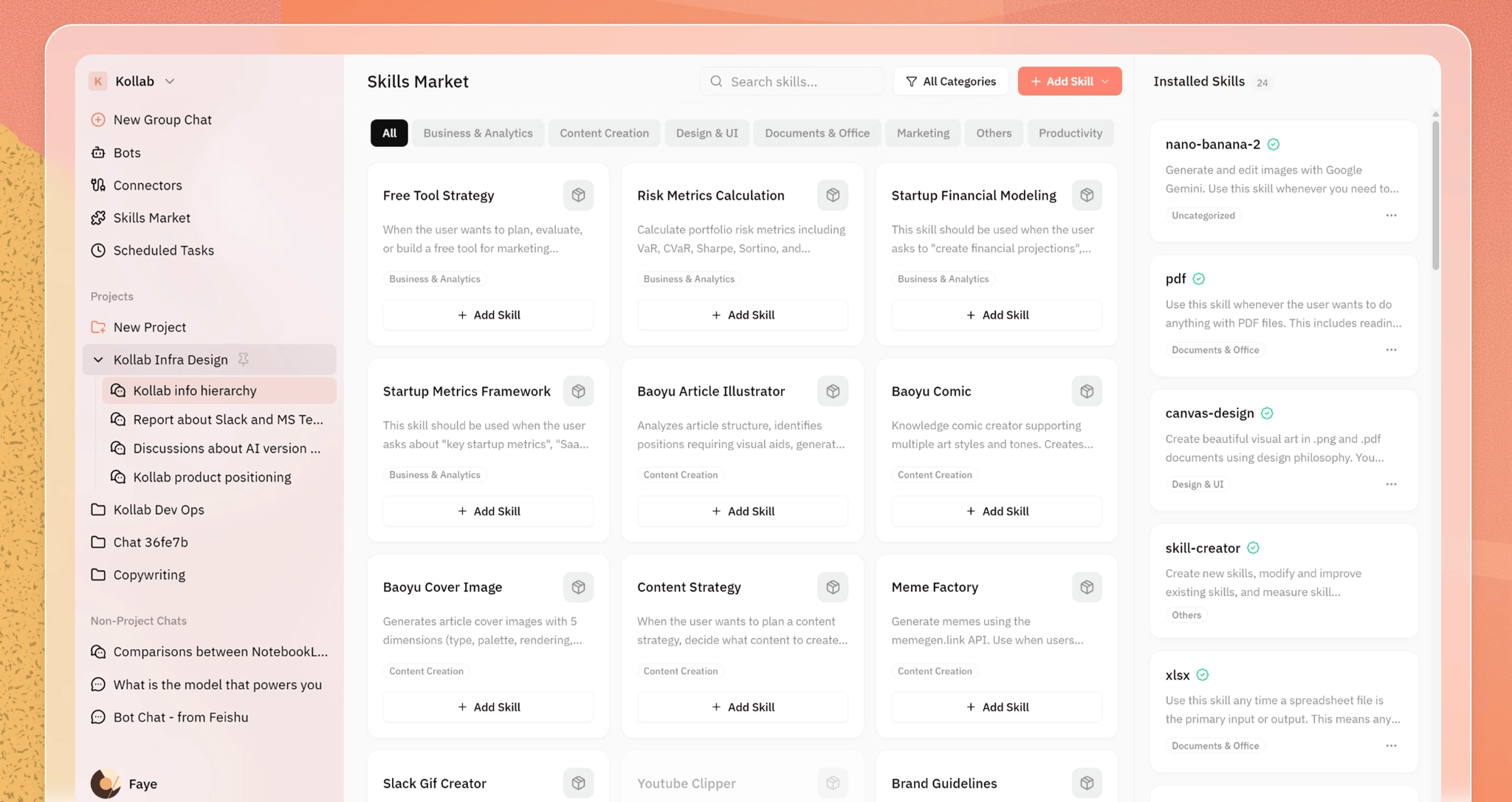
After the workflow produces reliable output, run /skill-creator in Kollab to package the full prompt chain into a named Skill. Your team calls it with /meeting-actions [transcript] — no re-reading prompts, no copying workflows between tasks.

The Kollab Skills Market — browse, install, and create reusable AI workflows. Package your meeting-actions prompt as a named Skill once, and any team member can invoke it with a single command.
Run this workflow in Kollab
Paste your meeting transcript and get structured action items with owners, deadlines, and a ready-to-send follow-up email in under 3 minutes.
Review this meeting transcript. Output four sections: (1) Decisions Made — with approver name. (2) Action Items — each as: Owner | Task | Deadline. Flag missing info as [Needs clarification]. (3) Open Questions. (4) Risk…
Open task ->

What Makes Action Items Work (and Where AI Slips)

How to Turn AI Meeting Notes into Action Items That Get Done image

A well-formed action item has three parts: a named individual, a specific task, and a stated deadline. Most unstructured meeting summaries fail on at least two of those. Here's what to watch for when reviewing AI-extracted action items:

Common AI Output Why It Fails Better Version
"Team to follow up on contract" No owner, no task, no deadline "Alex to send redlined contract to legal by June 19"
"Marketing should review the copy" "Marketing" is not a person "Dana to review landing page copy by EOD Tuesday"
"Schedule a follow-up meeting" Who books it? When? "Priya to send calendar invite for July 2 design review by Friday"
"Consider updating the timeline" No owner, no commitment "Carlos to update project timeline in Notion by June 20"
"We agreed on the new pricing" Decision buried, no approver on record "Pricing set at $49/seat — approved by CEO"

The extraction prompt above avoids most of these failures by telling the AI to flag ambiguity rather than invent plausible-sounding details. If no one said "Ryan will handle this," the output shows [Needs clarification: owner] — and you resolve it before sending.

One consistent finding: transcripts with speaker labels produce more accurate ownership attribution. If your meeting tool identifies participants by name rather than "Speaker 1," the AI assigns action items correctly in nearly all cases. If your transcript lacks labels, add a brief note at the top: "Participants: Alice (PM), Ben (Eng), Clara (Design)."

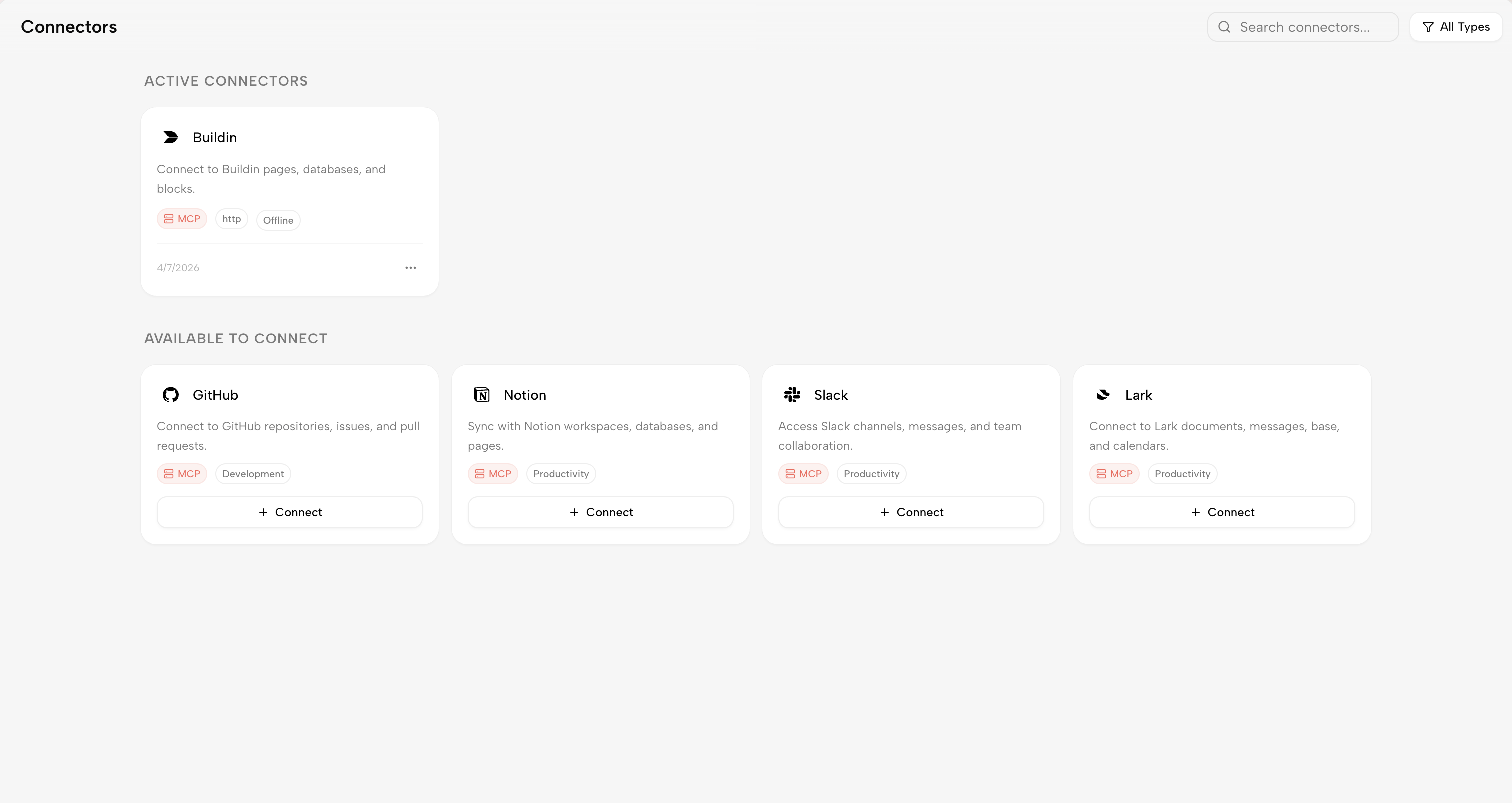
You can connect this workflow to your project management tool using Kollab connectors — so extracted tasks route directly to Notion, Linear, or Jira without an extra copy-paste step.

Kollab Connectors — one-click integrations with Notion, GitHub, Slack, Lark, and more. Extracted action items route directly into your existing project management tools.

Frequently Asked Questions

How to Turn AI Meeting Notes into Action Items That Get Done image

How long does this take once it's set up?

The extraction step runs in about 30 seconds for a 60-minute transcript. Review typically takes 2–3 minutes. Drafting the follow-up email adds another 60 seconds. Most users complete the full post-meeting AI workflow before the next call starts.

Does this work on informal notes, not just transcripts?

Yes. The same prompt handles written standup updates, async Loom video summaries, or even a Slack thread where decisions are scattered across messages. Paste the content and run the same extraction — the output quality depends on how much explicit decision-making language appears, not on whether you have a formal transcript.

What if the AI misses an implied decision?

Explicit decisions are captured reliably. Implied decisions — agreements reached through discussion without a clear statement — can slip through. Add this clause to your prompt to reduce misses: "Also review the conversation for implied decisions: agreements reached through discussion even if never stated formally."

Can the same Skill track open items across multiple meetings?

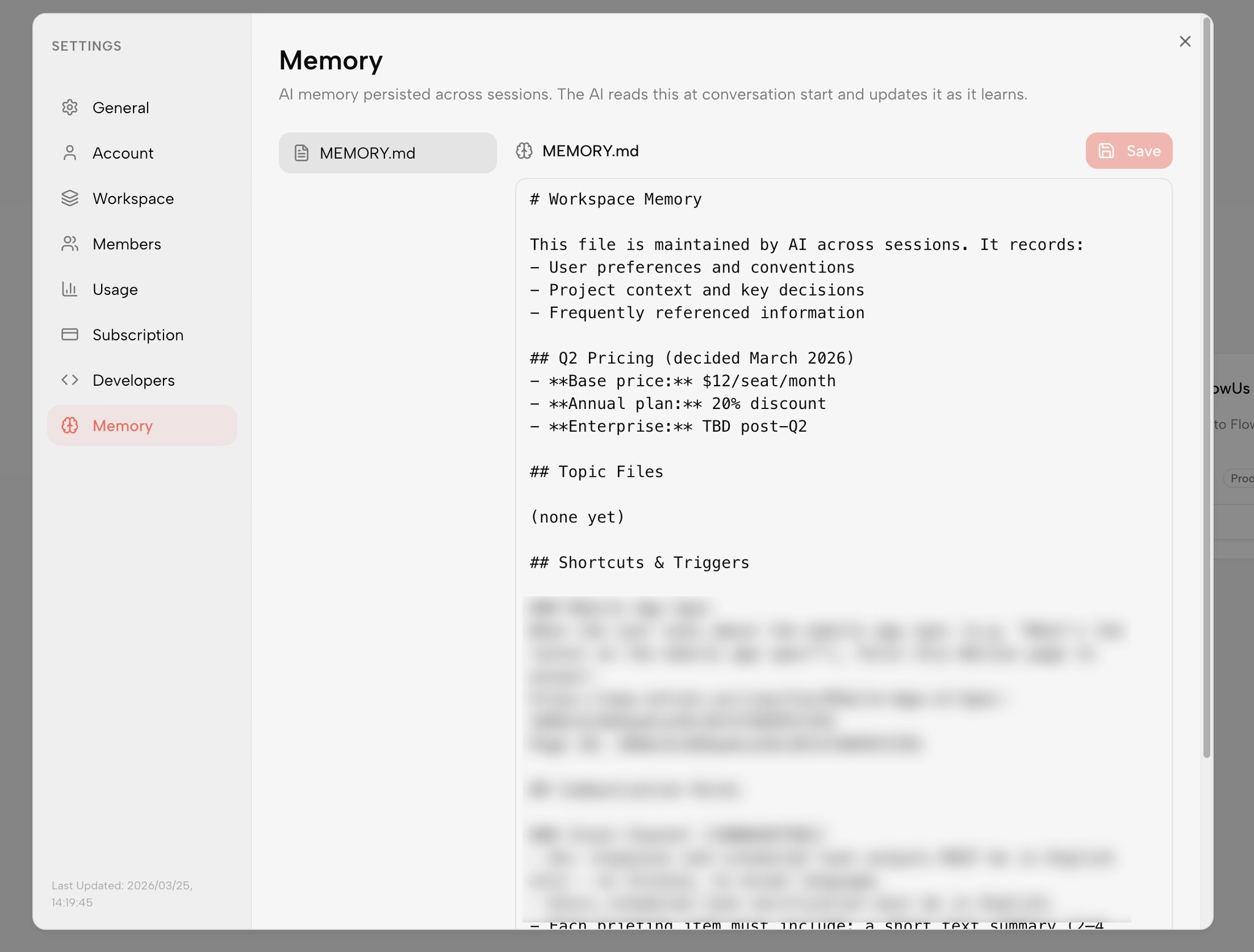
Once packaged as a Kollab Skill with persistent context, the agent can compare new meeting output against prior action items and flag anything outstanding from a previous week. This is especially useful for recurring team standups or weekly client calls.

Kollab Memory — AI memory persisted across sessions. When the meeting-actions Skill is packaged with persistent context, it reads prior week’s open items at the start of each new meeting cycle and surfaces anything outstanding.

Is this workflow useful for external client meetings?

Yes, with one adjustment: review the follow-up email draft carefully before sending externally. The AI captures the factual record accurately, but tone and framing for client communication usually need a light human edit before they go out.


Build this workflow in Kollab
Open a Kollab task, paste your next meeting transcript, and get structured action items with owners and deadlines — ready to send in minutes.
Start in Kollab ->

Sources

Blogdan devam edin

Kollab ile bu adımda gerekli bağlamı, kaynakları ve çıktıları tek yerde tutarak ekip çalışmasını daha düzenli ilerletin.

İlgili Yazılar