チームの最も反復的な業務をKollabスキルに変える方法

どのチームも毎週、同じワークフローを手動で実行しています。Kollab Skillsを使えば、こうしたパターンを一度コーディングするだけで、永続的に自動化できます。以下に、最初のスキルを構築する方法をご紹介します。
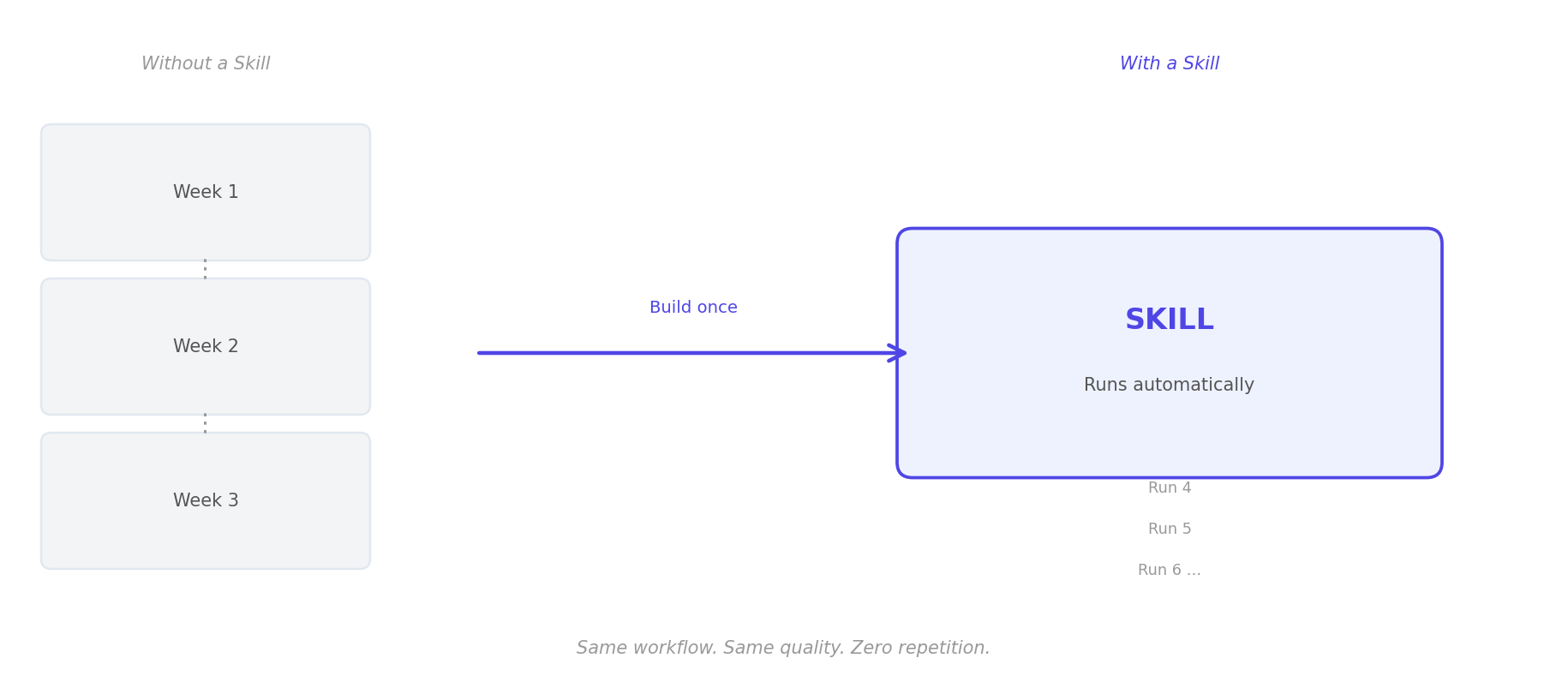
どのチームにも、毎週手動で実行しなければならない業務プロセスがいくつかあります。例えば、3つのツールからデータを抽出するだけで2時間かかるスプリントレビューのブリーフィング、4つのタブを開いて更新内容を統合し、対象に応じてレイアウトを再調整しなければならない顧客状況の更新、そして毎週月曜日の午前9時に作成、レビュー、手動で配布しなければならない週次会議の要約などです。
こうした状況は、特定の業界やチームの規模に限ったことではありません。本質的に見れば、これらは決して難しい業務ではありません。そのほとんどは、単に煩わしい調整作業に過ぎません。同じ入力、同じ変換、同じ出力であるにもかかわらず、本来はより価値のある業務を行うべき人々がこれを処理しています。
Kollab Skillは、こうしたワークフローを恒久的なメカニズムへと転換します。プロセスを一度定義し、入力と出力を設定すれば、その後のワークフローは自動的に実行されます。必要な時に、適切な頻度でAIが各段階で推論能力を最大限に発揮します。一人が構築すれば、チーム全体がその恩恵を受けます。誰かがより良い実行方法を思いついた場合、そのSkillを改善するだけで、今後のすべての実行が自動的に最適化されます。
これこそが、組織レベルでの「複利効果」が実際に具現化された姿です。
Skillとは何か(そして何ではないか)
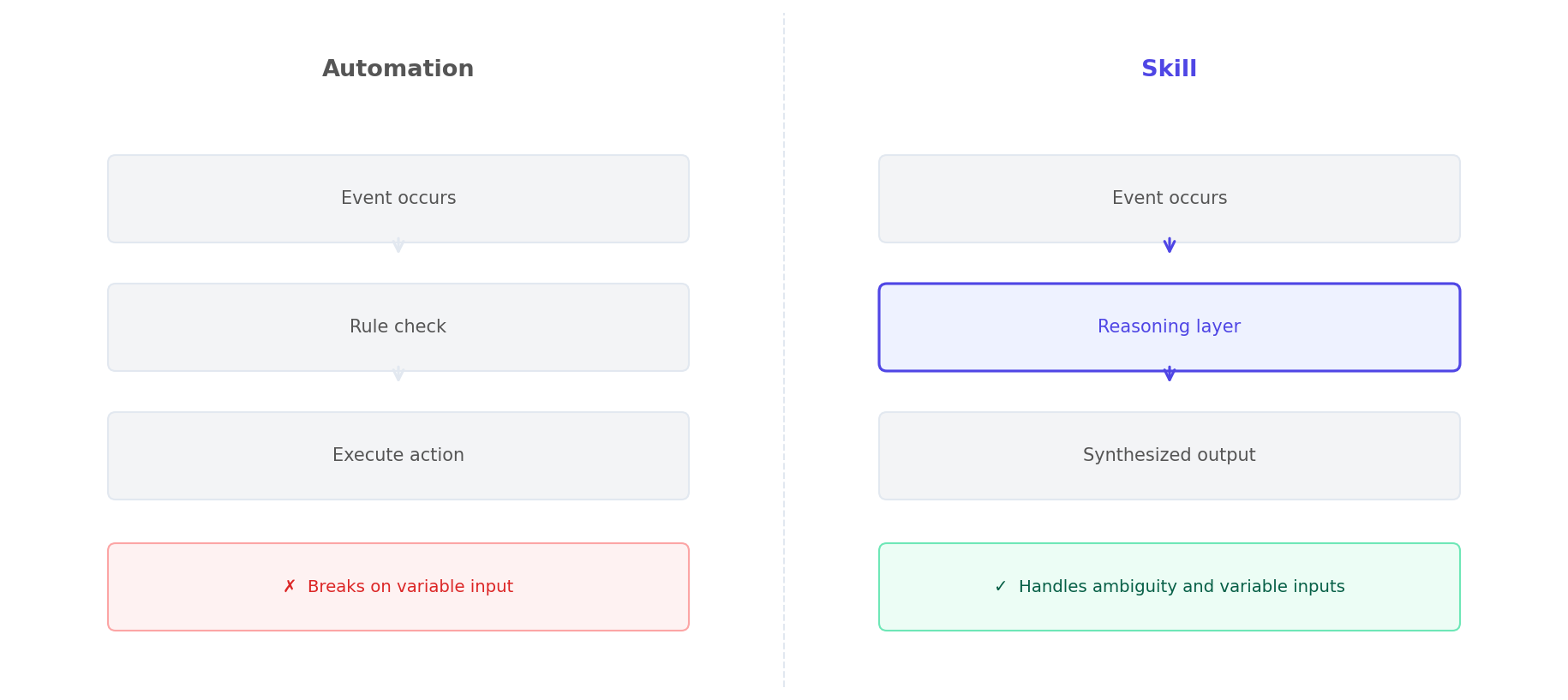
Kollabのスキルは、Zapier、Make、n8nのような自動化ツール ではありません。保存されたプロンプトでも、予約されたスクリプトでもありません。
むしろ、これはコンパイル型推論モデルに近いものです。ワークフローの記述は、特定の段階で真の推論が必要となるほど十分に複雑であると同時に、同じ推論が一貫して適用された際に信頼できる結果を導き出せるほど十分に構造化されています。
この違いは非常に重要です。純粋な自動化は、各ステップが決定論的である場合にのみ効果的です。「Xが発生したらYを実行する」という形式です。 ひとたび作業に総合的な判断、微妙な処理、または変数の入力が必要になると、自動化は無力になります。一方、スキルはClaude 4.7の完全な 推論能力をワークフローに統合します。つまり、データ形式が非標準であったり、2つのデータソースを統合する必要があったり、文脈に応じて出力結果を調整しなければならないといったシナリオにも対応できます。
具体的に言えば、スキルは「先週のJiraチケットを抽出し、コメントのやり取りが最も活発な3件を特定し、関連するGitHubコミットを確認し、未解決のブロック事項がないかチェックした後、プロダクトマネージャーが好む形式でスプリントレビューの要約を作成する」ことができます。どのような自動化でもこれを実行することはできません。スキルなら可能です。
ワークフローをスキルとして開発する価値があるかを判断する「3つの質問テスト」
何かを構築する前に、ワークフローについて次の3つの質問を投げかけてみてください:
1. チームは毎週少なくとも1回は実行していますか?
スキル構築の投資対効果(ROI)は、使用頻度に比例します。手動で処理するのに4時間かかり、スキルを使用すれば20分しかかからない四半期レポートの年間総削減時間は、手動で処理するのに90分かかり、スキルを使用すれば5分しかかからない週次ワークフローが節約してくれる時間よりも少ないのです。
2. 複数のソースからデータを抽出する必要がありますか?
単一のデータソースを扱う作業は、通常、ツールを使って直接自動化したり、簡単な手順だけで簡単に処理したりできます。データ統合が必要な場合—例えば、AIがJira、GitHub、Slackチャンネルからデータを抽出し、3つの独立したデータストリームを一貫性のある成果物に統合しなければならない場合など—スキルの価値は倍増します。
3. 新しいチームメンバーが作業方法を習得するために30分以上の説明が必要ですか?
もしそうなら、そのワークフローには特定の個人の頭の中にしか存在しない暗黙知が含まれているということです。その担当者がいなくなれば、この知識は失われてしまいます。スキルは、まさにこのような知識を永続的に保存するための仕組みです。
上記の3つの質問を経たプロセスは、ほぼすべてスキルとして構築する価値があります。
ステップバイステップガイド:Kollabで最初のスキルを構築する
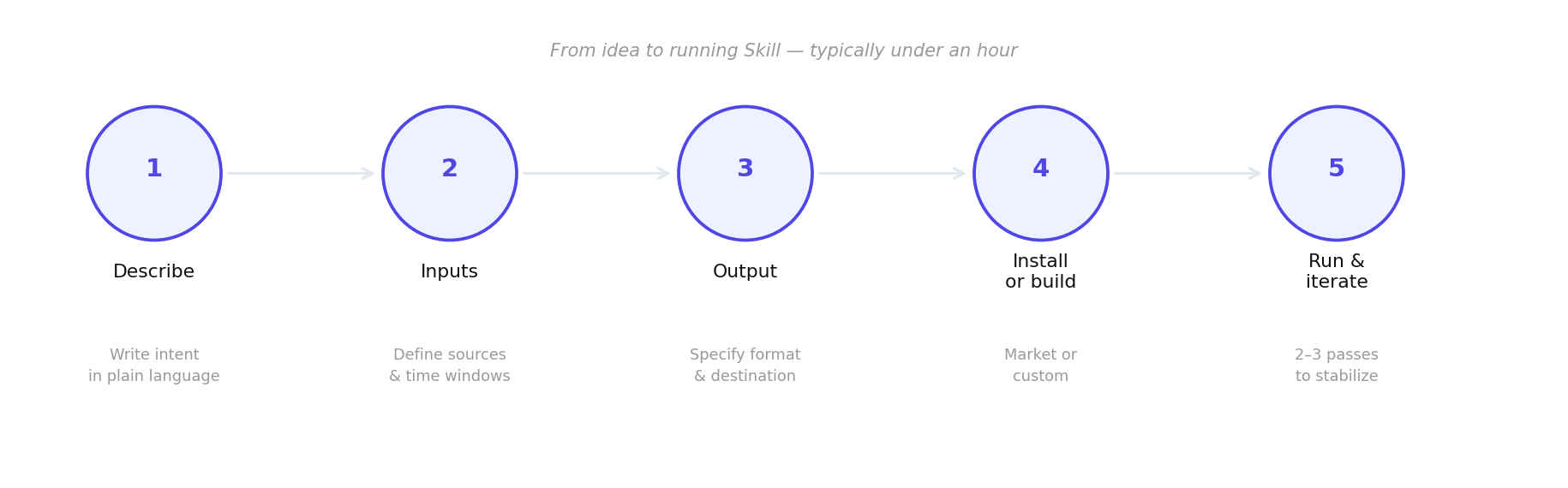
ステップ1:ワークフローを自然言語で説明する
まず、ワークフローの意図を平易な言葉で説明してください。手順ではなく、目的を説明するのです。「毎週金曜日の午後、エンジニアリングチームは、今週完了した内容、進行中の作業、および障害事項に関する要約を提出する必要があります。形式はプロダクトオーナーの要件に従う必要があります。」
この説明は、スキルコマンドセットの核となります。説明が明確で具体的であればあるほど、生成される結果の信頼性も高まります。
ステップ2:入力の定義
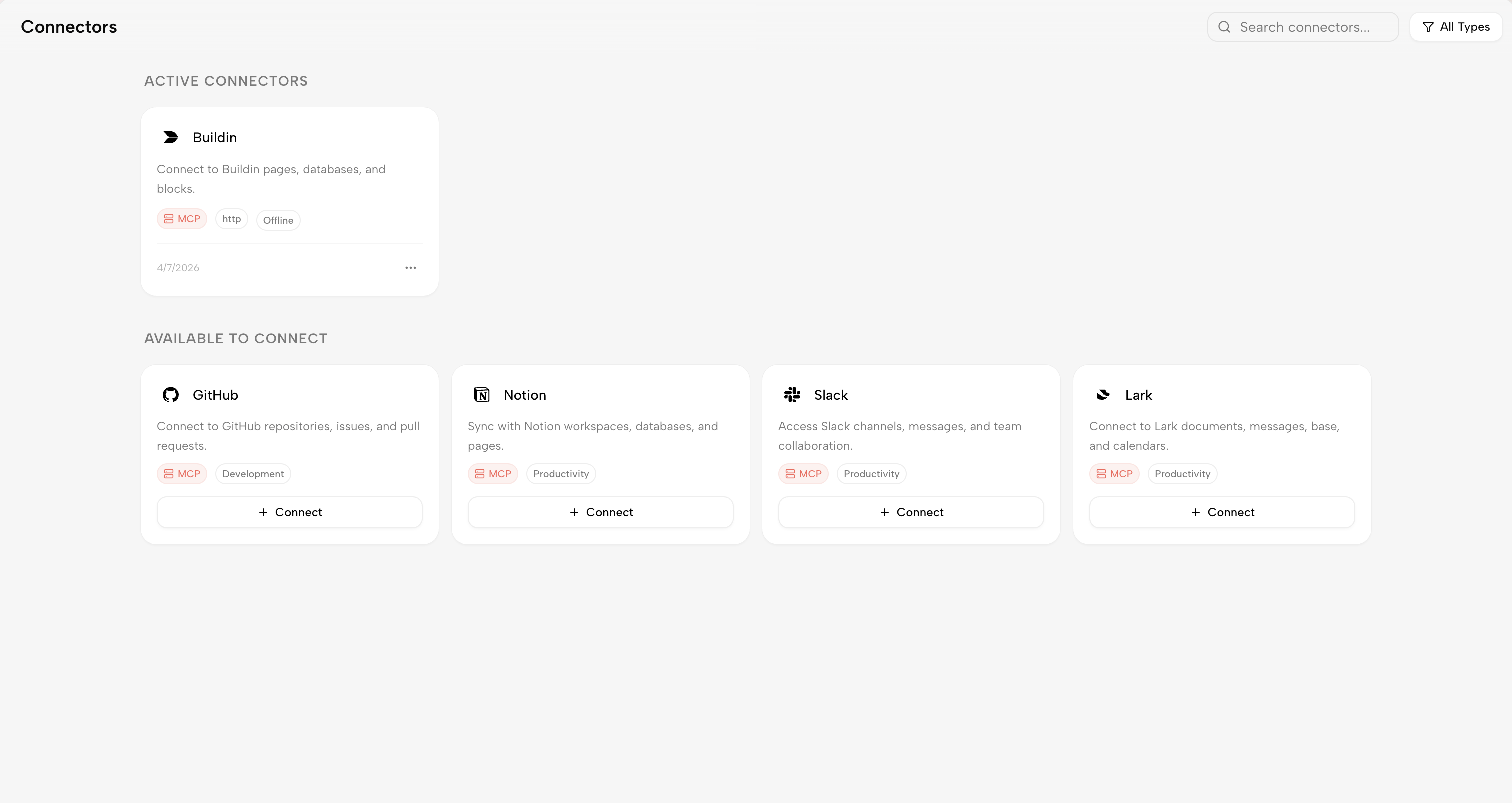
ワークフローを実行するにはどのようなデータが必要ですか?ほとんどのスキルは、KollabのMCPコネクタを通じて、Jira、GitHub、Notion、Slack、またはその他の接続されたツールなどの外部ソースからデータを取得します。 プロジェクトやワークスペース、時間範囲(「過去7日間」、「前回の実行以降」)、およびフィルタ条件(「エンジニアリングボードのイシューのみ」、「メインブランチにマージされたPRのみ」)を明確に指定してください。
ステップ3:出力形式の定義
最終的な成果物はどのような形式ですか?誰が受け取りますか?どこに送信されますか?スキルは、Notionページを作成したり、Slackメッセージを投稿したり、プロジェクト管理ツールでタスクを作成したり、Kollabプラットフォーム内でドキュメントを作成したりすることができます。ここで具体的な指示を明記することが非常に重要です。 「#sprint-reviews Slackチャンネルに5つの要点を要約して投稿する(各要点は1つのトピックを扱い、各要点は2文以内)」と明記することは、「スプリント要約を作成する」とだけ言うよりもはるかに効果的です。
ステップ4:スキルマーケットからインストールするか、カスタムスキルを構築する
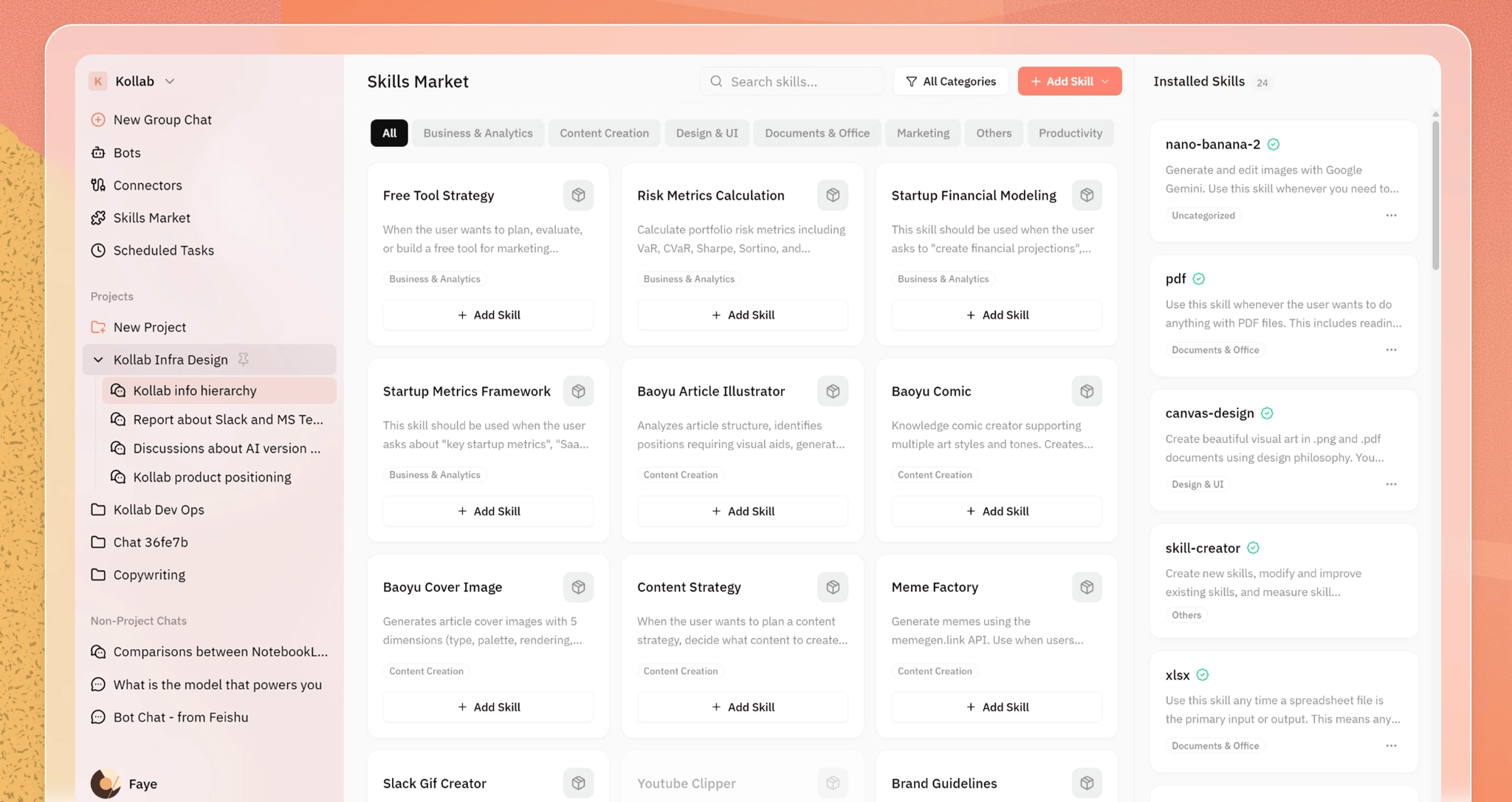
Kollabのスキルマーケットでは、スプリントレビュー、デイリースタンドアップの要約、コンテンツカレンダー、競合他社分析など、一般的なワークフローに適した既成のスキルを提供しています。最初のスキルを作成するには、まずスキルマーケットを確認してみてください。 既存のスキルのインストールには1分もかかりません。インストール後は、チームの具体的な好みに合わせて編集することも可能です。独自の要件があるカスタムワークフローの場合は、同じ構造化されたフォーマットを使用して、一から自分で構築してください。
ステップ5:一度実行、確認、繰り返し
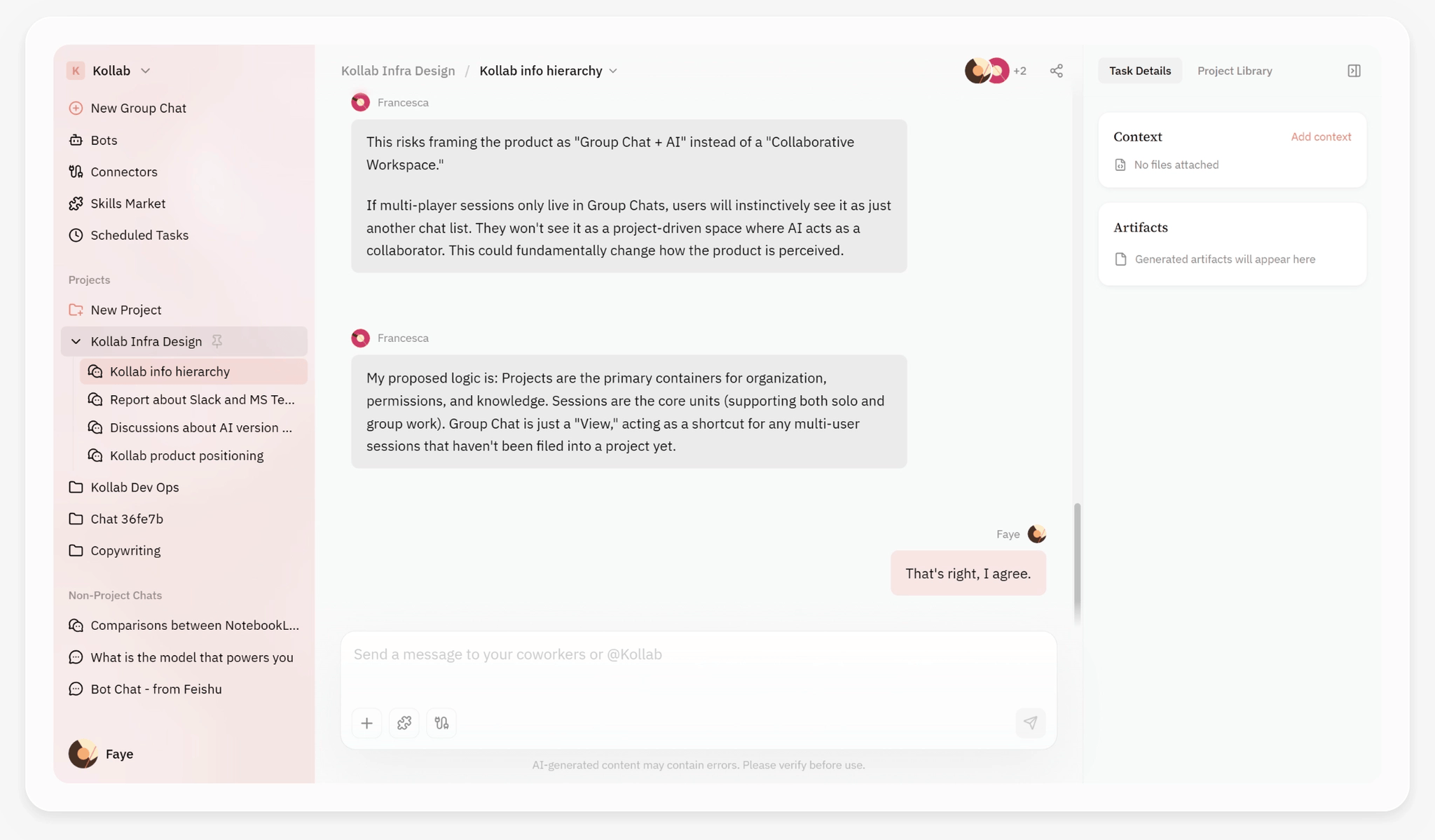
スキルを手動で一度実行し、結果を確認してください。最初の実行が完璧であることはまずありません。これは決して珍しいことではありません。結果の品質に影響を与える文脈の欠落、要件と完全に一致しない出力形式、調整が必要な実行タイミングや頻度などに重点を置いて確認してください。スキルの定義を調整した後、再度実行してください。 ほとんどのスキルは、2~3回の反復プロセスを経ることで安定して動作するようになり、その後数ヶ月間は修正なしでも安定した状態を維持します。反復作業は、チームの日常的なコラボレーションが行われるのと同じワークスペースで行われます。コンテキストを切り替える必要なく、チームメンバーと実行結果について議論し、出力内容を一緒に確認し、スキルを最適化することができます。
今週開発してみるべき3つのスキル
『週間エンジニアリング・ブリーフィング』
現状: 誰かが手動でJiraチケットを抽出し、GitHubを確認し、要約を作成しています。
入力:課題用のスプリントボード、最近のコミットおよびプルリクエスト用のGitHub、今週のレポート用のブロック事項に関するSlackチャンネル。
成果物:完了項目、進行中の項目、ボトルネック、担当者をまとめた構造化されたNotionページと、簡潔な総括レポート。
時間短縮:通常、毎週60~90分。
受益者:プロダクトオーナー、エンジニアリングマネージャー、および会議に出席しなくてもスプリントの進捗状況を把握できるステークホルダー。
顧客状況の更新
代替作業:チームメンバーが45分かけて複数のチャネルからプロジェクトの状況をまとめ、それを顧客が理解しやすい言葉に変換して送信するプロセス。
入力:プロジェクトのタスクとそのステータス、最近納品された成果物、未解決の問題や障害要因。
成果物:顧客が好むコミュニケーションスタイル(技術項目で指定)で作成された、標準形式の顧客向けメールまたはNotionの更新情報。
時間短縮:顧客1人あたり毎週30~45分の削減。
対象者:顧客のマネージャー、コンサルタント、および外部の利害関係者とのコミュニケーションを管理するすべての担当者。
競合情報の要約
代替作業:競合他社のブログ、製品ページ、LinkedInフィードを手動で確認すること。
入力:競合他社のウェブサイトリスト、および追跡しているさまざまな情報源からの関連言及。
成果物:毎週、主な変化(新機能、価格変動、主要な人材の採用、コンテンツのアクセスポイントなど)を要約してブリーフィングを作成し、チームの Slack チャンネルに送信します。
時間短縮:毎週1~2時間(追跡する競合他社の数によって異なります)。
受益者:プロダクトチーム、マーケティングチーム、経営陣。
相乗効果
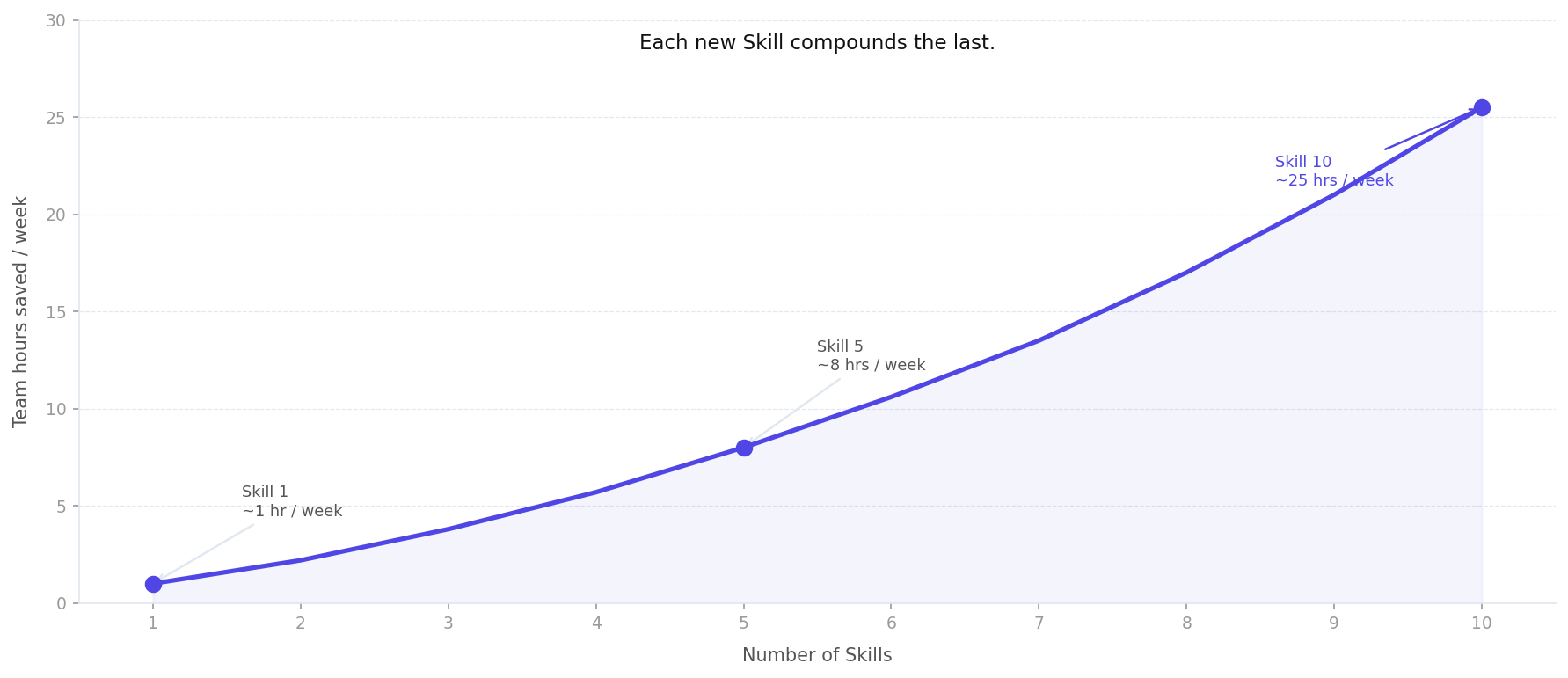
構築した最初のスキルは時間を節約してくれます。5つ目のスキルからは、チームの業務の進め方を変え始めます。10のスキルが日常的なワークフローで機能するようになると、構造的な変化がすでに起きています。かつては経営陣の注意を必要としていた業務調整のコストが、今では誰も意図的に介入しなくても、自動的かつ継続的に処理されるようになります。
これこそが、マッキンゼーの生成AIに関する研究で指摘された点です。AIから付加価値を引き出しているチームは、最も複雑なモデルを使用しているチームではありません。むしろ、システムを構築し、AIを最も頻繁な業務フローに一貫して適用しているチームです。 スキルとは、まさにこの一貫性を実現するメカニズムです。55の経済圏における約1,000社を対象とした調査に基づく世界経済フォーラム(WEF)の『2025年未来の雇用報告書』も、同様の結論を出しています。AIから競争優位性を確保する組織とは、特定のモデルを保有する企業ではなく、AIを運用ワークフローに統合した企業です。
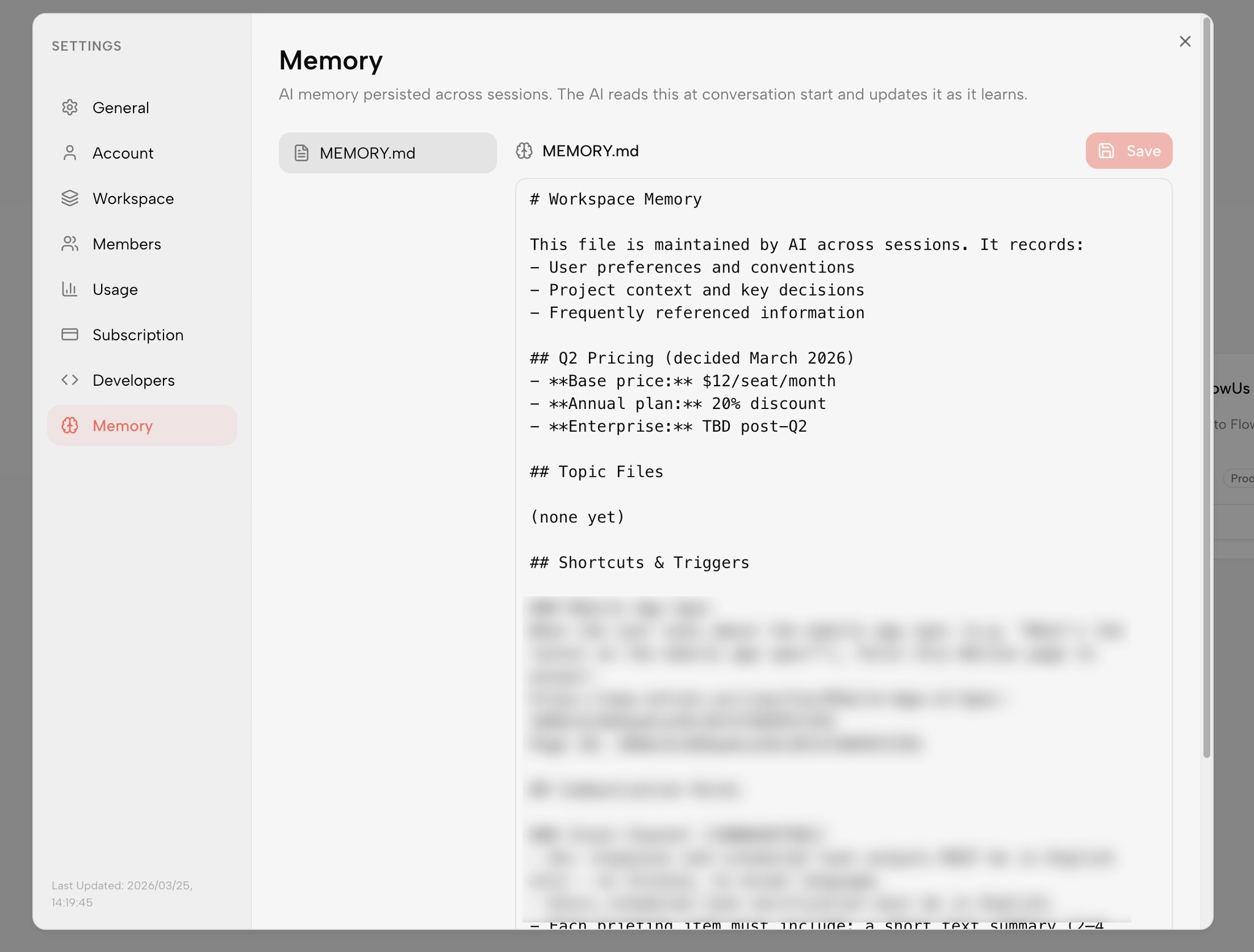
また、組織のレジリエンスという側面も注目に値します。デロイトの調査によると、中核となる従業員が退職した場合、企業は組織内の知識の30%から70%を失うと推定されています。スキル(Skill)は、プロダクトオーナーが好む特定の形式、チームが真に信頼するデータソース、長年の協業を通じて形成された暗黙の標準など、彼らの判断力をルールとして定着させます。 これにより、こうした知識は個人の認識から永続的な資産へと転換されます。Kollabの「メモリーレイヤー」は、この機能をさらに一歩進化させました。AIはセッション間でチームの好み、出力基準、業務パターンに関するコンテキスト情報を保持するため、スキルが実行されるたびに、Kollabが把握した御社の実際の運用方法に基づいて調整されます。
どこから始めましょうか
ワークフローを1つ選択してください。チームで最も頻繁に実行されるワークフロー、あるいはその業務に精通した担当者が不在の際、業務の遅延を最も招きやすいワークフローが該当します。
3つの質問テストを行ってください。テストに合格したら、20分ほど時間を取って、そのワークフローと理想的な成果物を明確に記述してみてください。スキルマーケットで同様の機能を提供する既存のスキルを探してみてください。適切なオプションがない場合は、作成した説明に基づいてカスタムスキルを構築してください。
一度実行してみてください。確認し、調整してください。その後、次のタスクに進んでください。
AIを真に活用しているチームは、モデルのサブスクリプションをアップグレードしたからではありません。彼らはワークフローを一つずつ構築し、反復的なタスクを自動的に処理するシステムを構築することで、これを実現しています。
Kollabスキルマーケットを探索し、来週までに自動化できるワークフローを見つけてください。